
1. Pwodwi souview
The LENRUE TouchGo F4 is a compact, portable Bluetooth speaker designed for clear audio and ease of use. It features touch controls, Bluetooth 5.0 connectivity, and supports TWS (True Wireless Stereo) pairing for an enhanced audio experience. The speaker comes with a hard EVA travel case for protection and portability.

Figure 1: LENRUE TouchGo F4 Bluetooth Speaker.
2. Pake kontni
Tanpri tcheke pake a pou atik sa yo:
- LENRUE TouchGo F4 Bluetooth Speaker
- Hard EVA Travel Case
- TYPE-C Chaje Kab
- Manyèl itilizatè
3. Enstalasyon
3.1 Premye chaj
Before first use, fully charge the speaker. Connect the provided TYPE-C charging cable to the speaker's charging port and a compatible USB power adapter (not included). The charging indicator light will show the charging status. A full charge typically takes approximately 4 hours.
3.2 Limen/Etenyen
- Pou limen: Press and hold the power button (usually the central play/pause button) for a few seconds until you hear an audible prompt and the indicator light illuminates.
- Pou etenn: Press and hold the power button again for a few seconds until you hear an audible prompt and the indicator light turns off.
3.3 Bluetooth Pairing
To connect the speaker to your device:
- Ensure the speaker is powered on and in pairing mode (the indicator light will typically flash blue).
- Sou aparèy ou an (telefòn entelijan, tablèt, elatriye), aktive Bluetooth epi chèche aparèy ki disponib yo.
- Select "ToughGo" or "LENRUE TouchGo" from the list of devices.
- Once connected, you will hear a confirmation sound, and the indicator light will turn solid blue.
Oratè a ap rekonekte otomatikman ak dènye aparèy ki konekte a lè li limen, si aparèy la nan zòn li epi Bluetooth la aktive.

Figure 2: Speaker with touch controls for sensitive and elegant operation.
3.4 TWS Wireless Pairing (Connect Two Speakers)
To achieve dual-channel stereo sound, you can pair two TouchGo F4 speakers together:
- Power on both TouchGo F4 speakers.
- Ensure both speakers are disconnected from any other Bluetooth devices.
- On youn of the speakers, press and hold the "+" button until you hear a prompt indicating TWS pairing mode.
- The two speakers will automatically pair with each other. You will hear a "beep" sound upon successful TWS pairing.
- Now, connect your device's Bluetooth to the device name "ToughGo". Both speakers will play audio in stereo.
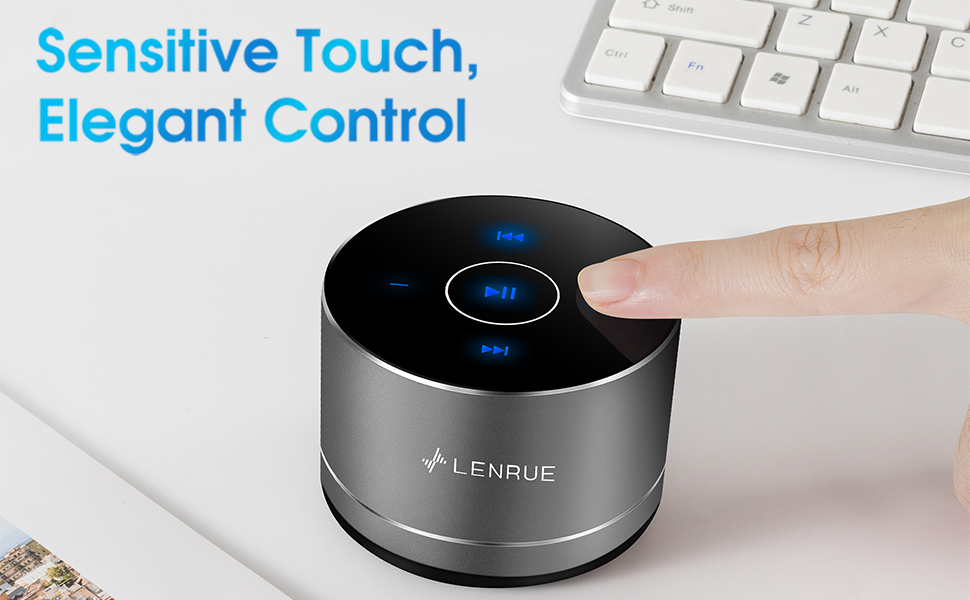
Figure 3: Two speakers connected for TWS wireless stereo pairing.
4. Operasyon Enstriksyon
4.1 Kontwòl manyen
The speaker features intuitive touch controls located on the top surface:
- Jwe/Poz: Tap the central button once to play or pause music.
- Volim moute: Tap the "+" button to increase volume.
- Volim desann: Tap the "-" button to decrease volume.
- Pwochen Track: Tap the ">>" button to skip to the next song.
- Track Previous: Tap the "<<" button to go to the previous song.
4.2 Apèl men lib
The speaker includes a built-in microphone for hands-free calls:
- Reponn apèl: When a call comes in, tap the central button once to answer.
- Fini apèl: During a call, tap the central button once to end the call.
- Rejte apèl: Peze epi kenbe bouton santral la pandan apeprè 2 segonn pou rejte yon apèl k ap antre.
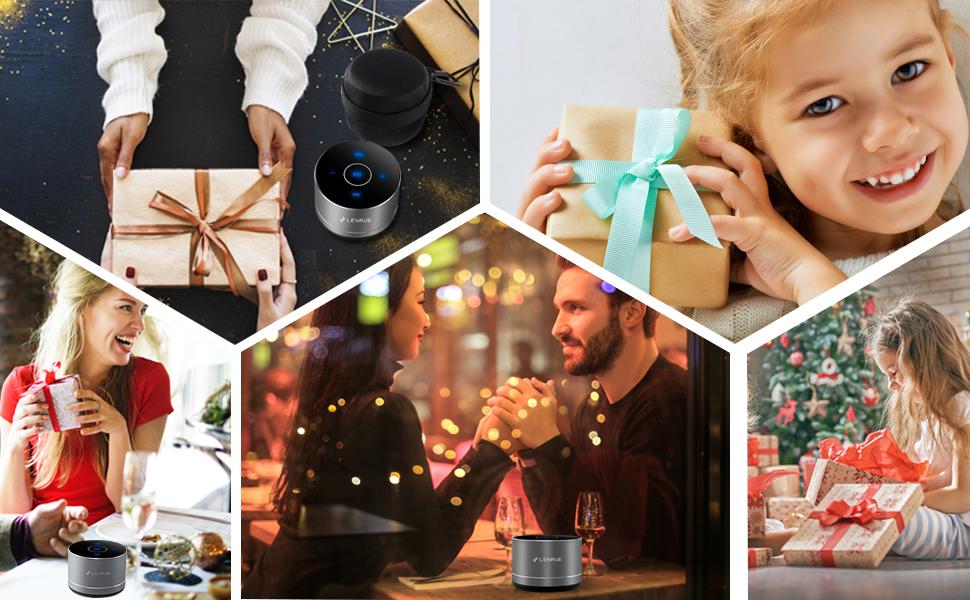
Figure 4: Speaker with hands-free calling capability.
4.3 Battery Life and Power Saving
The speaker is equipped with a 1200mAh lithium-ion battery, providing 6-15 hours of music playback at 2/3 volume. To conserve power, the speaker will automatically shut down if Bluetooth is disconnected for 30 minutes.
5. Antretyen
5.1 Netwayaj
To clean the speaker, use a soft, dry cloth. Do not use abrasive cleaners, solvents, or immerse the speaker in water.
5.2 Depo
When not in use for extended periods, store the speaker in its hard EVA travel case in a cool, dry place. Avoid extreme temperatures and direct sunlight.
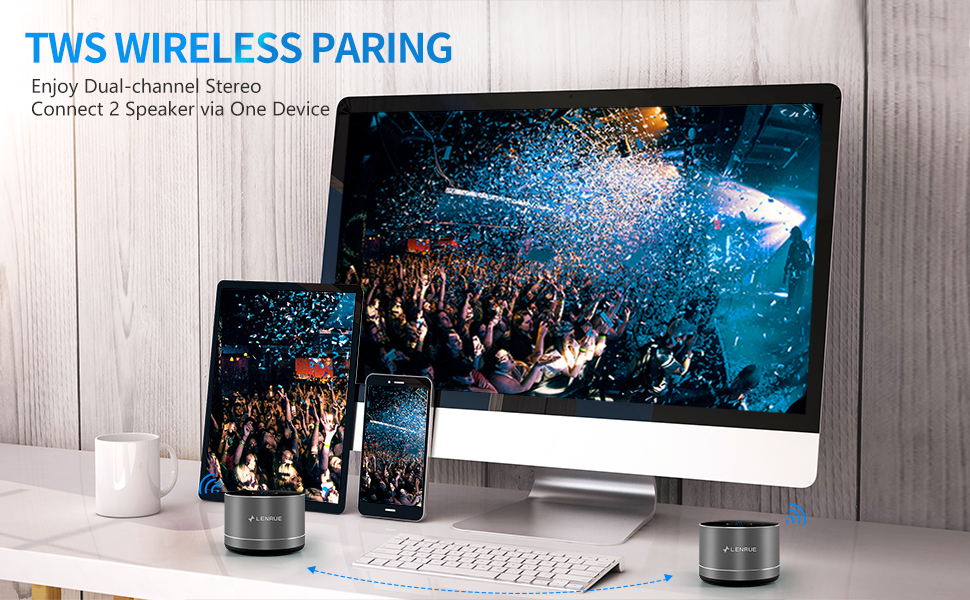
Figure 5: Speaker with its protective hard EVA travel case.
NAN. Depanaj
| Pwoblèm | Kòz posib | Solisyon |
|---|---|---|
| Oratè pa limen. | Pil fèb; Bouton pouvwa a pa byen peze. | Chaje oratè a nèt; Peze epi kenbe bouton pouvwa a pandan kèk segonn. |
| Pa ka asosye ak aparèy Bluetooth. | Oratè a pa an mòd koneksyon; Bluetooth aparèy la etenn; Oratè a deja konekte ak yon lòt aparèy. | Ensure speaker is in pairing mode (flashing blue light); Turn on Bluetooth on your device; Disconnect from other devices and try again. |
| Poor sound quality / Muffled sound. | Speaker placement; Obstructions; Low volume. | Ensure the speaker is placed on a flat, open surface, ideally not directly on its bottom where the speaker grille is located. Try placing it on its side for clearer sound. Remove any obstructions; Adjust volume on both speaker and device. |
| Koneksyon TWS la echwe. | Speakers already paired to a device; Incorrect pairing procedure. | Ensure both speakers are disconnected from any Bluetooth devices before initiating TWS pairing. Follow the TWS pairing steps precisely. |
| Pa gen son. | Volume too low; Paused playback; Device not connected. | Increase volume on both speaker and device; Press play; Verify Bluetooth connection. |
7. Espesifikasyon
| Karakteristik | Detay |
|---|---|
| Nimewo Modèl | F4 |
| Koneksyon Teknoloji | Bluetooth 5.0 |
| Oratè maksimòm pwodiksyon pouvwa | 5 Watts |
| Sous pouvwa | Batri Powered (1 batri ityòm Ion enkli) |
| Kapasite batri | 1200mAh |
| Playtime | 6-15 hours (at 2/3 volume) |
| Tan pou chaje | Apeprè 4 èdtan |
| Metòd kontwòl | Manyen |
| Dimansyon pwodwi | 3.15 x 3.15 x 1.18 pous |
| Pwa atik | 9 ons |
| Karakteristik espesyal | Portable, Hands-Free Calling, TWS Pairing |
8. Garanti ak sipò
For warranty information and customer support, please refer to the documentation included with your purchase or contact LENRUE customer service directly. Contact details can typically be found on the official LENRUE websit entènèt la oubyen atravè revandè w la.