
1. Kòmanse
1.1 Unboxing Your Tablet
Carefully remove all items from the packaging. Ensure all components are present before discarding the box.
Videyo 1: This video demonstrates the unboxing process of the Blackview Tab 6, showing the tablet and included accessories such as the charger, USB cable, and SIM eject pin.
1.2 Kontni pake a
- Nwaview Tab 6 tablèt
- Adaptè pouvwa
- USB Chaje Kab
- SIM Ejecter PIN
- Manyèl Itilizatè (dokiman sa a)
1.3 Mete Kat SIM/SD a
Locate the SIM/SD card tray on the side of your tablet. Use the provided SIM eject pin to open the tray. Insert your Nano-SIM card(s) and/or microSD card into the designated slots, ensuring correct orientation. Gently push the tray back into the tablet until it clicks into place.
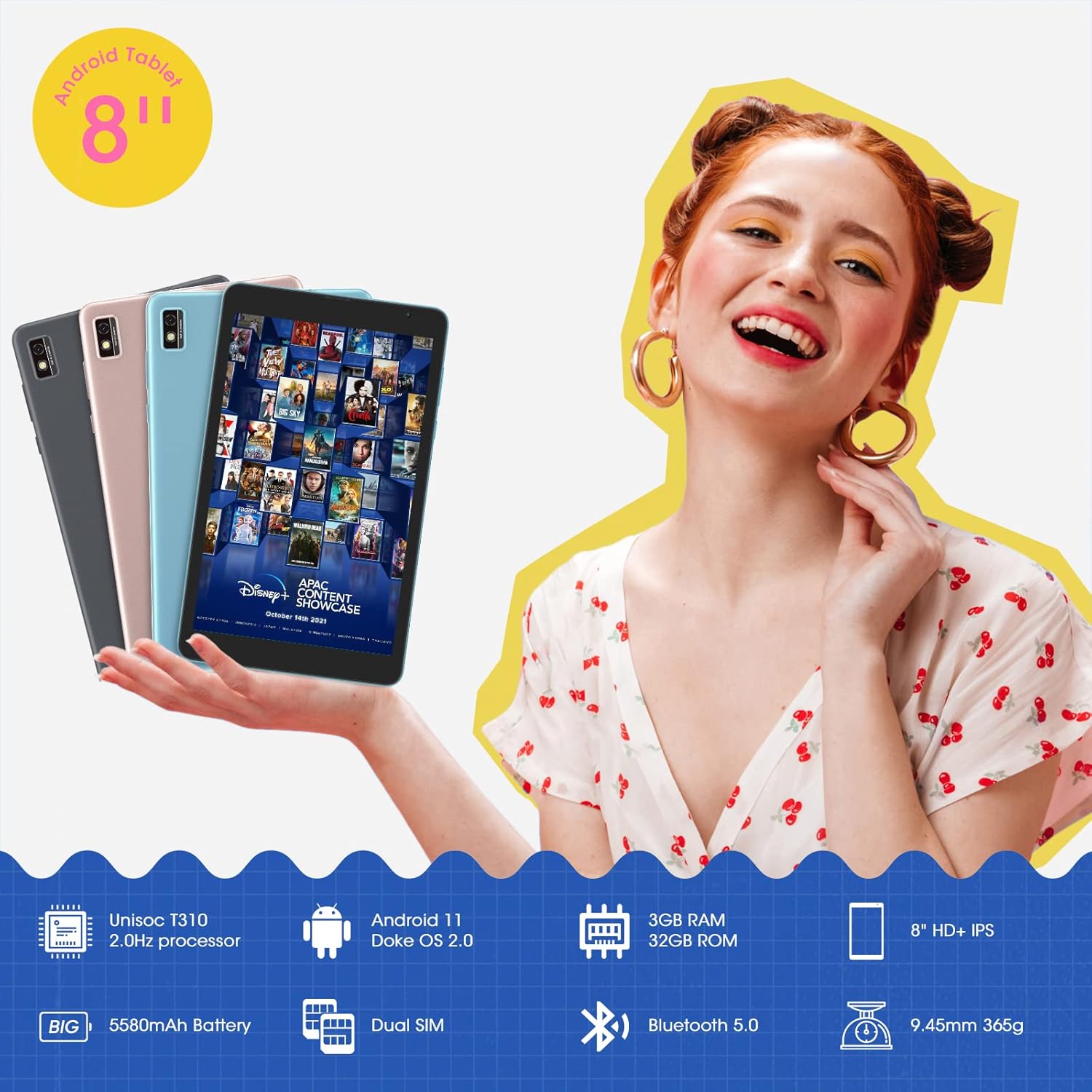
This image shows the Blackview Tab 6 with its dual SIM slots, highlighting its connectivity features and key specifications like the 5580mAh battery and 8-inch HD+ IPS display.
1.4 Premye Chaje ak Limen
Before first use, fully charge your tablet using the provided power adapter and USB cable. Connect the USB cable to the tablet's charging port and the adapter to a power outlet. The battery indicator on the screen will show charging status. Once charged, press and hold the power button on the side of the tablet until the Blackview logo appears to power it on.
2. Itilizasyon Tablèt ou a
2.1 Navigasyon debaz
Nwa aview Tab 6 runs on Android 11 with Doke OS 2.0, offering an intuitive user experience. Use touch gestures for navigation:
- Tape: Chwazi yon atik oubyen louvri yon aplikasyon.
- Glise: Scroll through screens, lists, or pages.
- Zoom-pou-zoom: Agrandi oswa diminye foto yo epi web paj.
- Long peze: Jwenn aksè nan meni kontèks yo oubyen deplase ikòn aplikasyon yo.

This image illustrates the user interface of the Blackview Tab 6, showcasing the Android 11 operating system with Doke OS 2.0 features like gesture control and dark theme.
2.2 Montre mòd
The tablet offers various display modes to optimize your vieweksperyans nan:
- Ebook Mode: Adjusts the screen for comfortable reading, reducing eye strain.
- Mòd nòmal: Standard display settings for general use.
- Mode Konfò Je: Filters blue light to protect your eyes, especially in low-light conditions.

This image displays the various screen modes available on the Blackview Tab 6, including Ebook Mode, Normal Mode, and Eye Comfort Mode, designed for different viewpreferans ing.
2.3 Koneksyon
The Tab 6 supports a range of connectivity options:
- Wi-Fi: Supports 2.4G and 5G dual-band Wi-Fi for fast internet access.
- Bluetooth 5.0: Pou konekte akseswa san fil tankou kas ekoutè ak oratè.
- Rezo Mondyal 4G: Allows for mobile data and call functionality (where supported by your SIM card and carrier).

This image highlights the Blackview Tab 6's connectivity features, including 4G Global Network and 5G Wi-Fi support, emphasizing its versatility as a multi-functional device.
2.4 Navigasyon GPS
The Tab 6 is equipped with a high-precision quad navigation system (GPS, GLONASS, Beidou, Galileo) for accurate location tracking and route planning. The large 8-inch screen and automatic brightness adjustment ensure clear readability of navigation information in various conditions.

This image shows the Blackview Tab 6 displaying a navigation map, illustrating its use for route guidance and location services.
Videyo 2: This video demonstrates various uses of the Blackview Tab 6, including gaming, note-taking, and GPS navigation, showcasing its performance and display quality.
3. Antretyen
3.1 Swen Batri
The tablet is equipped with a 5580mAh battery, providing up to 8 hours of average use. To prolong battery life:
- Evite tanperati ekstrèm.
- Pa kite batri a dechaje nèt regilyèman.
- Sèvi ak plato orijinal la ak kab la pou yon chajman optimal.
- Fèmen aplikasyon ki pa itilize yo kouri nan background nan.

This image highlights the 5580mAh battery of the Blackview Tab 6, indicating its long standby time and estimated usage durations for talking, music, and video playback.
3.2 Jesyon Depo
The tablet comes with 32GB of internal storage and supports expansion up to 128GB via a microSD card. Regularly manage your storage by:
- Efase pa nesesè files ak apps.
- Deplase an gwo files nan yon kat microSD.
- Utilizing cloud storage services.

This image illustrates the storage capabilities of the Blackview Tab 6, showing its 3GB RAM, 32GB ROM, and support for up to 128GB storage expansion, alongside various application icons.
3.3 Netwaye Tablèt ou a
Sèvi ak yon twal mou ki pa gen pousyè pou netwaye ekran an ak kò tablèt la. Evite itilize pwodui chimik ki agresif oswa materyèl abrazif ki ka domaje sifas la.
NAN. Depanaj
4.1 Pwoblèm komen ak solisyon
- Tablèt la pa limen: Asire w batri a chaje. Konekte l nan plato a epi eseye ankò.
- Pèfòmans ralanti: Close unused apps, clear cache, or restart the tablet.
- Pwoblèm koneksyon Wi-Fi: Restart your router and tablet. Forget and reconnect to the Wi-Fi network.
- Pwoblèm chaj: Ensure the charging cable and adapter are securely connected and undamaged. Try a different compatible charger if available.
4.2 Reset faktori
Si ou rankontre pwoblèm lojisyèl ki pèsiste, yon réinitializasyon faktori ka rezoud yo. Avètisman: Sa ap efase tout done ki sou tablèt ou a. Fè yon kopi done enpòtan yo anvan ou kontinye.
- Ale nan Anviwònman.
- Chwazi Sistèm > Reyajiste opsyon.
- Chwazi Efase tout done (reset faktori).
- Konfime chwa ou epi swiv enstriksyon yo sou ekran an.
5. Espesifikasyon
| Karakteristik | Spesifikasyon |
|---|---|
| Gwosè ekran | 8 pous |
| Rezolisyon ekran | 1280 x 800 HD IPS |
| Processeur | 2.0GHz Quad-Core (Unisoc T310) |
| RAM | 3 GB |
| Depo Entèn | 32 GB |
| Depo dilatabl | Jiska 128 GB (microSD) |
| Sistèm operasyon | Android 11 (Doke OS 2.0) |
| Kapasite batri | 5580 mAh |
| Kamera dèyè | 5 MP |
| Koneksyon | 2.4G+5G Dual WiFi, Bluetooth 5.0, 4G LTE |
| Dimansyon (LxWxH) | 8 x 4.5 x 0.4 pous |
| Pwa atik | 1.42 liv (apeprè 644g) |
6. Enfòmasyon sou Garanti
Nwa ouview Tab 6 tablet comes with a standard manufacturer's warranty. Please refer to the warranty card included in your product packaging for specific terms, conditions, and duration. Keep your proof of purchase for warranty claims.
7. Sipò
For technical assistance, troubleshooting, or further inquiries, please visit the official Blackview sipò website or contact their customer service. Contact details can typically be found on the Blackview websit la oubyen nan enfòmasyon garanti a ki vini ak aparèy ou an.