
Entwodiksyon
This manual provides detailed instructions for the safe and effective use of your pxton PX-8S-01 two-way radio. Please read this manual thoroughly before operating the device to ensure optimal performance and longevity.
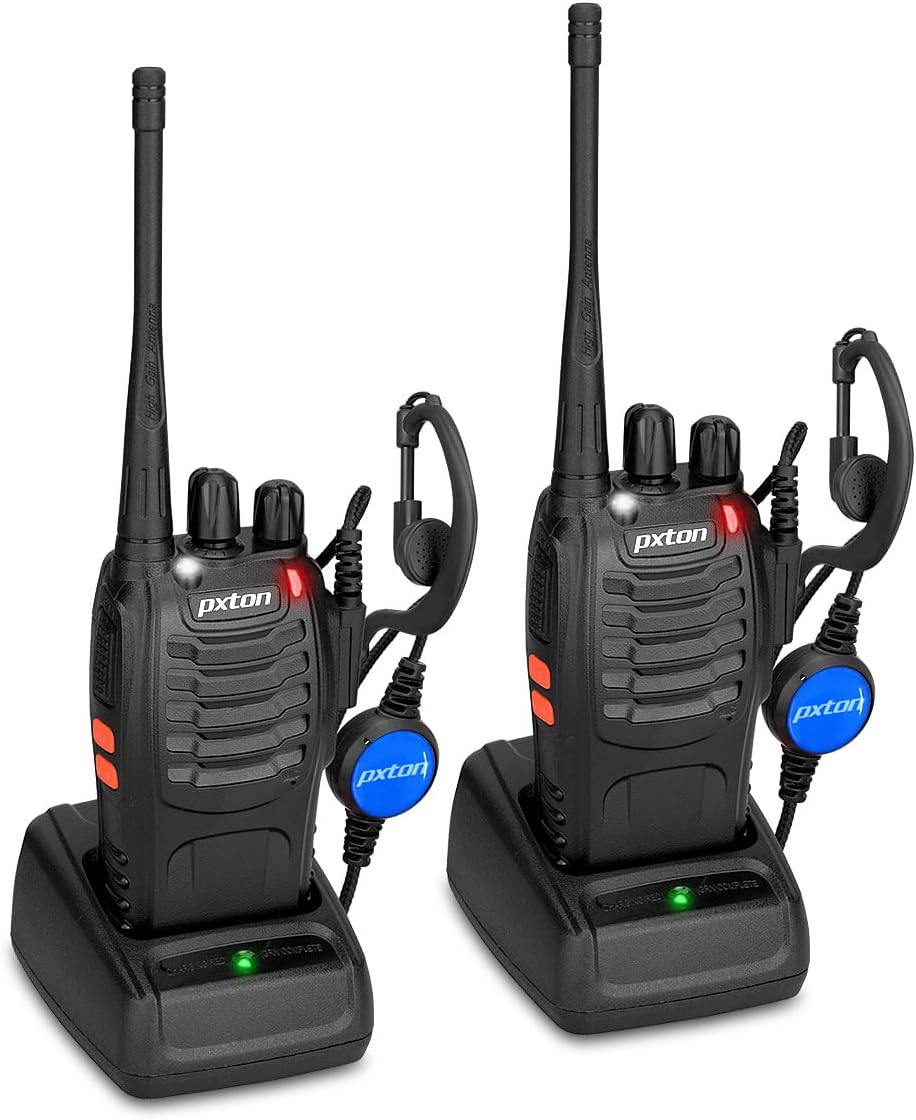
Image: Two pxton PX-8S-01 two-way radios with charging bases and earpieces.
Kontni pake
Verifye ke tout atik yo prezan nan pakè ou a:
- pxton PX-8S-01 Two-Way Radio (2 units)
- Lithium-Ion Battery (2 units)
- USB Charger (2 units)
- Upgraded Earpiece (2 units)
- Clip senti (2 inite)
- Wrist Strap (2 units)
- Antenna (2 units)
- Manyèl itilizatè (1 inite)

Image: Contents of the pxton PX-8S-01 package.
Pwodwi souview
Familiarize yourself with the components of your pxton PX-8S-01 two-way radio:

Image: Labeled diagram of the pxton PX-8S-01 two-way radio components.
- Integrated Sensitive Antenna: Pou transmèt ak resevwa siyal.
- Chanjman chanèl: Rotary knob to select one of the 16 available channels.
- Chanjman pouvwa / Kontwòl Volim: Rotary knob to turn the radio on/off and adjust the volume.
- Flach: Built-in LED light for illumination.
- Endikatè ki ap dirije: Montre estati radyo a (pa egzanp, ap transmèt, ap resevwa, ap chaje).
- Bouton PTT (Pouse-pou-Pale): Peze epi kenbe pou transmèt, lage pou resevwa.
- MONI Button (Monitor): Press to temporarily disable squelch and listen for weak signals.
- Bouton flach: Aktive flach entegre a.
- Pak SP/MIC: Ports for connecting external audio accessories like earpieces or speaker microphones.
- Clear Speaker: Sòti yo resevwa odyo.
- Mikwofòn entegre: Captures your voice for transmission.
Enstalasyon
1. Enstalasyon batri
- Asire w radyo a etenn.
- Aliyen pake batri a ak rainur ki sou dèyè radyo a.
- Glise pake batri a anlè jiskaske li fè yon klik nan plas li.
- Pou retire li, peze ti lage a (si genyen) epi glise batri a anba.
2. Chaje batri a
- Connect the USB charger to a power source.
- Mete radyo a ak pil la enstale nan sipò chaje a.
- Endikatè LED ki sou plato a ap montre eta chaj la (pa egzanp, wouj pou chaj, vèt pou chaj konplè).
- A full charge from 0 capacity typically takes 3-4 hours.
3. Mete Pwodwi pou Telefòn yo
- Antèn: Screw the antenna clockwise onto the connector on top of the radio until it is finger-tight. Do not overtighten.
- Clip senti: Attach the belt clip to the designated slot on the back of the radio using the provided screws.
- Ekouteur: Insert the earpiece plug into the SP/MIC jacks on the side of the radio. Ensure it is fully inserted for proper connection.
Enstriksyon Operasyon
1. Pouvwa pou limen/etenn ak ajisteman volim
- To power on the radio, rotate the Power Switch/Volume Control knob clockwise. You will hear a "click" and a voice prompt indicating the current channel.
- Kontinye vire bouton an nan sans zegwi mont lan pou ogmante volim nan, epi nan sans kontrè ak zegwi mont lan pou diminye li.
- To power off, rotate the knob counter-clockwise until you hear a "click."
2. Seleksyon chanèl
- Rotate the Channel Switch knob to select one of the 16 available channels.
- The radio will announce the selected channel number.
- Asire w ke tout radyo nan gwoup ou a yo mete sou menm kanal la pou kominikasyon.
3. Transmisyon ak Resepsyon
- Pou transmèt, peze epi kenbe bouton an PTT (Pose-pou-Pale) button. Speak clearly into the microphone. The LED indicator will illuminate red.
- Release the PTT button to stop transmitting and return to receive mode. The LED indicator will turn green when receiving a signal.
4. VOX (Voice Operated Exchange) Function
The VOX function allows hands-free operation. When activated, the radio will automatically transmit when it detects your voice, without needing to press the PTT button.
- VOX settings are typically programmed via software. Refer to advanced programming instructions if available.
- When using VOX, ensure the microphone is positioned correctly to pick up your voice effectively.
Image: VOX/Handfree function icon.
5. Fonksyon flach
- Peze dedye a Bouton flach to turn the built-in LED flashlight on or off.
Image: Flashlight function icon.
6. Fonksyon eskane
The scan function allows the radio to automatically scan through channels to find active transmissions.
- To activate the scan function, typically this is done via a programmed side key or by selecting a specific channel. Refer to your radio's programming guide for details.
- When scanning, the radio will stop on an active channel until the transmission ends, then resume scanning.
7. Alam Ijans
The radio features an emergency alarm function for critical situations.
- To activate the emergency alarm, press the designated Emergency Alarm button (if programmed) or a specific key combination. This will typically emit a loud siren sound and/or transmit an alert signal.

Image: Emergency Alarm function icon.
8. Squelch Adjustment
Squelch suppresses background noise when no signal is being received. The PX-8S-01 has an adjustable squelch feature.
- Squelch levels are typically set via programming software. A higher squelch level requires a stronger signal to open the receiver, reducing static but potentially missing weak signals.
- The MONI button can be used to temporarily override the squelch and listen to all signals, including weak ones or background noise.
Image: Squelch adjustment icon.
9. Kòd Konfidansyalite (CTCSS/DCS)
The radio supports 165 privacy codes (50 CTCSS / 210 DCS) per programmable channel to help filter out unwanted conversations.
- When a CTCSS/DCS code is set, you will only hear transmissions from other radios using the same channel and the same CTCSS/DCS code.
- Similarly, other radios will only hear your transmissions if they are on the same channel and using the same code.
- These codes are typically programmed using specialized software.
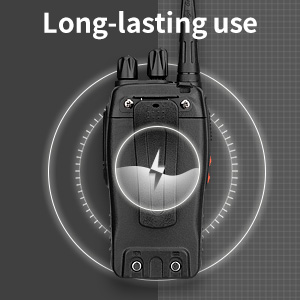
Image: CTCSS/DCS privacy codes icon.
Antretyen
- Netwayaj: Sèvi ak yon mou, damp twal pou netwaye deyò radyo a. Pa sèvi ak pwodui chimik ki agresif oswa solvan.
- Swen batri:
- Evite chaje batri a twòp oswa dechaje li nèt.
- Sere pil yo nan yon kote ki fre, sèk lè yo pa itilize yo.
- Si w pa pral itilize radyo a pou yon bon bout tan, retire pil la.
- Depo: Store the radio in a dry, dust-free environment away from extreme temperatures.
- Antèn: Do not bend or modify the antenna, as this can affect performance.
Depanaj
| Pwoblèm | Kòz posib | Solisyon |
|---|---|---|
| Radyo a pa limen. | Batri a fin itilize oswa li pa byen enstale. | Chaje batri a. Asire w ke batri a byen enstale. |
| Pa ka ni transmèt ni resevwa. | Incorrect channel selected. Battery low. Radio out of range. | Verify both radios are on the same channel. Charge battery. Move closer to the other radio. |
| Move kalite odyo oswa estatik. | Weak signal. Squelch level too low/high. Interference. | Move to an area with fewer obstructions. Adjust squelch level (if programmable). Check for sources of interference. |
| Ti distans kominikasyon. | Obstructions (buildings, terrain). Low battery. | Move to an open area. Ensure battery is fully charged. |
| Earpiece not working. | Earpiece not fully inserted. Faulty earpiece. | Ensure earpiece plug is fully inserted into the SP/MIC jack. Try a different earpiece if available. |
Espesifikasyon
- Modèl: PX-8S-01
- ID FCC: 2AX68PX-888S
- Kantite chanèl: 16
- Gamme frekans: UHF
- Maksimòm ranje pale: Up to 5 miles (unobstructed)
- Kòd sou enfòmasyon prive: 165 (50 CTCSS / 210 DCS)
- Kalite batri: Lityòm Ion (enkli)
- Batri Voltage: 3.7 Vòlt (DC)
- Lavi batri: 8-96 hours standby, 8-12 hours continuous use (actual time varies with usage)
- Tan pou chaje: 3-4 hours (from 0 capacity)
- Nivo rezistans dlo: Dlo rezistan
- Dimansyon pwodwi: 1.1"D x 1.89"W x 8.34"H
- Pwa atik: 1.34 pounds (for the pair)
- Karakteristik espesyal: Rechargeable, VOX, TOT, Emergency Alarm, Battery Low Alert, Flashlight, Scan Function

Image: Size comparison of the pxton PX-8S-01 radio.
Enfòmasyon sou Sekirite
Your pxton PX-8S-01 walkie-talkie has been granted FCC transmission and reception certification and authorization (FCC ID: 2AX68PX-888S). This device is intended for use only within the frequency points authorized by the FCC certification range.
Tanpri obsève direktiv sekirite sa yo:
- Pa sèvi ak radyo a nan atmosfè eksplozif (pa egzanp, gaz ki ka pran dife, patikil pousyè, poud metalik).
- Do not modify the radio or its accessories. Unauthorized modifications can void your warranty and violate FCC regulations.
- Keep the radio and its accessories out of reach of children.
- Use only pxton-approved batteries and chargers. Using unapproved accessories can cause damage or injury.
- Avoid exposing the radio to extreme temperatures, direct sunlight, or moisture for prolonged periods.
- If the radio emits smoke or an unusual odor, immediately turn off the power and remove the battery. Contact customer support.
Garanti ak sipò
pxton provides lifetime customer service for its walkie-talkies. If you encounter any questions or issues with your PX-8S-01 radio, please contact pxton customer support through the platform where you purchased the product. Our professional team is available to assist you with troubleshooting and support.
For further assistance, please refer to the official pxton websit la oubyen kontakte sèvis kliyan yo dirèkteman.