
1. Entwodiksyon
This manual provides detailed instructions for the installation, operation, and maintenance of your VEIKK VK1560 Pro Drawing Monitor. Please read this manual thoroughly before using the device to ensure proper functionality and to maximize your creative experience. The VK1560 Pro is a 15.6-inch full-laminated pen display designed for digital artists, designers, and educators, offering a high-definition display and precise pen input.
2. Pake kontni
Verifye ke tout atik ki nan lis anba a yo prezan nan pakè ou a:
- VEIKK VK1560 Pro Drawing Monitor
- Battery-Free Stylus (Digital Pen)
- Kanpe reglabl
- Detachable Pen Holder
- USB-C to USB-C Cable (for Android device connection)
- Adaptè pouvwa
- HDMI kab
- USB kab
- Pen Nibs and Nib Remover
- Netwaye twal
- Gid Quick Start

Image: Contents of the VEIKK VK1560 Pro package, including the monitor, stylus, stand, and various cables.
3. Gid Enstalasyon
3.1 Connecting the Monitor to Your Computer
Follow these steps to connect your VK1560 Pro to your computer:
- Konekte pouvwa: Plug the power adapter into the monitor's power port and then into a wall outlet.
- Konekte Videyo: Connect one end of the HDMI cable to the monitor's HDMI port and the other end to your computer's HDMI port. If your computer does not have an HDMI port, you may need an adapter (not included).
- Konekte USB: Connect one end of the USB cable to the monitor's USB port and the other end to an available USB port on your computer. This connection enables pen input and data transfer.
- Pouvwa sou: Press the power button on the side of the monitor to turn it on.
- Enstale chofè: Visit the official VEIKK website to download and install the latest driver for your operating system (Windows or macOS). Ensure any previous tablet drivers are uninstalled before installing the VEIKK driver.
- Konfigirasyon Anviwònman Display: After driver installation, configure your display settings (e.g., extend or duplicate display) and pen calibration through your operating system's display settings and the VEIKK driver software.

Image: Diagram illustrating how to connect the VEIKK VK1560 Pro to a computer using HDMI, USB, and power cables.
3.2 Konekte ak Aparèy Android
The VK1560 Pro can be connected to compatible Android devices using the included full-featured USB-C to USB-C cable. Ensure your Android device supports display output via USB-C.
- Connect one end of the USB-C to USB-C cable to the monitor's USB-C port.
- Connect the other end of the USB-C to USB-C cable to your Android device's USB-C port.
- The monitor should automatically detect and display content from your Android device.
3.3 Adjustable Stand Installation
Attach the adjustable stand to the back of the VK1560 Pro for comfortable viewing and drawing angles. The stand allows for various tilt adjustments.
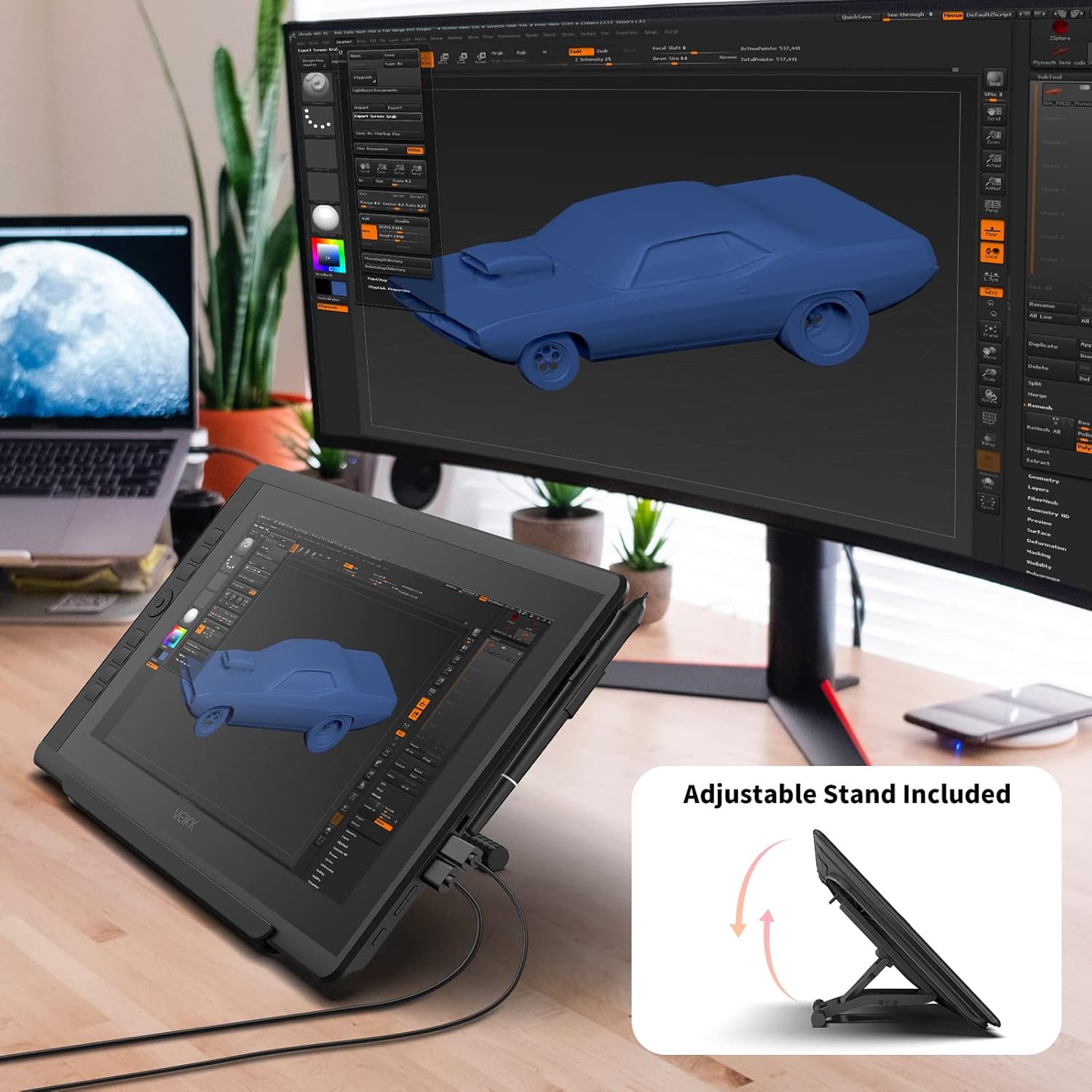
Image: The VEIKK VK1560 Pro drawing monitor shown with its adjustable stand, demonstrating various viewang ing.
4. Operasyon
4.1 Using the Battery-Free Stylus
The VK1560 Pro comes with a battery-free stylus that offers 8192 levels of pressure sensitivity and tilt support for a natural drawing experience.
- Desen: Use the stylus directly on the monitor's screen to draw, paint, and edit.
- Bouton: The stylus features programmable buttons. Customize their functions (e.g., right-click, eraser) through the VEIKK driver software.
- Pòt plim: Store the stylus in the detachable pen holder when not in use to prevent loss or damage.
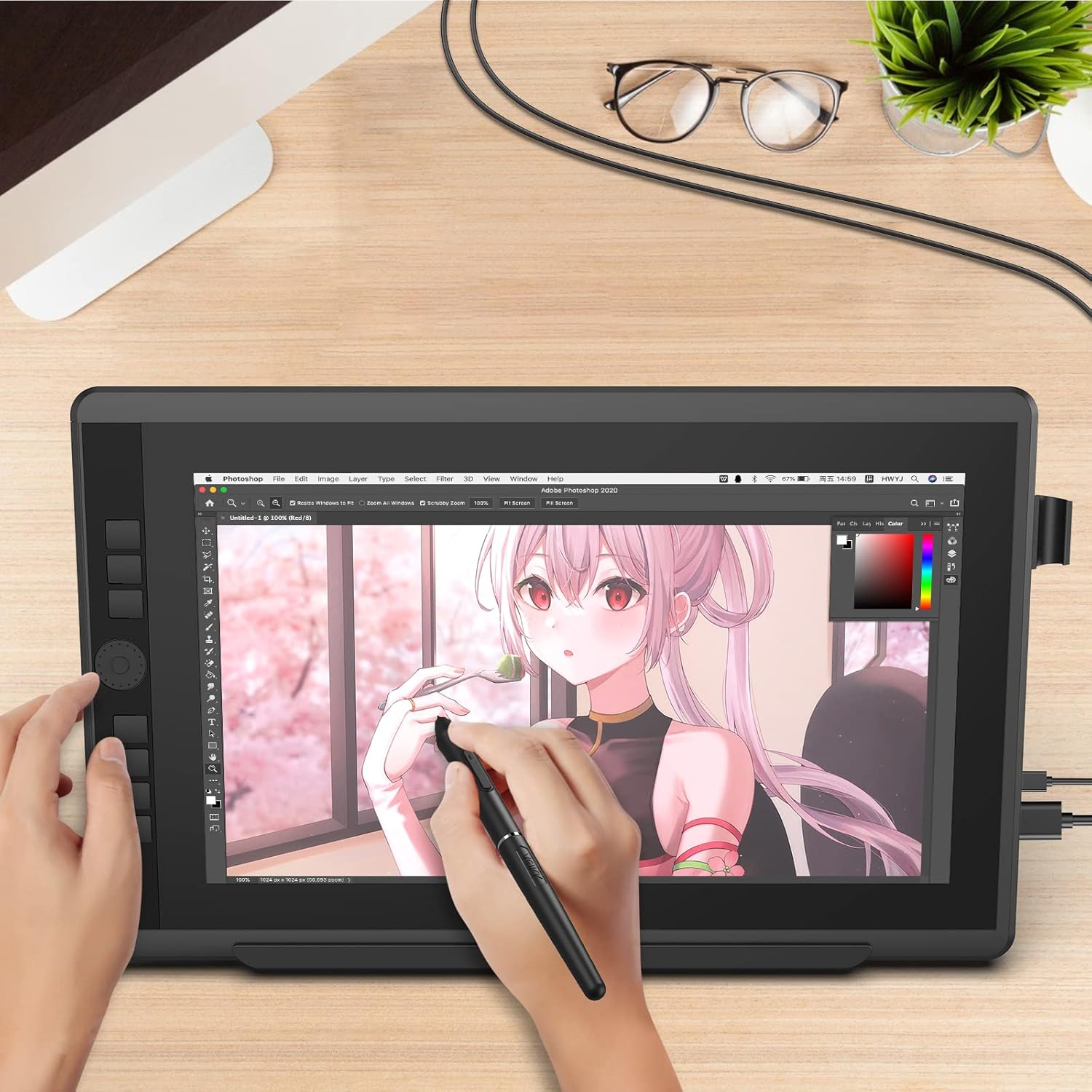
Image: A user actively drawing on the VEIKK VK1560 Pro screen using the battery-free stylus, demonstrating its use in creative applications.
4.2 Using the Quick Dial and Shortcut Keys
The VK1560 Pro features an upgraded Quick Dial and customizable shortcut keys for efficient workflow.
- Pèsonalizasyon: Access the VEIKK driver software to assign specific functions (e.g., zoom, brush size, undo) to the Quick Dial and shortcut keys.
- Efikasite: Utilize these features to quickly access frequently used tools and commands, reducing reliance on keyboard shortcuts.

Imaj: Yon gwo plan view of the VEIKK VK1560 Pro's Quick Dial and programmable shortcut keys, highlighting their ergonomic placement for workflow customization.
4.3 Ekspozisyon Karakteristik
The 15.6-inch Full HD IPS display offers a vibrant visual experience:
- Rezolisyon: 1920x1080 Full HD for clear and detailed visuals.
- Koulè Presizyon: Supports 16.7 million display colors and 92% NTSC color gamut for accurate color reproduction.
- Anti-Ekla: The anti-glare film reduces reflections and provides a paper-like drawing surface.
- Viewing Ang: Lajè 178° viewing angles ensure consistent image quality from various perspectives.

Image: The VEIKK VK1560 Pro screen showcasing its 1920x1080 FHD IPS display, 92% NTSC color gamut, and 16.7 million colors.
5. Antretyen
5.1 Netwaye monitè a
- Toujou etenn epi debranche monitè a anvan ou netwaye li.
- Use a soft, lint-free cloth (preferably the included cleaning cloth) to gently wipe the screen and body.
- Pou tach ki difisil pou retire, pase yon ti krasampRense twal la avèk dlo oswa yon solisyon netwayaj ki an sekirite pou ekran. Pa flite likid la dirèkteman sou ekran an.
- Avoid using harsh chemicals, abrasive cleaners, or alcohol-based solutions, as these can damage the screen surface.
5.2 Stylus Nib Replacement
Over time, the stylus nib may wear down. Replace it when it becomes too short or feels rough.
- Use the nib remover tool to gently pull out the old nib from the stylus.
- Mete yon nouvo pwent byen fèm nan stylet la jiskaske li tande yon klik an plas.
5.3 Depo
- Sere monitè a nan yon kote ki fre epi sèk, lwen limyè solèy dirèk ak tanperati ekstrèm.
- Protect the screen from scratches by using a soft cover or returning it to its original packaging when transporting.
NAN. Depanaj
| Pwoblèm | Kòz posib | Solisyon |
|---|---|---|
| Pa gen ekspozisyon sou monitè a |
|
|
| Pen not working or no pressure sensitivity |
|
|
| Cursor offset or inaccurate |
|
|
| Quick Dial or shortcut keys not responding |
|
|
7. Espesifikasyon
| Karakteristik | Detay |
|---|---|
| Mak | VEIKK |
| Nimewo Modèl | VK1560 Pro |
| Gwosè ekran | 15.6 pous |
| Rezolisyon natif natal | 1920x1080 (Full HD) |
| Kalite ekspozisyon | IPS LCD with Anti-Glare Film |
| Koulè sipò | 16.7 Million Colors, 92% NTSC Color Gamut |
| Teknoloji plim | Battery-Free Stylus |
| Nivo Presyon Plim | 8192 |
| Sipò pou enklinezon | Wi |
| Koneksyon | USB, HDMI, USB-C |
| Sistèm operasyon konpatibilite | Windows 7 or later, MacOS 10.12 or later, Android (via USB-C) |
| Medya entegre | Digital Pen, Stand, Stylus |
| Koulè | Nwa |
| Itilizasyon espesifik | Designing, Drawing, Online Education |
8. Pwodwi souview Videyo
Videyo: Yon ofisyèl finiview of the VEIKK VK1560 Pro drawing tablet, showcasing its features, design, and functionality. This video demonstrates the product's components, setup, and usage in various creative tasks.
9. Garanti ak sipò
The VEIKK VK1560 Pro Drawing Monitor comes with a 1-ane garanti from the date of purchase. VEIKK also provides sipò teknik pou tout lavi pou pwodui sa a.
For technical assistance, driver downloads, or warranty claims, please visit the official VEIKK website or contact their customer support directly. Keep your purchase receipt as proof of purchase for warranty services.
Official VEIKK Websit: www.veikk.com