
Entwodiksyon
This manual provides detailed instructions for the setup, operation, and maintenance of your NADAMOO Bur3121-P2-30 2D Wireless Barcode Scanner. This device is designed for efficient scanning of 1D and 2D barcodes, offering versatile connectivity and a unique adjustable back clip for mobile phone integration.
Karakteristik pwodwi
- Adjustable Back Clip Design: The scanner features a retractable clip that allows it to be securely attached to mobile phones with lengths between 5.61-6.5 inches (13.5-16.5 cm). The clip includes anti-slip silicone to prevent damage to your phone.
- Dual Usage Modes: Can be used as a clip-on barcode scanner fixed behind a mobile phone for real-time data viewing, or as a standalone Bluetooth barcode scanner.
- Koneksyon Bluetooth: Supports Bluetooth HID, SPP, and BLE modes, offering a wireless range of approximately 50 meters (164 feet) in open environments. Compatible with Windows, Mac OS, Android OS, and iOS devices.
- Advanced 2D CMOS Sensor: Equipped with a 300,000-pixel CMOS sensor for superior reading performance on both printed and screen-displayed 1D/2D barcodes.
- Enhanced Decoding Capability: Capable of reading damaged, distorted, colored, reflective, smudged, scratched, or poorly printed barcodes.
- Kalite kòd bar ki sipòte:
- 1D kòd bar: UPC/EAN, UPC/EAN with supplemental code, ISBN/ISSN, Code 128, GS1-128, GS1 DataBar, Code 39, Code32, Code11, Code 93, Interleaved 2 of 5, Industrial 2 of 5, Matrix 2 of 5, Standard 2 of 5, Codabar.
- 2D kòd bar: QR Code, PDF417, Data Matrix, Aztec. Also supports reading reverse 1D Code, QR Code, Data Matrix, Aztec (white barcode on black background).
- Two Scanning Modes:
- Manual Trigger Mode: Press the trigger to scan.
- Self-sensing Mode: The scanner automatically reads barcodes when detected, without needing to press the trigger.
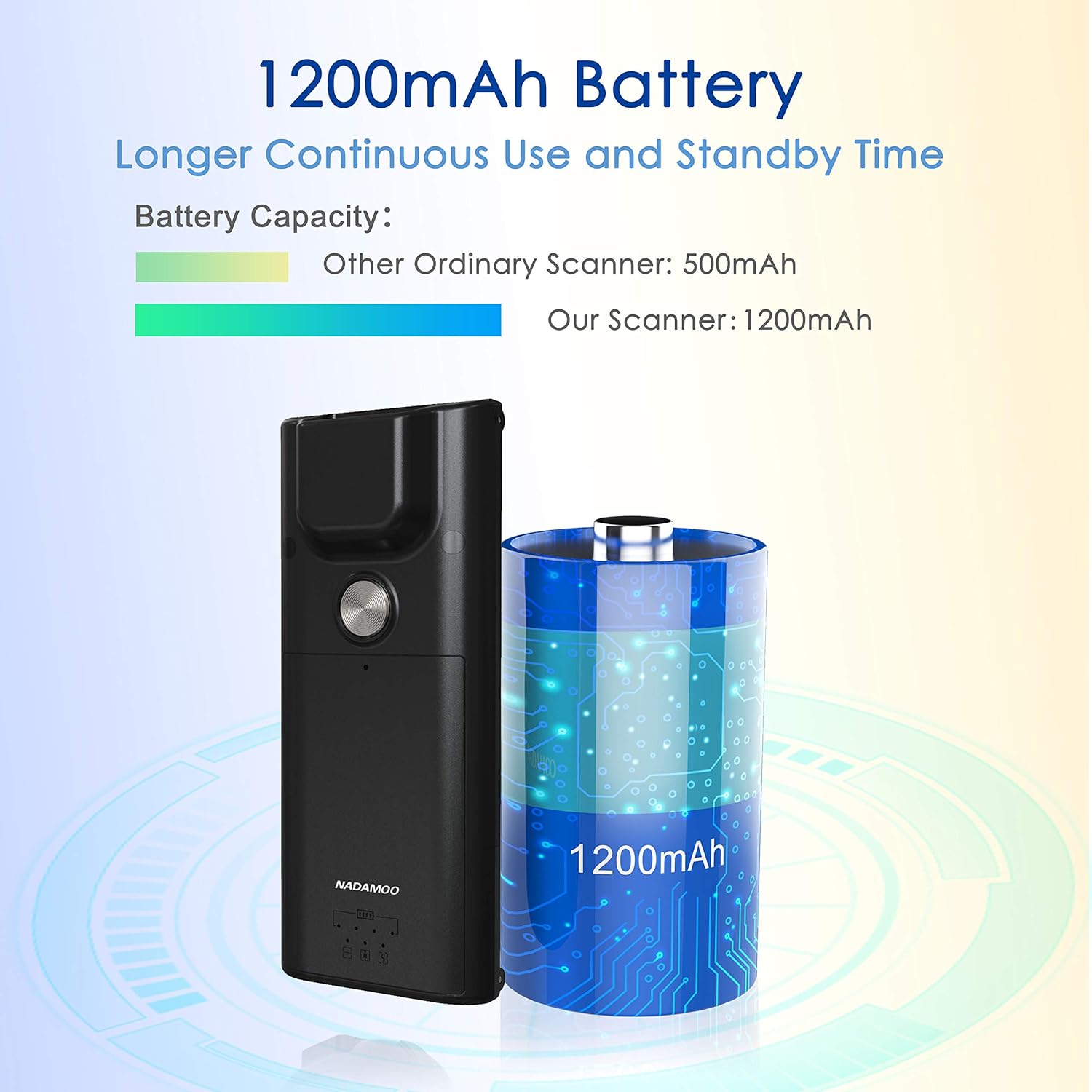
- Batri ki dire lontan: Features a 1200mAh battery for extended continuous use and standby time.
Enstalasyon
1. Attaching to a Mobile Phone (Optional)
- Ensure your mobile phone's length is between 5.61-6.5 inches (13.5-16.5 cm).
- Gently extend the adjustable back clip of the scanner.
- Position your phone within the clip, ensuring it is securely held by both the fixed top clip and the flexible bottom clip. The anti-slip silicone pads should protect your phone's surface.


2. Pè Bluetooth
- Pouvwa sou scanner la.
- On your host device (computer, tablet, or smartphone), enable Bluetooth and search for available devices.
- Select "NADAMOO Scanner" or a similar identifier from the list of found devices.
- Follow any on-screen prompts to complete the pairing process. The scanner supports Bluetooth HID, SPP, and BLE modes.

Enstriksyon Operasyon
1. Scan Barcodes
- Manual Trigger Mode: Aim the scanner at the barcode and press the trigger button. The scanner will emit a beep and/or vibrate upon successful scan.
- Self-sensing Mode: In this mode, simply present the barcode to the scanner's window. The scanner will automatically detect and read the barcode without requiring a trigger press.
Ensure the barcode is within the scanner's field of view and properly illuminated for optimal reading performance. The scanner can read various types of 1D and 2D barcodes, including those that are damaged, distorted, or printed on colored backgrounds.

2. Chaje eskanè a
Connect the scanner to a power source using the provided charging cable. The indicator light will show charging status. A full charge provides extended operational time due to the 1200mAh battery.
Antretyen
- Netwayaj: Use a soft, dry cloth to clean the scanner's exterior. For the scanning window, use a lens cleaning cloth and a mild cleaning solution if necessary. Avoid abrasive materials or harsh chemicals.
- Depo: Sere eskanè a nan yon kote ki fre epi sèk, lwen limyè solèy dirèk ak tanperati ekstrèm.
- Swen batri: To prolong battery life, avoid fully discharging the battery frequently. Charge the scanner regularly, even if not in active use for extended periods.
Depanaj
| Pwoblèm | Kòz posib | Solisyon |
|---|---|---|
| Eskanè a pa limen. | Pil ki fèb oswa pwoblèm kouran. | Charge the scanner using the provided cable. Ensure the charging cable is properly connected to a power source. |
| Pa ka konekte atravè Bluetooth. | Bluetooth not enabled on host device, scanner not in pairing mode, or out of range. |
|
| Eskanè a pa li kòd bar yo. | Barcode damaged/unreadable, incorrect scanning mode, or scanner window dirty. |
|
| Data not transmitting to device. | Bluetooth connection lost or incorrect application focus. |
|
Espesifikasyon
| Karakteristik | Detay |
|---|---|
| Nimewo Modèl | Bur3121-P2-30 |
| ASIN | B09KXPTHNX |
| Koneksyon Teknoloji | Bluetooth |
| Aparèy konpatib | Odinatè, Laptop, Telefòn entelijan |
| Sous pouvwa | Batri Powered |
| Pwa atik | 4.4 ons (125g) |
| Dimansyon pake | 6.89 x 4.84 x 1.5 pous |
| Kalite Capteur | CMOS (300,000 Pixels) |
| Kapasite batri | 1200mAh |
| Phone Length Compatibility | 5.61-6.5 pous / 13.5-16.5 cm |
Garanti ak sipò
For warranty information or technical support, please refer to the documentation included with your product or contact NADAMOO customer service through their official website or the platform where the product was purchased. Please have your model number (Bur3121-P2-30) and ASIN (B09KXPTHNX) ready when contacting support.