
BOMAKER Mini WiFi Projector 10''
Manyèl Itilizatè Mini Pwojektè WiFi BOMAKER 10''
Model: Mini WiFi Projector 10''
1. Entwodiksyon
This manual provides comprehensive instructions for the setup, operation, maintenance, and troubleshooting of your BOMAKER Mini WiFi Projector 10''. Please read this manual thoroughly before using the projector to ensure proper operation and to maximize its lifespan. Keep this manual for future reference.
The BOMAKER Mini WiFi Projector 10'' is a portable 720P HD LCD projector designed for home cinema, gaming, and various multimedia applications. It features WiFi connectivity for smartphone mirroring, multiple input options including HDMI, USB, and AV, and supports projection sizes up to 300 inches.
2. Enfòmasyon enpòtan sou sekirite
To prevent fire, electric shock, or injury, always observe the following safety precautions:
- Do not block the ventilation openings. Ensure adequate airflow around the projector.
- Pa gade dirèkteman nan lantiy pwojektè a lè l ap limen.amp Limyè klere a ka lakòz domaj nan je yo.
- Do not expose the projector to rain or moisture to avoid electric shock.
- Sèvi sèlman ak adaptè kouran ki vini ak pwojektè a.
- Mete pwojektè a sou yon sifas ki estab ak nivo.
- Debranche pwojektè a nan priz kouran an pandan tanpèt zèklè oswa lè ou pa itilize li pou yon bon bout tan.
- Pa eseye repare pwodui sa a tèt ou. Konfye tout antretyen bay pèsonèl sèvis kalifye.
3. Pake kontni
Verifye ke tout atik ki nan lis anba a yo enkli nan pakè ou a:
- 1 x BOMAKER Mini WiFi Projector
- 1 x kontwòl remote
- 1 x pouvwa adaptè
- 1 x HDMI kab
- 1 x AV kab
- 1 x manyèl itilizatè
4. Pwodwi souview
Familiarize yourself with the various parts and connections of your projector.

Figi 4.1: Devan view of the BOMAKER Mini WiFi Projector. This image shows the projector's lens, focus ring, and keystone correction dial, with a smartphone wirelessly connected and displaying content on its screen, illustrating the WiFi mirroring capability.
4.1. Pò Antre/Sòti
The projector features a variety of ports for connecting different devices.

Figi 4.2: Dèyè view of the projector displaying its connectivity options. From left to right, the ports include AV, USB, Audio Out, VGA, HDMI, and Micro SD card slot, allowing for versatile device connections.
- Pò AV: Connect to older devices using the included AV cable.
- Pò USB: Pou konekte kle USB pou jwe medya files.
- Odyo Deyò: Konekte oratè ekstèn yo oswa kas ekoutè yo.
- Pò VGA: Connect to computers or laptops with a VGA output.
- HDMI Port: Connect to devices like laptops, gaming consoles (PS4), TV sticks, etc.
- Mikwo SD kat plas: Mete yon kat Micro SD pou li medya yo files.
5. Enstalasyon
5.1. Plasman
Choose a suitable location for your projector. For optimal viewing, place the projector on a flat, stable surface or mount it. The optimal projection distance is between 8.2 and 11.2 feet (2.5 to 3.4 meters) for a screen size of 30 to 300 inches.
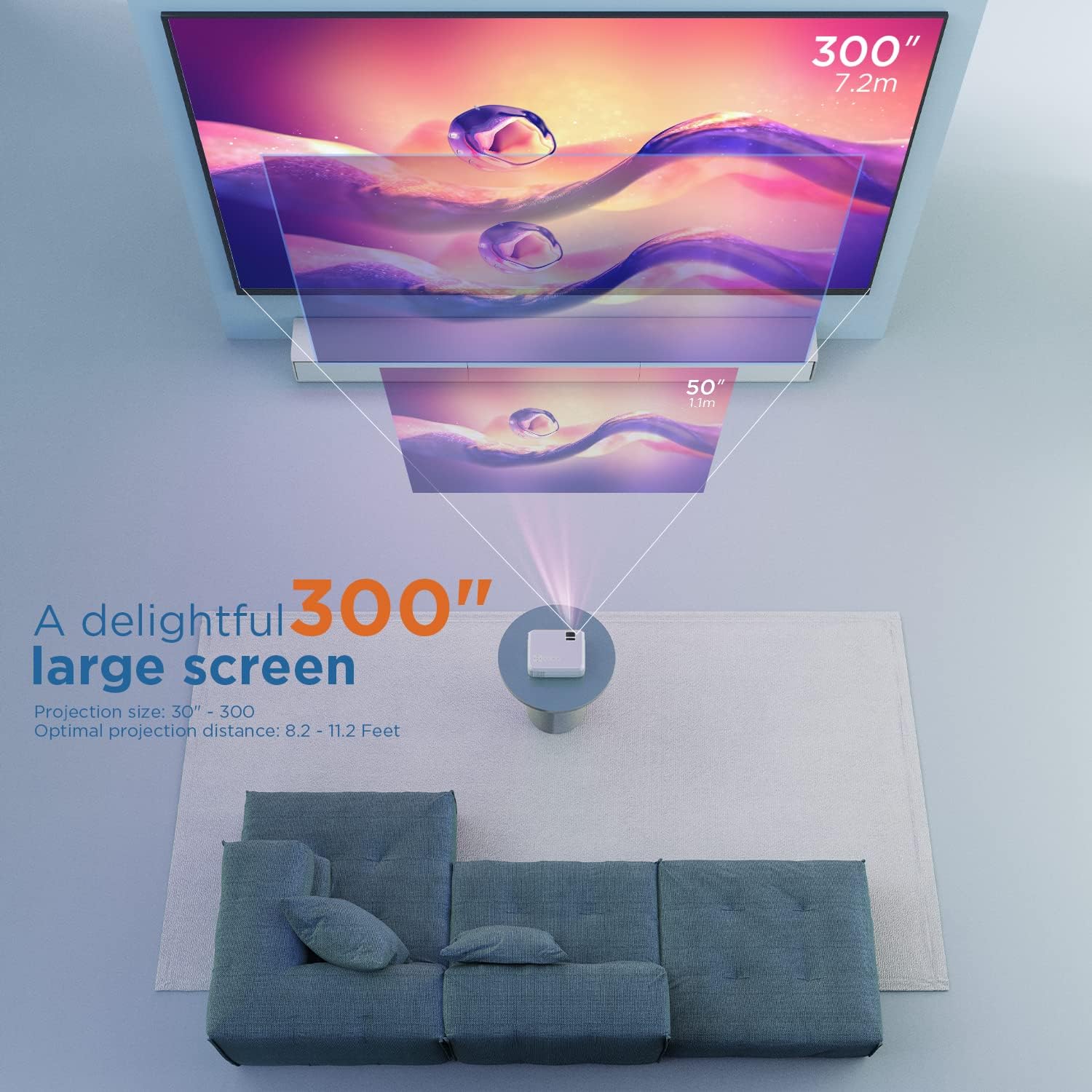
Figi 5.1: Illustration of projection distances and corresponding screen sizes. The image demonstrates how varying the distance between the projector and the screen affects the projected image size, from 50 inches (1.1m) to 300 inches (7.2m).
5.2. Koneksyon pouvwa
- Konekte adaptè kouran an nan pò antre kouran pwojektè a.
- Ploge adaptè pouvwa a nan yon priz miray.
- Peze bouton pouvwa a sou pwojektè a oswa sou kontwòl remote la pou limen li.
5.3. Koreksyon Fokus ak Keystone
- Konsantre: Vire bag konsantre a sou lantiy pwojektè a jiskaske imaj la vin klè e byen file.
- Keystone: If the projected image appears trapezoidal, adjust the keystone correction dial (usually located near the lens) until the image is rectangular.
6. Operasyon Enstriksyon
6.1. Operasyon debaz
- Limen/Etenyen: Peze bouton an pouvwa sou pwojektè a oswa kontwòl remote.
- Seleksyon sous Antre: Use the "Source" button on the remote or projector to select the desired input (HDMI, AV, USB, Micro SD, WiFi).
- Ajisteman Volim: Use the volume buttons on the remote control.
6.2. Konekte Aparèy
Pwojektè a sipòte plizyè metòd koneksyon:
6.2.1. HDMI Koneksyon
Connect your laptop, gaming console (PS4), TV stick (e.g., Roku, Fire TV), or other HDMI-enabled devices using an HDMI cable. Select "HDMI" as the input source.
6.2.2. USB/Micro SD Connection
Insert a USB drive or Micro SD card into the respective port. Select "USB" or "Micro SD" as the input source. The projector will display a menu to browse and play media files (foto, videyo, mizik, tèks).
6.2.3. AV Connection
Use the included AV cable to connect to devices with AV output. Select "AV" as the input source.
6.2.4. WiFi Mirroring (Smartphone Connection)
The projector supports wireless screen mirroring from smartphones (iOS and Android).
- Select "WiFi" as the input source on the projector.
- Follow the on-screen instructions to connect your smartphone to the projector's WiFi network.
- Once connected, enable screen mirroring/casting feature on your smartphone (e.g., "Screen Mirroring" for iOS, "Smart View" or "Cast" for Android).
- Chwazi pwojektè a nan lis aparèy ki disponib yo.
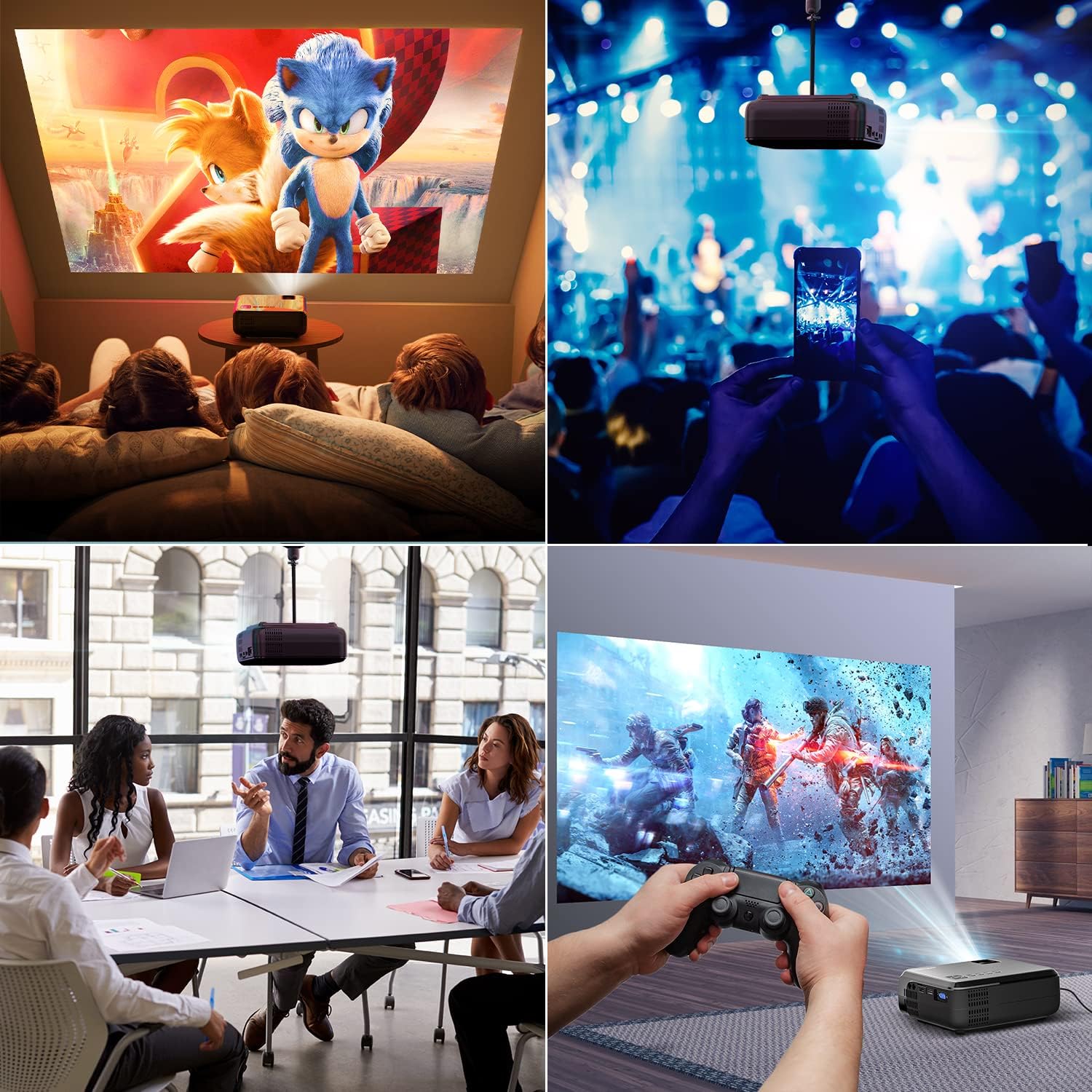
Figi 6.1: This image displays a collage of the projector in different environments: a family watching a movie, a person using a smartphone to control the projector at a concert, a business meeting with a presentation, and a person playing video games. It highlights the versatility of the BOMAKER Mini WiFi Projector for entertainment and professional use.
6.3. Visual Experience
The projector delivers a native 720P HD resolution, ensuring clear and detailed images. It supports 1080P decoding and features a high brightness output for vibrant visuals.
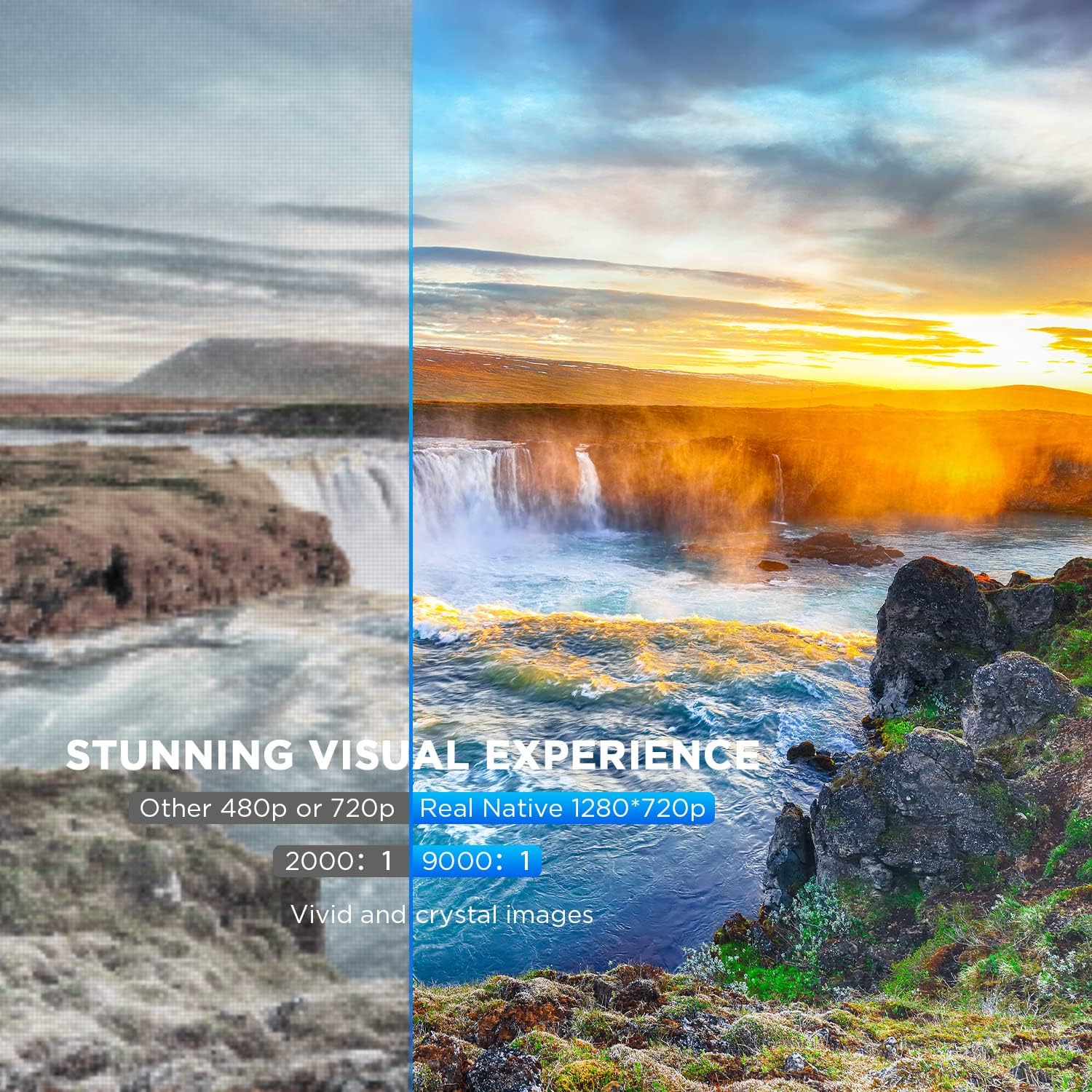
Figi 6.2: A side-by-side comparison demonstrating the difference between standard 480p/720p projection and the projector's real native 1280x720p resolution. The native resolution side shows significantly sharper details and richer colors in a landscape image, emphasizing the "Stunning Visual Experience" and "Vivid and crystal images".

Figi 6.3: This image illustrates the projector's "Crystal Clear Picture with Ultra-low Latency" feature, showing a vibrant, high-definition projection of a car racing scene on a large screen in a living room setting. The text highlights upgraded lens settings for a new visual experience with latency less than 30ms.
7. Antretyen
7.1. Netwaye lantiy la
Use a soft, lint-free cloth specifically designed for cleaning optical lenses. Do not use abrasive cleaners or solvents. Gently wipe the lens to remove dust or smudges.
7.2. Netwaye kò pwojektè a
Siye deyò pwojektè a avèk yon twal mou epi sèk. Pou pousyè tè ki difisil pou retire, yon ti krasamp cloth can be used, followed by a dry cloth. Ensure no liquid enters the ventilation openings.
7.3. Depo
When not in use, store the projector in a cool, dry place, away from direct sunlight and extreme temperatures. Cover the lens with its cap to protect it from dust.
NAN. Depanaj
Si ou rankontre pwoblèm ak pwojektè ou a, gade pwoblèm ak solisyon komen sa yo:
| Pwoblèm | Kòz posib | Solisyon |
|---|---|---|
| Pa gen imaj sou ekran an | Power cable not connected; incorrect input source; device not powered on. | Check power connection; select correct input source; ensure connected device is on. |
| Imaj la twoub | Fokus la pa ajiste; pwojektè a twò pre/lwen ekran an. | Adjust the focus ring; reposition the projector. |
| Imaj la se trapezoidal | Keystone correction not adjusted. | Ajiste kadran koreksyon trapèz la. |
| Pa gen son | Volume too low; external speakers not connected; audio settings on source device. | Increase volume; connect external speakers if needed; check audio output settings on source device. |
| WiFi mirroring issues | Incorrect WiFi connection; smartphone mirroring feature not activated. | Ensure correct WiFi network is selected; activate screen mirroring on your smartphone. |
9. Espesifikasyon
| Karakteristik | Detay |
|---|---|
| Mak | BOMAKER |
| Nimewo Modèl | Mini WiFi Projector 10'' |
| Rezolisyon ekspozisyon | Native 1280 x 720 (Supports 1080P decoding) |
| Kalite ekspozisyon | LCD |
| Koneksyon Teknoloji | HDMI, Wi-Fi |
| Aparèy konpatib | Smartphone, TV Stick, PS4, Laptop, USB Drive, Micro SD Card |
| Dimansyon pwodwi | 22L x 17l x 9H centimeters |
| Faktè fòm | Pòtab |
| Itilizasyon Rekòmande | Home Cinema, Gaming |
| Koulè | Blan |
10. Garanti ak sipò
For warranty information or technical support, please refer to the documentation included with your purchase or contact BOMAKER customer service. Details regarding specific warranty periods and support channels are typically provided on the manufacturer's official websit la oubyen nan anbalaj pwodwi a.
Ask a question about this manual
Ask about setup, troubleshooting, compatibility, parts, safety, or missing instructions. Manuals+ will review the question and use this page’s manual context to help answer it.