
1. Enfòmasyon enpòtan sou sekirite
Please read all safety and operating instructions carefully before using this television. Keep this manual for future reference. Always follow basic safety precautions to reduce the risk of fire, electric shock, and injury.
- Pa ekspoze aparèy sa a lapli oswa imidite.
- Pa bloke okenn ouvèti vantilasyon. Enstale li dapre enstriksyon manifakti a.
- Pa enstale tou pre okenn sous chalè tankou radyatè, rejis chalè, recho, oswa lòt aparèy (tankou amplifiers) ki pwodui chalè.
- Pwoteje kòd pouvwa a pou yo pa mache sou li oswa pense, patikilyèman nan ploge, resipyan konvenyans, ak pwen kote yo sòti nan aparèy la.
- Itilize sèlman atachman/akseswa manifakti a espesifye.
- Refere tout sèvis yo bay pèsonèl sèvis ki kalifye yo. Antretyen obligatwa lè aparèy la te domaje nan okenn fason.
2. Ki sa ki nan bwat la
Carefully unpack your new Sansui TV and ensure all items listed below are present.
- 1 x Sansui 4K Ultra HD Android LED TV (JSW50ASUHD)
- 2 x Baz pou Sipò Tablo
- 1 x Wall Mounting Set
- 4 x Screws for stand/mount
- 1 x manyèl itilizatè
- 1 x kat garanti
- 1 x kontwòl remote
- 2 pil AAA (pou kontwòl remote)
- 1 x pouvwa kòd
- 1 x Mini AV Kab
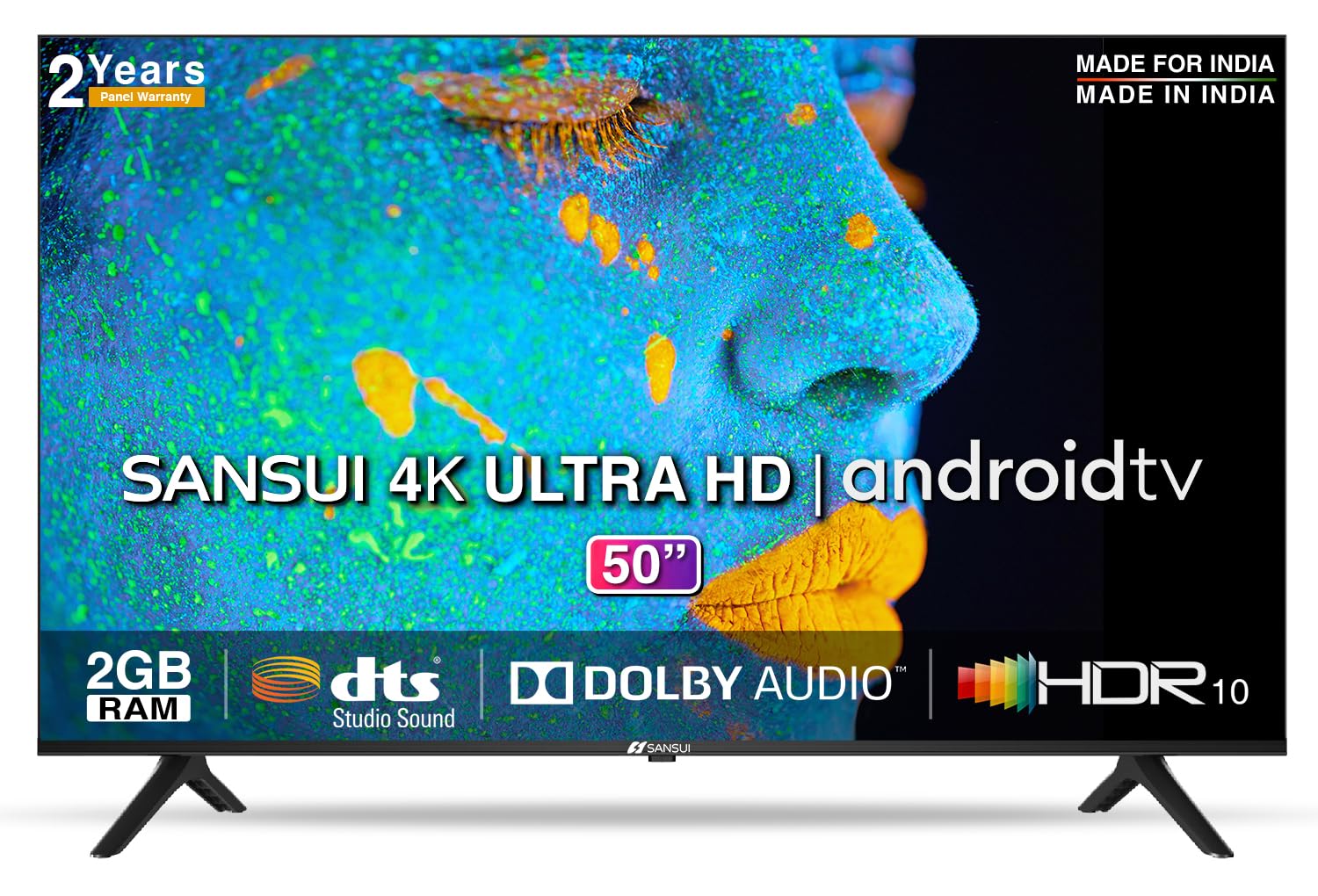
Image: Sansui 50-inch 4K Ultra HD Android LED TV with its table stand.
3. Pwodwi souview
3.1. Karakteristik kle
- Ekspozisyon: 4K Ultra HD (3840x2160) resolution, 60Hz refresh rate, Wide Viewing Angle, A+ Grade Panel, Wide Colour Gamut, HDR 10, Crystal Clear Display, High Brightness, Bezel-less Design.
- Odyo: Dolby Audio, DTS Studio Sound, 20 Watts Audio Output.
- Karakteristik Smart TV: Android 10.0 (Certified by Google), Google Assistant, Alexa Enabled Support, Built-in Chromecast, CA53 Quad Core Processor, 2GB RAM, 8GB ROM.
- Aplikasyon ki sipòte: Prime Video, Netflix, Disney + Hotstar, YouTube, Google Play.
- Koneksyon: 3 HDMI ports, 2 USB ports, 3.5mm audio jack, Bluetooth, Wi-Fi, RJ45 (Ethernet), Antenna.

Image: Visual representation of the TV's main features and capabilities.
3.2. Dimansyon
The TV features a 50-inch screen (127 cm diagonal) with a bezel-less design for an immersive vieweksperyans nan.

Image: Detailed dimensions of the Sansui 50-inch TV, including width, height, and depth with and without the stand.
4. Enstalasyon
4.1. Enstale Sipò Tab la
- Mete ekran televizyon an anba sou yon sifas ki plat e mou pou evite li domaje.
- Aliyen baz sipò tab yo ak fant ki koresponn yo nan pati anba televizyon an.
- Secure the bases using the provided screws. Ensure they are tightened firmly.
4.2. Montaj sou miray (Si ou vle)
If you choose to wall mount your TV, please use the provided wall mounting set and screws. The VESA mount standard is 800 x 400 mm. It is recommended to seek professional assistance for wall mounting to ensure proper and safe installation.
4.3. Konekte Aparèy
The TV offers various connectivity options for your external devices.
- Pouvwa: Konekte kòd kouran an nan antre kouran televizyon an epi answit nan yon priz miray.
- HDMI: Use HDMI cables to connect devices like set-top boxes, gaming consoles, or Blu-ray players to the 3 HDMI ports.
- USB: Connect USB drives or other USB devices to the 2 USB ports for media playback.
- Odyo Deyò: Use the 3.5mm jack to connect headphones or external audio systems.
- Ethernet (RJ45): For a stable internet connection, connect an Ethernet cable from your router to the RJ45 port.
- Antèn: Connect your antenna cable to the RF input for terrestrial broadcasting.
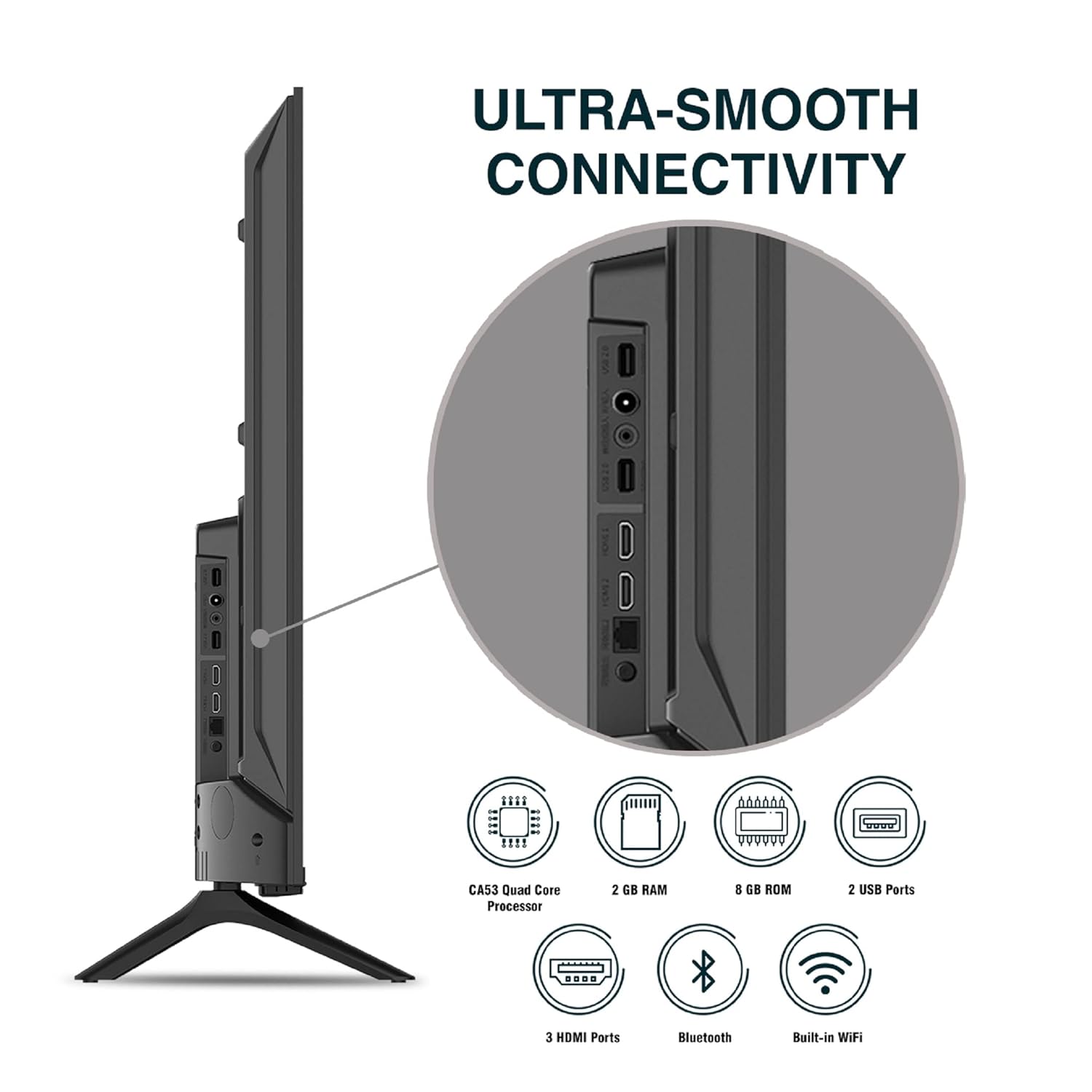
Imaj: Detaye view nan pò koneksyon televizyon an.
5. Operasyon Enstriksyon
5.1. Operasyon debaz
- Limen/Etenyen: Press the power button on the remote control or on the TV to turn it on or off.
- Premye konfigirasyon: Upon first power-on, follow the on-screen instructions to set up language, network connection, and Google account.
- Sous Antre: Press the 'Input' button on the remote to select between HDMI, AV, TV, or other connected sources.
- Kontwòl Volim: Sèvi ak bouton Monte/Diminye Volim yo sou telekòmand lan.
5.2. Using the Smart Remote
The included remote control features voice control and dedicated hotkeys for quick access to popular streaming services.
- Kontwòl vwa: Press the Google Assistant button (microphone icon) and speak your commands to search for content, control smart home devices, or ask questions.
- Hotkeys: Directly launch Netflix, Prime Video, YouTube, and Google Play with a single press.
- Navigasyon: Use the directional pad and 'OK' button to navigate the Android TV interface.

Image: Sansui Smart Remote Control with voice control and app hotkeys.
5.3. Android TV Interface and Smart Features
Your Sansui TV runs on Android 10.0, providing access to a wide range of apps and smart functionalities.
- Ekran Kay: The home screen displays your favorite apps, recommended content, and input sources.
- Google Play Store: Download and install additional apps, games, and content from the Google Play Store.
- Chromecast entegre: Cast content (videos, photos, music) from your smartphone, tablet, or computer directly to the TV.
- Google Assistant/Alexa: Use voice commands via the remote or a compatible Alexa device to control your TV and other smart home devices.

Image: Android TV home screen showing available applications.
6. Antretyen
Bon swen ak antretyen ap pwolonje lavi televizyon ou an.
- Netwaye ekran an: Siye ekran an dousman avèk yon twal mou ki pa gen pousyè. Pou mak ki difisil pou retire, sèvi ak yon pwodui netwayaj ekran ki fèt espesyalman pou televizyon, aplike sou twal la, pa dirèkteman sou ekran an.
- Netwaye kabinè a: Sèvi ak yon twal mou epi sèk pou siye kabinè televizyon an. Pa sèvi ak pwodui netwayaj abrazif oswa solvan.
- Vantilasyon: Asire w ouvèti vantilasyon yo pa gen pousyè ak debri pou anpeche yo chofe twòp.
- Kòd pouvwa: Regularly check the power cord for any damage. If damaged, replace it with an authorized part.
NAN. Depanaj
Si ou rankontre nenpòt pwoblèm, gade pwoblèm ak solisyon komen sa yo.
| Pwoblèm | Kòz posib | Solisyon |
|---|---|---|
| Pa gen pouvwa | Kòd kouran an dekonekte; Pwoblèm priz kouran | Tcheke koneksyon kòd kouran an; Teste priz la ak yon lòt aparèy. |
| Pa gen imaj, sèlman son | Sous opinyon ki pa kòrèk; Pwoblèm ak aparèy ekstèn lan | Select correct input source; Check external device connection and power. |
| Pa gen son, sèlman imaj | Volume muted/low; External audio system issue | Unmute or increase volume; Check external audio system connections. |
| Remote Control pa travay | Pil yo fin itilize; Gen yon obstak ant telekòmand lan ak televizyon an | Ranplase pil yo; Retire tout obstak. |
| Pwoblèm Koneksyon Wi-Fi | Modpas ki pa kòrèk; Pwoblèm routeur; Entèferans siyal | Re-enter password; Restart router; Move TV closer to router or use Ethernet. |
Si pwoblèm nan pèsiste apre ou fin eseye solisyon sa yo, tanpri kontakte sèvis kliyan.
8. Espesifikasyon
Detailed technical specifications for the Sansui JSW50ASUHD TV.
| Karakteristik | Deskripsyon |
|---|---|
| Non modèl | SANSUI LED - JSW50ASUHD |
| Gwosè ekran | 50 pous (127 cm) |
| Teknoloji ekspozisyon | dirije |
| Rezolisyon | 4K Ultra HD (3840x2160) |
| Rafrechisman pousantaj | 60 Hz |
| Sistèm operasyon | Android 10.0 (Certified by Google) |
| Processeur | CA53 kwadwilatè Nwayo |
| RAM | 2 GB |
| ROM (Depo) | 8 GB |
| Sòti odyo | 20 Watts |
| Son Teknoloji | Dolby Audio, DTS Studio Sound |
| Pò HDMI | 3 |
| Pò USB | 2 |
| Koneksyon san fil | Wi-Fi, Bluetooth |
| Lòt Koneksyon | Ethernet (RJ45), 3.5mm Audio Jack, Antenna |
| Sipò HDR | HDR10 |
| Kalite aliye | Mòn miray ak Mòn tab |
| Estanda Mòn VESA | 800 x 400 mm |
| Konsomasyon pouvwa | 120 Watts |
| Pwa atik | 9650 gram |
| Koulè | Mystique Black |
9. Garanti ak sipò
Your Sansui TV comes with a comprehensive warranty and dedicated customer support.
- Garanti: 1 year comprehensive warranty and 1 year additional on panel from the date of purchase.
- Sipò pou garanti: For warranty-related queries, please contact Sansui Toll Free No.: 1800-419-3777.
- Kontak Enpòtatè a: Jaina India Pvt Ltd., D170, Okhla Industrial Area, Phase-1, New Delhi-110020 INDIA | Email: sansuicare@jainaindia.com.
Tanpri konsève resi acha ou a pou reklamasyon garanti.