
Entwodiksyon
Mèsi pou acha aasing the ELECOM LBT-TWS11 True Wireless Earbuds. These earbuds are designed for comfort, portability, and clear audio, featuring a semi-open inner-ear design and advanced Bluetooth 5.0 connectivity. This manual provides essential information for setup, operation, maintenance, and troubleshooting to ensure optimal performance.
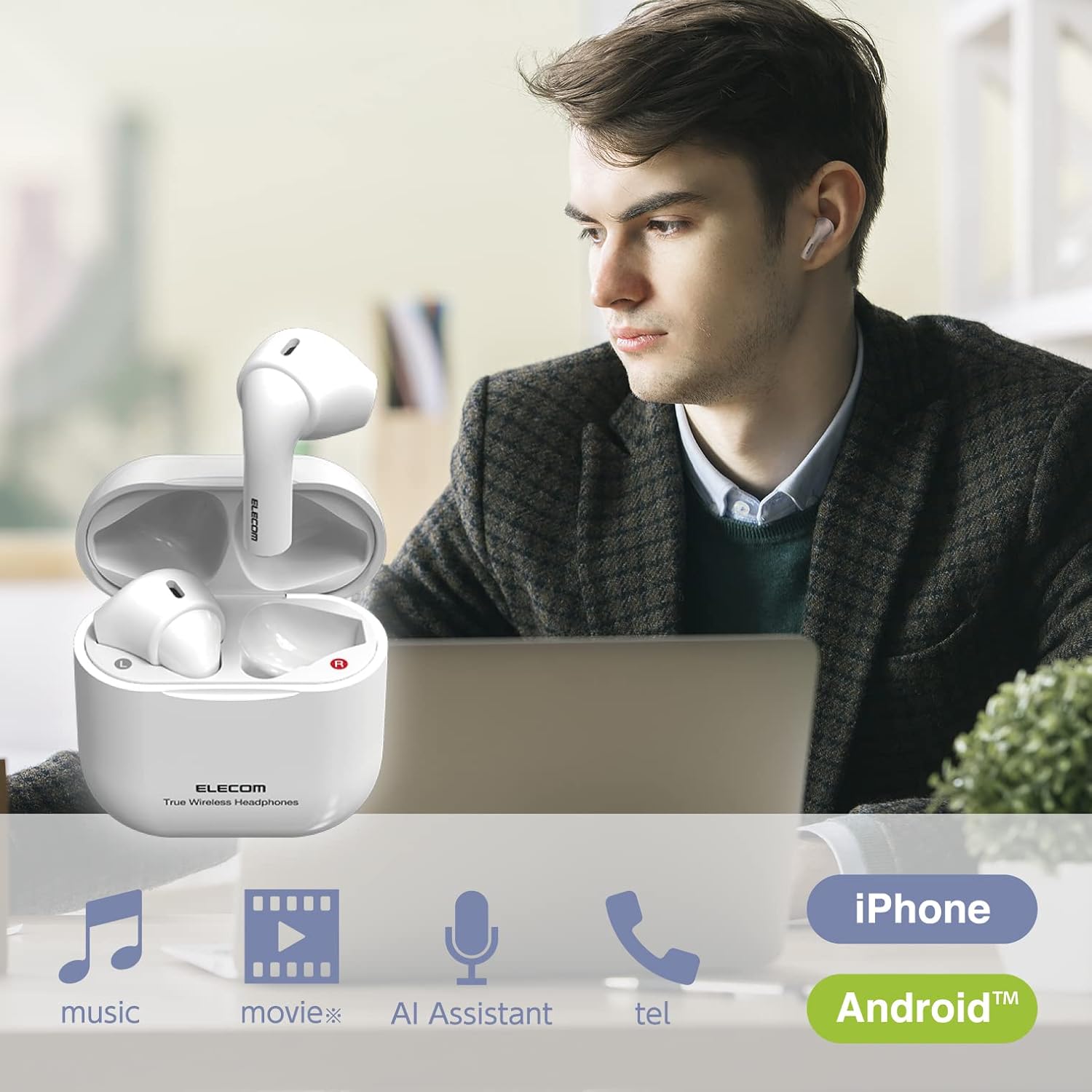
Image: ELECOM LBT-TWS11 earbuds in use, highlighting their versatility for various audio activities.
Karakteristik pwodwi
- Ergonomic & Ultra-Lightweight Design: Each earbud weighs approximately 3.4g, providing a comfortable and secure fit that minimizes ear fatigue. The compact charging case fits easily in your palm.
- Semi-Open Inner-Ear Type: Allows you to hear ambient sounds and conversations, enhancing safety and awareness of your surroundings. This design also prevents the earbuds from getting caught when wearing or removing a mask.
- Koneksyon Bluetooth 5.0: Asire yon koneksyon san fil ki estab e efikas ak aparèy ou yo.
- Pè otomatik: After initial registration, simply open the charging case to automatically pair with your smartphone.
- AAC Codec Support: Enjoy high-quality audio playback with AAC-compatible devices like iPhones and iPads.
- Kontwòl Capteur manyen: Smooth and shockless operation for music playback, call management, and voice assistant activation.
- Mikwofòn entegre: Enables hands-free calling and voice assistant interaction (Siri, Google Assistant).
- Pwolonje lavi batri: Up to 4 hours of continuous music playback on a single charge, and a total of approximately 12 hours with the charging case (which provides 2 additional charges).
- USB tip-C chaje: The charging case features a reversible USB-C port for convenient charging.
- Karakteristik sekirite: Lithium-ion battery with overcharge and overdischarge protection circuits.
- Ekspozisyon Nivo Batri: View the remaining earbud battery level on your smartphone screen (feature availability may vary by device).

Image: The semi-open design allows for awareness of surroundings while enjoying audio.

Image: The compact design ensures comfort even when wearing a face mask.
Kontni pake
Tanpri asire w ke tout atik yo prezan nan pakè a:
- ELECOM LBT-TWS11 True Wireless Earbuds (Left and Right)
- Ka chaje
- Kab chaje USB (Kalite-C)
Enstalasyon
1. Premye Chajman
Anvan premye itilizasyon an, chaje ekoutè yo ak bwat chaje a nèt.
- Mete tou de ekouteur nan ka chaje a.
- Connect the supplied USB charging cable to the USB Type-C port on the charging case and to a USB power adapter (not included) or a computer's USB port.
- The indicator light on the charging case will show charging status. Once fully charged (approximately 1.5 hours), the indicator will change or turn off.
2. Pairing ak yon Aparèy
The earbuds support automatic pairing for convenience.
- Ensure your smartphone or other Bluetooth device has Bluetooth enabled.
- Louvri kouvèti bwat chaje a. Ekoutè yo ap antre otomatikman nan mòd koneksyon.
- On your device, search for Bluetooth devices and select "LBT-TWS11" from the list.
- Once connected, a confirmation sound will play, and the earbuds are ready for use.

Image: Automatic pairing initiated by opening the charging case.
3. Itilizasyon yon sèl ekoutè
Either earbud can be used independently. If you wish to use only one earbud, simply remove it from the charging case. The other earbud should be powered off or stored in the charging case.
Enstriksyon Operasyon
The LBT-TWS11 earbuds feature touch sensors for various functions.
Touch Sensor Functions:
- Jwe/Poz: Tap either earbud once during music playback.
- Pwochen Track: Double-tap the right earbud during music playback.
- Track Previous: Double-tap the left earbud during music playback.
- Reponn/Fen Apèl: Tap either earbud once during an incoming call or during a call.
- Rejte apèl: Press and hold either earbud during an incoming call.
- Aktive Asistan Vwa: Press and hold either earbud (Siri, Google Assistant).
Note: Volume adjustment must be performed directly on your connected smartphone or device.

Image: Touch sensor controls for music and calls.
Antretyen
Pou asire ekoutè ou yo dire lontan epi yo gen yon pèfòmans optimal, swiv gid antretyen sa yo:
- Netwayaj: Siye ekoutè yo ak bwat chaje a regilyèman avèk yon twal mou epi sèk. Evite itilize pwodui chimik ki agresif oswa materyèl abrazif.
- Kontak chaje: Periodically clean the charging contacts on both the earbuds and inside the charging case with a dry cotton swab to ensure a good connection.
- Depo: Lè w pa ap itilize ekoutè yo, sere yo nan bwat chaj yo pou pwoteje yo kont pousyè ak domaj. Sere yo nan yon kote ki fre epi sèk, lwen limyè solèy dirèk ak tanperati ekstrèm.
- Rezistans dlo: These earbuds are not waterproof. Avoid exposure to water, moisture, or excessive sweat.
Depanaj
If you encounter any issues with your ELECOM LBT-TWS11 earbuds, please refer to the following common solutions:
| Pwoblèm | Kòz posib | Solisyon |
|---|---|---|
| Pa gen son oubyen son an soti nan yon sèl ekoutè | Low battery; Earbuds not properly paired; Connection issue. | Charge both earbuds and the charging case. Re-pair the earbuds with your device. Ensure both earbuds are removed from the case simultaneously for stereo mode. |
| Ekouteur pa chaje | Charging cable not connected properly; Dirty charging contacts; Faulty power source. | Ensure the USB cable is securely connected. Clean the charging contacts on earbuds and case. Try a different USB port or power adapter. |
| Pa ka konekte ak aparèy la | Bluetooth is off on device; Earbuds are already paired with another device; Device is out of range. | Ensure Bluetooth is enabled on your device. Turn off Bluetooth on other nearby devices. Move your device closer to the earbuds. Try forgetting the device in your Bluetooth settings and re-pairing. |
| Voice assistant activates unexpectedly or too loudly | Accidental touch sensor activation. | Be careful when adjusting the earbuds in your ear to avoid touching the sensor for too long. There is no setting to disable voice assistant activation via the earbuds; control it from your smartphone if needed. |
| Move son kalite | Weak Bluetooth signal; Earbuds not properly seated in ear; Interference. | Move closer to your connected device. Adjust the earbuds for a better fit. Avoid environments with strong wireless interference. |
Espesifikasyon
| Karakteristik | Spesifikasyon |
|---|---|
| Metòd kominikasyon | Vèsyon Estanda Bluetooth 5.0 |
| Sòti | Bluetooth pouvwa klas 2 |
| Distans Kominikasyon Maksimòm | Liy de vizyon approx. 10m |
| Used Frequency Band | 2.4GHz bann |
| Metòd modulasyon | FHSS (frekans so gaye Spectrum) |
| Sipòte Bluetooth Profiles | A2DP, AVRCP, HFP |
| Supported A2DP Codecs | SBC, AAC |
| Pwoteksyon Kontni A2DP | SCMS-T |
| Maximum Number of Registered Devices | 8 aparèy |
| Multipoint (Simultaneous Standby) | Pa sipòte |
| Playback Frequency Band (A2DP) | 20-20,000Hz |
| Maximum Continuous Playback Time | Approx. 4 hours (Max approx. 12 hours with charging case) |
| Maximum Continuous Talk Time | Approx. 4 hours (Max approx. 12 hours with charging case) |
| Maximum Continuous Standby Time | Max approx. 70 hours |
| Pwovizyon pou pouvwa | Batri rechargeable ityòm-ion |
| Rated Voltage | DC5V |
| Tan pou chaje | Apeprè. 1.5 èdtan |
| Kalite Mikwofòn | Kalite MEMS |
| Headphone Unit Dimensions (W x D x H) | Approx. 17.2 x 18.4 x 29.6mm (per ear) |
| Charging Case Dimensions (W x D x H) | Apeprè. 44 x 21.3 x 45mm |
| Headphone Unit Weight | Anviwon 3.4g (pa zòrèy) |
| Chaje Ka Pwa | Apeprè. 25.3g |
| Koulè kò | Blan |
| Kalite kas ekoutè | Semi-open type, Inner-ear type |
| Inite chofè | 14mm tout ranje |
| Materyèl | Plastik |
| Rezistans dlo | Pa enpèmeyab |
Garanti ak sipò
Enfòmasyon sou Garanti
Pwodwi sa a vini ak yon 1-ane garanti from the date of purchase. Please retain your proof of purchase for warranty claims. The warranty covers manufacturing defects but does not cover damage caused by misuse, accidents, or unauthorized modifications.
Sipò pou Kliyan
For technical assistance or inquiries regarding your ELECOM LBT-TWS11 earbuds, please contact the ELECOM General Information Center:
- Telefòn: 0570-084-465
- FAKS: 0570-050-012
- Orè resepsyon: 10:00 AM - 7:00 PM (JST), Open all year round
Pwodwi souview Videyo
Videyo: Yon ti pale souview of the ELECOM LBT-TWS11 True Wireless Earbuds, showcasing konsepsyon yo ak karakteristik prensipal yo.