

1. Entwodiksyon
Thank you for choosing the CREATE FRYER AIR PRO 3.5L Air Fryer. This appliance uses advanced hot air technology to cook your favorite foods with little to no oil, offering a healthier alternative to traditional frying. It features a 3.5-liter capacity, a digital LCD screen, and 8 pre-installed programs for convenient cooking. Please read this manual thoroughly before first use to ensure safe and optimal performance.
2. Enstriksyon Sekirite Enpòtan
Toujou swiv prekosyon sekirite debaz yo lè w ap itilize aparèy elektrik pou diminye risk dife, chòk elektrik, ak blesi.
- Li tout enstriksyon anvan ou itilize.
- Pa plonje inite prensipal la, kòd la, oswa ploge a nan dlo oswa lòt likid.
- Asire voltage endike sou aparèy la koresponn ak volim lokal outage.
- Sipèvizyon sere se nesesè lè nenpòt aparèy itilize pa oswa toupre timoun yo.
- Deploge soti nan priz la lè yo pa itilize ak anvan netwaye. Kite refwadi anvan ou mete oswa retire pati yo.
- Pa opere nenpòt aparèy ki gen yon kòd oswa ploge ki domaje, oswa apre aparèy la fonksyone mal oswa li te domaje nan nenpòt fason.
- Pa sèvi ak atachman ki pa rekòmande pa manifakti aparèy la.
- Pa mete aparèy la kont yon miray oswa kont lòt aparèy. Kite omwen 10 cm espas lib sou do a ak sou kote yo epi 10 cm espas lib anlè aparèy la.
- Pa mete anyen anlè aparèy la.
- Pa sèvi ak aparèy la pou okenn lòt rezon ki dekri nan manyèl sa a.
- Hot air is released through the air outlet openings during hot air frying. Keep your hands and face at a safe distance from the steam and from the air outlet openings.
- The outer surfaces may become hot during use. Do not touch hot surfaces. Use handles or knobs.
- Toujou asire w ke panyen an byen antre anvan ou itilize li.
3. Pwodwi souview ak Konpozan
Familiarize yourself with the main parts of your CREATE FRYER AIR PRO:
- Main Inite ak Kontwòl Panel
- Digital LCD ekspozisyon
- Temperature/Time Control Dial
- Air frite panyen
- Plak pou bak (detachable)
- Manch
- Air Inlet
- Air Outlet vantilasyon

Image: A composite image displaying the CREATE FRYER AIR PRO air fryer unit alongside its separate basket and crisper plate components.
4. Enstalasyon ak Premye Itilizasyon
4.1 Debake
Carefully remove all packaging materials, stickers, and labels from the appliance. Keep packaging for future storage or disposal.
4.2 Netwayaj Premye
- Siye eksteryè aparèy la ak anonsamp twal.
- Clean the basket and crisper plate with hot water, dish soap, and a non-abrasive sponge. These parts are dishwasher safe.
- Asire w ke tout pati yo fin sèk anvan w itilize yo.
4.3 Plasman
Place the appliance on a stable, horizontal, and heat-resistant surface. Ensure there is adequate air circulation around the unit (at least 10 cm clearance on all sides and top).
4.4 First Use (Burn-in Cycle)
It is recommended to run the air fryer empty for about 10-15 minutes at 180°C before cooking food for the first time. This helps to burn off any manufacturing residues and odors. A slight odor may be present during this process; this is normal.
5. Operasyon Enstriksyon
5.1 Operasyon debaz
- Branche kòd kouran an nan yon priz miray ki gen tè. Aparèy la ap bipe, epi ekran an ap limen pou yon ti moman.
- Pull the basket out of the air fryer. Place your ingredients into the basket, ensuring not to overfill (do not exceed the MAX line).
- Glise panyen an tounen nan fritèz lè a jiskaske li fè yon klik an plas.
- The display will show the default temperature and time. Use the control dial to adjust the temperature (80°C to 200°C) and time (1 to 60 minutes). Press the dial to switch between temperature and time settings.
- Press the Start/Pause button (usually a play/pause icon) to begin cooking.
- During cooking, you can pull out the basket to shake or turn ingredients. The air fryer will automatically pause and resume when the basket is reinserted.
- Yon fwa revèy la rive nan zewo, friteuz lè a ap bip, sa ki endike ke kwit manje a fini.
- Carefully pull out the basket and empty the cooked food. Use heat-resistant tongs or gloves.

Imaj: Yon imaj detaye view of the CREATE FRYER AIR PRO's digital control panel, highlighting the temperature display and various cooking program icons.
5.2 Pwogram Pre-enstale
The FRYER AIR PRO comes with 8 pre-installed programs for common dishes. To use them:
- After placing food in the basket, press the Menu button (often represented by multiple icons or a 'P' symbol) to cycle through the programs.
- Each program has a preset temperature and time. You can adjust these settings manually after selecting a program if desired.
- Peze bouton Kòmanse/Pòz la pou kòmanse pwogram ou chwazi a.
The 8 programs include:
- Pommes Frites (Fries)
- Revben (Ribs)
- Fisk (Fish)
- Räkor (Shrimp)
- Kyckling (Chicken)
- Pajer (Pies)
- Kycklingben (Chicken Legs)
- Bröd (Bread)
5.3 Konsèy pou kwit manje
- Pou pi bon rezilta, chofe friteuz la pandan 3-5 minit anvan ou ajoute manje.
- Souke panyen an nan mitan kwit manje a pou li dore inifòm, sitou pou ti bagay tankou fri oswa nuggets.
- Lightly brush or spray food with oil for extra crispiness, though many foods require no added oil.
- Do not overcrowd the basket. Cook in batches if necessary to ensure proper air circulation and even cooking.
- For foods that typically require baking, the air fryer can often achieve similar results with a crispy exterior.
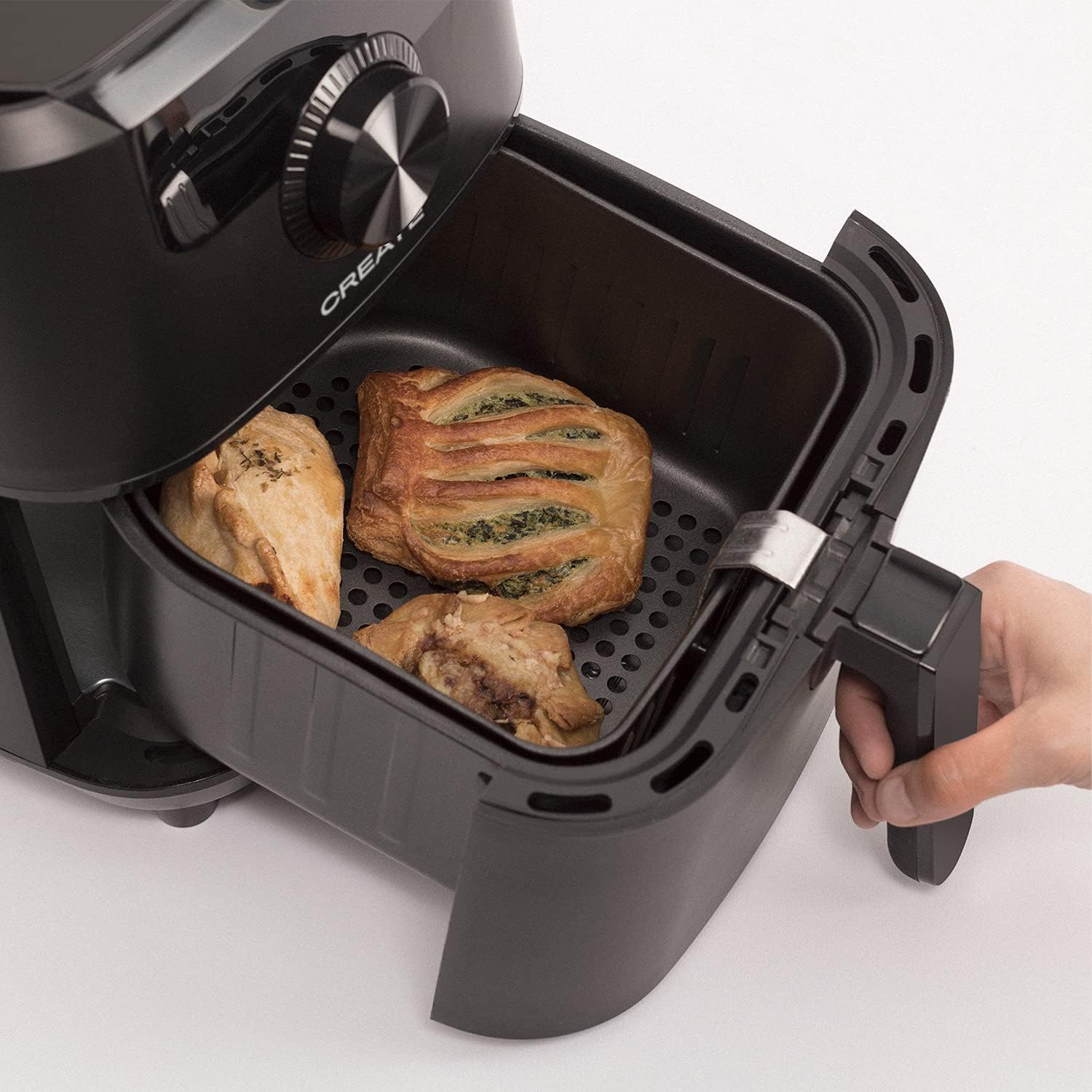
Image: The air fryer basket, pulled out from the main unit, containing cooked pastries and chicken pieces, demonstrating the cooking capacity.
6. Antretyen ak netwayaj
Netwaye frizè lè a apre chak itilizasyon.
- Unplug the appliance from the wall outlet and allow it to cool down completely before cleaning.
- Siye deyò inite prensipal la ak piblisiteamp twal. Pa sèvi ak pwodui netwayaj abrazif.
- Remove the basket and crisper plate. Wash them with hot water, dish soap, and a non-abrasive sponge. The non-stick coating makes cleaning easy. These parts are also dishwasher safe.
- For stubborn food residues, soak the basket and crisper plate in hot water with dish soap for about 10 minutes before cleaning.
- Asire w tout pyès yo byen sèk anvan ou rasanble oswa sere aparèy la.
- Sere friteur lè a nan yon kote ki fre, sèk.

Image: The air fryer basket, with its crisper plate, fully removed from the main unit, illustrating its readiness for cleaning.
NAN. Depanaj
| Pwoblèm | Kòz posib | Solisyon |
|---|---|---|
| Air fryer pa limen. | Aparèy la pa branche. | Asire w ke kòd kouran an byen branche nan yon priz ki gen tè. |
| Manje pa kwit menm jan. | Basket is overcrowded. Food not shaken. | Kwit an ti kantite. Souke panyen an nan mitan kwit manje a. |
| Lafimen blan ap soti nan aparèy la. | Rès grès ki soti nan itilizasyon anvan an. | Netwaye panyen an ak plak krisper a byen apre chak itilizasyon. |
| Manje pa kroustiyan. | Too much moisture in food. Not enough oil (if desired). | Pat food dry before cooking. Lightly spray or brush with oil for extra crispiness. |
8. Espesifikasyon
- Non modèl: FRYER AIR PRO
- Nimewo Modèl: 52025_186434
- Mak: KREYE
- Kapasite: 3.5 lit
- Wattage: 1500 Watt
- Voltage: 240V
- Ranje Tanperati: 80°C - 200°C
- Metòd kontwòl: Manyen, Rele
- Karakteristik espesyal: Programmable, Temperature Control, Digital Display
- Materyèl: Plastik
- Koulè: Nwa
- Dimansyon (D x W x H): 37.8 cm x 26.5 cm x 33.7 cm
- Kouch ki pa kole: Wi
9. Garanti ak sipò
For warranty information, please refer to the warranty card included with your product or visit the official CREATE website. If you encounter any issues not covered in this manual, please contact CREATE customer support for assistance.
Websit: www.create.com (Egzample link, please refer to actual manufacturer's websit)