
Dascert Q38[NEW]
Dascert Q38 Wireless Bluetooth Earbuds User Manual
Model: Q38[NEW]
1. Entwodiksyon
Thank you for choosing the Dascert Q38 Wireless Bluetooth Earbuds. These earbuds are designed to provide a comfortable and immersive audio experience, perfect for sports and daily use. Featuring Bluetooth 5.1 technology, IP7 waterproofing, and a long-lasting battery, the Q38 earbuds offer stable connectivity and high-fidelity stereo sound.
Tanpri li manyèl sa a avèk atansyon anvan ou itilize pwodwi a pou asire bon fonksyonman li epi pou maksimize dire lavi li.
2. Pake kontni
Asire w tout atik yo prezan nan pakè a:
- Dascert Q38 Wireless Earbuds (Left and Right)
- Ka chaje
- USB-C Chaje Kab
- Manyèl itilizatè
- Earhooks (pre-installed or included separately)
- Multiple sizes of Eartips (S, M, L)

3. Pwodwi souview
The Dascert Q38 earbuds are designed for comfort and performance, especially during physical activity. Key features include secure earhooks, IP7 waterproofing, and intuitive touch controls.
3.1 Konpozan ekoutè yo

- Kwòk zòrèy: Provides a secure and comfortable fit, ideal for sports.
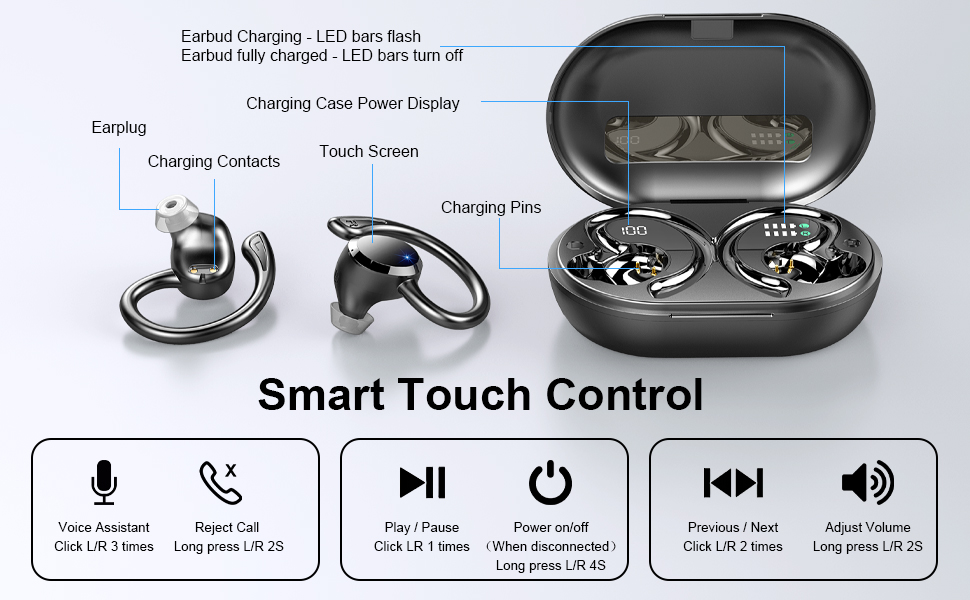
- Zòn kontwòl manyen: Pou jere lekti, apèl, ak asistan vwa.
- Endikatè ki ap dirije: Shows charging status and connection status.
- Kontak chaje: Li konekte ak bwat chaje a pou bay kouran.
- Mikwofòn: Pou apèl ak kòmandman vokal.
3.2 Konpozan bwat chaje a
- Digital ekspozisyon dirije: Shows the charging case battery percentage (1% -100%).
- Endikatè Chaje Ekoutè yo: LED bars for Left (L) and Right (R) earbuds, flashing when charging and turning off when fully charged.
- USB-C chaje pò: For fast charging the case.

4. Enstalasyon
4.1 Premye chaj
Anvan premye itilizasyon an, chaje ekoutè yo ak bwat chaje a nèt.
- Mete tou de ekouteur nan ka chaje a.
- Konekte kab chaje USB-C a nan pò chaje ki sou bwat la epi branche lòt bout la nan yon adaptè kouran USB (pa enkli) oswa nan yon pò USB òdinatè.
- The LED display on the case will show the battery percentage, and the earbud indicators will flash during charging.
- Charging takes approximately 1 hour for earbuds and 1.5 hours for the case.

4.2 Pairing with a Device (One-Step Pairing)
The earbuds feature one-step pairing for convenience.
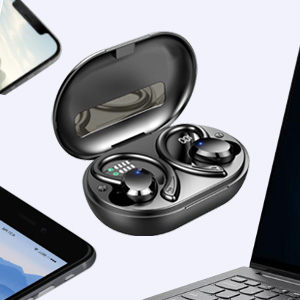
- Louvri bwat chaje a. Ekoutè yo ap limen otomatikman epi antre nan mòd koneksyon.
- Sou telefòn entelijan ou oswa aparèy ki gen Bluetooth, ale nan paramèt Bluetooth yo.
- Chèche pou "Q38" nan lis aparèy ki disponib yo epi chwazi li pou konekte.
- Yon fwa konekte, yon mesaj vokal ap konfime koneksyon an reyisi.

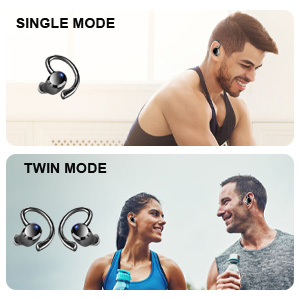
You can use either earbud independently (single mode) or both together (twin mode).
4.3 Choosing the Right Eartips
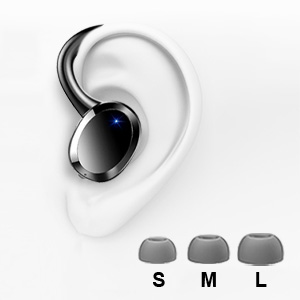
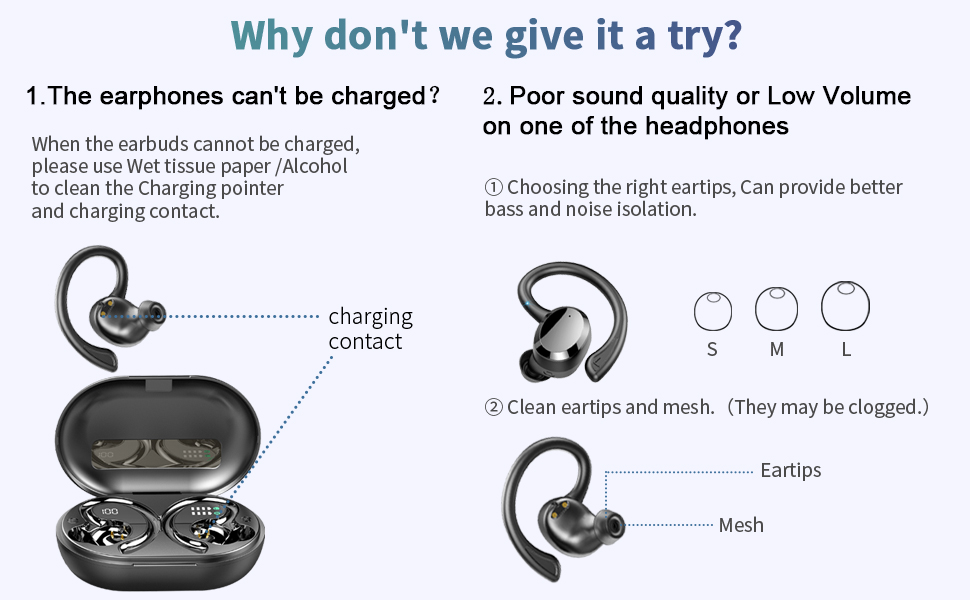
Selecting the correct eartip size is crucial for optimal sound quality and comfort. A proper seal enhances bass and noise isolation.
- Try each size (S, M, L) to find the one that fits snugly and comfortably in your ear canal.
- The earbud should feel secure and create a good seal without causing discomfort.
5. Operasyon Enstriksyon
5.1 Power On/Off
- Pouvwa sou: Open the charging case, or long press the touch control area on either earbud for 4 seconds if disconnected.
- Pouvwa Off: Place the earbuds back into the charging case and close the lid. Alternatively, long press the touch control area on either earbud for 4 seconds if disconnected.
5.2 Kontwòl manyen
The Dascert Q38 earbuds feature multi-function touch panels for easy control.
| Fonksyon | Aksyon |
|---|---|
| Jwe/Poz | Click L or R once |
| Next Song | Click R twice |
| Previous Song | Click L twice |
| Volim leve | Long peze R pou 2 segonn |
| Volim desann | Long press L for 2 seconds |
| Reponn/Ranke apèl | Click L or R once |
| Rejte apèl | Long press L or R for 2 seconds |
| Aktive Asistan Vwa a (Siri/Asistan Google) | Click L or R three times |
5.3 Mete ekoutè yo
The ergonomic design with earhooks ensures a secure and comfortable fit.
- Idantifye ekoutè gòch (G) ak ekoutè dwat (D).
- Dousman mete ekoutè a nan kanal zòrèy ou.
- Adjust the earhook over your ear until it feels secure and comfortable.

6. Antretyen ak Swen
- Netwayaj: Regularly clean the earbuds, especially the eartips and charging contacts, with a soft, dry cloth. For stubborn dirt, a slightly damp cloth or alcohol wipe can be used, ensuring no liquid enters the earbud openings.
- Depo: Lè w pa ap itilize ekoutè yo, sere yo nan bwat chaje yo pou pwoteje yo epi kenbe yo chaje.
- Rezistans dlo: The earbuds are IP7 waterproof, meaning they can withstand sweat, rain, and splashes. However, they are not designed for swimming or submersion for extended periods. Ensure earbuds are dry before placing them back in the charging case.
- Evite tanperati ekstrèm: Do not expose the earbuds or charging case to extreme heat or cold, as this can damage the battery and internal components.

NAN. Depanaj
If you encounter issues with your Dascert Q38 earbuds, please refer to the following common problems and solutions:
| Pwoblèm | Solisyon |
|---|---|
| Ekoutè pa chaje |
|
| Move kalite son oswa volim ki ba |
|
| Ekoutè yo pa konekte oswa konekte |
|
| Se yon sèl ekoutè k ap travay |
|
8. Espesifikasyon
| Karakteristik | Detay |
|---|---|
| Non modèl | Q38[NEW] |
| Koneksyon Teknoloji | San fil (Bluetooth 5.1) |
| Nivo rezistans dlo | IP7 ki enpèmeyab |
| Tan pou jwe (koutè) | 5-6 èdtan (yon sèl chaj) |
| Tan total pou jwe (ak bwat chaje a) | Jiska 48 èdtan |
| Tan chaje (koutè) | Apeprè. 1 èdtan |
| Tan chaje (Ka) | Apeprè. 1.5 èdtan |
| Port chaje | USB-C |
| Kalite kontwòl | Touche, Kontwòl Vwa |
| Plasman Zòrèy | Nan zòrèy ak kwòk zòrèy |
| Kontwòl bri | Anile aktif bri |
| Gamme frekans | 20 Hz - 20,000 Hz |
| Pwa atik | 2.54 ons |
| Dimansyon pwodwi | 3.64 x 2.47 x 1.12 pous |
9. Garanti ak sipò
Dascert products come with a standard manufacturer's warranty. For detailed warranty information, please refer to the warranty card included in your package or visit the official Dascert websit.
If you require technical support or have any questions regarding your Dascert Q38 Wireless Bluetooth Earbuds, please contact our customer service team:
- Imèl: Pa bay
- Telefòn: Pa bay
- Sipò sou entènèt: Vizite la Dascert Store on Amazon pou FAQ ak lòt resous.
Please have your model number (Q38[NEW]) and purchase date ready when contacting support.
10. Enfòmasyon sou Sekirite
- Do not disassemble or attempt to repair the earbuds or charging case.
- Kenbe lwen timoun ak bèt kay.
- Evite ekspoze pwolonje nan nivo volim ki wo pou anpeche domaj tande.
- Pa sèvi ak ekoutè yo nan sitiyasyon kote li ka danjere si ou pa ka tande son anbyen yo (pa egzanp, lè w ap kondui, lè w ap monte bisiklèt, lè w ap mache nan trafik).
- Jete pwodwi a yon fason responsab dapre règleman lokal yo.
Ask a question about this manual
Ask about setup, troubleshooting, compatibility, parts, safety, or missing instructions. Manuals+ will review the question and use this page’s manual context to help answer it.