
YABER YABER-V5-MINI
Manyèl Itilizatè Pwojektè YABER V5 Mini
Model: YABER-V5-MINI
1. Entwodiksyon
Mèsi pou acha aasing the YABER V5 Mini Projector. This manual provides detailed instructions for setting up, operating, and maintaining your projector to ensure optimal performance and longevity. Please read this manual thoroughly before use and keep it for future reference.

Image: The YABER V5 Mini Projector, shown with its included carrying bag and mini tripod, highlighting its portability and accessories.
2. Ki sa ki nan bwat la
Upon opening your YABER V5 Mini Projector package, please verify that all the following items are included:
- Mini pwojektè YABER V5
- Pote sak
- Mini tripod
- Kontwòl Remote (pil pa enkli)
- Pouvwa kab
- HDMI kab
- AV Kab
- Manyèl itilizatè
- Lens Cap

Image: The retail packaging for the YABER V5 Mini Projector, indicating the product and its branding.
3. Pwodwi Features
- Dual-Band WiFi Connectivity (5G/2.4G): The V5 supports both 5GHz and 2.4GHz WiFi bands, providing faster and more stable wireless screen mirroring for smoother video and image transmission from your smartphone or tablet.
- Bluetooth 5.0: Equipped with Bluetooth 5.0, allowing seamless connection to external Bluetooth speakers, headphones, or AirPods for enhanced audio experience.
- Enhanced Brightness & 1080P Full HD Support: Features enhanced German jade glass lenses and increased brightness for clearer and more vibrant images. Supports Full HD 1080P resolution for a high-quality vieweksperyans nan.
- Giant Screen & Zoom Function: Capable of projecting images from 45 to 200 inches. The digital zoom function allows you to reduce the image size from 100% to 50% using the remote control without moving the projector.
- Lajè konpatibilite: Multiple input ports including HDMI, USB, VGA, AV, Audio, and TF card ensure compatibility with a wide range of devices such as TV boxes, Fire Stick TV, Chromecast, PCs, laptops, tablets, and smartphones.
- Long Lamp Lavi: Utilizes SmarEco technology to minimize power consumption, extending the lamp's lifespan up to 100,000 hours.

Image: Illustration of the projector's dual-band (2.4GHz and 5GHz) WiFi capability, emphasizing faster transmission speeds for a smoother experience.

Image: The projector wirelessly connected to various Bluetooth audio devices like headphones and speakers, demonstrating its Bluetooth 5.0 capability.
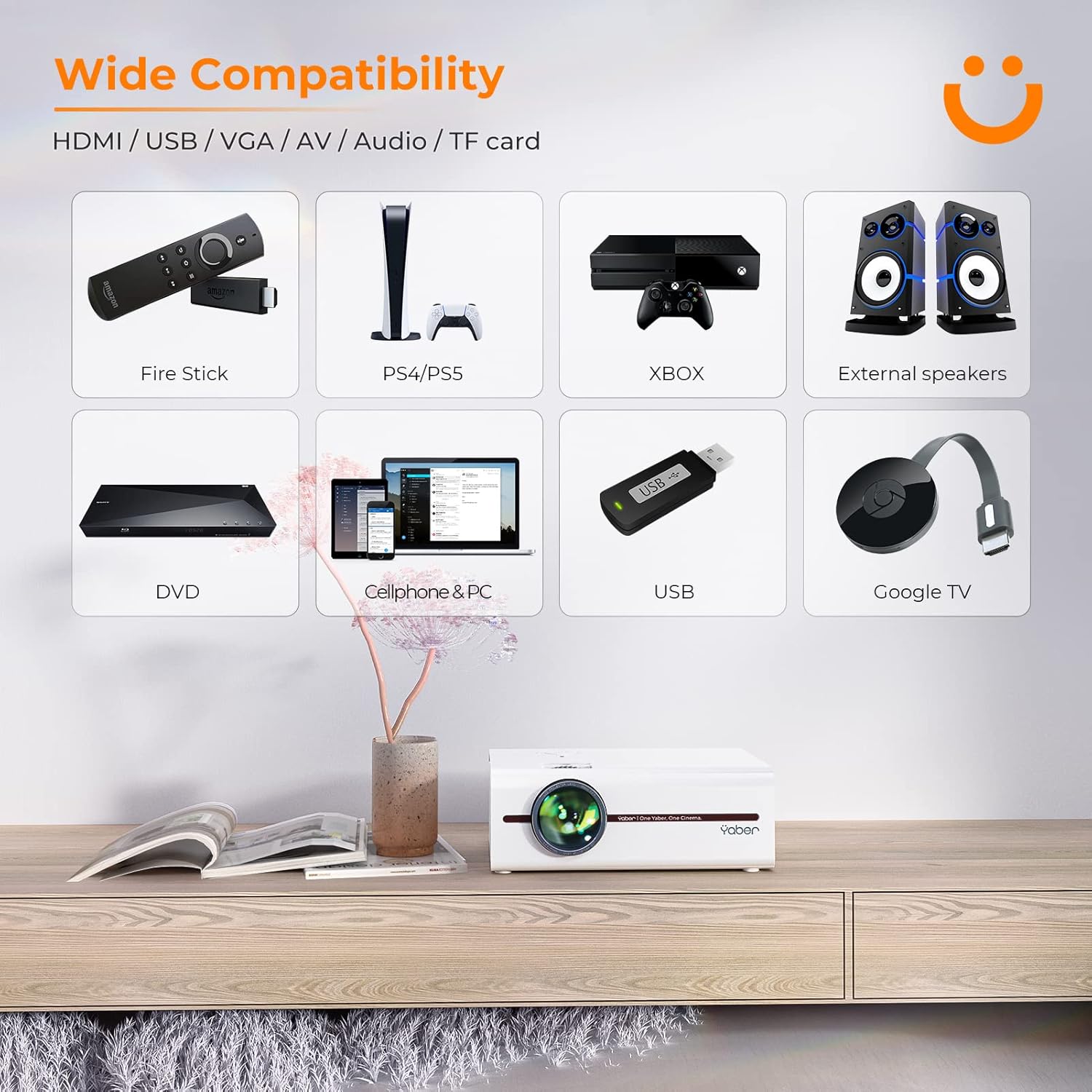
Image: A visual representation of the projector's wide range of compatible devices, including Fire Stick, PS4/PS5, Xbox, external speakers, DVD players, cellphones, PCs, USB drives, and Google TV, connected via various ports.
4. Enstalasyon
4.1 Plasman Inisyal ak Pouvwa
- Place the projector on a stable, flat surface or mount it using a compatible tripod. Ensure proper ventilation around the unit.
- Konekte kab kouran an nan antre kouran pwojektè a epi answit nan yon priz kouran.
- Peze bouton pouvwa a sou pwojektè a oswa sou kontwòl remote la pou limen li.
4.2 Adjusting Image Focus and Keystone
After powering on, adjust the focus and keystone correction for a clear, rectangular image.
- Konsantre: Vire bag konsantre a sou lantiy pwojektè a jiskaske imaj la parèt byen file epi klè.
- Koreksyon Keystone: Use the keystone adjustment dial or the remote control to correct any trapezoidal distortion, ensuring the image is perfectly rectangular. The V5 supports both mechanical and digital keystone correction.

Image: A hand holding the projector's remote control, illustrating the ease of adjusting the projected image, including focus and keystone correction.
4.3 Konekte Aparèy
The YABER V5 offers various connectivity options:
- HDMI: Connect your laptop, game console, or streaming device via an HDMI cable.
- USB: Mete yon kle USB pou li medya yo files dirèkteman.
- DE: Use the AV cable for older devices like DVD players.
- VGA: Connect to computers with a VGA output.
- Kat TF: Insert a TF card for media playback.
4.4 Wireless Screen Mirroring (WiFi)
Pou w repwodui ekran telefòn entelijan oswa tablèt ou san fil:
- Asire w ke pwojektè w la ak aparèy mobil ou a konekte sou menm rezo WiFi a.
- On the projector, select the 'Screen Mirroring' input source.
- For iOS devices, open Control Center and tap 'Screen Mirroring' or 'AirPlay Mirroring', then select the projector from the list.
- Pou aparèy Android yo, aktive 'Afichaj san fil', 'Ekspozisyon entelijan' View', 'Multi-screen', or similar function in your device settings, then select the projector.

Image: A visual comparison demonstrating the faster loading and transmission speed of 5GHz WiFi compared to 2.4GHz, highlighting the benefit for screen mirroring.
4.5 Koneksyon Odyo Bluetooth
To connect to a Bluetooth audio device:
- Enable Bluetooth on your external speaker or headphones and set it to pairing mode.
- Sou pwojektè a, ale nan meni paramèt Bluetooth la.
- Chwazi aparèy ou an nan lis aparèy ki disponib pou konekte.

Image: The YABER V5 projector wirelessly connected to an external Bluetooth speaker, illustrating the enhanced audio experience possible.
5. Operasyon Enstriksyon
5.1 Power On/Off
- To power on, press the power button on the projector or remote.
- To power off, press the power button again. Confirm shutdown if prompted.
5.2 Seleksyon Sous Antre
Use the 'Source' button on the remote or projector to cycle through available input sources (HDMI, USB, AV, VGA, TF Card, Screen Mirroring).
5.3 Navigasyon meni
Use the arrow keys on the remote or projector to navigate through the on-screen menu. Press 'OK' or 'Enter' to confirm selections. Use 'Return' or 'Exit' to go back or close the menu.
5.4 Adjusting Projection Size (Zoom Function)
To adjust the projection size without moving the projector, use the digital zoom function via the remote control. This allows you to shrink the image from 100% down to 50%.

Image: An illustration showing the digital zoom function, allowing the projected image size to be adjusted from 100% down to 50% without physically moving the projector.
6. Antretyen
6.1 Netwaye Lantiy la
Sèvi ak yon twal mou ki pa gen pousyè, espesyalman fèt pou lantiy optik, pou siye lantiy pwojektè a dousman. Evite itilize pwodui netwayaj abrazif oswa twòp presyon.
6.2 Netwayaj kò pwojektè a
Wipe the exterior of the projector with a soft, dry cloth. Do not use liquid cleaners or solvents.
6.3 Vantilasyon
Ensure the projector's ventilation vents are clear and unobstructed to prevent overheating. Do not block the vents during operation.
6.4 Lamp Lavi
The YABER V5 projector lamp has an estimated lifespan of up to 100,000 hours. No user replacement is typically required for the lamp.
NAN. Depanaj
If you encounter issues with your YABER V5 Mini Projector, please refer to the following common problems and solutions:
| Pwoblèm | Kòz posib | Solisyon |
|---|---|---|
| Pa gen imaj/Pa gen siyal | Sous opinyon ki pa kòrèk la chwazi; Koneksyon kab ki lach; Aparèy la pa limen. | Select the correct input source. Check all cable connections. Ensure connected device is powered on. |
| Imaj twoub | Fokus la pa ajiste; Keystone la pa korije. | Adjust the focus ring on the lens. Use keystone correction to square the image. |
| Pa gen son | Volim twò ba; Sou silans; Aparèy odyo ekstèn pa konekte/pa asosye. | Increase volume. Unmute the projector. Ensure Bluetooth device is paired or external speakers are properly connected. |
| Screen mirroring issues (freezing/disconnection) | Weak WiFi signal; Network congestion; Device compatibility. | Ensure strong WiFi signal (preferably 5G). Reduce network traffic. Try a wired connection if wireless is unstable. |
| Remote kontwòl pa travay | Pil mouri; Gen obstak ant telekòmand lan ak pwojektè a. | Replace batteries. Ensure no objects are blocking the IR receiver on the projector. |
If the problem persists after trying these solutions, please contact YABER customer support for assistance.
8. Espesifikasyon
| Karakteristik | Detay |
|---|---|
| Nimewo Modèl | YABER-V5-MINI |
| Rezolisyon ekspozisyon | 1920 x 1080 (Sipòte Full HD) |
| Koneksyon Teknoloji | Bluetooth, Wi-Fi (5G/2.4G), USB, HDMI, VGA, AV, TF Card |
| Karakteristik espesyal | Portable, Built-in Wi-Fi, Bluetooth, Digital Zoom, Hi-Fi Stereo Speaker |
| Itilizasyon Rekòmande | Home Cinema |
| Dimansyon pwodwi | 8.19 x 6.63 x 3.07 pous |
| Pwa atik | 2.2 liv |
| Lamp Lavi | Jiska 100,000 èdtan |
9. Garanti ak sipò
YABER provides comprehensive support for your V5 Mini Projector:
- 6-Month Return Policy: Enjoy a 6-month return period from the date of purchase.
- 3-ane garanti: The projector is covered by a 3-year warranty for repairs.
- Lifetime Professional Technical Support: YABER offers professional technical assistance for the lifetime of the product.
For any inquiries or support needs, please contact YABER customer service through their official channels or the retailer where you purchased the product.
Ask a question about this manual
Ask about setup, troubleshooting, compatibility, parts, safety, or missing instructions. Manuals+ will review the question and use this page’s manual context to help answer it.