
Acrojoy D501
ACROJOY D501 Native 1080P Mini Projector User Manual
Modèl: D501
1. Entwodiksyon
This manual provides essential information for the safe and efficient operation of your ACROJOY D501 Native 1080P Mini Projector. Please read it thoroughly before using the product and retain it for future reference.
2. Enfòmasyon sou Sekirite
- Pa gade dirèkteman nan lantiy pwojektè a lè l ap limen.amp Limyè entans lan ka lakòz domaj nan je yo.
- Asire w ke gen bon vantilasyon toutotou pwojektè a. Pa bloke ouvèti vantilasyon yo.
- Kenbe pwojektè a lwen dlo, imidite, ak tanperati ekstrèm.
- Sèvi sèlman ak adaptè kouran ki vini ak pwojektè a.
- Pa eseye repare pwojektè a tèt ou. Konfye tout antretyen bay pèsonèl kalifye.
- Kenbe soti nan atenn timoun yo.
3. Pake kontni
Verifye ke tout atik yo prezan nan pakè ou a:
- 1x ACROJOY D501 Projector
- 1x User Manual/Quick Start/Warranty Information
- 1x Twous Netwayaj
- 1x HDMI kab
- 1x pouvwa kòd
- 1x Projector Lens Cover
- 1x 120-inch Projector Screen
- 1x kontwòl Remote
4. Pwodwi souview
Familiarize yourself with the main components of your ACROJOY D501 projector.

Figi 4.1: ACROJOY D501 Projector and included 120-inch screen. The image highlights key features such as native 1080p resolution, 5G+2.4G WiFi, 9500 lumens (as indicated in image), and 4K support.

Figi 4.2: Side view of the projector illustrating its connectivity options, including ports for PS5, Nintendo Switch, TV Stick, Phone/Tablet, USB, Laptop/PC, and Audio output.
5. Enstalasyon
5.1 Plasman Pwojektè
Position the projector on a stable, flat surface or mount it (ceiling, tripod) according to your preference. Ensure the projector is perpendicular to the projection surface for optimal image quality.
- Distans pwojeksyon: The optimal projection distance ranges from 4 to 40 feet.
- Gwosè ekran: The projector can produce an adjustable display size from 35 inches to 400 inches. A 120-inch screen is included for convenience.

Figi 5.1: The ACROJOY D501 Projector in an outdoor setting, demonstrating its portability and the use of the bundled 120-inch projector screen for an enjoyable vieweksperyans nan.
5.2 Koneksyon pouvwa
- Konekte kòd kouran an nan pò antre kouran pwojektè a.
- Plug the other end of the power cord into a suitable electrical outlet (120 Volts).
- Limyè endikatè pouvwa a sou pwojektè a ap limen.
5.3 Ajisteman Fokus ak Keystone
Apre ou fin limen pwojektè a, ajiste imaj la pou l pi klè epi pou l pi fòm:
- Bag konsantre: Vire bag konsantre a sou lantiy pwojektè a jiskaske imaj la vin byen file epi klè.
- Koreksyon Keystone: Use the keystone correction dial or digital adjustment (if available) to correct trapezoidal distortion, ensuring a rectangular image. The projector supports ±15 degrees keystone correction.
6. Operasyon Enstriksyon
6.1 Power On/Off
- Pouvwa sou: Peze bouton pouvwa a sou pwojektè a oswa kontwòl remote la.
- Pouvwa Off: Peze bouton pouvwa a ankò. Konfime fèmen l si yo mande w.
6.2 Seleksyon Sous Antre
The projector supports multiple input sources. Use the 'Source' button on the projector or remote to select the desired input:
- HDMI: Connect devices like laptops, TV sticks, gaming consoles (PS5, Xbox) via HDMI cables. The projector has 2 HDMI ports.
- USB: Mete yon kle USB pou li medya yo files dirèkteman.
- DE: Konekte ansyen aparèy yo lè l sèvi avèk yon kab AV.
6.3 Koneksyon san fil (WiFi ak Bluetooth)
6.3.1 Mirroring ekran WiFi
The projector features 5G+2.4G dual-band WiFi for fast and stable screen mirroring from your smartphone or tablet.
- Asire w ke pwojektè w la ak aparèy mobil ou a konekte sou menm rezo WiFi a.
- Select the 'Screen Mirroring' or 'Wireless Display' option on the projector's menu.
- On your iOS device, use 'Screen Mirroring'. On Android, use 'Wireless Projection' or similar.
- Chwazi pwojektè a nan lis aparèy ki disponib yo.
Nòt: Due to copyright restrictions, streaming services like Netflix, Amazon Prime Video, and Hulu cannot be wirelessly mirrored directly from your device. Use an HDMI-connected TV stick or similar device for these services.

Figi 6.1: Demonstrates 5G WiFi screen mirroring for seamless video streaming from iOS, Android, or Windows devices to the projector.
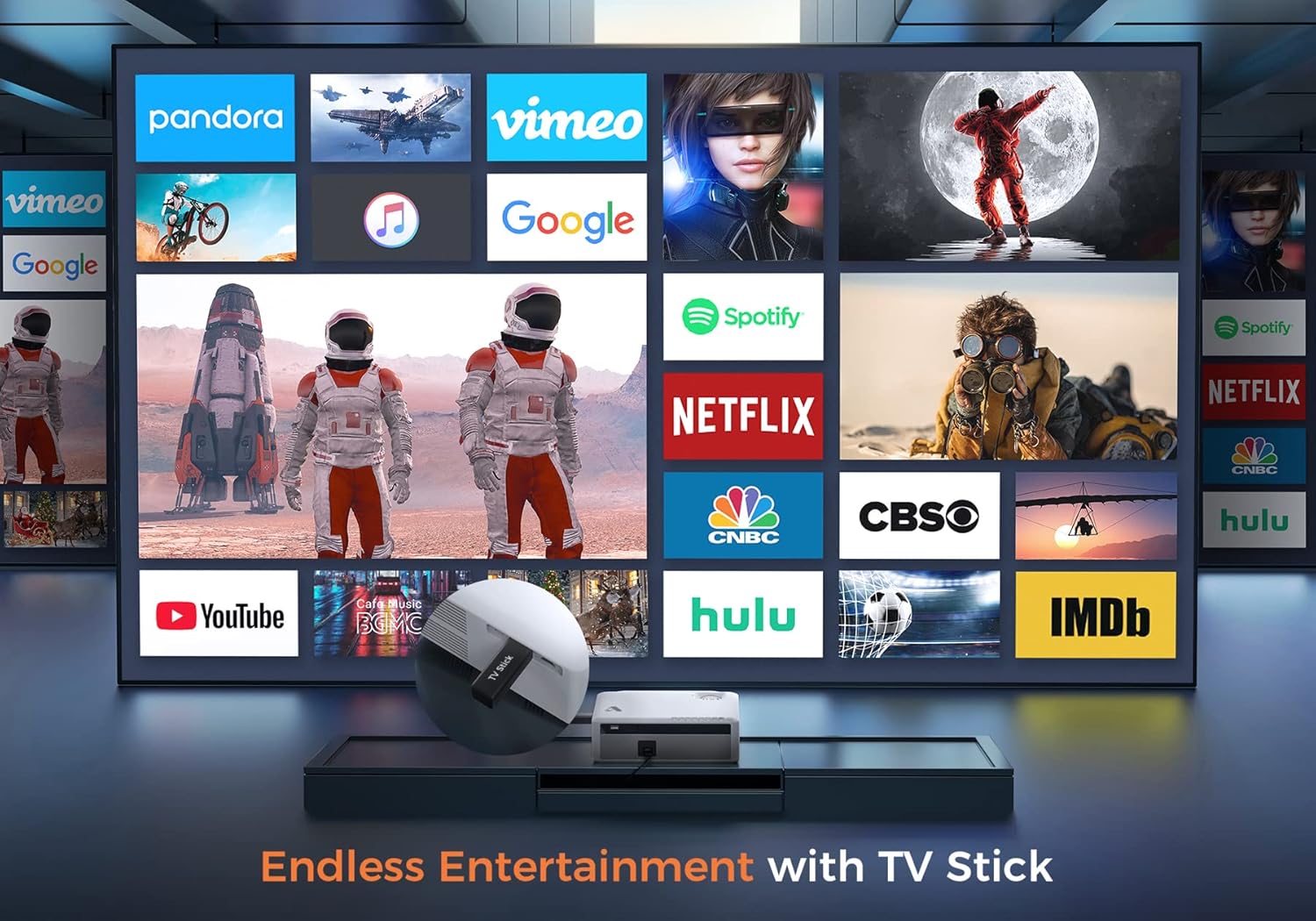
Figi 6.2: Illustrates how to access various entertainment apps like YouTube, Netflix, and Hulu by connecting a TV stick to the projector.
6.3.2 Bluetooth Koneksyon
Konekte oratè Bluetooth ekstèn oswa kas ekoutè pou amelyore odyo.
- Enable Bluetooth on your external audio device and set it to pairing mode.
- On the projector's menu, navigate to 'Bluetooth Settings'.
- Chwazi aparèy ou a nan lis la pou konekte li.
The projector also features a built-in Hi-Fi speaker for direct audio output.
6.4 Fonksyon Zoom
Adjust the image size without moving the projector using the 50%-100% zoom function, typically found in the projector's display settings menu.
7. Antretyen
- Netwayaj lantiy: Use the provided cleaning kit or a soft, lint-free cloth specifically designed for optical lenses. Do not use abrasive cleaners.
- Retire pousyè: Regularly clean the projector's exterior with a soft, dry cloth. Use a small brush or compressed air to gently clear dust from ventilation openings.
- Depo: When not in use, store the projector in a cool, dry place, protected from dust and direct sunlight. Always replace the lens cover.
NAN. Depanaj
- Pa gen pouvwa: Asire w kòd kouran an byen konekte ak pwojektè a ak priz kouran an. Eseye yon lòt priz.
- Pa gen imaj: Check the input source selection. Ensure the connected device is powered on and sending a signal. Verify HDMI/USB cable connections.
- Imaj flou: Adjust the focus ring. Ensure the projection distance is within the recommended range.
- Imaj la se trapezoidal: Ajiste koreksyon keystone la.
- Pa gen odyo: Check the volume settings on both the projector and the source device. If using external speakers, ensure they are properly connected or paired via Bluetooth.
- WiFi Mirroring Issues: Ensure both devices are on the same WiFi network. Some copyrighted content cannot be mirrored wirelessly.
9. Espesifikasyon
| Mak | Acrojoy |
| Nimewo Modèl | D501 |
| Rezolisyon natif natal | 1920 x 1080 (Full HD) |
| Rezolisyon Max sipòte | 3840 x 2160 (4K) |
| Klète | 5500 Lumen |
| Pwopòsyon kontras | 12000:1 |
| Kalite ekspozisyon | LCD |
| Koneksyon | 5G+2.4G WiFi, Bluetooth 5.1 |
| Pò Antre | 2x HDMI, 1x USB, AV |
| Sòti pò | 3.5mm Audio Soti |
| Gwosè pwojeksyon | 35" - 400" |
| Distans pwojeksyon | 4 - 40 ft |
| Aspè rapò | 4:3 / 16:9 |
| Koreksyon Keystone | ± 15 degre |
| Fonksyon Zoom | 50% - 100% |
| Dimansyon pwodwi | 22.86 x 17.75 x 7.62 cm |
| Pwa atik | 3.19 kg |
| Sous pouvwa | Aparèy elektrik ak fil (120 vòlt, 600 wat) |
10. Garanti ak sipò
ACROJOY provides comprehensive support for your projector:
- Garanti: A 3-year warranty covers manufacturing defects and malfunctions.
- Sipò teknik: Sipò teknik pwofesyonèl pou tout lavi disponib.
- Kontakte: For any questions or assistance, please refer to the contact information provided in your Quick Start Guide or Warranty Information document.
Ask a question about this manual
Ask about setup, troubleshooting, compatibility, parts, safety, or missing instructions. Manuals+ will review the question and use this page’s manual context to help answer it.