
Crosscall 1001011101114
Crosscall CORE-M5 User Manual
Modèl: 1001011101114
Entwodiksyon
This manual provides comprehensive instructions for the setup, operation, maintenance, and troubleshooting of your Crosscall CORE-M5 rugged smartphone. Designed for durability and performance in challenging environments, the CORE-M5 is built to withstand various conditions while providing essential communication and smart device functionalities.
Tanpri li manyèl sa a byen anvan ou itilize aparèy ou an pou asire bon fonksyonman li epi pou maksimize dire lavi li.
Kontni pake
Lè w ap ouvri pake a, verifye si tout bagay yo la:
- Crosscall CORE-M5 Device
- USB Chaje Kab
- Gid Quick Start
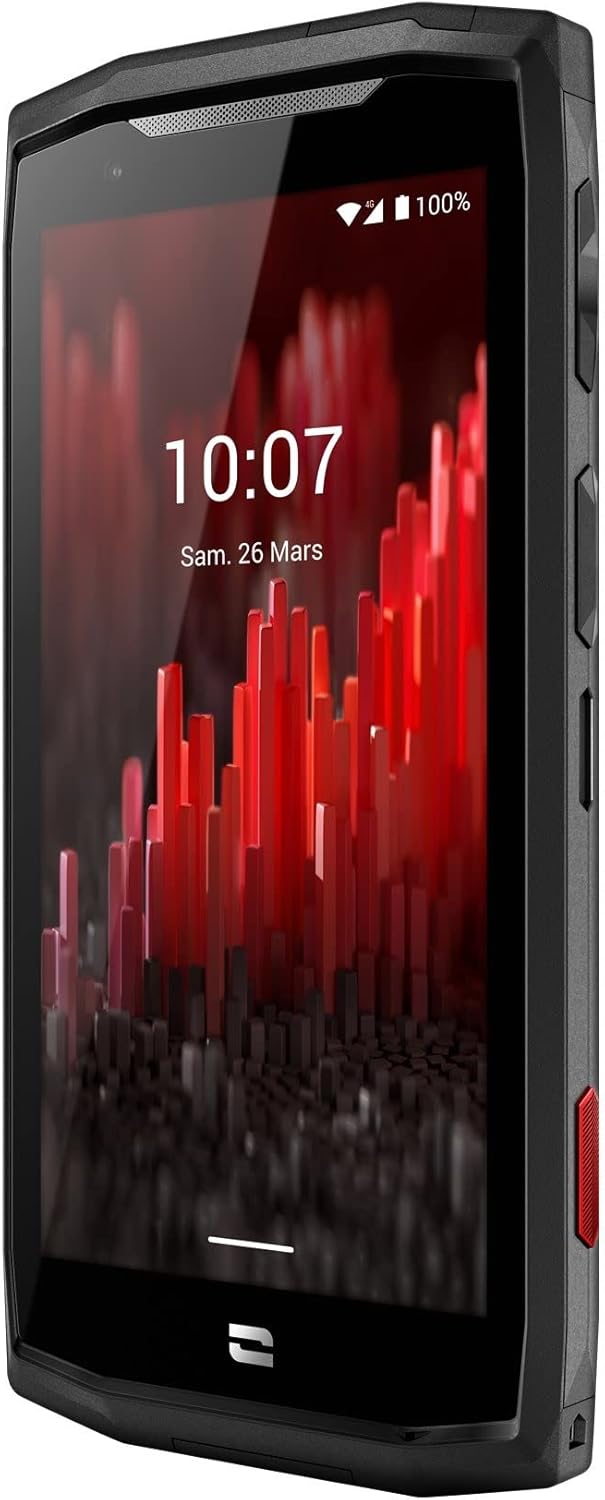
Imaj: Anglè devan view of the Crosscall CORE-M5 device, highlighting its robust design and display.
Enstalasyon
1. Inserting the SIM Card and Memory Card
The CORE-M5 supports SIM cards for cellular connectivity and an optional memory card for expanded storage. Locate the SIM/memory card tray on the side of the device.
- Power off the device completely.
- Use the provided SIM ejector tool (or a small paperclip) to open the SIM/memory card tray.
- Carefully place your SIM card(s) and/or memory card into the designated slots on the tray, ensuring correct orientation as indicated on the tray.
- Dousman pouse plato a tounen nan aparèy la jiskaske li klike an plas.

Image: A user demonstrating the insertion of a SIM card into the device's slot.
2. Premye Chajman
Before first use, it is recommended to fully charge your CORE-M5.
- Connect the USB charging cable to the device's charging port.
- Connect the other end of the cable to a compatible USB power adapter or a computer's USB port.
- The charging indicator on the screen will show the charging status. Allow the device to charge until the battery icon indicates a full charge.
3. Limen ak Inisyal Konfigirasyon
- Press and hold the Power button (usually located on the side) until the Crosscall logo appears.
- Swiv enstriksyon ki parèt sou ekran an pou w konplete konfigirasyon inisyal la, tankou seleksyon lang lan, koneksyon Wi-Fi a, konfigirasyon kont Google la, ak paramèt sekirite yo.
Operating the CORE-M5
Navigasyon debaz
- Ekran tactile: Navigate the device using taps, swipes, and pinch gestures on the 4.95-inch touchscreen display.
- Bouton pouvwa: Press to turn the screen on/off, or press and hold to power off/restart the device.
- Bouton Volim: Ajiste volim medya a, volim apèl la, oswa volim sonri a.
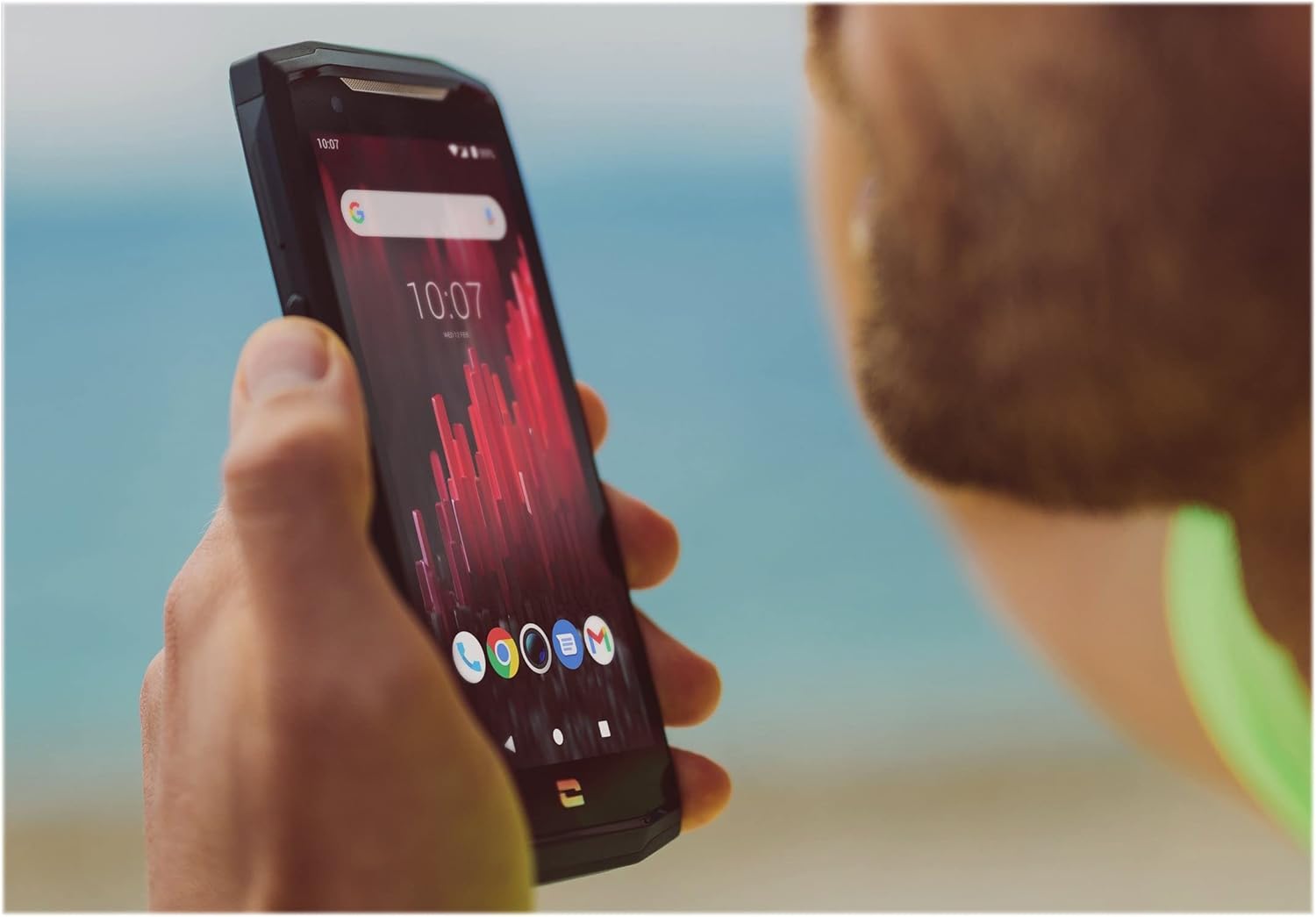
Image: The CORE-M5 in use, demonstrating its compact size and clear display for outdoor visibility.
Koneksyon
- Wi-Fi: Jwenn aksè nan paramèt Wi-Fi yo nan panèl Paramèt rapid la oswa nan aplikasyon Paramèt yo pou konekte ak rezo san fil yo.
- Bluetooth: Pair with Bluetooth devices such as headphones, speakers, or other smartphones via the Bluetooth settings.
- USB: Connect the device to a computer using the USB cable for data transfer or charging.
- Done selilè: Enable or disable mobile data from the Quick Settings or Network & Internet settings. Supports 2G and 3G cellular technologies.
Fonksyonalite kamera
The CORE-M5 features both front and rear cameras for capturing photos and videos.
- Louvri aplikasyon Kamera a nan ekran prensipal la oswa nan tiwa aplikasyon an.
- Tape bouton deklanchè a pou pran yon foto oubyen chanje an mòd videyo pou anrejistre.
- Sèvi ak kontwòl ki sou ekran an pou chanje ant kamera devan ak dèyè, ajiste zoom nan, oswa aplike filtè.
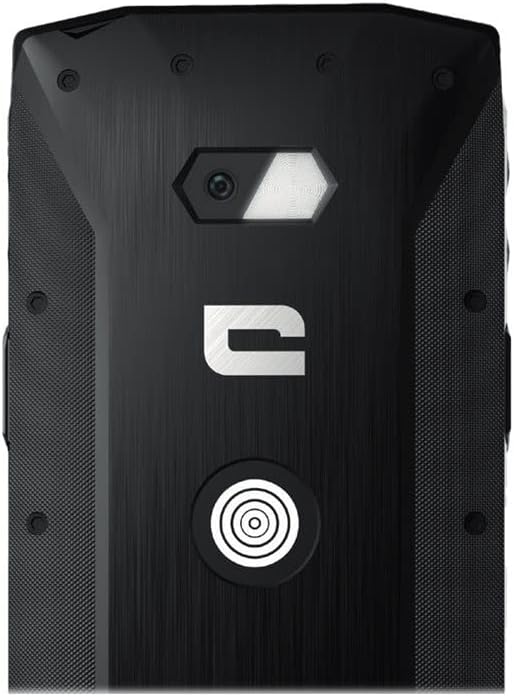
Imaj: Detaye view of the CORE-M5's rear, highlighting the camera module and the X-Link magnetic connection system.
X-Link System
The CORE-M5 is equipped with Crosscall's X-Link magnetic connection system on the back, allowing for easy attachment of compatible accessories such as chargers, mounts, and external batteries.
- Align the X-Link accessory with the magnetic connector on the back of your CORE-M5.
- The magnets will guide the accessory into place, ensuring a secure connection.

Image: The CORE-M5 securely mounted in a vehicle, demonstrating the utility of the X-Link system for hands-free use.
Antretyen
- Netwayaj: Sèvi ak yon mou, damp cloth to clean the device. Avoid harsh chemicals or abrasive materials. Ensure all ports are closed before cleaning if exposed to water.
- Rezistans dlo ak pousyè: The CORE-M5 is designed to be rugged. However, ensure all port covers are securely closed to maintain water and dust resistance. Avoid prolonged submersion beyond specified limits.
- Swen batri: To prolong battery life, avoid extreme temperatures. Do not allow the battery to fully discharge frequently.
- Mizajou lojisyèl: Tcheke epi enstale mizajou sistèm yo regilyèman pou asire pèfòmans ak sekirite optimal.
Depanaj
| Pwoblèm | Kòz posib | Solisyon |
|---|---|---|
| Aparèy pa pral limen | Batri fèb; lojisyèl la kraze | Chaje aparèy la pou omwen 30 minit. Fè yon rekòmanse fòse lè w kenbe bouton Pouvwa a pou 10-15 segonn. |
| Ekran an pa reponn | Glitch lojisyèl tanporè | Restart the device. If unresponsive, perform a forced restart. |
| Poor call quality / No network | Weak signal; incorrect SIM insertion; network issue | Deplase nan yon zòn ki gen pi bon siyal. Mete kat SIM nan ankò. Kontakte founisè rezo w la. |
| Aplikasyon yo ap plante oswa bloke | Insufficient memory; app conflict; outdated software | Close background apps. Clear app cache/data. Update apps and system software. Free up storage space. |
Espesifikasyon
| Karakteristik | Detay |
|---|---|
| Non modèl | 1001011101114 |
| Mak | Crosscall |
| Sistèm operasyon | Android |
| Modèl CPU | Cortical |
| Gwosè ekran | 4.95 pous |
| Rezolisyon | 1026 x 513 |
| RAM | 3 GB |
| Kapasite Depo memwa | 32 GB |
| Kapasite batri | 4000 mAh |
| Tan pou pale nan telefòn | 24 èdtan |
| Koneksyon | Bluetooth, Wi-Fi, USB |
| Teknoloji selilè | 2G, 3G |
| Wireless Carrier | Debloke |
| Kamera | Dèyè, devan |
| Koulè | Nwa |
| Dimansyon pwodwi | 4.25 x 0.79 x 4.25 pous |
| Pwa atik | 8 ons (226.6 gram) |
| Premye Disponib | 21 septanm 2021 |
Garanti ak sipò
Crosscall products are known for their durability and come with a manufacturer's warranty. For specific warranty terms and conditions, please refer to the warranty card included with your product or visit the official Crosscall websit.
For technical support, troubleshooting assistance, or service requests, please contact Crosscall Customer Service through their official channels. Have your product model number (1001011101114) and purchase information ready when contacting support.
Official Crosscall Websit: www.crosscall.com
Ask a question about this manual
Ask about setup, troubleshooting, compatibility, parts, safety, or missing instructions. Manuals+ will review the question and use this page’s manual context to help answer it.