
1. Pwodwi souview

Front-top view of the SUNMI 80mm Kitchen Cloud Receipt Printer, showcasing its compact black design with orange accents and control panel.
The SUNMI 80mm Kitchen Cloud Receipt Printer (Model C04000069) is a compact and efficient thermal printer designed for various environments, particularly suited for kitchen and point-of-sale applications. It offers reliable, high-speed printing for receipts and orders.
Karakteristik kle:
- Compact 130mm square design for space-saving installation.
- High-performance Seiko thermal print head.
- Fast printing speed of 165mm/s for 80mm receipts.
- Easy internet connectivity via LAN cable.
- Supports 80mm paper format.
2. Pake kontni
Tanpri tcheke kare a pou atik sa yo:
- SUNMI 80mm Kitchen Cloud Receipt Printer (Model C04000069)
- Adaptè pouvwa
- Thermal Paper Roll (for initial setup)
- Manyèl Itilizatè (dokiman sa a)
3. Gid Enstalasyon
3.1 Koneksyon pouvwa
- Ensure the printer is placed on a stable, flat surface.
- Connect the power adapter to the printer's power input port.
- Ploge adaptè pouvwa a nan yon priz elektrik apwopriye.
- Press the power button to turn on the printer. The power indicator light will illuminate.
3.2 Enstalasyon woulo papye

Yon ouvè view of the SUNMI printer's interior, revealing the paper roll compartment and the high-performance Seiko thermal print head, capable of 165mm/s printing speed.
- Open the printer's top cover by pressing the release latch.
- Insert the 80mm thermal paper roll into the compartment, ensuring the paper feeds from the bottom and the leading edge is straight.
- Rale yon ti kantite papye soti dèyè kouto a.
- Fèmen kouvèti anwo a byen fèm jiskaske li fè yon klik an plas.

Two sequential images: one showing a hand inserting a receipt into the printer's output slot, and another showing a hand replacing the thermal paper roll inside the printer's open compartment.
3.3 Rezo Koneksyon
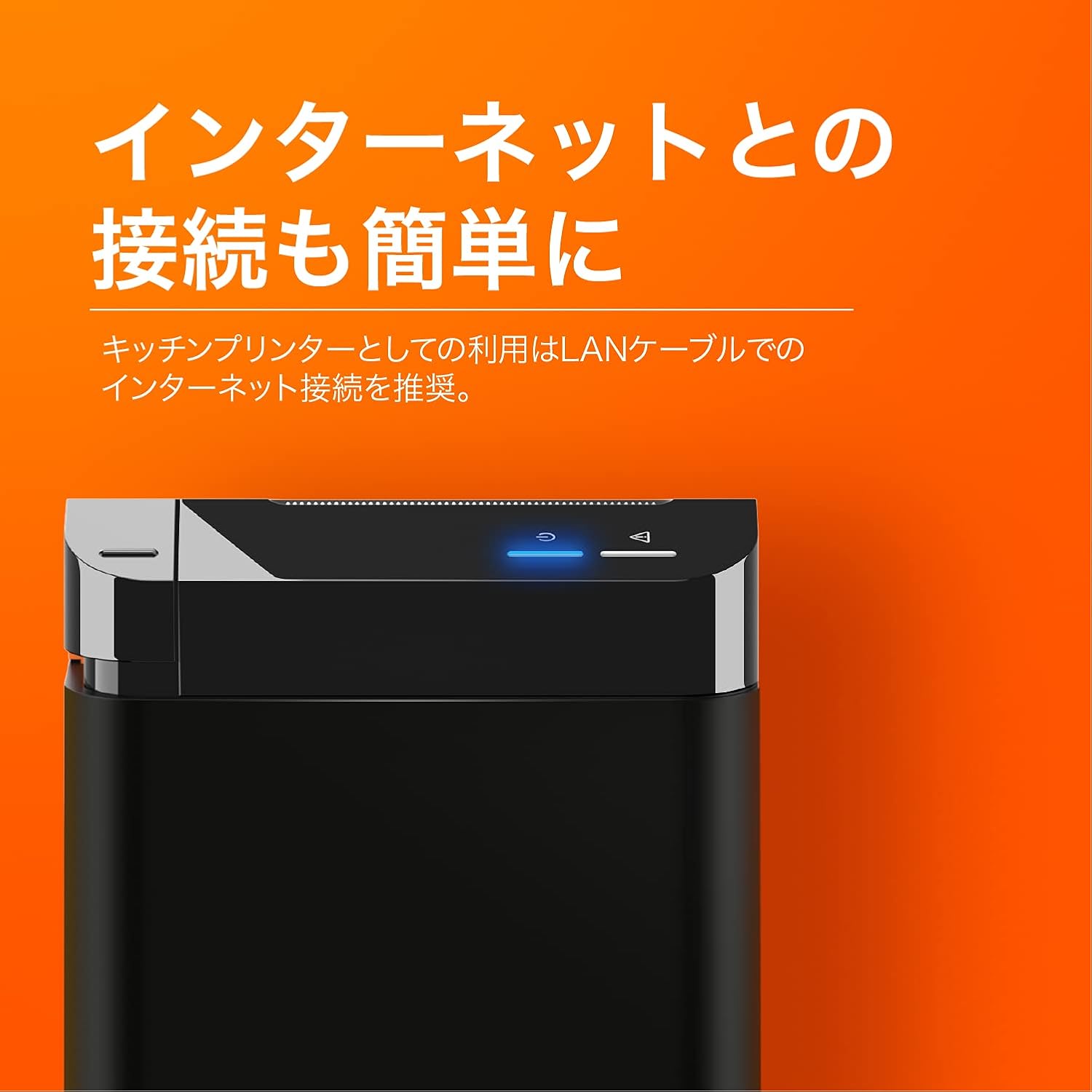
The SUNMI printer with a blue illuminated status light, highlighting its easy internet connectivity via LAN cable, recommended for kitchen printer use.
For optimal performance, especially in kitchen environments, a wired LAN connection is recommended.
- Connect one end of an Ethernet (LAN) cable to the printer's LAN port.
- Konekte lòt bout kab Ethernet a nan routeur rezo w la oswa switch.
- The network indicator light on the printer will show connection status (e.g., solid blue for connected).
4. Operasyon Enstriksyon
4.1 Enpresyon debaz
Once the printer is powered on and connected to your network, it is ready to receive print commands from compatible software or systems (e.g., POS software, kitchen display systems).
- Ensure your printing application is configured to use the SUNMI 80mm Kitchen Cloud Printer.
- Initiate a print job from your application.
- The printer will automatically feed and cut the receipt after printing.

A view of two SUNMI 80mm Kitchen Cloud Printers side-by-side, with one actively printing a receipt, demonstrating its operational use.
4.2 Endikatè Estati yo
The printer features indicator lights on its control panel to provide status information:
- Endikatè pouvwa: Solid light indicates the printer is on.
- Endikatè erè: Flashing or solid light indicates an error (e.g., paper out, cover open). Refer to the Troubleshooting section.
- Endikatè rezo: Indicates network connectivity status.
5. Antretyen
5.1 Netwaye aparèy pou enprime a
Netwayaj regilye ede kenbe bon jan kalite enprime a epi pwolonje lavi enprimant lan.
- Etenn epi debranche enprimant lan anvan ou netwaye li.
- Sèvi ak yon ti moso twal mou, ki san pèl dampRense avèk dlo oswa alkòl izopropilik pou siye deyò a.
- Gently clean the thermal print head with a cotton swab dipped in isopropyl alcohol. Allow it to dry completely before use.
- Remove any paper dust or debris from the paper path.
5.2 Replacing Paper Roll
When the paper roll is nearing its end, the printer may indicate a paper-low error or print faint lines. Follow the steps in Section 3.2 to replace the paper roll.
NAN. Depanaj
If you encounter issues with your SUNMI printer, refer to the table below for common problems and solutions.
| Pwoblèm | Kòz posib | Solisyon |
|---|---|---|
| Enprimant lan pa limen | No power, faulty adapter | Check power cable connection; ensure outlet is working; try a different adapter if available. |
| No printing / Error light on | Paper out, cover open, paper jammed | Replace paper roll; ensure cover is closed properly; clear any paper jams. |
| Faint or blank prints | Incorrect paper type, dirty print head, paper loaded incorrectly | Ensure thermal paper is used; clean the print head (Section 5.1); check paper orientation. |
| Pa ka konekte nan rezo a | Loose LAN cable, network configuration issue | Check LAN cable connection; verify network settings on your router/system. |
7. Espesifikasyon teknik

The SUNMI 80mm Kitchen Cloud Printer, demonstrating its compact 130mm square footprint, ideal for space-saving installations.
| Karakteristik | Spesifikasyon |
|---|---|
| Nimewo Modèl | C04000069 |
| Mak | SUNMI |
| Kalite enprimant | Enprime tèmik pou resi yo |
| Enprime vitès | 165 mm/s |
| Lajè papye | 80 mm |
| Koneksyon Teknoloji | USB, LAN (Ethernet) |
| Koulè | Multicolor (primarily black with orange accents) |
| Dimansyon pwodwi | 13 x 13 x 13 cm (apeprè 5.1 x 5.1 x 5.1 pous) |
| Pwa atik | 1.32 kilogram (apeprè 2.91 liv) |
| Maximum Sheet Input Capacity | 100 sheets (referring to paper roll length equivalent) |
| Duplex Enpresyon | No (single-sided receipt printing) |
| Sipòte Medya | Thermal Labels/Receipt Paper |
8. Garanti ak sipò
Pwodui sa a kouvri pa garanti estanda manifakti a. Pou tèm ak kondisyon garanti espesifik yo, tanpri al gade dokiman yo te bay lè w te achte pwodui a oswa kontakte revandè w la.
For technical support, troubleshooting assistance beyond this manual, or service inquiries, please contact SUNMI customer support or your authorized dealer. Keep your purchase receipt and product model number (C04000069) ready when contacting support.