
Anova Culinary AN900-10
Manyèl Itilizatè Fou Entelijan Anova Precision
Modèl: AN900-10
Entwodiksyon
The Anova Precision Smart Oven is a versatile countertop appliance designed to bring professional-grade cooking capabilities to your home kitchen. It combines convection, steam, bake, broil, roast, and dehydrate functions, offering precise temperature control for a wide range of culinary tasks. This manual provides essential information for the safe and effective operation and maintenance of your Anova Precision Smart Oven.
For optimal performance and longevity, please read this manual thoroughly before first use and retain it for future reference.
Enfòmasyon sou Sekirite
Toujou swiv prekosyon sekirite debaz yo lè w ap itilize aparèy elektrik pou diminye risk dife, chòk elektrik, ak blesi pou moun.
- Pa manyen sifas cho. Sèvi ak manch oswa bouton.
- Pou pwoteje tèt ou kont chòk elektrik, pa plonje kòd la, ploge yo, oswa aparèy la nan dlo oswa lòt likid.
- Sipèvizyon sere se nesesè lè nenpòt aparèy itilize pa oswa toupre timoun yo.
- Debranche soti nan priz lè yo pa itilize ak anvan netwaye. Kite refwadi anvan ou mete oswa retire pati yo.
- Pa opere nenpòt aparèy ki gen yon kòd oswa ploge ki domaje, oswa apre aparèy la fonksyone mal oswa li te domaje nan nenpòt fason.
- Sèvi ak atachman akseswar ki pa rekòmande pa manifakti aparèy la ka lakòz blesi.
- Pa sèvi ak deyò.
- Pa kite kòd pandye sou kwen tab oswa kontwa, oswa manyen sifas cho.
- Pa mete sou oswa toupre yon gaz cho oswa recho elektrik, oswa nan yon fou chofe.
- Ou dwe pran anpil prekosyon lè w ap deplase yon aparèy ki gen lwil cho oswa lòt likid cho.
- Pa sèvi ak aparèy pou lòt itilizasyon ki gen entansyon an.
Eleman souview
Familiarize yourself with the main components of your Anova Precision Smart Oven:
- Kavite fou: The main cooking chamber.
- Tank dlo: Removable tank for steam generation. Located on the side.
- Kontwòl Panel: Digital display and knobs for setting temperature, time, and cooking modes.
- Sond Manje: Detachable probe for precise internal temperature monitoring.
- Removable Racks: Multiple racks for various cooking needs.
- Chodyè boulanjri: Included pan for general baking and roasting.

Figi 1: Devan view of the Anova Precision Smart Oven, showing the main oven cavity, control panel, and side-mounted water tank.

Figi 2: Enteryè view of the Anova Precision Smart Oven, illustrating the two removable racks and the included baking pan.

Figure 3: A user demonstrating the removal of the clear water tank from the side of the Anova Precision Smart Oven for refilling or cleaning.
Enstalasyon
Debalaj ak plasman
- Retire fou a ak tout akseswa yo nan anbalaj la avèk prekosyon.
- Remove any protective film or packaging materials from the oven.
- Place the oven on a stable, level, heat-resistant surface with adequate clearance from walls and other appliances for ventilation. Ensure at least 4 inches of space on all sides and above the oven.
- Asire w ke priz kouran an fasil pou jwenn aksè.
Netwayaj inisyal
- Anvan premye itilizasyon an, siye anndan ak deyò fou a ak yon pwodui netwayaj.amp twal.
- Wash the removable racks, baking pan, and water tank with warm, soapy water. Rinse thoroughly and dry completely.
Preparasyon tank dlo
- Remove the water tank from its housing on the side of the oven.
- Fill the water tank with distilled water. Do not use tap water as it can lead to mineral buildup.
- Securely reinsert the water tank into its housing until it clicks into place.
Koneksyon pouvwa
Plug the oven into a grounded electrical outlet. The display will illuminate, indicating the oven is ready for use.
Enstriksyon Operasyon
Kontwòl Panel Plis paseview
The Anova Precision Smart Oven features an intuitive control panel with a digital display and rotary knobs for setting cooking parameters. The display shows temperature, time, and current cooking mode.
Connecting to the Anova App
For enhanced control and access to a recipe library, download the Anova Oven app on your smartphone. Follow the in-app instructions to connect your oven via Wi-Fi.
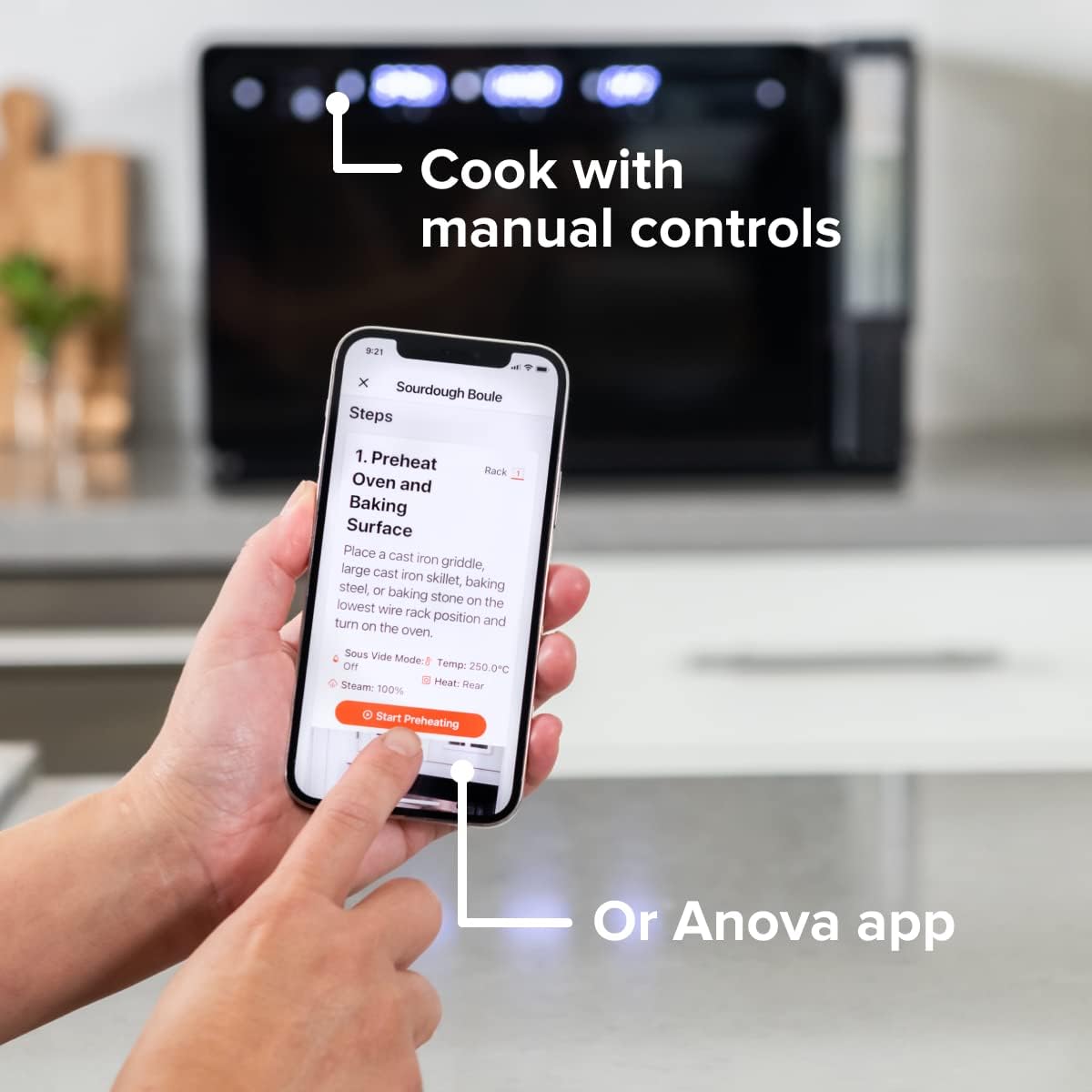
Figure 4: A user interacting with the Anova app on a smartphone, demonstrating remote control capabilities for the oven.
Basic Cooking Modes
The oven offers several cooking modes:
- Konveksyon: Uses a fan to circulate hot air for even cooking and browning.
- Vapè: Injects steam into the oven cavity, ideal for baking bread, steaming vegetables, or sous vide style cooking.
- Combi (Convection + Steam): Combines hot air and steam for moist interiors and crispy exteriors.
- Kwit/Kwit: Standard oven functions for baking and roasting.
- Griye: High heat from the top element for searing and browning.
- Dezidrate: Low heat and fan circulation for drying foods.
Setting a Program (Manual Control)
- Turn the mode knob to select your desired cooking mode.
- Adjust the temperature using the temperature knob.
- Mete tan an pou kwit manje lè l sèvi avèk bouton tan an.
- Peze bouton Kòmanse/Poz pou kòmanse kwit manje.
- To use the food probe, insert it into the thickest part of your food before starting. The oven will cook until the target internal temperature is reached.
Sous Vide Mode
The Anova Precision Oven can achieve sous vide style results without a water bath. Use the steam function and the food probe to cook food to a precise internal temperature, ensuring tenderness and juiciness.
Steam Injection for Baking
For perfect breads with crispy crusts and soft interiors, utilize the steam injection feature. Ensure the water tank is filled before starting a steam-assisted baking program.

Figure 5: Two loaves of freshly baked bread, showcasing the results of steam injection for a perfect crust and crumb. The Anova Precision Smart Oven is visible in the background.
Antretyen ak netwayaj
Regular cleaning and maintenance will ensure the longevity and optimal performance of your Anova Precision Smart Oven.
Netwayaj chak jou
- After each use, allow the oven to cool completely.
- Siye sifas enteryè ak eksteryè ak anonsamp twal ak savon dou. Evite pwodui netwayaj abrazif oswa kousinen abrazif.
- Remove and clean the racks and baking pan with warm, soapy water.
- Empty and rinse the water tank after each use, especially if using steam functions. Allow it to air dry before reinserting.
Descaling (Steam Function Users)
If you frequently use the steam function, mineral buildup may occur. The oven may indicate when descaling is needed. Refer to the Anova app or online resources for detailed descaling instructions using a descaling solution.
Depo
When not in use for extended periods, ensure the oven is clean and dry. Store it in a cool, dry place.
Depanaj
This section addresses common issues you might encounter with your Anova Precision Smart Oven.
| Pwoblèm | Kòz posib | Solisyon |
|---|---|---|
| Oven not turning on. | Pa branche; kouran koupetage; disjonktè a deklanche. | Ensure oven is securely plugged into a working outlet. Check household circuit breaker. |
| Pa gen vapè ki pwodui. | Water tank empty or not properly seated; mineral buildup. | Fill water tank with distilled water and ensure it is correctly inserted. Perform descaling if necessary. |
| Manje a pa kwit egalman. | Improper rack placement; overcrowding; fan obstruction. | Refer to recipe for recommended rack position. Avoid overcrowding the oven. Ensure nothing obstructs the convection fan. |
| Pwoblèm koneksyon Wi-Fi. | Modpas Wi-Fi ki pa kòrèk; routeur la twò lwen; entèferans rezo. | Double-check Wi-Fi password. Move oven closer to router or use a Wi-Fi extender. Restart oven and router. |
If the problem persists after attempting these solutions, please contact Anova Customer Support.
Espesifikasyon
- Mak: Anova gastronomik
- Non modèl: Fou Precision
- Nimewo Modèl Atik: AN900-10
- Dimansyon pwodwi: 18"D x 22"W x 14"H
- Pwa atik: 59 liv
- Koulè: Nwa
- Kalite kontwòl: Bouton
- Sous pouvwa: Elektrik
- Eleman ki enkli: Water tank, pan, temp probe
- Karakteristik espesyal: Pwogramasyon
Garanti ak sipò
The Anova Precision Smart Oven comes with a manufacturer's warranty. Please refer to the warranty card included with your product or visit the official Anova Culinary websit la pou wè tèm ak kondisyon garanti detaye yo.
For technical support, troubleshooting assistance, or to inquire about replacement parts, please contact Anova Customer Support:
- Sipò sou entènèt: Vizite la Anova Culinary Store on Amazon oswa ofisyèl yo websit.
- Gid Itilizatè (PDF): Yon gid itilizatè konplè disponib pou telechaje nan lyen sa a.

Figure 6: The Anova Precision Smart Oven integrated with a smart home assistant (Alexa), demonstrating its connectivity features.
Ask a question about this manual
Ask about setup, troubleshooting, compatibility, parts, safety, or missing instructions. Manuals+ will review the question and use this page’s manual context to help answer it.