
1. Entwodiksyon
Mèsi pou acha aasing the AUKEY PC-LM3 Webkamera. Manyèl sa a bay enstriksyon detaye pou konfigirasyon, itilizasyon, ak antretyen ou webcam. Please read this manual thoroughly before use and retain it for future reference.
2. Enfòmasyon sou Sekirite
- Kenbe la webcam away from water, moisture, and extreme temperatures.
- Pa eseye demonte oswa repare aparèy la tèt ou. Konfye tout antretyen bay pèsonèl kalifye.
- Evite lage oswa soumèt webcam to strong impacts.
- Clean the lens with a soft, dry cloth. Do not use liquid cleaners.
3. Pake kontni
Tanpri verifye ke tout atik yo prezan nan pakè ou a:
- AUKEY PC-LM3 Webkam
- Manyèl itilizatè
- Kab USB (entegre)
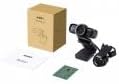
Image 1: Contents of the AUKEY PC-LM3 Webcam package, showing the webcam, manual, and packaging.
4. Pwodwi souview
The AUKEY PC-LM3 is a 1080p USB 2.0 webcam designed for high-quality video communication and recording. It features a CMOS sensor and 5x optical zoom capability, providing clear and detailed visuals.
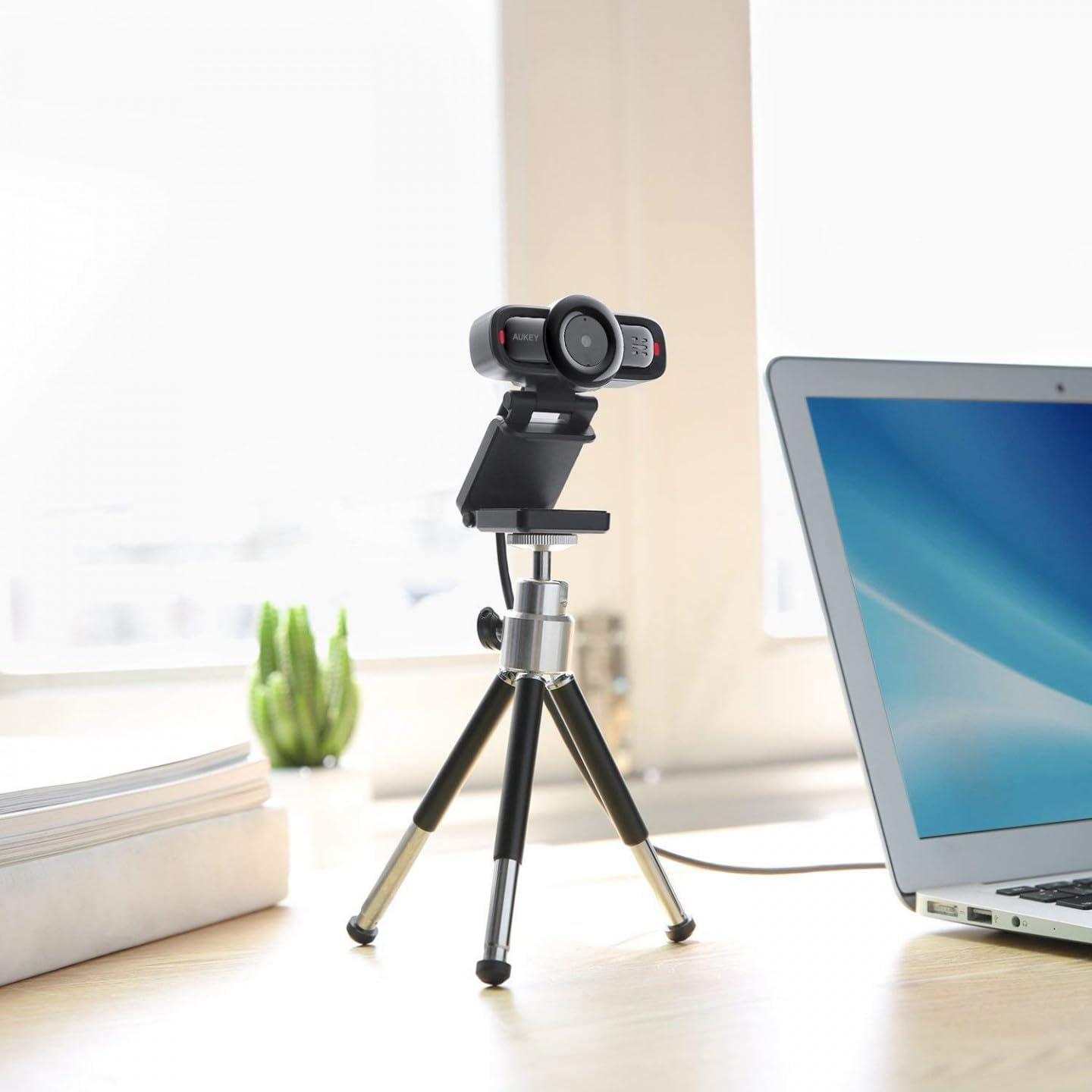
Image 2: AUKEY PC-LM3 Webcam in use, demonstrating its compact design and mounting flexibility on a tripod.
Karakteristik kle:
- Full HD 1080p video recording
- CMOS sensor for clear images
- USB 2.0 connectivity for universal compatibility
- 5x optical zoom for detailed framing
- Integrated microphone for audio capture
- Adjustable clip for versatile mounting options
5. Enstalasyon
5.1 Placing the Webkam
- Sou yon monitè: Unfold the clip and place the webcam on top of your monitor or laptop screen. Adjust the clip to secure it firmly.
- Sou yon trépied: La webcam features a standard tripod thread. Mount it onto a compatible tripod for more flexible positioning.
- Sou yon sifas ki plat: Pliye klip la pou fòme yon sipò ki estab epi mete l webcam on a desk or other flat surface.
5.2 Konekte ak òdinatè w la
- Ploge konektè USB a nan webkonekte li nan yon pò USB 2.0 oswa 3.0 ki disponib sou òdinatè w la.
- Odinatè w la ta dwe detekte epi enstale chofè ki nesesè yo otomatikman. Pwosesis sa a ka pran kèk minit.
- Yon fwa enstale, la webcam will be ready for use with video conferencing software or recording applications.
Nòt: No additional software or drivers are typically required for Windows, macOS, or Linux operating systems.
6. Opere a Webkam
6.1 Itilizasyon ak lojisyèl videyo konferans
To use the AUKEY PC-LM3 webcam with applications like Zoom, Skype, Microsoft Teams, or Google Meet:
- Louvri aplikasyon ou pi pito pou konferans videyo.
- Navigate to the application's settings or preferences (usually found under "Audio & Video" or "Devices").
- Select "AUKEY PC-LM3" as your video input device.
- Select "AUKEY PC-LM3 Microphone" (or similar) as your audio input device, if applicable.
- Adjust any video settings such as resolution or brightness within the application if available.
6.2 Anrejistreman Videyo
To record video using the webcam, use your computer's built-in camera application (e.g., Camera app on Windows, Photo Booth on macOS) or third-party recording software. Ensure the AUKEY PC-LM3 is selected as the video source.
6.3 Optical Zoom
La webcam features 5x optical zoom. This function is typically controlled via software. Check your video conferencing or recording application for zoom controls. If not available, third-party webcam control software may offer this functionality.
7. Antretyen
7.1 Netwayaj la Webkam
- Asire w la webcam is disconnected from your computer before cleaning.
- Use a soft, lint-free cloth to gently wipe the lens and body of the webCam.
- For stubborn smudges on the lens, slightly dampen the cloth with water or a lens cleaning solution, then wipe gently. Avoid excessive moisture.
- Pa sèvi ak pwodui chimik ki fò, pwodui netwayaj abrazif, oswa solvan.
7.2 Depo
Lè ou pa itilize, estoke webcam in a cool, dry place, away from direct sunlight and dust. Consider using a privacy cover (if included or purchased separately) to protect the lens and ensure privacy.
NAN. Depanaj
| Pwoblèm | Solisyon |
|---|---|
| WebOdinatè a pa detekte kamera a. |
|
| Pa gen pwodiksyon videyo. |
|
| Move kalite videyo. |
|
9. Espesifikasyon
| Karakteristik | Detay |
|---|---|
| Modèl | PC-LM3 |
| Rezolisyon videyo | 1920 x 1080 piksèl (1080p) |
| Sensor Teknoloji | CMOS |
| Koneksyon | USB 2.0 |
| Zoom optik | 5x |
| Fòma Capture Videyo | MP4, AVI |
| Sipòte fòma odyo | AAC, MP3 |
| Dimansyon (L x W x H) | 7.7 x 7.2 x 4.6 cm |
| Pwa | 130 gram |
| Koulè | Nwa |
10. Garanti ak Sipò Kliyan
AUKEY products are covered by a limited warranty from the date of purchase. For specific warranty terms and conditions, please refer to the warranty card included with your product or visit the official AUKEY websit.
If you encounter any issues or have questions regarding your AUKEY PC-LM3 Webcam, please contact AUKEY customer support for assistance. Contact information can typically be found on the official AUKEY websit la oubyen sou kat garanti a.