
Pwodwi souview
The EWO'S XRT140 Universal Remote Control is designed as a direct replacement for various VIZIO Smart TV remotes. This product has been professionally inspected and tested to ensure it functions and appears like new. It offers seamless control over your VIZIO Smart TV, providing a reliable and user-friendly experience.

Imaj: Devan ak bò view of the EWO'S XRT140 Universal Remote Control, showcasing konsepsyon ergonomik li yo ak layout bouton yo.
Gid Enstalasyon
The EWO'S XRT140 remote control is designed for immediate use with compatible VIZIO Smart TVs. No pairing or programming is required.
Enstalasyon batri
- Jwenn lòj batri a sou do a nan kontwòl remote la.
- Slide louvri kouvèti a lòj batri.
- Insert two (2) 1.5V AAA batteries, ensuring the positive (+) and negative (-) terminals align correctly with the indicators inside the compartment.
- Fèmen kouvèti lòj batri a byen.
Once batteries are installed, the remote is ready to operate your VIZIO Smart TV.
Operating Your Remote
This section details the functions of the buttons on your EWO'S XRT140 Universal Remote Control.
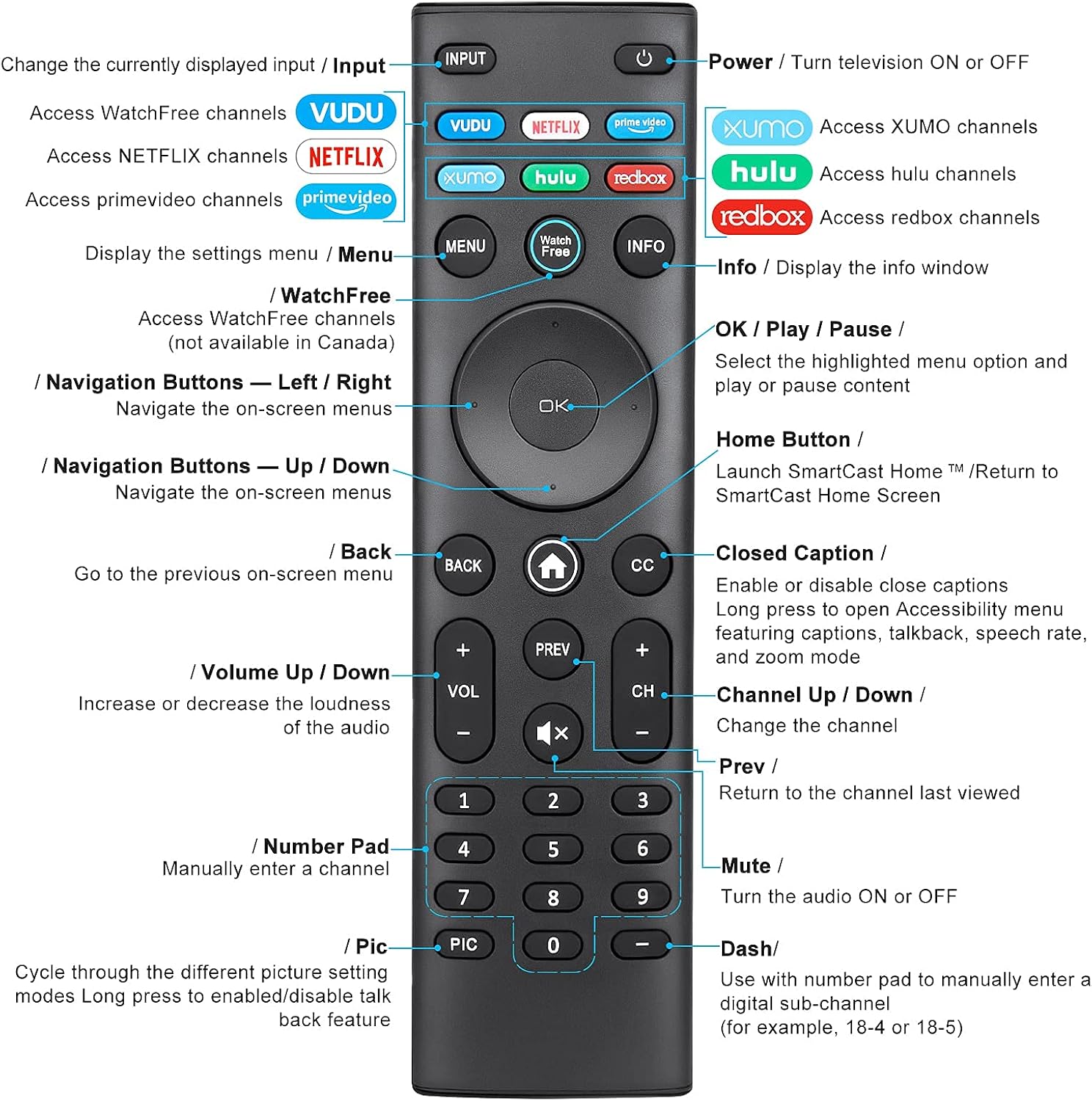
Image: Detailed diagram of the EWO'S XRT140 remote control, labeling each button with its corresponding function.
Fonksyon bouton:
- ENTRÈ: Change the currently displayed input source.
- POUVOIR (⏻): Turn the television ON or OFF.
- VODOU: Access VUDU channels.
- NETFLIX: Access Netflix channels.
- prime video: Access Prime Video channels.
- XUMO: Access XUMO channels.
- hulu: Access Hulu channels.
- redbox: Access Redbox channels.
- MENI: Display the settings menu.
- WatchFree: Access WatchFree channels (Note: May not be available in all regions, e.g., Canada).
- ENFO: Display the info window.
- OK / Jwe / Pòz: Select the highlighted menu option and play or pause content.
- Bouton Navigasyon (Anwo/Anba/Agoch/Dwat): Navige meni ki sou ekran yo.
- Home Button (⌂): Launch SmartCast Home or return to the SmartCast Home Screen.
- Tounen: Go to the previous on-screen menu.
- CC (Sous-titre): Enable or disable closed captions. Long press to open Accessibility menu featuring captions, talkback, speech rate, and zoom mode.
- VOL +/- (Volim Monte/Desann): Ogmante oswa diminye son odyo a.
- PREV: Return to the channel last viewed.
- CH +/- (Chanèl Monte/Desann): Chanje chanèl la.
- MUTE (🔇): Turn the audio ON or OFF.
- Pav Nimerik (0-9): Manually enter a channel number.
- PIC: Cycle through different picture setting modes. Long press to enable/disable talk back feature.
- DASH (-): Use with the number pad to manually enter a digital sub-channel (e.g., 18-4 or 18-5).
Karakteristik kle
- Repons Enstantane: This remote control boasts a quick transmission and response time of 0.2 seconds, ensuring minimal delay between your command and the TV's action.
- Durable Buttons: The buttons are rigorously tested to support over 150,000 clicks, providing long-lasting reliability.
- Ranje pwolonje: The remote transmits a signal effectively over long distances, up to 12 meters (40 feet), allowing for flexible viewpozisyon yo.
- Premium Design: Upgraded with a high-end glossy finish, the remote is made from durable ABS material, making it safe for use by children.
- Dedicated Shortcut Buttons: Features 7 convenient shortcut buttons for popular streaming services like VUDU, Netflix, Prime Video, XUMO, Hulu, and Redbox, plus a WatchFree button for quick access.
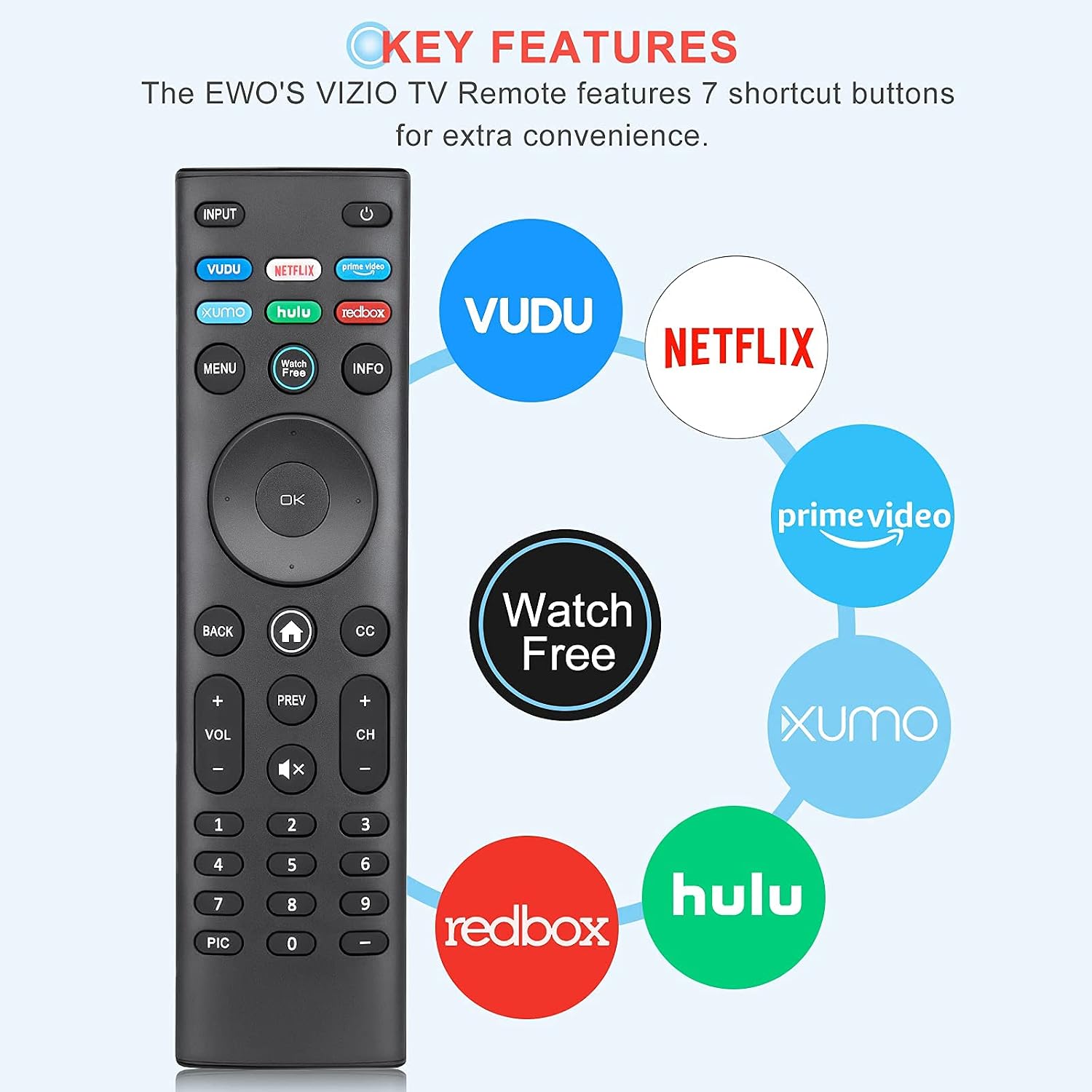
Image: The EWO'S XRT140 remote control with its 7 shortcut buttons for streaming services highlighted, emphasizing convenience.

Image: A hand holding the EWO'S XRT140 remote, with text indicating its fast response time and high click durability.

Image: An illustration demonstrating the EWO'S XRT140 remote's ability to transmit signals over 40 feet, highlighting its long-distance capability.
Konpatibilite
The EWO'S XRT140 Universal Remote Control is designed for broad compatibility with VIZIO Smart TVs and various VIZIO remote models.
Compatible VIZIO TV Series:
- All VIZIO LED LCD HD UHD HDR Smartcast 4K 3D Smart TVs
- Including D-Series, E-Series, M-Series, P-Series, PX-Series, V-Series, and OLED-Series.

Image: The EWO'S XRT140 remote alongside various VIZIO SmartCast TV models, illustrating its broad compatibility.
Compatible VIZIO Remote Models:
The XRT140 is a universal remote control compatible with, but not limited to, the following VIZIO remote models:
- XRT112
- XRT122
- XRT302
- XRT135
- XRT510
- XRT500
- XRT100
- XRT136
- VR1
- VR2
- VR10
- VR15

Image: The EWO'S XRT140 remote displayed next to several other VIZIO remote models, indicating its universal compatibility.
Antretyen
Bon swen ak antretyen ap pwolonje lavi kontwòl remote ou a.
Netwayaj:
- Siye kontwòl remote la ak yon twal mou epi sèk.
- Pou pousyè tè ki difisil pou retire, yon ti kras dampRense twal la avèk dlo oswa yon pwodui netwayaj dou ki pa abrazif. Pa flite pwodui netwayaj la dirèkteman sou telekòmand lan.
- Avoid using harsh chemicals, solvents, or abrasive cleaning pads, as these can damage the remote's surface or internal components.
Swen batri:
- Ranplase pil yo lè pèfòmans telekòmand lan diminye oswa li sispann reponn.
- Toujou ranplase tou de pil yo an menm tan ak nouvo ki gen menm kalite a (AAA).
- Si ou pa pral itilize telekòmand lan pou yon peryòd pwolonje (pa egzanp, plizyè semèn oswa plizyè mwa), retire pil yo pou anpeche flit epi pou anpeche li domaje.
Depanaj
If you encounter issues with your remote control, refer to the following common troubleshooting steps:
| Pwoblèm | Kòz posib | Solisyon |
|---|---|---|
| Remote pa reponn | Batri ki mouri oswa mal mete | Ranplase pil yo ak nouvo pil AAA 1.5V, asire w ke polarite a kòrèk. |
| Remote travay tanzantan | Low battery power; Obstruction between remote and TV; Remote sensor on TV is blocked. | Replace batteries. Ensure a clear line of sight between the remote and the TV's IR sensor. Remove any objects blocking the TV's sensor. |
| Bouton espesifik ki pa fonksyone | Dirt or debris under the button; Button malfunction. | Clean the remote surface around the button. If the issue persists, the button may be faulty. |
| Remote range is reduced | Low battery power; Interference from other electronic devices. | Replace batteries. Move other electronic devices away from the TV or remote. |
Espesifikasyon pwodwi
| Spesifikasyon | Detay |
|---|---|
| Mak | EWO'S |
| Modèl | XRT140 |
| Aparèy konpatib | Television (VIZIO Smart TVs) |
| Maksimòm Range | 40 pye (apeprè 12 mèt) |
| Kalite batri | 2 x AAA (pa enkli) |
| Pwa atik | 2.39 ons |
| Dimansyon pake | 8.19 x 3.66 x 0.83 pous |
| ASIN | B098YWCB68 |
| UPC | 656942198109 |
| Dat Premye Disponib | 8 jiyè 2021 |
Garanti ak sipò
As an Amazon Renewed product, the EWO'S XRT140 Universal Remote Control is backed by the Amazon Renewed Guarantee. This ensures that the product has been professionally inspected and tested to work and look like new.
If you are not satisfied with your purchase, renewed products are eligible for replacement or refund under the Amazon Renewed Guarantee. Please refer to the Amazon Renewed program terms and conditions for specific details regarding returns, replacements, and refunds.
For further assistance or inquiries, please contact Amazon customer support or refer to the Amazon Renewed Store for more information.
Amazon Renewed Store Link: Visit the Amazon Renewed Store