
1. Entwodiksyon ak souview
The Hbada W203 Gaming Chair is designed to provide ergonomic support and comfort for extended periods of sitting, whether for gaming or office work. It features a robust construction, adjustable components, and a design focused on user well-being.
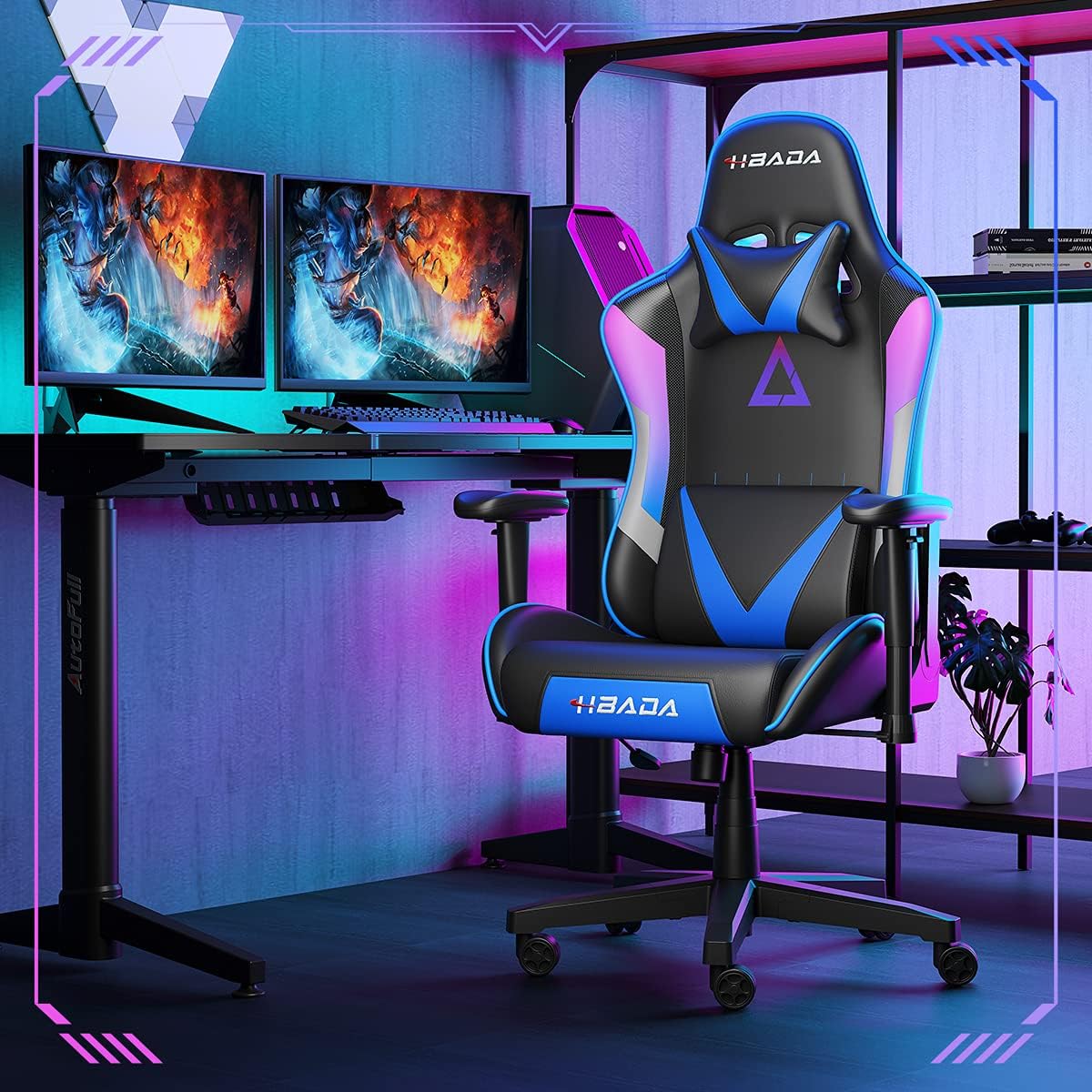
Image 1.1: The Hbada W203 Gaming Chair in a typical gaming environment, showcasing konsepsyon ak prezans li.
2. Enfòmasyon sou Sekirite
- Pa depase kapasite pwa maksimòm 150 kg (330.7 lbs).
- Asire w ke tout boulon ak vis yo byen sere anvan w itilize yo epi tcheke detanzantan pou wè si yo lach.
- Evite kanpe sou chèz la oubyen sèvi avè l kòm yon ti mach eskalye.
- Kenbe men ak dwèt ou lwen pati k ap deplase yo pandan ajisteman an.
- Sèvi ak chèz la sou yon sifas plat epi ki estab pou anpeche li chavire.
3. Pake kontni
Verifye ke tout konpozan yo prezan anvan ou kòmanse asanblaj la. Si gen nenpòt pyès ki manke oswa ki domaje, kontakte sèvis kliyan.
- Dosye
- Kousen chèz
- Akoudwa (2)
- Star Sèvi
- Woulo (5)
- Gaz Lift Silenn
- Gaz Lift Kouvri
- Plak Mekanis
- Zòrye pou tèt
- Zòrye sipò lonbèr
- Pakè pyès ki nan konpitè (vis, rondelles, kle Allen)
- Manyèl Enstriksyon
4. Enstriksyon Asanble
Assembly typically requires two people due to the weight of some components. Follow these steps carefully.
- Mete wou yo nan baz la: Insert each of the five casters into the holes at the end of each leg of the star base until they click into place.
- Mete asansè gaz la: Mete silenn asansè gaz la nan twou santral baz zetwal la. Kouvri l ak kouvèti asansè gaz la.
- Kole plak mekanis lan sou chèz la: Align the mechanism plate with the screw holes on the underside of the seat cushion. Secure it with the provided screws and Allen wrench. Ensure the front of the mechanism faces the front of the seat.
- Mete akoudwa yo nan chèz la: Secure the armrests to the sides of the seat cushion using the designated screws. Do not overtighten initially to allow for minor adjustments.
- Mete dosye a nan chèz la: Align the backrest with the mounting brackets on the seat cushion. Secure it with screws.
- Konekte Asanblaj Syèj la ak Baz la: Carefully place the assembled seat onto the gas lift cylinder, ensuring it is centered. Apply downward pressure to secure it.
- Attach Headrest and Lumbar Support: Position the headrest pillow and lumbar support pillow as desired. They are typically secured with straps.
- Sere final la: Once fully assembled, go back and tighten all screws firmly.

Imaj 4.1: Plis paseview of chair features, including lift function, height-adjustable armrests, 155-degree recline, silent casters, 360-degree rotation, and durable base.
5. Operasyon Enstriksyon
5.1. Ajisteman Wotè Chèz la
To adjust the chair height, locate the lever on the right side, beneath the seat. While seated, pull the lever up to lower the chair. To raise the chair, stand up slightly and pull the lever up. Release the lever at the desired height.
5.2. Fonksyon Enklinasyon
The chair offers a recline angle of up to 155 degrees with a 17-degree locking feature. To recline, pull the recline lever (typically on the left side) upwards and lean back. Release the lever to lock the backrest in position. To return to an upright position, pull the lever and lean forward.

Image 5.1: The chair's backrest can recline up to 155 degrees, allowing for various comfortable positions.
5.3. Ajisteman akoudwa
The armrests can be lifted to adjust their height. Locate the button or lever on the side of each armrest. Press or lift it and move the armrest up or down to your preferred height. Release the button/lever to lock it.
5.4. Sipò lonbè ak apui tèt
The chair includes removable and adjustable headrest and lumbar support pillows. Adjust their position by sliding them along the backrest straps to provide optimal support for your head, neck, and lower back.
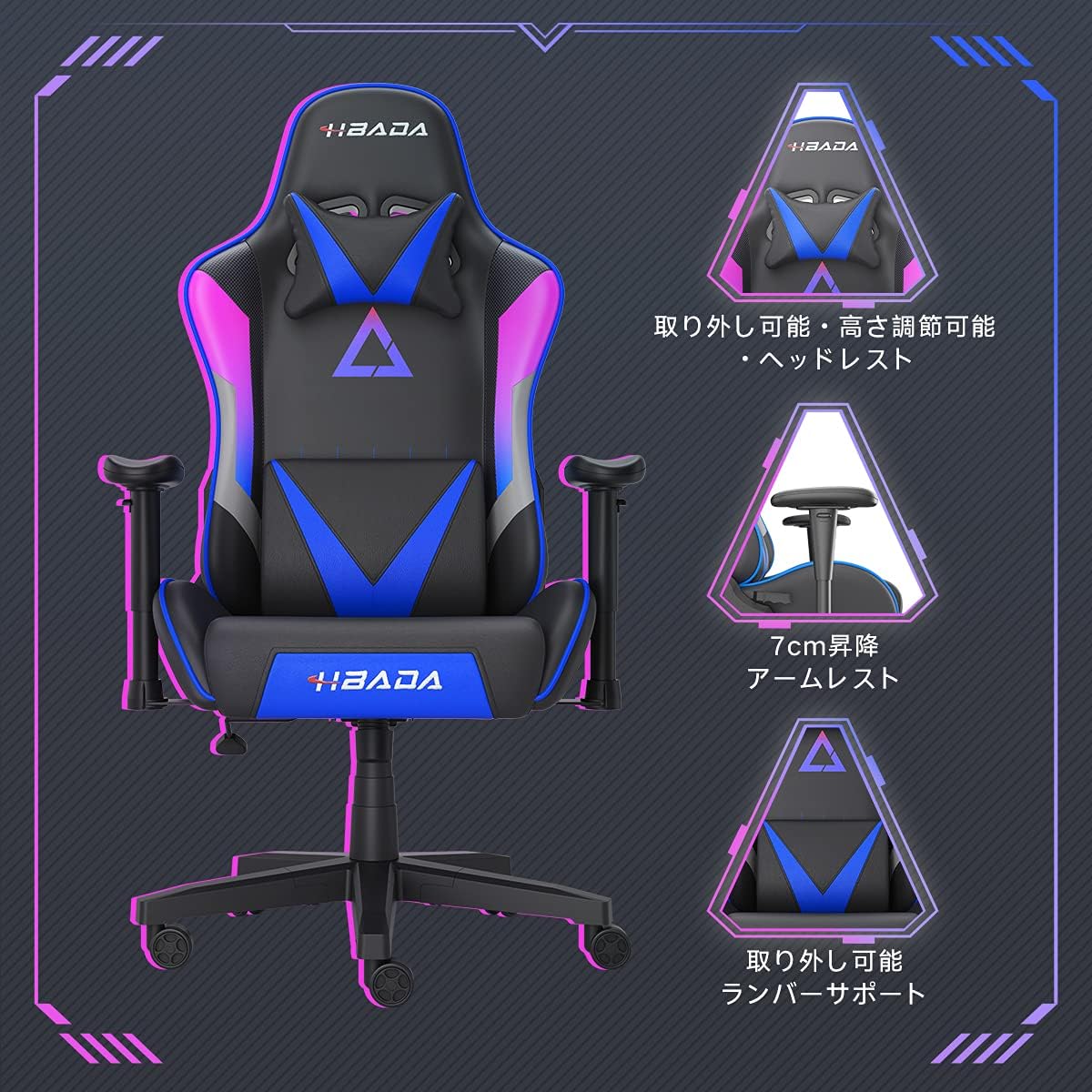
Imaj 5.2: Detaye view of the adjustable headrest, lifting armrests, and removable lumbar support.
5.5. Fonksyon pivotman
Chèz la gen yon fonksyon pivote 360 degre, sa ki pèmèt ou vire fasilman san ou pa bezwen deplase baz la.
6. Antretyen
- Netwayaj: The chair's synthetic leather (PU) material can be wiped clean with a damp twal. Evite pwodui chimik ki agresif oswa pwodui netwayaj abrazif.
- Fastener: Tcheke tout vis ak boulon yo detanzantan pou asire yo rete byen sere. Sere boulon yo jan sa nesesè pou kenbe estabilite epi pou anpeche bri.
- Woulèt: Keep the casters free of hair and debris to ensure smooth movement.
NAN. Depanaj
- Chèz k ap kriye: Check and tighten all assembly screws. Applying a small amount of lubricant to moving metal parts (like the mechanism plate) may help.
- Ajisteman wotè a pa fonksyone: Ensure the gas lift lever is fully engaged. If the issue persists, the gas lift cylinder may need replacement. Contact customer service.
- Chèz la santi l enstab: Verify that the star base is correctly assembled and all casters are fully inserted. Ensure all screws are tightened.
- Rou yo pa woule byen: Netwaye tout debri (cheve, pousyè) sou wou yo.
For issues not listed here or persistent problems, please contact Hbada customer service.
8. Espesifikasyon

Image 8.1: Key dimensions of the Hbada W203 Gaming Chair.
| Karakteristik | Detay |
|---|---|
| Non modèl | Hbada W203 |
| Dimansyon pwodwi (D x W x H) | 70 x 70 x 128 cm (27.6 x 27.6 x 50.4 pous) |
| Reglabl Wotè Syèj | 40 - 48 santimèt (15.7 - 18.9 pous) |
| Pwa atik | 22.5 kg (49.6 liv) |
| Kapasite chaj maksimòm | 150 kg (330.7 liv) |
| Materyèl | Synthetic leather (PU upholstery), Metal (frame), Reinforced Nylon Resin (base), High-density Urethane Foam (cushion), Silent PU Nylon Casters |
| Ang Enklinasyon | Up to 155 degrees with 17-degree locking |
| Ajisteman akoudwar | Lifting (approx. 7 cm range) |
| Karakteristik espesyal | Adjustable Lumbar Support, Ergonomic Design |

Image 8.2: Internal construction details, showing high-density foam and a robust metal frame.
9. Garanti ak sipò
The Hbada W203 Gaming Chair comes with a 1-ane sèvis garanti. This warranty covers initial defects and manufacturing faults.
If you encounter any initial defects, malfunctions, or have any concerns regarding your product, please contact our customer service center. Our support team aims to respond within 24 hours and will assist with free exchanges or repairs as applicable.
For customer service inquiries, please refer to the contact information provided on your purchase receipt or the official Hbada websit.