
Groview JQ818C
GROVIEW Manyèl Itilizatè Pwojektè JQ818C
Brand: Groview
Model: JQ818C
1. Entwodiksyon
The GROVIEW JQ818C Projector is designed to deliver a high-quality home theater experience with its native 1080P resolution, high brightness (15000lux 490ANSI lm), and impressive contrast ratio (12000:1). Utilizing LED light and LCD technology, it supports 4K Ultra HD video for clear and detailed images. This versatile projector offers seamless connectivity options including 2.4+5G dual-band WiFi and Bluetooth, enabling easy screen mirroring and audio integration. Its compact design and user-friendly features make it suitable for various applications, from home entertainment to business presentations.
2. Ki sa ki nan bwat la
Upon unboxing your GROVIEW JQ818C Projector, please ensure all the following components are present:
- JQ818C Projector
- Kontwòl Remote
- AV Kab
- HDMI kab
- Kòd pouvwa
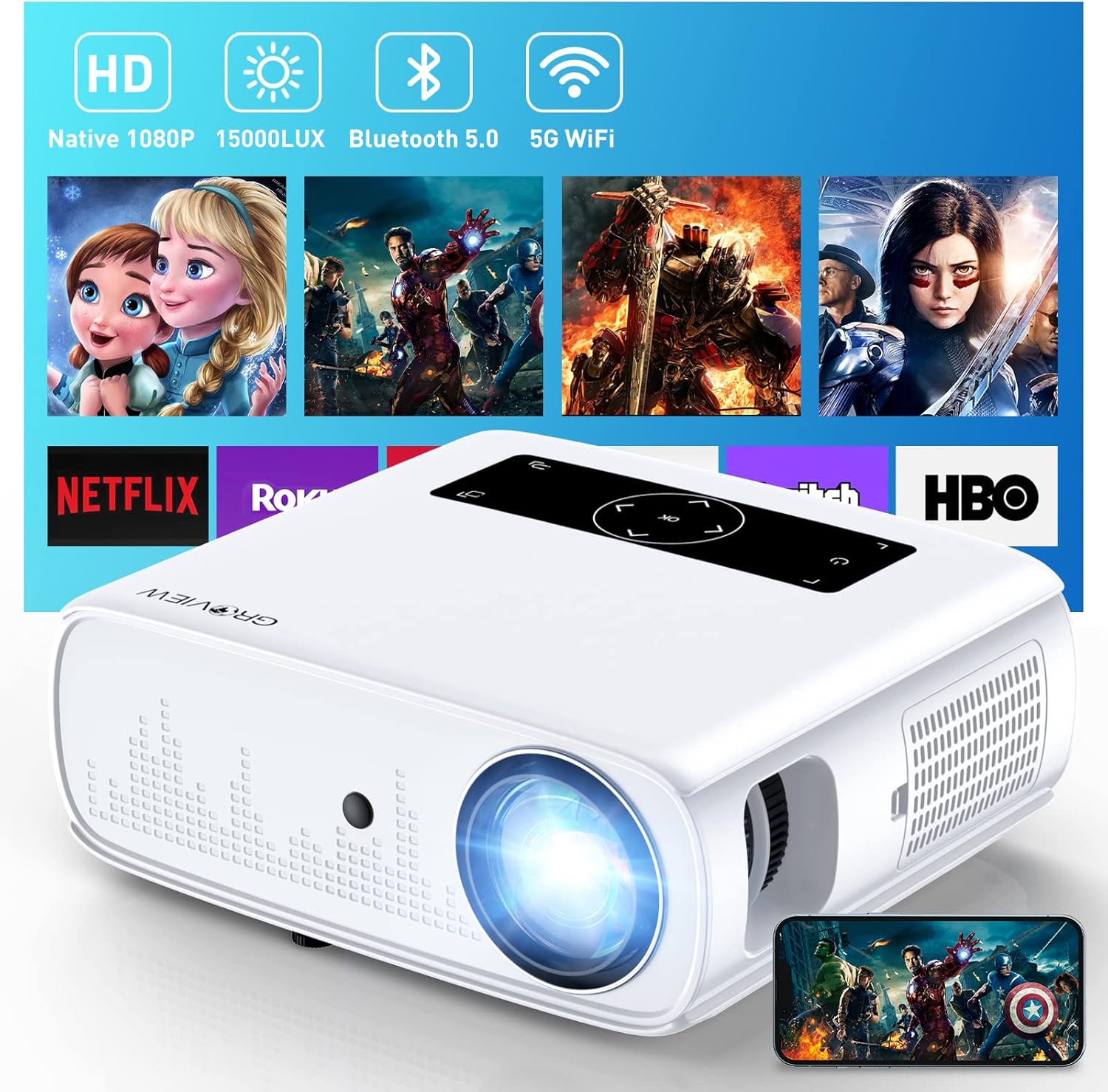
Image: The GROVIEW JQ818C Projector shown with its remote control, AV cable, HDMI cable, and power cord.
3. Pwodwi souview
3.1 Karakteristik Fizik
The GROVIEW JQ818C Projector features a sleek, white design with intuitive controls and multiple connectivity options. Its compact dimensions of 10.63 x 9.06 x 3.94 inches and a weight of 5.9 pounds make it portable for various setups.
Imaj: Devan view of the GROVIEW JQ818C Projector, highlighting its lens and clean design.
3.2 Pò ak Kontwòl
The projector is equipped with a variety of ports for seamless integration with your devices:
- Pò HDMI (x2): For connecting laptops, gaming consoles (PS5), TV sticks, and other HDMI-enabled devices.
- Pò USB (x2): For connecting USB drives, smartphones, tablets, and other USB devices.
- Pò AV: Pou konekte ansyen aparèy lè l sèvi avèk yon kab AV.
- Sòti Odyo (Jack 3.5mm): Pou konekte oratè ekstèn oswa kas ekoutè.
- Antre pouvwa: Pou konekte kòd elektrik la.
Control buttons are conveniently located on the top panel, allowing for easy navigation and adjustments. A remote control is also included for convenient operation from a distance.

Imaj: Dèyè view of the projector, detailing the HDMI, USB, AV, and audio out ports.

Image: Top panel of the projector with illuminated control buttons.
4. Enstalasyon
4.1 Plasman
Mete pwojektè a sou yon sifas ki estab e plat. Pou yon pi bon rezilta viewing, position it directly in front of your projection surface (wall or screen). The projector features an adjustable foot at the front to slightly tilt the projection upward if needed.

Image: Diagram illustrating recommended projection distances for various screen sizes (50-300 inches).
4.2 Koneksyon pouvwa
Connect the provided power cord to the projector's power input and then to a standard electrical outlet.
4.3 Premye Limen ak Ajisteman Fokus
Press the power button on the projector or the remote control to turn on the device. Adjust the focus ring around the lens until the projected image is clear and sharp. The projector also includes a lens cap to protect the lens when not in use.
5. Operasyon Enstriksyon
5.1 Konekte Aparèy
The GROVIEW JQ818C Projector offers multiple ways to connect your devices:
- HDMI: Use the provided HDMI cable to connect your laptop, game console (PS5), DVD player, or TV stick to either of the two HDMI ports.
- USB: Insert a USB flash drive into one of the USB ports to play media files dirèkteman.
- DE: Connect older devices like DVD players using the AV cable.
5.2 Screen Mirroring (Wireless Connectivity)
Experience seamless content sharing with the projector's advanced screen mirroring capabilities:
- WiFi (2.4G+5G Dual-Band): Connect the projector to your home WiFi network for ultra-fast and stable screen mirroring from your smartphone, tablet, or laptop.
- Rezo selilè: The projector supports one-step screen mirroring via cellular network technology, allowing you to mirror your device even outdoors without a WiFi network.
- Bluetooth: Connect the projector to external Bluetooth speakers for enhanced audio experience. The built-in 5W dual stereo speakers with SRS sound system also provide clear and dynamic audio.
5.3 Ajisteman Imaj
- Fonksyon Zoom: Adjust the display size from 50 to 300 inches using the 25% zoom function, allowing you to fine-tune the image without moving the projector.
- Koreksyon Keystone: Manually adjust the keystone to correct distorted images if the projector is not perfectly perpendicular to the screen.
6. Antretyen
To ensure the longevity and optimal performance of your GROVIEW JQ818C Projector, follow these maintenance guidelines:
- Netwaye lantiy la: Use a soft, lint-free cloth specifically designed for optical lenses to gently wipe the projector lens. Avoid using abrasive cleaners or cloths that could scratch the surface.
- Netwaye eksteryè a: Siye deyò pwojektè a avèk yon twal mou epi sèk. Pa sèvi ak pwodui netwayaj likid oswa ayewosòl.
- Vantilasyon: Ensure the projector's ventilation openings are clear and unobstructed to prevent overheating. Regularly check for dust buildup.
- Depo: When not in use for extended periods, store the projector in a cool, dry place, ideally in its original packaging or a protective case, with the lens cap on.
NAN. Depanaj
If you encounter any issues with your GROVIEW JQ818C Projector, please refer to the common troubleshooting steps below. For more detailed information, consult the full Manyèl itilizatè (PDF).
- Pa gen imaj:
- Asire w ke kòd kouran an byen konekte epi pwojektè a limen.
- Verify the input source is correctly selected (e.g., HDMI 1, USB, Miracast).
- Check the connected device for proper output settings.
- Imaj twoub:
- Ajiste bag konsantre sou lantiy pwojektè a.
- Ensure the projection surface is flat and the projector is positioned correctly.
- Use keystone correction to adjust image shape if needed.
- Pa gen son:
- Tcheke paramèt volim yo sou pwojektè a ak aparèy ki konekte a.
- Si w ap itilize oratè ekstèn, asire w ke yo byen konekte epi yo limen.
- Verifye koneksyon Bluetooth la si w ap itilize odyo san fil.
- Pwoblèm Koneksyon (WiFi/Bluetooth):
- Asire w ke pwojektè a nan zòn routeur WiFi a oswa aparèy Bluetooth la.
- Rekòmanse pwojektè a ak aparèy ki konekte a.
- Tcheke pou wè si gen nenpòt entèferans ki soti nan lòt aparèy san fil.
8. Espesifikasyon teknik
| Karakteristik | Spesifikasyon |
|---|---|
| Dimansyon pwodwi | 10.63 x 9.06 x 3.94 pous |
| Pwa atik | 5.9 liv |
| Nimewo Modèl | JQ818C |
| Rezolisyon natif natal | 1920 x 1080 (Full HD) |
| Klète | 15000LUX (490ANSI lm) |
| Pwopòsyon kontras | 12000:1 |
| Sipòte rezolisyon videyo | Up to 4K Ultra HD (downscaled to 1080P) |
| Gwosè pwojeksyon | 50-300 pous |
| Koneksyon Teknoloji | Wireless (WiFi 2.4G+5G, Bluetooth), HDMI, USB, AV |
| Oratè ki entegre yo | 5W Dual Stereo Speakers with SRS Sound System |
| Karakteristik espesyal | Zoom function, Eye-friendly diffused reflection |
9. Garanti ak sipò
GROVIEW ofri yon 2-year customer service and replacement policy for the JQ818C Projector, providing peace of mind for your purchase.
For further assistance, detailed instructions, or troubleshooting not covered in this manual, please refer to the comprehensive Manyèl itilizatè (PDF) disponib sou entènèt.
Ou kapab tou vizite ofisyèl la Groview Magazen sou Amazon pou plis enfòmasyon sou pwodwi a ak sipò.
Ask a question about this manual
Ask about setup, troubleshooting, compatibility, parts, safety, or missing instructions. Manuals+ will review the question and use this page’s manual context to help answer it.