
1. Entwodiksyon
Thank you for choosing the REXING PRD615 Smart Home Projector. This device is designed to transform your living space into an immersive entertainment hub, offering high-definition visuals, robust audio, and smart connectivity features. This manual provides essential information for setting up, operating, and maintaining your projector to ensure optimal performance and longevity.

Image: The REXING PRD615 Smart Home Projector, a sleek, rectangular device with a lens on the front and ventilation grilles on the sides.
2. Enfòmasyon sou Sekirite
- Pwovizyon pou pouvwa: Sèvi ak adaptè kouran ki vini ak li a sèlman. Asire w ke vòl latage koresponn ak egzijans pwojektè a.
- Vantilasyon: Pa bloke ouvèti vantilasyon yo. Asire w ke gen ase sikilasyon lè toutotou pwojektè a pou anpeche li chofe twòp.
- Ekspozisyon likid: Keep the projector away from water or other liquids. Do not operate in damp anviwònman.
- Netwayaj: Disconnect power before cleaning. Use a soft, dry cloth. Avoid abrasive cleaners.
- Swen Lantiy: Do not touch the projector lens directly. Use a lens cleaning cloth if necessary.
- Sekirite je: Pa gade dirèkteman nan lantiy pwojektè a lè l ap limen.amp limen, paske limyè klere a ka fatige oswa domaje je yo.
- Demonte: Pa eseye demonte oswa repare pwojektè a tèt ou. Konfye tout antretyen bay pèsonèl kalifye.
3. Pake kontni
Tanpri tcheke kare a pou atik sa yo:
- REXING PRD615 Smart Home Projector
- Adaptè pouvwa
- Kontwòl Remote
- Manyèl itilizatè
- HDMI Cable (may vary by package)
4. Pwodwi souview ak Karakteristik
The REXING PRD615 is equipped with advanced features for a superior home entertainment experience:
- Theatre Experience: Projects stunning ultra-bright 750 ANSI DLP HD video (1280x800 resolution) with a throw ratio of 1.2:1, supporting projection sizes from 40 to 150 inches.
- Incredible Audio: Features dual built-in 3W stereo speakers for clear, lag-free audio. Supports external audio via 3.5mm headphone jack or Bluetooth.
- Otofokus: Automatically calculates the distance to the projection surface for crystal-clear imaging without manual adjustment.
- Fonksyonalite 3D: Supports 3D movies and games for an immersive viewing experience (3D glasses not included).
- Multimedia Connectivity: Access thousands of apps via the Google Play Store (Android TV 9.0). Connect devices via HDMI, USB, SD card, or wirelessly via Wi-Fi and Miracast.

Image: The REXING PRD615 projector displaying its smart interface with icons for Airplay, Miracast, HDMI, App Store, YouTube, Netflix, and other apps, along with various multimedia ports on the rear.
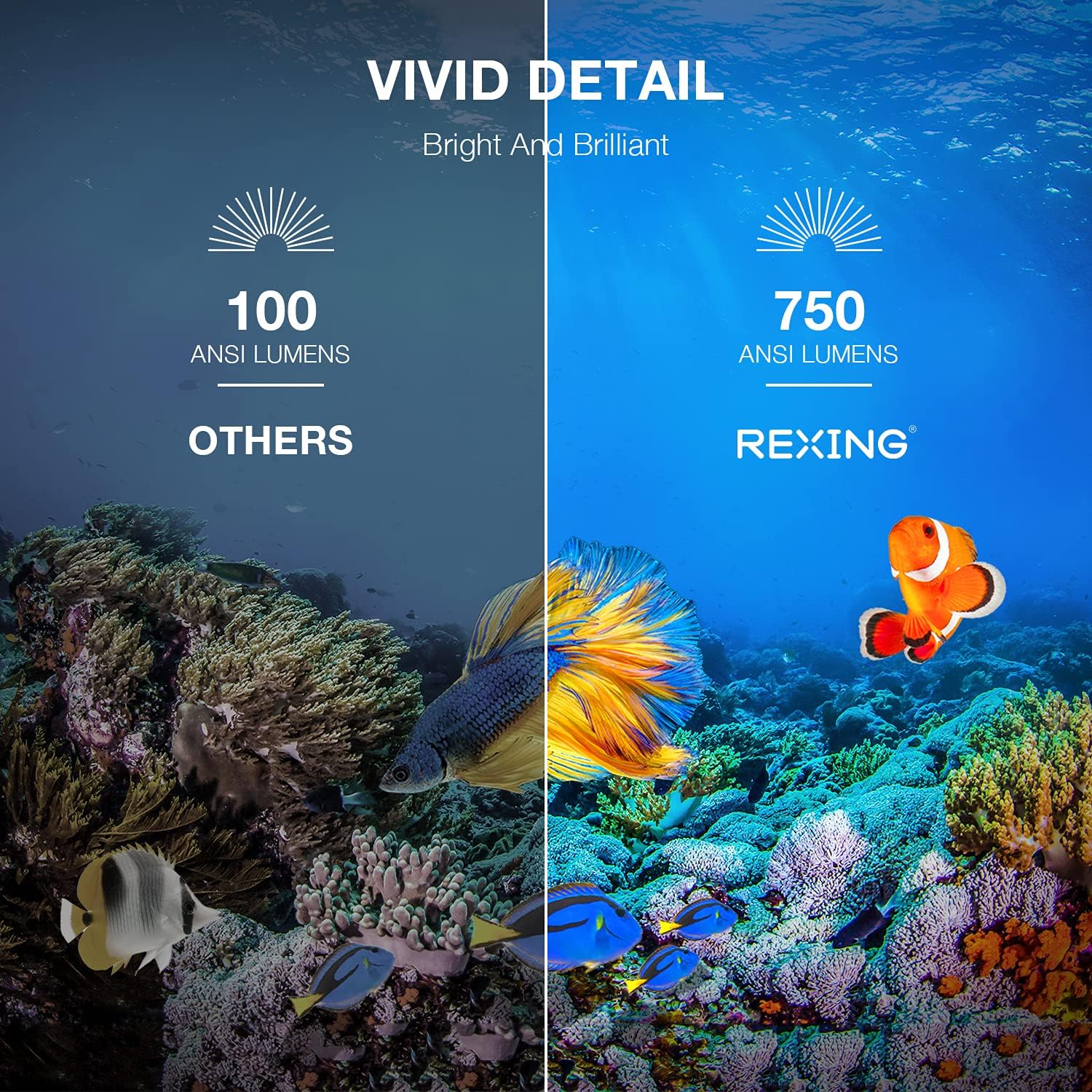
Image: A visual comparison showing the vivid detail of 750 ANSI Lumens (REXING) versus 100 ANSI Lumens (Others) in an underwater scene with colorful fish.

Image: A split screen comparison of a cityscape, demonstrating the clarity of 1080P resolution (REXING) compared to 720P (Other Projectors).
5. Enstalasyon
5.1 Plasman
Mete pwojektè a sou yon sifas ki estab e plat. Pou yon pi bon rezilta viewing, ensure the projection surface (wall or screen) is clean and smooth. The projector can create an image size from 40 to 150 inches diagonally, depending on the distance from the screen.
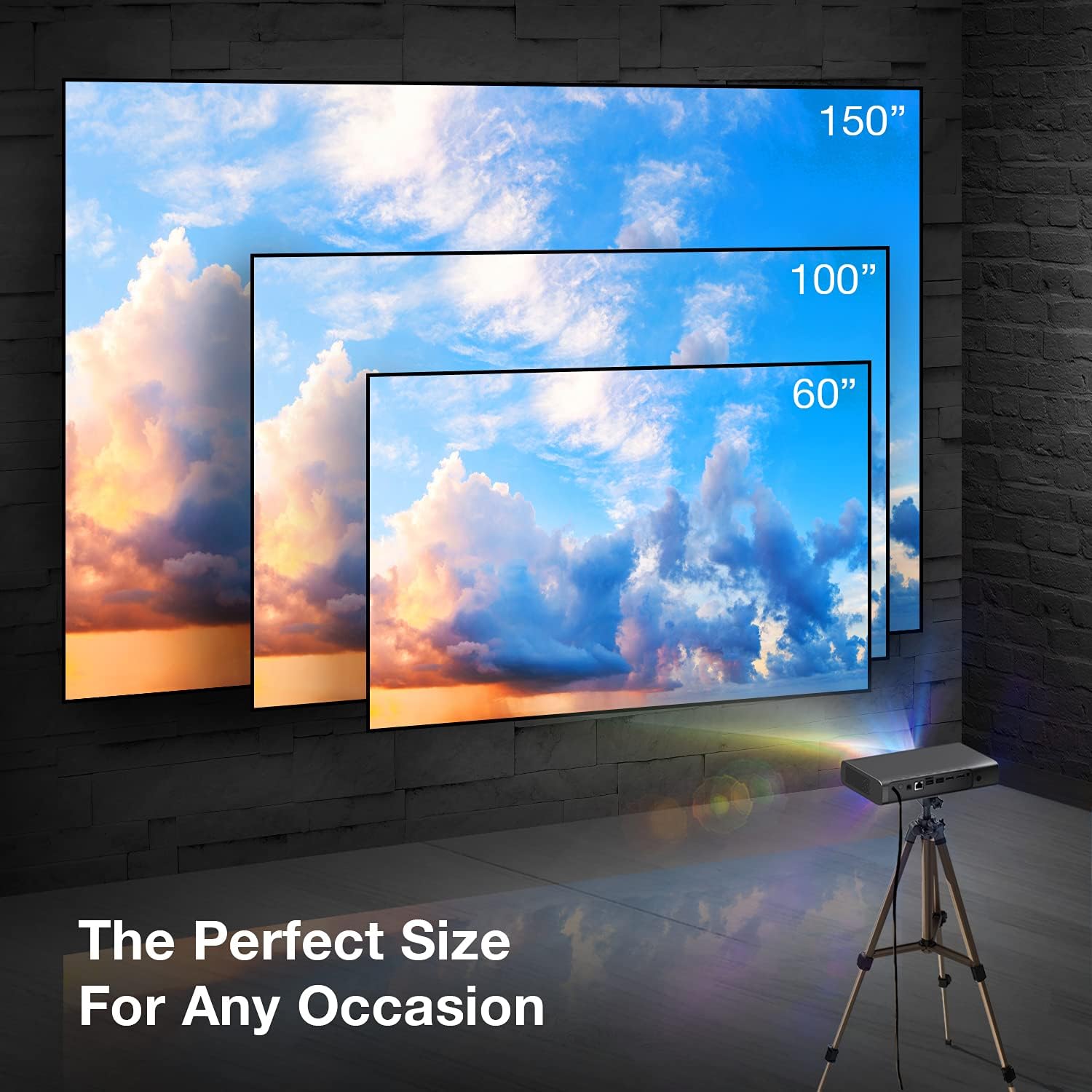
Image: A visual representation showing different projection sizes (60", 100", 150") achievable with the REXING PRD615 projector, illustrating its versatility for various room sizes.
5.2 Koneksyon pouvwa
- Konekte adaptè kouran an nan pò DC IN ki sou pwojektè a.
- Ploge adaptè pouvwa a nan yon priz miray.
- Peze bouton pouvwa a sou pwojektè a oswa kontwòl remote pou limen aparèy la.
5.3 Initial Configuration (Autofocus & Auto Keystone)
Upon startup, the PRD615 will automatically adjust the focus and keystone correction. This feature ensures a clear, rectangular image even if the projector is not perfectly aligned with the screen.

Imaj: Yon imaj ayeryen view showing the REXING PRD615 projector on a table, projecting an image onto a wall, with an overlay illustrating the automatic focus and keystone correction capabilities.
5.4 Rezo Koneksyon
To access smart features and online content, connect the projector to your Wi-Fi network:
- Ale nan meni 'Paramèt' sou koòdone pwojektè a.
- Chwazi 'Rezo' oswa 'Wi-Fi'.
- Choose your desired Wi-Fi network from the list and enter the password if prompted.
6. Operasyon Enstriksyon
6.1 Konekte Aparèy Ekstèn yo
- HDMI: Connect Blu-ray players, gaming consoles, laptops, or other HDMI-enabled devices to the HDMI 1 or HDMI 2 ports.
- USB: Insert USB flash drives into the USB 2.0 ports to play media files dirèkteman.
- Bluetooth: Pair Bluetooth speakers or headphones for enhanced audio.
- Kat TF: Insert a TF (microSD) card into the designated slot to access media.
6.2 Using Smart Features (Android TV, Apps, Miracast)
The REXING PRD615 runs on Android TV 9.0, providing access to a wide range of applications:
- App Store/Google Play: Download and install your favorite streaming apps like Netflix, YouTube, Chrome, and more.
- Miracast: Wirelessly mirror content from compatible smartphones, tablets, or computers to the projector screen.
- 3D Playback: For 3D content, ensure your media is in a compatible 3D format and use active shutter 3D glasses (sold separately).

Image: Two individuals playing a racing video game projected onto a large screen by the REXING PRD615, demonstrating the ability to cast content from a phone to the projector.
7. Antretyen
- Netwaye lantiy la: Use a professional lens cleaning cloth or air blower to gently remove dust. Do not use liquid cleaners directly on the lens.
- Netwayaj C aasing: Siye deyò pwojektè a avèk yon twal mou epi sèk. Pou mak ki difisil pou retire, yon ti twal mouye.amp Ou ka itilize yon twal, epi apre sa, ou ka sèvi ak yon twal sèk.
- Depo: Lè w pa itilize pwojektè a pou yon bon bout tan, sere l nan yon kote ki fre epi sèk, pwoteje kont pousyè ak tanperati ekstrèm.
NAN. Depanaj
| Pwoblèm | Kòz posib | Solisyon |
|---|---|---|
| Pa gen imaj projeté | Power off; input source incorrect; cable loose | Check power connection; select correct input source; ensure cables are securely connected. |
| Imaj floue | Out of focus; projector too close/far | Allow autofocus to adjust; reposition projector within recommended throw distance. |
| Pa gen son | Volume too low; audio output incorrect; external device muted | Increase projector volume; check audio settings; unmute external device. |
| Remote pa travay | Batteries low/dead; obstruction; not pointed at IR receiver | Replace batteries; remove obstructions; point remote directly at the projector's IR receiver. |
| Pwoblèm koneksyon Wi-Fi | Incorrect password; router too far; network interference | Verify password; move projector closer to router; restart router. |
9. Espesifikasyon
| Karakteristik | Detay |
|---|---|
| Mak | REXING |
| Modèl | PRD615 |
| Teknoloji ekspozisyon | DLP |
| Klète | 750 ANSI lumèn |
| Rezolisyon natif natal | 1280 x 800 (HD) |
| Rezolisyon maksimòm ekspozisyon | 1280 x 800 |
| Gwosè pwojeksyon | 40-150 pous |
| Jete rapò | 1.2:1 |
| Kalite Oratè | Dual 3W Stereo, Built-In |
| Koneksyon Teknoloji | Bluetooth, USB, HDMI, Wi-Fi |
| Karakteristik espesyal | Wireless, Portable, Built-In Wi-Fi, Autofocus, Auto Keystone Correction |
| Sistèm operasyon | Android TV 9.0 |
| Pwa atik | 4.8 liv |
| Dimansyon pake | 11.2 x 8 x 4.6 pous |
| Dat Premye Disponib | 4 jen 2021 |
10. Garanti ak sipò
REXING stands behind its products. The PRD615 Smart Home Projector comes with an 18-Mwa garanti from the date of purchase. This warranty covers manufacturing defects and ensures your product functions as intended.
For any questions, technical assistance, or warranty claims, please contact our US-Based Customer Support team. Our dedicated team is ready to assist you.
- Imèl: Gade anbalaj pwodwi ou a oswa etikèt ofisyèl REXING lan. websit pou imèl kontak.
- Telefòn: Gade anbalaj pwodwi ou a oswa etikèt ofisyèl REXING lan. websit pou nimewo telefòn sèvis kliyan.

Image: A customer support representative with a headset, indicating the availability of US-based customer support for the REXING PRD615 projector.