
Entwodiksyon
This manual provides detailed instructions for the setup, operation, and maintenance of your Edifier G1000 USB Computer Speakers. Please read this manual thoroughly before using the product to ensure proper function and longevity.
Imaj: Devan view of the Edifier G1000 USB Computer Speakers, showcasing their compact design and integrated lighting.
Enstalasyon
Follow these steps to set up your Edifier G1000 speakers:
- Debake: Carefully remove all components from the packaging. Ensure you have both speakers and the wired control module.
- Plasman: Position the speakers on your desktop, ensuring they are stable and facing towards your listening area. The compact design allows for flexible placement.
- Koneksyon pouvwa: Connect the USB cable from the speakers to an available USB port on your computer or a USB power adapter (not included). The speakers are USB-powered.
- Opsyon koneksyon odyo:
- USB odyo: If your computer supports USB audio, connect the USB cable directly to your computer. The speakers will function as a USB sound card.
- Antre AUX 3.5mm: For devices with a 3.5mm audio output, connect the included 3.5mm AUX cable from your device to the AUX input on the wired control module.
- Bluetooth mak: For wireless audio, ensure the speakers are powered on. Press the input selection button on the wired control module until the indicator light turns blue. On your device, search for "Edifier G1000" in the Bluetooth settings and pair.

Image: Diagram illustrating the various connectivity options for the Edifier G1000 speakers, including USB and 3.5mm AUX cables connected to a laptop.

Image: Close-up of the Edifier G1000 wired control module, showing the volume knob, input mode button, and RGB light switch.
Operasyon
The Edifier G1000 speakers are controlled via the wired control module:
- Limen/Etenyen: Long press the Lightening Effect Switch Button on the wired control module to turn the speakers on or off.
- Kontwòl Volim: Rotate the Vol. Knob on the wired control module clockwise to increase volume and counter-clockwise to decrease volume.
- Seleksyon Antre: Short press the Input Mode button to cycle through available input sources:
- Blue Indicator: Bluetooth Mode
- Green Indicator: AUX Mode
- Red Indicator: USB Sound Adapter Mode
- Mòd son: Long press the Mode/Sound Effect Switch button to toggle between Music Mode and Gaming Mode. These modes optimize audio output for different content types.
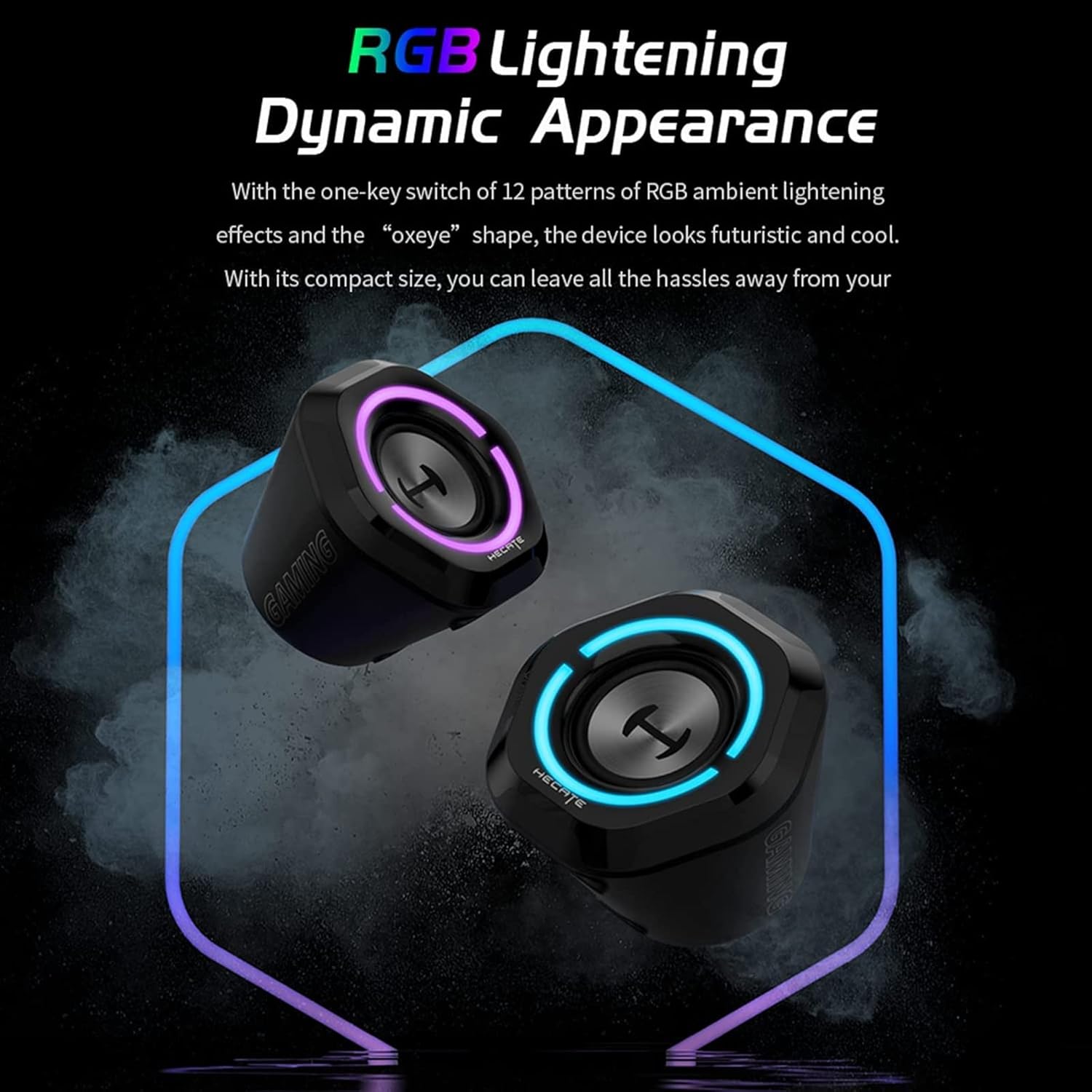
- Efè ekleraj RGB: Short press the Lightening Effect Switch Button to cycle through 12 different RGB ambient lighting effects.

Image: The Edifier G1000 speakers displaying dynamic RGB lighting effects, highlighting their aesthetic appeal.
Nòt: While the product specifications mention "App" as a control method, the primary control is through the wired module as described above.
Antretyen
To ensure the longevity and optimal performance of your Edifier G1000 speakers, follow these maintenance guidelines:
- Netwayaj: Use a soft, dry cloth to wipe the speaker surfaces. Avoid using abrasive cleaners, solvents, or sprays directly on the speakers.
- Retire pousyè: Regularly dust the speaker grilles and vents to prevent accumulation, which can affect sound quality and internal components.
- Depo: Lè w pa itilize oratè yo pou yon bon bout tan, sere yo nan yon kote ki fre epi sèk, lwen limyè solèy dirèk ak tanperati ekstrèm.
- Evite likid: Do not expose the speakers to water or other liquids. The product is not waterproof.
Depanaj
If you encounter issues with your Edifier G1000 speakers, refer to the following common problems and solutions:
| Pwoblèm | Kòz posib | Solisyon |
|---|---|---|
| Pa gen son ki soti nan moun kap pale |
|
|
| Aparèy Bluetooth echwe |
|
|
| RGB lights not working or blinking unexpectedly |
|
|
| Ba volim pwodiksyon |
|
|
Espesifikasyon
Key technical specifications for the Edifier G1000 speakers:
| Karakteristik | Detay |
|---|---|
| Non modèl | G1000 |
| Kalite Oratè | Moun ki pale òdinatè |
| Materyèl | Plastik |
| Koneksyon Teknoloji | Bluetooth 5.3, USB, 3.5mm AUX |
| Oratè maksimòm pwodiksyon pouvwa | 10 Watts |
| Audio Sòti Mode | Stereo |
| Konfigirasyon chanèl son antoure | 2.0 (Note: Product description states 2.1, but these are 2.0 stereo speakers.) |
| Metòd kontwòl | Wired Control Module (App also mentioned in specifications) |
| Aparèy konpatib | Laptop, Personal Computer, Phones, Television |
| Dimansyon pwodwi (L x W x H) | 9.8"P x 5.9"L x 6.1"H (apeprè 24.9cm P x 15cm L x 15.5cm H) |
| Pwa atik | 0.97 kilogram (2.14 liv) |
| Sous pouvwa | Fil elektrik (ki mache ak USB) |
| RGB ekleraj | 12 different light effects |
| Mòd son | Gaming and Music optimized |

Image: Diagram showing the dimensions of a single Edifier G1000 speaker.
Enfòmasyon sou Garanti
The Edifier G1000 speakers come with a Garanti limite. Specific terms and duration may vary by region and retailer. Please retain your proof of purchase for warranty claims.
For detailed warranty information, please refer to the official Edifier websit oswa kontakte sipò kliyan.
Optional extended protection plans may be available for purchase from retailers:
- Plan Pwoteksyon 2 Zan
- Plan Pwoteksyon 3 Zan
- Pwoteksyon Konplè (plan mansyèl)
These protection plans are separate from the manufacturer's limited warranty and offer additional coverage as specified by the plan provider.
Sipò pou Kliyan
For further assistance, technical support, or warranty inquiries, please contact Edifier customer service:
- Websit: Visit the official Edifier websit pou FAQ, resous sipò, ak enfòmasyon pou kontakte yo.
- Imèl/Telefòn: Refer to the contact details provided on the Edifier websit la oswa anbalaj pwodwi ou a.
When contacting support, please have your product model (G1000) and proof of purchase readily available.