
Entwodiksyon
Thank you for choosing the Cellularline CORE True Wireless Bluetooth Earphones. These earphones are designed to provide a seamless audio experience with advanced features such as a charging case with an LED display, touch controls, and automatic pairing. This manual will guide you through the setup, operation, and maintenance of your new earphones.
Ki sa ki nan bwat la
- Cellularline CORE True Wireless Bluetooth Earphones (Left and Right)
- Ka chaje ak ekspozisyon LED
- USB-C Chaje Kab
- Manyèl itilizatè
Pwodwi souview
The Cellularline CORE earphones feature a compact design and a charging case with an integrated LED display to show the remaining battery percentage. They offer up to 16 hours of total play time with the charging case.

Image: Cellularline CORE True Wireless Bluetooth Earphones and Charging Case. The earphones are white and sit in an open white charging case.

Image: A close-up of the Cellularline CORE charging case with an LED display showing '100', indicating full battery. The earphones are inside the case.
The LED display on the charging case provides real-time battery status, ensuring you are always aware of the remaining charge.
Enstalasyon
1. Chaje ekoutè yo ak bwat la
- Mete tou de kas ekoutè yo nan bwat chaje a. Asire w ke yo byen chita nan plas respektif yo.
- Connect the provided USB-C cable to the charging port on the case and plug the other end into a USB power adapter (not included) or a computer's USB port.
- Ekran LED ki sou bwat chaje a ap montre pousantaj batri aktyèl la.tage during charging. A full charge typically takes approximately 4 hours for the case and earphones.
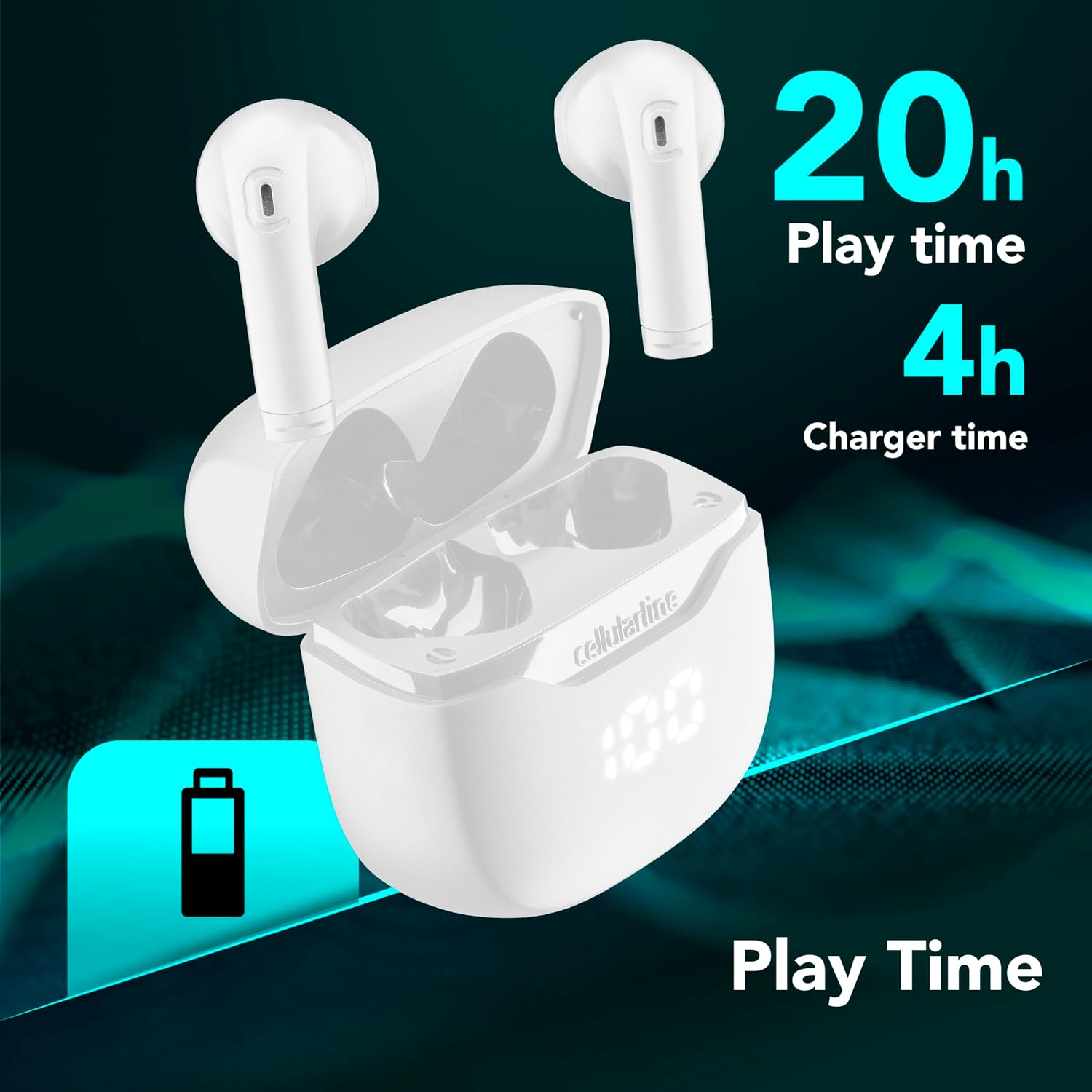
Image: The Cellularline CORE earphones and charging case, highlighting 20 hours of total play time and 4 hours of charging time for the case.
2. Initial Pairing (Autopairing)
- Asire ekoutè yo chaje.
- Louvri bwat chaje a. Kas ekoutè yo ap limen otomatikman epi antre nan mòd koneksyon.
- Sou telefòn entelijan ou oswa aparèy ki gen Bluetooth, ale nan paramèt Bluetooth yo.
- Chèche pou available devices and select "Cellularline CORE" from the list.
- Once connected, you will hear an audible confirmation, and the earphones are ready for use.

Image: Cellularline CORE earphones and charging case next to a smartphone displaying a music application, with a Bluetooth icon indicating successful pairing.
The Autopairing function ensures that once paired, the earphones will automatically connect to your last paired device when removed from the case.
Enstriksyon Operasyon
Kontwòl manyen
The Cellularline CORE earphones feature intuitive touch controls on each earbud for managing calls, music, and voice assistant functions.
| Fonksyon | Aksyon |
|---|---|
| Jwe/Poz Mizik | Tape yon sèl sou chak ekoutè |
| Next Track | Tape de fwa sou ekoutè dwat la |
| Previous Track | Tape de fwa sou ekoutè gòch la |
| Reponn/Fen Apèl | Tape yon sèl sou chak ekoutè |
| Rejte apèl | Peze epi kenbe swa ekoutè pou 2 segonn |
| Aktive Asistan Vwa | Tape twa fwa sou nenpòt ekoutè |
| Volim leve | Press and hold the right earbud |
| Volim desann | Peze epi kenbe ekoutè gòch la |
Double Master Function
The Double Master function allows you to use either the left or right earbud independently for calls. Simply remove one earbud from the case, and it will automatically connect. You can answer calls by tapping the active earbud.
Antretyen
Netwayaj
- Netwaye ekoutè yo ak bwat chaje a regilyèman avèk yon twal mou, sèk, epi ki pa gen pousyè.
- Pa sèvi ak pwodui netwayaj abrazif, solvan, oswa espre ayewosòl.
- Asire w ke kontak chaje yo sou tou de ekoutè yo ak sou bwat la pwòp epi san debri pou kenbe yon chajman kòrèk.
Depo
- Lè w pa ap itilize ekoutè yo, sere yo nan bwat chaje yo pou pwoteje yo epi kenbe yo chaje.
- Sere aparèy la nan yon kote ki fre epi sèk, lwen tanperati ekstrèm ak limyè solèy dirèk.

Image: A hand placing the compact Cellularline CORE charging case into the pocket of a pair of jeans, demonstrating its portable size.
Depanaj
| Pwoblèm | Solisyon posib |
|---|---|
| Ekoutè yo pa limen. | Asire w ke ekoutè yo ak bwat chaje a byen chaje. Mete ekoutè yo nan bwat la epi fèmen l, apresa louvri l ankò. |
| Ekoutè yo pa konekte ak aparèy la. | Make sure Bluetooth is enabled on your device. Forget the device in your Bluetooth settings and try pairing again. Ensure earphones are in pairing mode (LED indicator blinking). |
| Only one earphone is working. | Place both earphones back into the charging case, close the lid, wait a few seconds, then open it again. This should re-sync them. If the issue persists, try resetting the earphones (refer to manufacturer's websit la pou enstriksyon espesifik pou reyajiste si li pa nan manyèl la). |
| Volim ki ba oswa son ki pa bon kalite. | Adjust the volume on both your device and the earphones. Ensure the earphones are clean and properly seated in your ears. Check for any obstructions in the earbud speakers. |
| Charging case LED display is not working. | Ensure the charging cable is securely connected and the power source is active. If the issue persists, contact customer support. |
Espesifikasyon
- Non modèl: BTCORETWSW
- Mak: liy selilè
- Koulè: Blan
- Plasman Zòrèy: Nan zòrèy
- Faktè fòm: Nan zòrèy
- Koneksyon Teknoloji: San fil
- Teknoloji san fil: Bluetooth
- Bluetooth vèsyon: 5.0
- Enpedans: 16 Ohm
- Kontwòl bri: Izolasyon son
- Repons frekans: 20 Hz - 20,000 Hz
- Sansiblite: 100 dB
- Kalite kontwòl: Manyen
- Kalite chofè: Chofè dinamik
- Materyèl: Plastik
- Mwayèn lavi batri: 16 èdtan (ak bwat chaje)
- Nivo rezistans dlo: Waterproof (Note: Refer to product packaging for specific IP rating if available)
- Karakteristik: True Wireless Technology, Automatic Pairing, Touch Controls, LED Display
- Aparèy konpatib: Aparèy ki pèmèt Bluetooth
- Peyi orijin: Lachin
Enfòmasyon sou Garanti
The Cellularline CORE True Wireless Bluetooth Earphones come with a Garanti manifakti 2 zan apati dat acha a. Garanti sa a kouvri domaj nan materyèl ak nan fabrikasyon anba itilizasyon nòmal. Li pa kouvri domaj ki koze pa move itilizasyon, aksidan, modifikasyon san otorizasyon, oswa mete ak chire nòmal.
Please retain your proof of purchase for warranty claims. For detailed warranty terms and conditions, please visit the official Cellularline websit oswa kontakte sipò kliyan.
Sipò
For further assistance, technical support, or warranty inquiries, please contact Cellularline customer service through their official websit:
Websit: www.cellularline.com
You may also find FAQs and additional support resources on their websit.