
1. Entwodiksyon
Thank you for choosing the Ledwood Capella Wireless Bluetooth 5.2 Stereo Earphones. This manual provides essential information for the proper setup, operation, and maintenance of your new earphones. Please read it carefully before use and retain it for future reference.
Kontni pake:
- 1 x CAPELLA In-Ear Headphones
- 1 x ka chaje
- 1 x USB-C kab
- 2 x Pairs of Silicone Earbuds

Image: Ledwood Capella earphones and charging case. The white earphones are shown next to their matching white charging case, which has a USB-C port visible.
2. Enstalasyon
2.1 Chaje ekoutè yo ak bwat la
Anvan premye itilizasyon an, asire w ke tou de bwat chaje a ak ekoutè yo byen chaje.
- Place the earphones into the charging case. Ensure they are correctly seated to make contact with the charging pins.
- Konekte kab USB-C ki vini ak li a nan pò chaje ki sou bwat la epi lòt bout la nan yon sous kouran USB (pa egzanp, yon adaptè miray, yon pò USB òdinatè).
- Endikatè LED ki sou bwat la ap montre eta chaj la. Yon fwa li fin chaje nèt, endikatè a ap chanje oswa etenn.
- A full charge typically takes approximately 1 hour. The case provides up to 9 hours of total battery life (3 charges of 3 hours each for the earphones).
2.2 Konekte ak yon aparèy Bluetooth
To connect your Ledwood Capella earphones to your smartphone or other Bluetooth-enabled device:
- Asire ekoutè yo chaje.
- Open the charging case. The earphones will automatically enter pairing mode, indicated by a flashing LED on the earphones.
- Sou aparèy ou an, ale nan paramèt Bluetooth yo epi aktive Bluetooth.
- Chèche pou available devices. You should see "Ledwood Capella" or a similar name appear in the list.
- Select "Ledwood Capella" to connect. Once connected, the LED indicator on the earphones will stop flashing.
- Kas ekoutè yo ap konekte otomatikman ak dènye aparèy ki te konekte a lè yo retire yo nan bwat la, si Bluetooth aktive sou aparèy la.
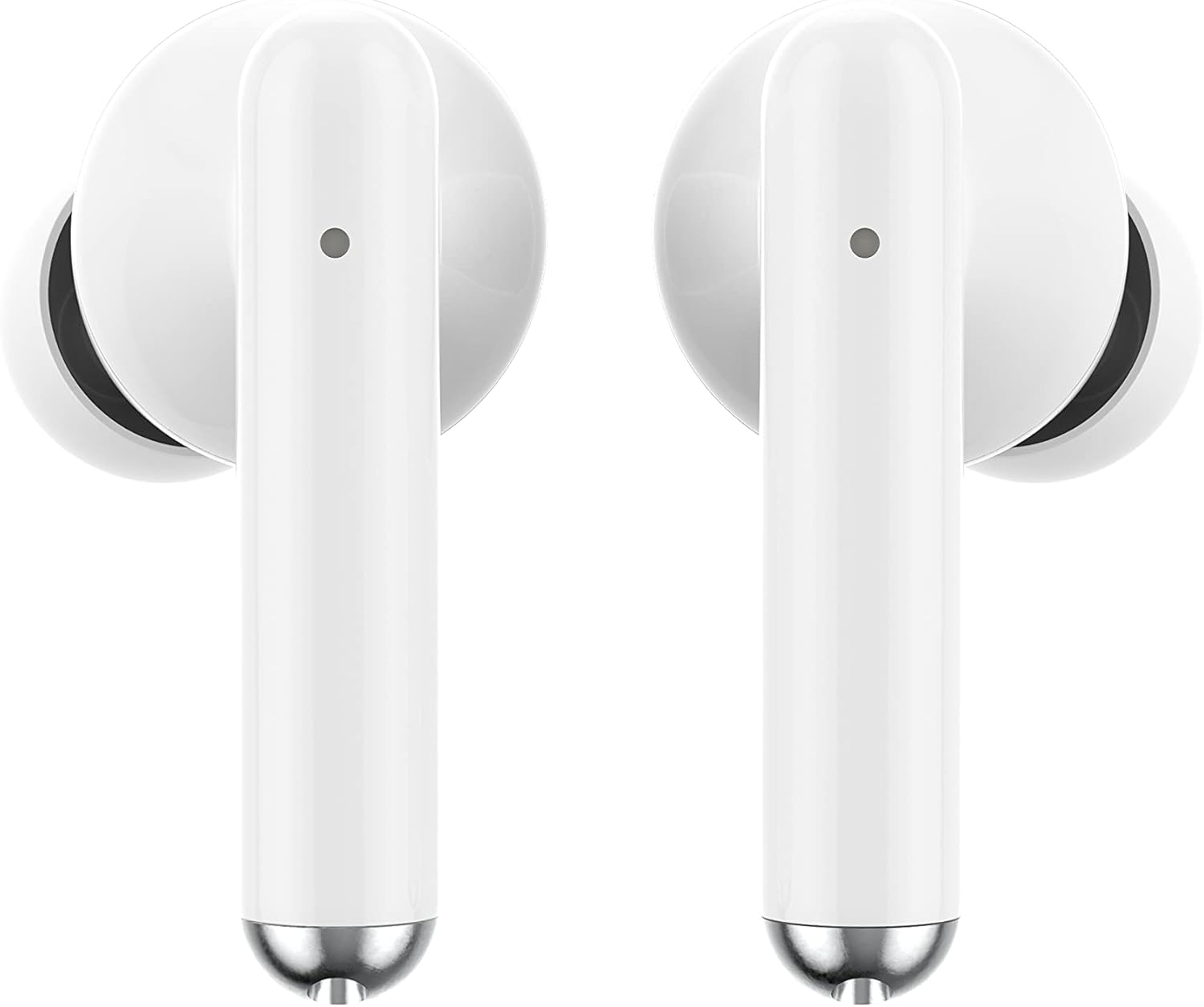
Imaj: Gwo plan view of the Ledwood Capella earphones. The white earbuds feature a sleek design with a small microphone hole visible on the stem.
3. Itilizasyon ekoutè yo
The Ledwood Capella earphones feature sensitive touch controls for easy management of your audio and calls.
3.1 Kontwòl manyen
The touch-sensitive area is located on the outer surface of each earphone stem. Refer to the diagram below for typical touch control functions:
- Tap sèl: Jwe/Mete mizik sou poz, Reponn/Fen apèl.
- Double Tap (Left Earphone): Track Previous.
- Double Tap (Right Earphone): Pwochen tras.
- Triple Tap (Left Earphone): Diminye volim.
- Triple Tap (Right Earphone): Ogmante volim.
- Long Press (2 segonn): Activate Voice Assistant, Reject call.
3.2 Asistan Vwa
The Capella earphones are compatible with major voice assistants (e.g., Siri, Google Assistant). To activate your device's voice assistant, perform a long press (2 seconds) on either earphone's touch control area. You can then issue commands through the earphone's microphone.
3.3 Super Bass Technology
The earphones are equipped with Super Bass technology, utilizing highly flexible polymer membranes to reproduce deep and rich bass sounds for an enhanced audio experience.
4. Antretyen
4.1 Netwayaj
Pou kenbe pèfòmans ak ijyèn optimal:
- Netwaye ekoutè yo ak bwat chaje a regilyèman avèk yon twal mou, sèk, epi ki pa gen pousyè.
- Pa sèvi ak pwodui netwayaj abrazif, alkòl, oswa solvan chimik.
- Retire dousman nenpòt sir oswa debri nan bout zòrèy yo ak may oratè a avèk yon ti bwòs mou oswa yon koton.
- Ensure the charging contacts on both the earphones and case are clean and dry.
4.2 Depo
Lè w pa ap itilize ekoutè yo, sere yo nan bwat chaje yo pou pwoteje yo kont pousyè, domaj, epi pou yo kenbe chaje.
NAN. Depanaj
If you encounter issues with your Ledwood Capella earphones, try the following solutions:
- Kas ekoutè yo pa konekte:
- Asire w ke tou de ekoutè yo chaje.
- Etenn epi aktive Bluetooth aparèy ou an.
- Forget "Ledwood Capella" from your device's Bluetooth list and attempt to pair again.
- Place earphones back in the case, close it, wait a few seconds, then open it again to re-enter pairing mode.
- Pa gen son oswa volim ki ba:
- Tcheke nivo volim nan tou de aparèy ou an ak kas ekoutè yo.
- Asire w ke ekoutè yo byen chita nan zòrèy ou.
- Netwaye tout debri ki sou may oratè kas ekoutè a.
- Pwoblèm chaj:
- Verifye ke kab USB-C a byen konekte ak bwat la ak sous kouran an.
- Eseye yon diferan USB-C kab oswa adaptè pouvwa.
- Ensure charging contacts on earphones and case are clean.
- Earphones disconnecting frequently:
- Asire w ou nan yon distans 10 mèt ak aparèy ou an ki konekte ak Bluetooth.
- Evite obstak ant ekoutè yo ak aparèy ou an ki ta ka entèfere ak siyal la.
- Asire w pa gen okenn lòt siyal san fil fò tou pre ki ka lakòz entèferans.
6. Espesifikasyon
| Karakteristik | Spesifikasyon |
|---|---|
| Non modèl | Capella |
| Nimewo Modèl | LD-T06 |
| Kominikasyon san fil | Bluetooth 5.2 |
| Range | Jiska 10 mèt |
| Dire batri (ekoutè) | Apeprè. 3 èdtan pou chak chaj |
| Dire batri (ak bwat chaje) | Up to 9 hours (3 x 3 hours) |
| Tan pou chaje | Apeprè. 1 èdtan |
| Chaje Kalite | USB-C |
| Kontwòl vwa | Wi |
| Manyen sansib | Wi |
| Materyèl | Silikon (bout zòrèy) |
7. Garanti ak sipò
7.1 Enfòmasyon sou Garanti
Your Ledwood Capella earphones are covered by a manufacturer's warranty against defects in materials and workmanship. Please refer to the warranty card included in your package or contact your retailer for specific warranty terms and conditions.
7.2 Sipò pou Kliyan
For further assistance, technical support, or inquiries regarding your Ledwood Capella earphones, please contact the retailer where you purchased the product or visit the official Ledwood websit pou enfòmasyon kontak sipò.