
1. Entwodiksyon
This manual provides essential information for the safe and efficient operation, maintenance, and troubleshooting of your GBC AutoFeed+ 230X Paper Shredder. Please read these instructions thoroughly before using the shredder and retain them for future reference.
2. Enfòmasyon sou Sekirite
Obsève prekosyon sekirite sa yo pou evite blesi oswa domaj nan dechikteur a:
- Kenbe men, cheve ak rad lach lwen fant antre papye a.
- Kenbe timoun ak bèt kay lwen shredder la.
- Pa flite ayewosòl oswa lubrifyan nan dechikteur a.
- Debranche dechiktè papye a anvan ou deplase, netwaye oswa vide bwat fatra a.
- Do not shred metal objects, large paper clips, or non-approved materials.
- Asire w ke ou mete dechikteur a sou yon sifas ki estab e ki plat.
3. Pwodwi souview
The GBC AutoFeed+ 230X is designed for efficient and secure document destruction in small office environments. It features both automatic and manual feed options.

Imaj: Devan view of the GBC AutoFeed+ 230X Paper Shredder, showing the auto-feed tray and control panel.
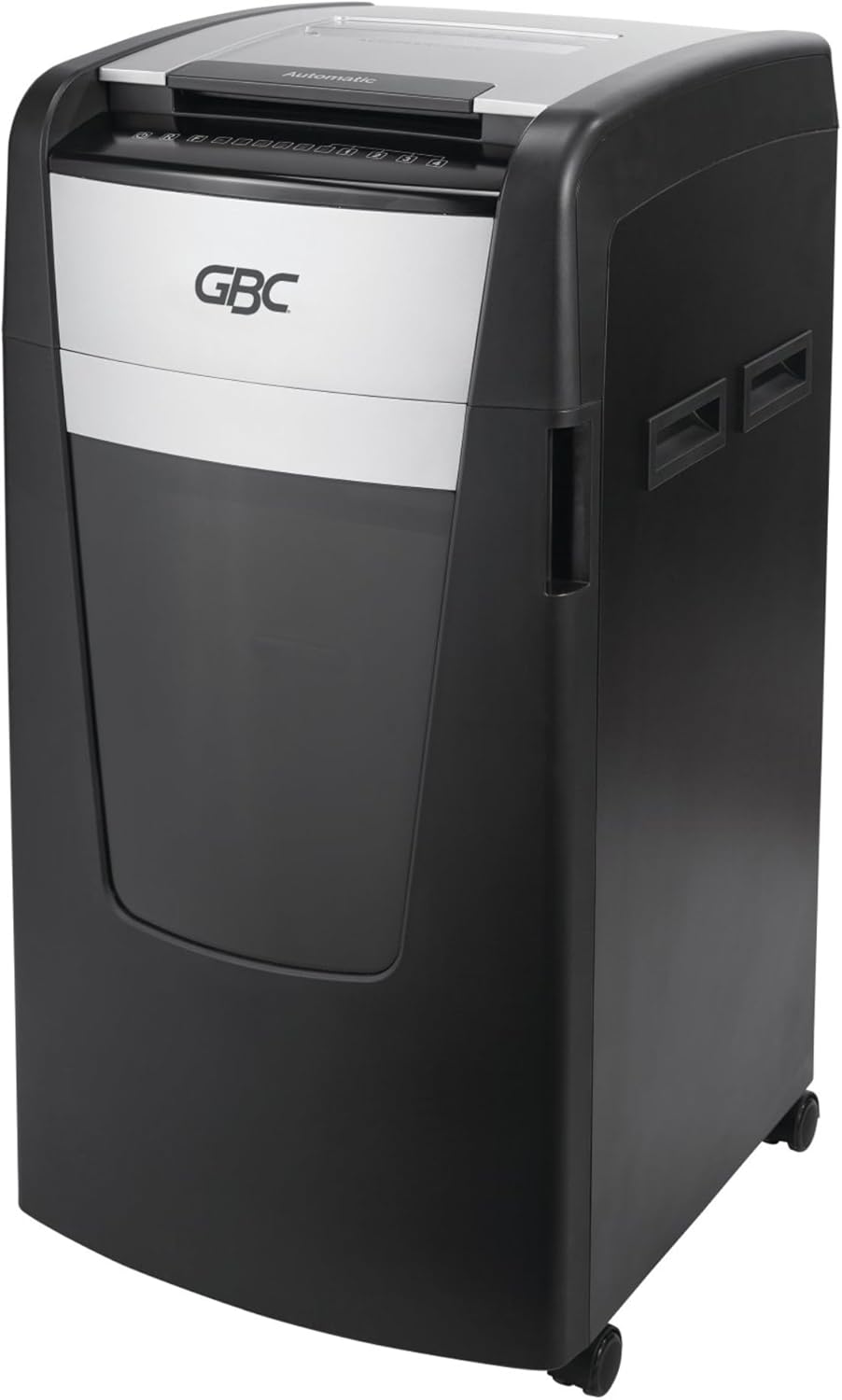
Imaj: Bò kote view of the GBC AutoFeed+ 230X Paper Shredder, highlighting its compact design and casters for mobility.
4. Enstalasyon
- Debake: Carefully remove the shredder from its packaging. Retain packaging materials for potential future transport or service.
- Plasman: Position the shredder on a flat, stable surface. Ensure adequate space around the unit for ventilation and access to the waste bin. The shredder dimensions are approximately 19 x 17 x 29 inches.
- Bwat fatra: Ensure the 16-gallon waste bin is correctly inserted into the shredder cabinet. The shredder will not operate if the bin is not properly seated.
- Koneksyon pouvwa: Ploge kòd elektrik la nan yon priz elektrik estanda.
- Pouvwa sou: Locate the main power switch, typically on the back or side of the unit, and turn it to the 'ON' position.
5. Operasyon
5.1 Auto-Feed Operation
The AutoFeed+ feature allows for hands-free shredding of multiple sheets.
- Louvri kouvèti plato alimantasyon otomatik la.
- Stack up to 230 sheets of paper neatly into the auto-feed chamber. Ensure papers are flat and free of folds.
- Fèmen kouvèti plato otomatik la. Dechiktè papye a ap kòmanse trete dokiman yo otomatikman.

Image: A person loading a stack of documents into the auto-feed tray of the GBC shredder, demonstrating the hands-free operation.

Image: A visual guide showing the three steps of auto-feed shredding: 'Stack' papers, 'Shut' the lid, and the machine 'Shreds' automatically.
5.2 Manual Feed Operation
For smaller quantities or specific items, use the manual feed slot.
- Insert up to 10 sheets of paper at a time into the manual feed slot.
- Ou dwe mete kat kredi yo alamen youn pa youn nan fant ki fèt pou sa a.

Image: A graphic comparing the AutoFeed method (up to 600 sheets, though this model is 230) and the Manual Feed method (up to 15 sheets, though this model is 10), highlighting the versatility of the shredder.
5.3 Shredding Capabilities
The GBC AutoFeed+ 230X can shred:
- Paper (up to 230 sheets auto-feed, 10 sheets manual feed)
- Papye klip
- Staples
- Credit cards (manual feed only)
5.4 Nivo Sekirite
This shredder provides P-4 Level Security with a Super Cross-Cut style, creating small particles for enhanced data protection.
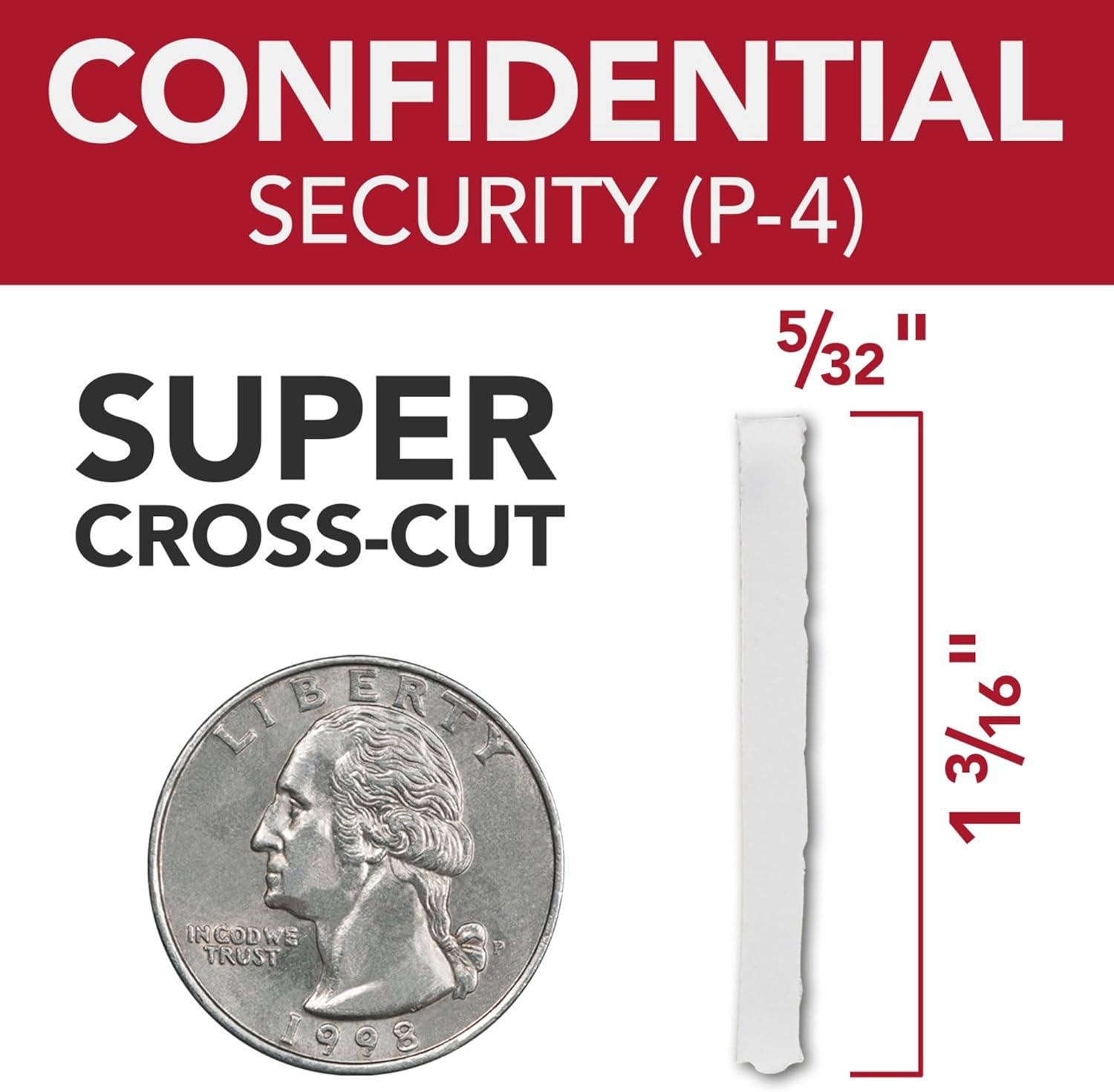
Image: A graphic illustrating the P-4 Super Cross-Cut shred size (5/32" x 1 3/16") next to a US quarter for scale, demonstrating the high level of security.
5.5 Continuous Run Time
The shredder features a 30-minute continuous run time, allowing for extended shredding sessions before requiring a cool-down period.

Image: An icon displaying '30 min Run Time', indicating the shredder's continuous operation capability.
5.6 Operasyon trankil
Designed with an ultra-quiet motor, this shredder minimizes noise disruption in office environments.

Image: An icon depicting a speaker with sound waves, labeled 'Quiet Shredding', highlighting the low noise level during operation.
6. Antretyen
Antretyen regilye asire pèfòmans optimal epi pwolonje lavi dechikteur ou a.
- Lwilizasyon: Apply shredder oil regularly to the cutting blades. Follow the instructions provided with your shredder oil for frequency and application method. This helps maintain cutting efficiency and prevents jams.
- Vide bin fatra a: Empty the 16-gallon waste bin when the 'Bin Full' indicator illuminates. Overfilling can lead to jams and reduced performance.
- Netwayaj: Periodically clean the exterior of the shredder with a soft, dry cloth. Do not use abrasive cleaners or solvents.
- Prevansyon blokaj: The shredder features auto forward and reverse functions to help prevent and clear minor jams. Avoid exceeding the sheet capacity.
NAN. Depanaj
Gade tablo ki anba a pou pwoblèm komen ak solisyon yo.
| Pwoblèm | Kòz posib | Solisyon |
|---|---|---|
| Dechikteur a pa limen. | No power, waste bin not seated, main switch off. | Check power cord, ensure bin is fully inserted, turn main switch ON. |
| Konfiti papye. | Overfed paper, foreign object. | Use reverse function. If persistent, unplug, carefully remove paper. Do not force. |
| Dechikteur a sispann pandan l ap travay. | Overheat protection, waste bin full. | Allow to cool down (approx. 30 minutes). Empty waste bin. |
| Reduced shredding performance. | Lam yo bezwen wilaj. | Apply shredder oil as per maintenance instructions. |
8. Espesifikasyon
| Karakteristik | Detay |
|---|---|
| Nimewo Modèl | WSM1757606 |
| Mak | GBC |
| Kalite dechire | Super Koupe Kwaze |
| Nivo Sekirite | P-4 |
| Kapasite Auto-Feed | Jiska 230 dra |
| Kapasite Manyèl Manje | Jiska 10 dra |
| Kapasite Bin fatra | 16 galon |
| Tan kouri kontinyèl | 30 minit |
| Pwa atik | 55.6 liv |
| Dimansyon pwodwi | 19 x 17 x 29 pous |
| Karakteristik espesyal | Operasyon trankil |
9. Garanti ak sipò
For warranty information, product support, or service inquiries, please refer to the official GBC websit la oubyen kontakte sèvis kliyan GBC dirèkteman. Kenbe resi acha ou kòm prèv acha.