
HOREVO B027-110V
HOREVO Retractable Ceiling Fan with Lights and Bluetooth Speaker Instruction Manual
Mak: HOREVO
Modèl: B027-110V
1. Entwodiksyon ak pwodwi aview
This manual provides detailed instructions for the installation, operation, and maintenance of your HOREVO Retractable Ceiling Fan with Lights and Bluetooth Speaker. This innovative product combines a ceiling fan, lighting, and an integrated Bluetooth speaker, offering convenience and ambiance for various rooms.
- Entegrasyon kay entelijan: Seamlessly control the fan and lights with Alexa and Google App for hands-free convenience.
- Lam Retraktab: Unique retractable design conceals the fan blades when not in use, providing a sleek and modern appearance.
- Bluetooth Oratè: Enjoy your favorite tunes directly from the built-in Bluetooth speaker, enhancing both function and ambiance.
- Kids Fan Light: 24W mini-size design, no noise, good choice for kid's room. Accompanied by starry lights, soft music and breeze, children will no longer be afraid of the dark night. Set a timer for the fan, so that no need to worry about catch cold.

Figure 1: HOREVO Retractable Ceiling Fan with Lights and Bluetooth Speaker. This image shows the fan with its blades extended and the light illuminated, with musical notes indicating the Bluetooth speaker function.
2. Enstalasyon ak Enstalasyon
The HOREVO Retractable Ceiling Fan is designed for easy installation. It comes with all necessary installation materials and clear instructions. Ensure power is disconnected before beginning installation.
2.1 Dimansyon
The fan has a diameter of 36 inches when the fan blades are extended and 16 inches when the blades are retracted. Rods of 3.9 inches and 7.9 inches are included for adjustable hanging, allowing for flexible installation heights.

Figure 2: Detailed dimensions of the HOREVO Retractable Ceiling Fan, showing its height and width in both extended and retracted states.
2.2 Etap enstalasyon yo
- Dekonekte pouvwa: Anvan ou kòmanse, asire w ke ou koupe kouran nan zòn enstalasyon an nan disjonktè a.
- Monte bracket la: Securely attach the mounting bracket to the ceiling junction box.
- Koneksyon fil elektrik: Connect the fan's electrical wires to your home's power supply wires according to local electrical codes. The fan is designed with three parts in one piece, simplifying wiring.
- Atache kò vantilatè a: Carefully lift and attach the fan body to the mounted bracket.
- Enstale Lamplonbraj: Rotate and install the lampshade onto the fan body.
- Retabli pouvwa: Once installation is complete, restore power and test the fan and light functions.
Note: Professional installation is recommended if you are unfamiliar with electrical wiring.
3. Operasyon Enstriksyon
Your HOREVO ceiling fan offers multiple control options for convenience.
3.1 Operasyon kontwòl Remote
The fan comes with a dedicated remote control for easy access to all functions.
Figure 3: The remote control for the HOREVO ceiling fan, showing various buttons for fan speed, light control, and other functions.
- Vitès fanatik: Select from 3 fan speeds (low, medium, high) using the designated buttons.
- Kontwòl limyè: Turn the light on/off, adjust brightness, and change light color (white, warm, neutral, or RGB colors) using the light control buttons.
- Fonksyon revèy: Set a timer for the fan to automatically turn off after 1, 2, or 3 hours.
- Blade Retraction: The blades automatically retract when the fan is turned off and extend when the fan is turned on.

Figure 4: Illustration of the fan's forward and reverse modes. Forward turn provides cool wind for summer, while reverse turn promotes warm air circulation for winter.
3.2 Smart Home Integration (Alexa/Google Home)
Control your fan and lights using voice commands through Alexa or Google Home. Ensure your fan is connected to your home Wi-Fi network and linked to the respective smart home app.
- Kòmandman vwa: Use commands like "Alexa, turn on the fan," "Google, set fan speed to 2," or "Alexa, change light color to blue."
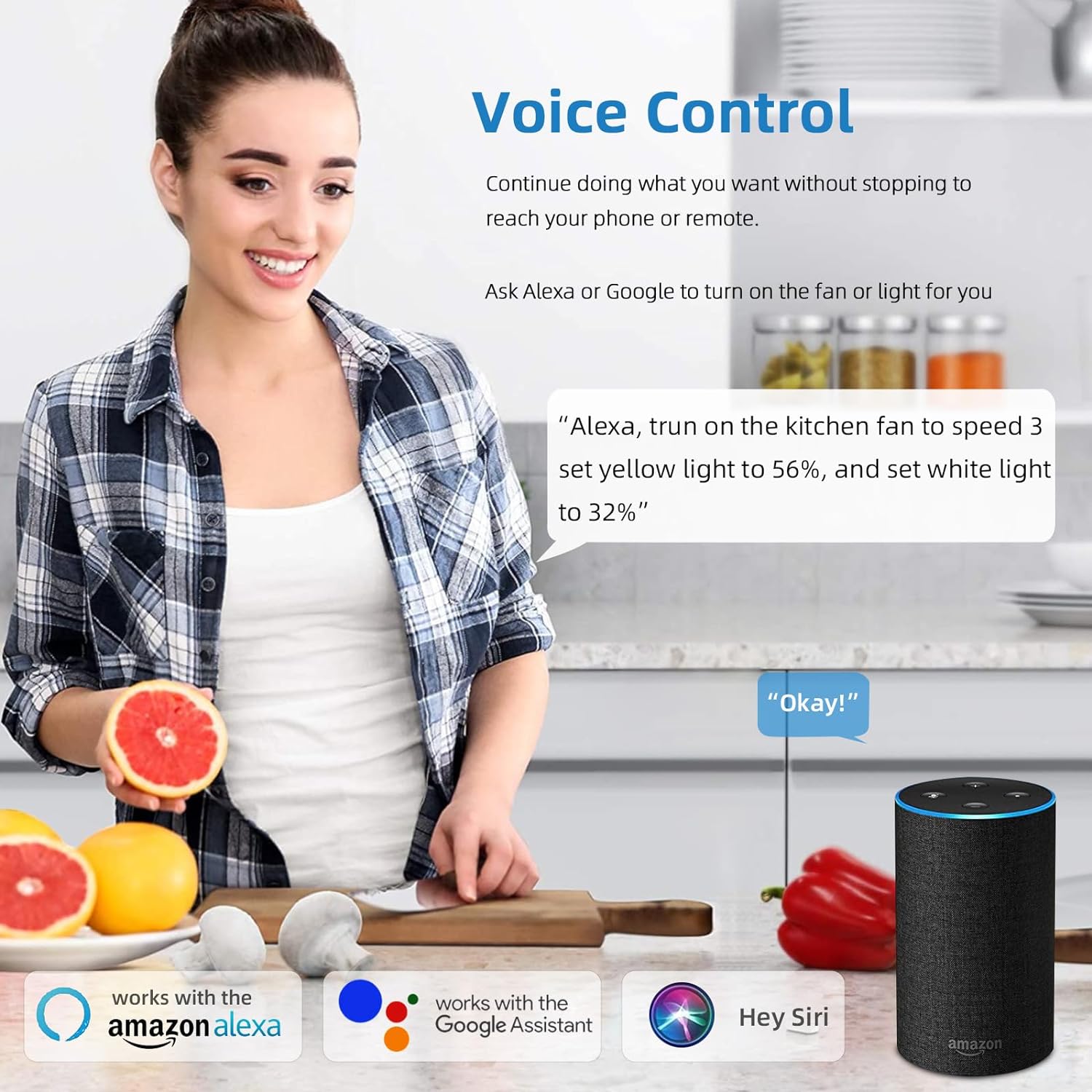
Figure 5: A user interacting with the HOREVO fan using voice commands via Alexa, demonstrating hands-free control.
3.3 Fonksyonalite Oratè Bluetooth
The integrated Bluetooth speaker allows you to play music directly from your smartphone or other Bluetooth-enabled devices.
- Peyaj: Enable Bluetooth on your device and search for the fan's Bluetooth name (usually "AnSLong" or similar). Select it to pair.
- Lektur Mizik: Once paired, play music through your device, and it will stream through the fan's speaker.
- Light Synchronization: The lights can dance to the beat of the music, enhancing the ambiance.
Figure 6: Visual representation of the fan's Bluetooth connectivity, three-color light effect, colorful light options, music playback, and rhythm synchronization.
4. Antretyen
Regular maintenance ensures the longevity and optimal performance of your HOREVO ceiling fan.
- Netwayaj:
- Before cleaning, ensure the fan is turned off and the power supply is disconnected.
- Siye lam vantilatè yo ak aparèy limyè a ak yon twal mou.amp twal. Evite itilize pwodui chimik ki agresif oswa pwodui netwayaj abrazif, paske yo ka domaje fini an.
- For crystal components, use a soft, lint-free cloth to gently polish.
- Enspeksyon lam: Periodically check the retractable blades for any dust accumulation or obstructions. Ensure they move smoothly.
- Sous limyè: The LED light source is designed for long-term use and typically does not require replacement. If issues arise, consult the troubleshooting section or contact support.
NAN. Depanaj
If you encounter any issues with your HOREVO ceiling fan, refer to the following common troubleshooting steps:
| Pwoblèm | Kòz posib | Solisyon |
|---|---|---|
| Vantilatè a pa limen. | Pa gen kouran; fil elektrik ki lach; pil kontwòl remote la mouri. | Check circuit breaker; ensure all wires are securely connected; replace remote control batteries. |
| Limyè pa limen. | Loose wiring; LED driver issue; remote control battery dead. | Check wiring connections; contact support if LED driver is suspected; replace remote control batteries. |
| Oratè Bluetooth la pa konekte. | Device not in pairing mode; fan not discoverable; interference. | Ensure Bluetooth is enabled on your device and the fan is in pairing mode; try restarting both devices. |
| Vantilatè a fè yon bri dwòl. | Vis ki lach; lam dezekilib; pwoblèm motè. | Check and tighten all screws; ensure blades are properly balanced; contact support if motor issue is suspected. |
| Blades do not retract/extend properly. | Obstruction; mechanism fault. | Check for any physical obstructions; contact support for mechanism issues. |
6. Espesifikasyon
Detailed technical specifications for the HOREVO Retractable Ceiling Fan:
- Mak: HOREVO
- Nimewo Modèl: B027-110V
- Koulè: 24w-crystal-36 inch
- Materyèl: Acrylic
- Style: Modèn
- Fòm aparèy limyè: Plafon
- Kalite chanm: Sal timoun yo, chanm
- Dimansyon pwodwi: 15.7"L x 3.2"W x 15.7"H (retracted)
- Extended Diameter: 36 pous
- Sous pouvwa: Corded Electric, Battery Powered (for remote)
- Kalite enstalasyon: Flush Mount
- Karakteristik espesyal: Kontwòl Remote
- Metòd kontwòl: Remote, Alexa/Google App
- Kalite sous limyè: dirije
- Fini Kalite: Poli
- Materyèl lonbraj: Acrylic
- Kantite sous limyè: 1
- Voltage: 110 Volts
- Tèm: Timoun yo
- Koulè limyè: White, RGB
- Eleman ki enkli: Kontwòl Remote
- Anbelisman: Crystal
- Metòd ekleraj: Remote
- Kantite atik: 1
- Wattage: 24 wat
- Kalite kontwolè: Kontwòl Remote
- Kalite switch: Remote
- Konte inite: 1 Konte
- Nivo rezistans dlo: Pa reziste dlo
- Pwotokòl Koneksyon: Wi-Fi (for smart home integration)
- Klate: 2160 Lumen
- Efikasite: 90 lm/W
- Kalite montaj: Mòn plafon
- Koulè lonbraj: Crystal
- Kalite aparèy: Ki pa Detachable
- Asanble obligatwa: Non
- Pwa atik: 18.96 liv
- UPC: 696629191115
7. Garanti ak sipò
HOREVO is committed to providing high-quality products. For any product-related inquiries, technical assistance, or warranty claims, please contact HOREVO customer support.
- Plan Pwoteksyon: Extended protection plans are available for purchase separately to cover your product beyond the standard warranty period. Please refer to your purchase documentation for details on available plans and coverage.
- Enfòmasyon pou kontakte: For support, please visit the official HOREVO store on Amazon or refer to the contact details provided in your product packaging.
- Resous sou entènèt: Additional support and FAQs may be available on the HOREVO brand website or Amazon product page.
Ask a question about this manual
Ask about setup, troubleshooting, compatibility, parts, safety, or missing instructions. Manuals+ will review the question and use this page’s manual context to help answer it.