
CANDY CSW485TE180
Candy Smart Pro CSW485TE180 Washer Dryer
Manyèl Enstriksyon
Model: CSW485TE180 | Brand: CANDY
1. Entwodiksyon
This manual provides essential information for the safe and efficient operation of your Candy Smart Pro CSW485TE180 Freestanding Washer Dryer. Please read these instructions carefully before using the appliance and keep them for future reference.
The Candy Smart Pro CSW485TE180 is a versatile appliance designed to handle both washing and drying tasks, featuring an 8kg wash capacity and a 5kg dry capacity, with a maximum spin speed of 1400 RPM. It also includes WIFI connectivity for enhanced control and smart features.

Figi 1.1: Devan view of the Candy Smart Pro CSW485TE180 Washer Dryer, showcasing fini blan li yo ak panèl kontwòl la.
2. Enfòmasyon sou Sekirite
Toujou respekte prekosyon sekirite debaz yo lè w ap itilize aparèy elektrik pou diminye risk dife, chòk elektrik ak blesi pou moun.
- Asire ke aparèy la byen konekte ak tè a ak yon ekipman pou kouran ki apwopriye.
- Pa kite timoun yo jwe ak aparèy la.
- Pa janm fòse pòt la louvri pandan l ap fonksyone.
- Debranche aparèy la anvan ou netwaye li oswa fè nenpòt antretyen.
- Pa enstale aparèy la nan anonsamp environment or where it may be exposed to water.
- Refer to the installation section for proper ventilation requirements.
3. Pwodwi souview
Familiarize yourself with the main components of your washer dryer.
3.1. Eleman prensipal yo
- Kontwòl Panel: Located at the top front, featuring a digital display and touch controls.
- Tiwa dispansè detèjan: Pou ajoute detèjan ak adousisan twal.
- Door/Porthole: Front-loading access to the drum.
- Tanbou: Stainless steel interior for washing and drying.
- Panèl Aksè Filtè: Located at the bottom front for maintenance.
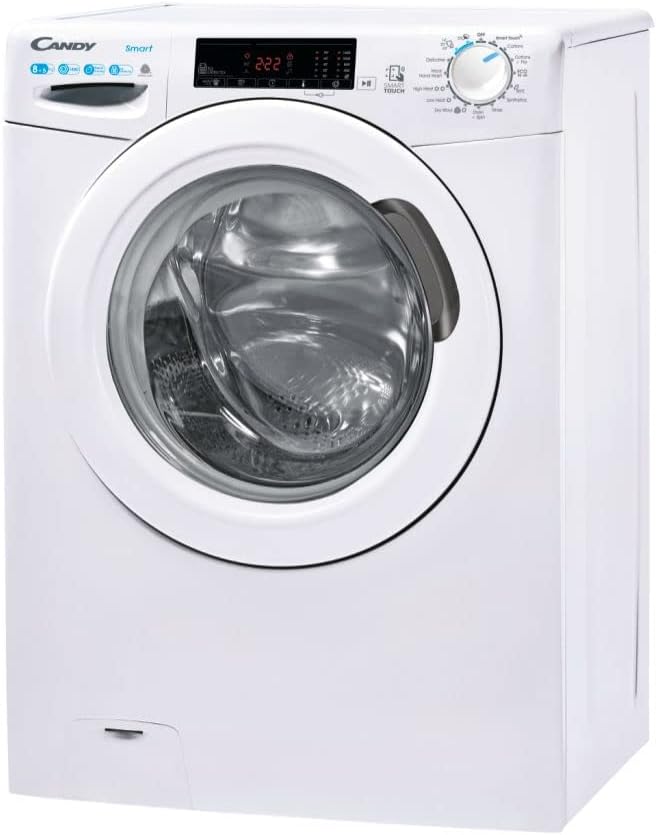
Figi 3.1: Angle view mete aksan sou panèl kontwòl la ak tiwa detèjan an.
3.2. Kontwòl Panel
The control panel features intuitive touch controls and a digital display for program selection, cycle status, and special functions. Refer to the detailed diagram in the included Instruction Manual for specific button functions.
4. Enstalasyon
Proper installation is crucial for the performance and longevity of your appliance.
4.1. Debake
Carefully remove all packaging materials. Ensure that all included components, such as the instruction manual and registration pack, are present. Remove any transit bolts from the rear of the machine before use. Failure to do so can cause severe damage.
4.2. Plasman
The Candy Smart Pro CSW485TE180 is a freestanding appliance. Place it on a firm, level surface. Ensure there is adequate space around the machine for ventilation and ease of access. The product dimensions are 56 x 65 x 89 cm (Depth x Width x Height).

Figi 4.1: Egzample of the washer dryer installed in a suitable environment.
4.3. Water and Drain Connections
Connect the water inlet hose to a cold water tap. Ensure the drain hose is properly secured to a standpipe or sink, allowing for proper drainage without kinks or blockages.
4.4. Koneksyon elektrik
Connect the power cord to a grounded electrical outlet. The appliance operates on 220 Volts. Do not use extension cords or adapters.
5. Operasyon Enstriksyon
Follow these steps for effective washing and drying.
5.1. Chaje lesiv
Open the door and load laundry into the drum. Do not overload the machine. The maximum wash capacity is 8kg, and the maximum dry capacity is 5kg. For best drying results, ensure the load is appropriate for the drying capacity.
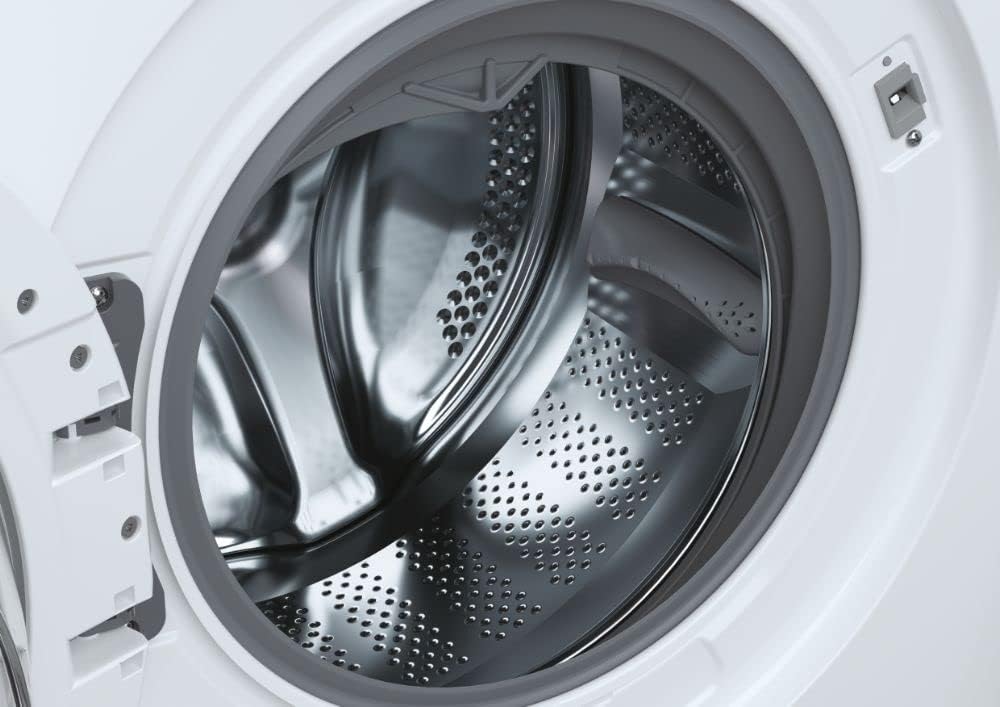
Figure 5.1: Close-up of the stainless steel drum, ready for loading.
5.2. Ajoute detèjan ak adousisan
Pull out the detergent dispenser drawer. Add appropriate amounts of detergent to the main wash compartment and fabric softener to its designated compartment. The dispenser is dual-compartment for convenience.
5.3. Seleksyon Pwogram
Turn the program selector dial or use the touch controls to choose your desired wash or dry program. The machine offers 4 washing cycles and 3 drying cycles, including options like Quick Wash, Intensive, and Eco.
5.4. Karakteristik espesyal
- Reta li tap konometre: Programme the start of the washing cycle with a maximum delay of 24 hours.
- WIFI Connectivity (Smart Touch): Connect your Android smartphone (with NFC) to the appliance for additional functions, tips, and troubleshooting guidance via the Candy Smart Touch app.
- Smart Check-up: The app provides a simplified management for longer efficiency, monitoring the health status of your appliance and helping identify solutions for errors or malfunctions.
- Alexa konpatibilite: The appliance is compatible with Alexa for voice control of certain functions.
6. Antretyen
Regular maintenance ensures optimal performance and extends the lifespan of your washer dryer.
6.1. Netwaye Eksteryè a
Siye sifas eksteryè yo ak yon mou, damp twal. Evite pwodui netwayaj abrazif oswa solvan.
6.2. Netwaye distribitè detèjan an
Detanzantan retire epi netwaye tiwa dispansè detèjan an anba dlo k ap koule pou anpeche rezidi akimile.
6.3. Netwaye Filtè Lint la
For drying efficiency, regularly clean the lint filter located behind the access panel at the bottom front of the machine. Pull out the filter, remove accumulated lint, and rinse if necessary before reinserting.

Figi 6.1: Retire filtè pousyè a pou netwaye li.
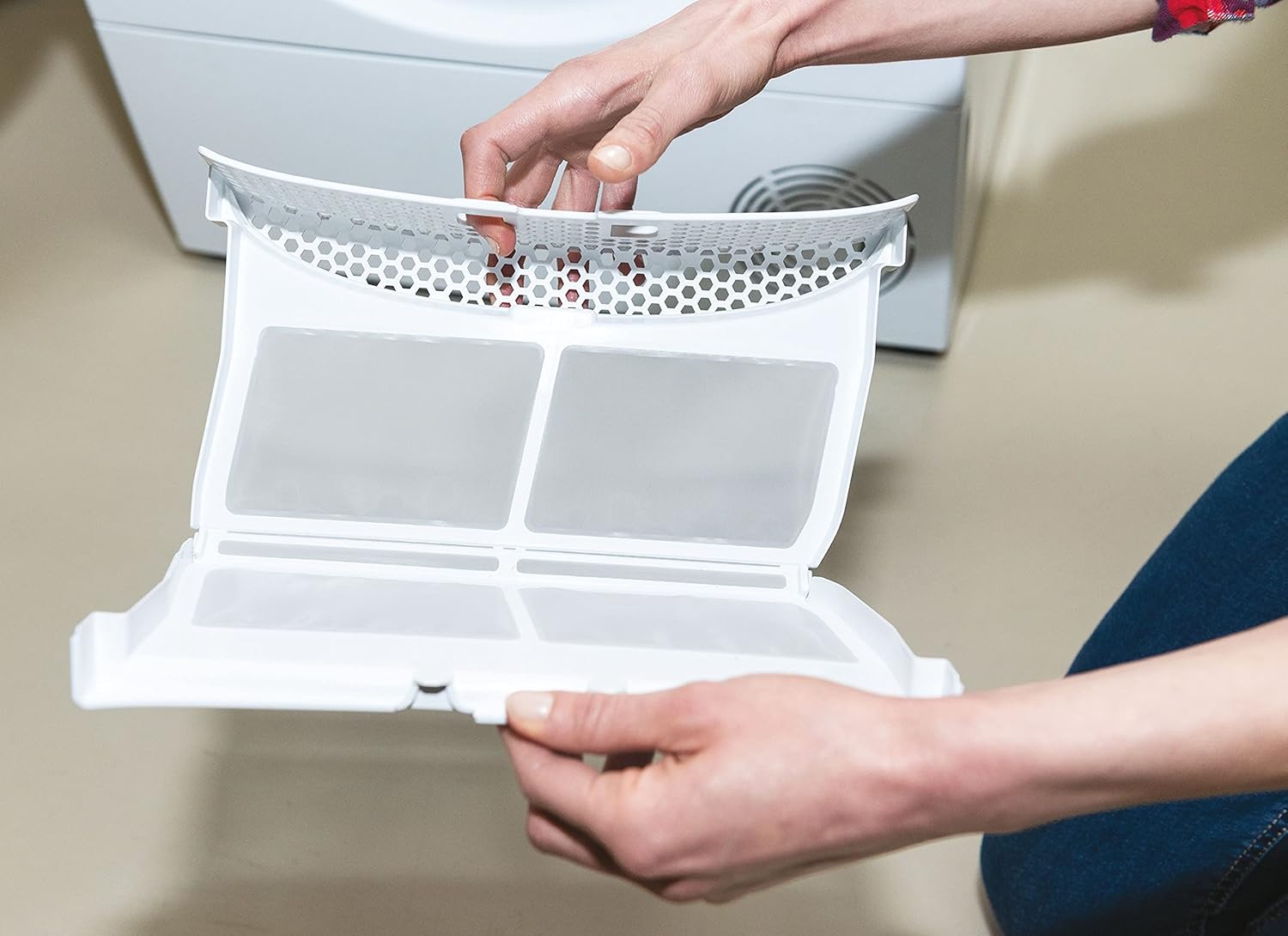
Figure 6.2: The lint filter after removal and cleaning.
6.4. Netwayaj Tanbou
Run a maintenance wash cycle periodically (e.g., a hot wash with no laundry and a descaling agent) to clean the drum and internal components.
NAN. Depanaj
Anvan ou kontakte sèvis kliyan, eseye etap depanaj komen sa yo.
| Pwoblèm | Kòz posib | Solisyon |
|---|---|---|
| Aparèy la pa kòmanse | No power, door not closed properly, program not selected. | Tcheke ekipman pou kouran an, asire w pòt la byen fèmen, chwazi yon pwogram epi peze bouton kòmanse. |
| Vibrasyon twòp / bri | Transit bolts not removed, appliance not level, uneven load. | Retire boulon transpò yo, ajiste pye nivelman yo, epi redistribye lesiv yo. |
| Dlo pa drenaj | Drain hose kinked/blocked, pump filter blocked. | Check drain hose, clean pump filter (refer to full manual). |
| Rad ki pa seche byen | Lint filter blocked, overloaded, incorrect program. | Clean lint filter, reduce load size, select appropriate drying program. |
For more detailed troubleshooting and error codes, utilize the Smart Check-up function via the Candy Smart Touch app or consult the comprehensive manual provided with your appliance.
8. Espesifikasyon teknik
Key technical details of the Candy Smart Pro CSW485TE180 Washer Dryer.
| Spesifikasyon | Valè |
|---|---|
| Nimewo Modèl | CSW 485TE/1-80 (31010935) |
| Kapasite lave | 8 Kilogram |
| Kapasite sèk | 5 Kilogram |
| Maksimòm vitès wotasyon | 1400 RPM |
| Energy Efficiency Class (Wash) | E |
| Konsomasyon Enèji Anyèl (Lave) | 326 Kilowat èdtan |
| Nivo bri (vire) | 79 dB |
| Dimansyon pwodwi (D x W x H) | 56 x 65 x 89 cm |
| Pwa atik | 64 kg |
| Kalite enstalasyon | Otonòm |
| Kalite kontwòl | Manyen |
| Karakteristik espesyal | Delay Timer, Eco, Intensive, Quick Wash, WIFI |
| Aparèy konpatib | Alexa |
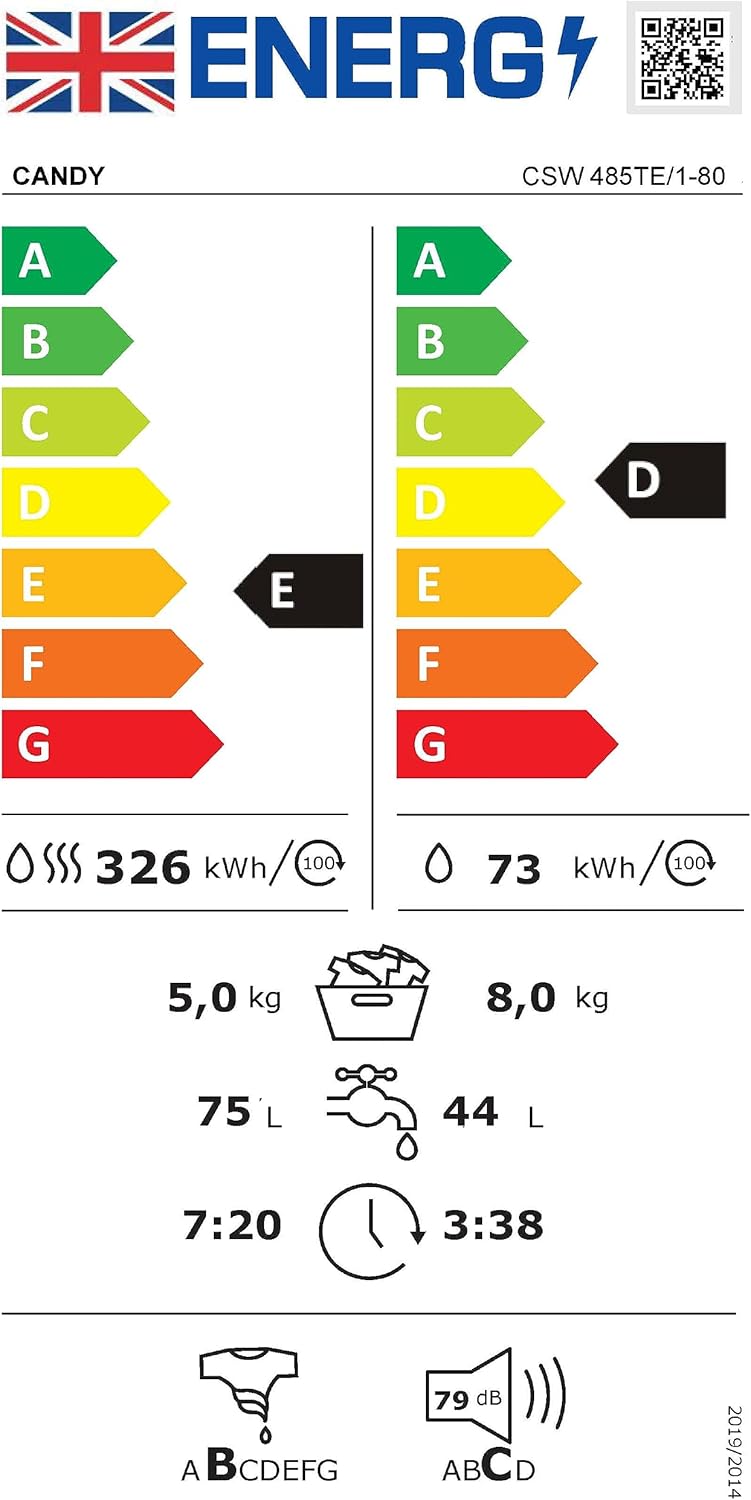
Figure 8.1: Energy label providing detailed consumption and performance data. For more information, visit etikèt-enèji.ec.europa.eu.
9. Garanti ak Sipò Kliyan
Your Candy Smart Pro CSW485TE180 Washer Dryer comes with a manufacturer's warranty.
9.1. Enfòmasyon sou Garanti
The minimum duration of the guarantee offered by the supplier is 12 months. Please retain your proof of purchase for warranty claims. For full terms and conditions, refer to the warranty information included in your registration pack or visit the manufacturer's official websit.
9.2. Sipò pou Kliyan
For technical assistance, spare parts, or to report a fault, please contact Candy customer support. You can find contact details on the Candy website or in your product documentation. When contacting support, please have your model number (CSW485TE180) and serial number ready.
Additional information regarding the appliance and its features can be found on the supplier's websit: corporate.haier-europe.com/en/.
Ask a question about this manual
Ask about setup, troubleshooting, compatibility, parts, safety, or missing instructions. Manuals+ will review the question and use this page’s manual context to help answer it.