
Entwodiksyon
Thank you for choosing the LENRUE Bluetooth Speaker. This portable wireless speaker delivers loud stereo sound with rich bass and offers up to 12 hours of playtime. Featuring advanced Bluetooth 5.0 technology and a built-in microphone, it is designed for a superior audio experience and convenient hands-free communication. This manual provides essential information for setting up, operating, and maintaining your speaker.
Kontni pake
Tanpri tcheke kare a pou atik sa yo:
- LENRUE Bluetooth Speaker (Model: yun-dong-199)
- USB Chaje Kab
- Kab odyo oksilyè
- Manyèl itilizatè
Pwodwi souview
The LENRUE Bluetooth Speaker is designed for portability and high-quality audio. It features:
- Kalite son siperyè: Dual high-performance drivers and enhanced bass for clear, powerful audio.
- Tan pou jwe pwolonje: Jiska 12 èdtan lekti mizik kontinyèl sou yon sèl chaj.
- Koneksyon avanse: Bluetooth 5.0 for stable, fast wireless connections. Supports USB, Micro SD card (up to 32GB), and AUX input.
- Mikwofòn entegre: Enables hands-free calling with clear stereo sound.
- Konsepsyon pòtab: Lightweight (0.66 lb) and compact, making it ideal for travel and outdoor use.

Image: The LENRUE Bluetooth Speaker, showcasing its compact and sleek design in blue.
Enstalasyon
1. Chaje Oratè a
Before first use, fully charge the speaker. Connect the provided USB charging cable to the speaker's charging port and to a USB power source (e.g., computer, wall adapter). The charging indicator light will show the charging status (refer to LED indicator section for details). A full charge typically takes 2-3 hours.

Imaj: Dèyè view of the speaker highlighting the USB, TF card, DC 9V charging, Reset pinhole, and AUX input ports.
2. Powering On / Off
- To Power On: Press and hold the Power/Mode button (often marked 'M' or with a power icon) until you hear an audible prompt or see the LED indicator light up.
- To Power Off: Press and hold the Power/Mode button again until you hear an audible prompt or the LED indicator turns off.
3. Pè Bluetooth
- Ensure the speaker is powered on and in Bluetooth pairing mode (the LED indicator will usually flash blue).
- Sou aparèy ou an (telefòn entelijan, tablèt, elatriye), aktive Bluetooth epi chèche aparèy ki disponib yo.
- Select "LENRUE Speaker" (or similar name) from the list.
- Once paired, the speaker will emit an audible confirmation, and the LED indicator will turn solid blue.

Image: The LENRUE speaker positioned on a desk, wirelessly connected to a laptop, tablet, and smartphone, illustrating its versatile Bluetooth 5.0 connectivity.
4. Connecting via AUX, USB, or Micro SD Card
- Antre AUX: Connect one end of the provided auxiliary audio cable to the speaker's AUX port and the other end to your audio device's headphone jack. The speaker will automatically switch to AUX mode.
- USB lèktur: Mete yon kle USB ki gen odyo ladan l files nan pò USB a. Oratè a pral otomatikman detekte epi jwe mizik ki soti nan lektè a.
- Lektur kat mikwo SD: Mete yon kat Micro SD (jiska 32GB) ak odyo files into the TF card slot. The speaker will automatically detect and play music from the card.
Enstriksyon Operasyon
Fonksyon bouton
The speaker features intuitive controls on its top panel:

Imaj: Anlè view of the LENRUE speaker, displaying the control buttons for power, mode, volume, and track navigation.
- Bouton Pouvwa/Mòd (M):
- Peze epi kenbe pou pouvwa sou / koupe.
- Short press to switch between input modes (Bluetooth, AUX, USB, Micro SD).
- Bouton jwe/poz:
- Kout peze pou jwe oswa pran yon poz mizik.
- Short press to answer/end a phone call.
- Peze epi kenbe pou rejte yon apèl fèk ap rantre.
- Bouton Diminye Volim / Chante Anvan (-):
- Kout peze pou diminye volim.
- Peze epi kenbe pou ale nan tras anvan an.
- Bouton Volim Monte / Pwochen Mizik (+):
- Kout peze pou ogmante volim.
- Peze epi kenbe pou ale nan pwochen track la.
True Wireless Stereo (TWS) Koneksyon
For an enhanced stereo experience, you can connect two LENRUE Bluetooth Speakers together:
- Asire w ke tou de oratè yo etenn.
- Power on both speakers. They will automatically enter Bluetooth pairing mode.
- On one speaker, double-press the Power/Mode button. It will search for another speaker to pair with.
- Once connected, you will hear an audible confirmation, and both speakers will play in stereo.
- Now, connect your device to one of the speakers via Bluetooth as described in the "Bluetooth Pairing" section.
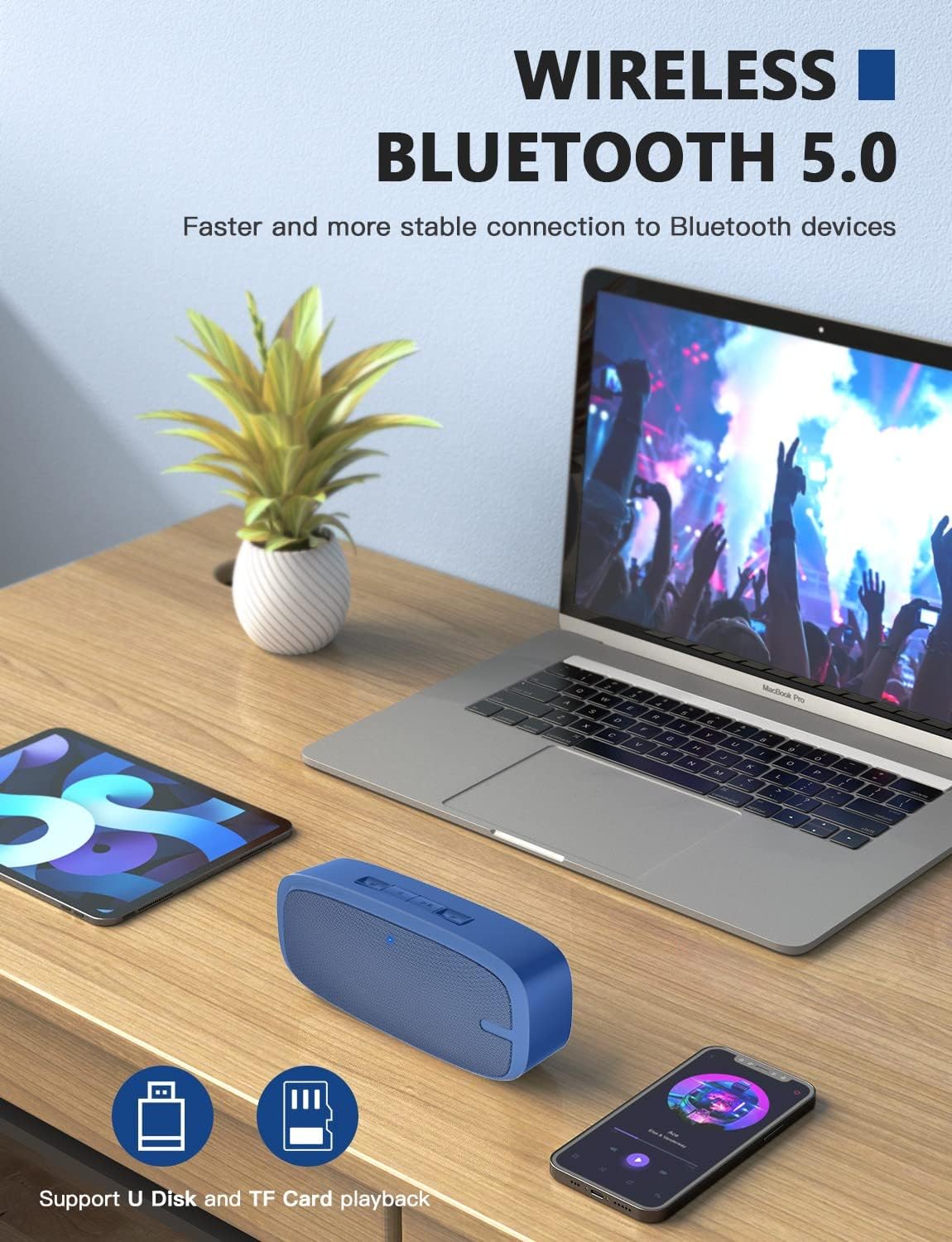
Image: Two LENRUE Bluetooth Speakers shown side-by-side, illustrating the True Wireless Stereo (TWS) connection capability for a wider soundstage.
Antretyen
- Netwayaj: Use a soft, dry cloth to clean the speaker's surface. Do not use harsh chemicals or abrasive cleaners.
- Depo: Sere oratè a nan yon kote ki fre epi sèk, lwen limyè solèy dirèk ak tanperati ekstrèm.
- Swen batri: Pou pwolonje lavi batri a, evite dechaje oratè a nèt souvan. Chaje l regilyèman, menm si w pa itilize l pandan yon bon bout tan.
- Rezistans dlo: Oratè sa a PA enpèmeyab. Evite ekspoze li a dlo oswa imidite twòp.
Depanaj
| Pwoblèm | Kòz posib | Solisyon |
|---|---|---|
| Oratè a pa limen. | Batri ki ba. | Chaje oratè a nèt avèk kab USB ki vini ak li a. |
| Pa ka konekte atravè Bluetooth. | Oratè a pa nan mòd koneksyon; Bluetooth aparèy la etenn; twò lwen aparèy la. | Ensure speaker is in pairing mode (flashing blue LED). Turn Bluetooth on your device. Move speaker closer to device (within 10 meters). Forget previous pairings on your device and try again. |
| Pa gen son. | Volim twò ba; mòd antre ki pa kòrèk; aparèy la pa ap jwe. | Increase speaker and device volume. Check if the correct input mode (Bluetooth, AUX, USB, TF) is selected. Ensure your device is playing audio. |
| Bon kalite son pòv yo. | Batri fèb; entèferans; aparèy la twò lwen. | Charge the speaker. Move away from other wireless devices. Move speaker closer to your device. |
| Micro SD card or USB drive not recognized. | Pa kòrèk file format; card/drive not inserted correctly; unsupported capacity. | Asire odyo files are in a supported format (e.g., MP3). Reinsert the card/drive. Ensure Micro SD card is 32GB or less. |
Espesifikasyon
| Karakteristik | Detay |
|---|---|
| Mak | LENRUE |
| Nimewo Modèl | yun-dong-199 |
| Koneksyon Teknoloji | Bluetooth 5.0, Auxiliary, USB |
| Audio Sòti Mode | Stereo |
| Oratè maksimòm pwodiksyon pouvwa | 3 Watts |
| Lavi Mwayèn Batri | 12 èdtan |
| Gamme Bluetooth | XNMX Mèt (10 Mèt) |
| Pwa atik | 0.47 Kilogram (0.66 liv) |
| Mikwofòn | Built-in (1 microphone) |
| Sipòte Medya | USB, Micro SD Card (up to 32GB), AUX |
| Metòd kontwòl | Touche bouton |
| Èske enpèmeyab | FO |
Garanti ak sipò
The LENRUE Bluetooth Speaker comes with a limited warranty. For detailed warranty information, please refer to the product packaging or contact LENRUE customer support.
If you encounter any issues or have questions about your speaker, please contact our customer support team:
- Sipò sou entènèt: Visit the official LENRUE websit pou FAQ ak resous sipò.
- Imèl: Gade sou anbalaj pwodwi a pou adrès imel sèvis kliyan an.