
1. Pwodwi souview
The BACKWIN Wired In-Ear Headphones are designed to provide high-fidelity audio with convenient controls for music and calls. They feature a built-in microphone, volume control, and a 3.5mm jack for wide compatibility.

Image: The BACKWIN Wired In-Ear Headphones, showcasing their sleek design and 3.5mm audio jack.
2. Pake kontni
Tanpri tcheke pake a pou atik sa yo:
- BACKWIN Wired In-Ear Headphones (with integrated microphone and control)
- Ear tips (S/M/L sizes)
- Manyèl Enstriksyon (dokiman sa a)
3. Enstalasyon
3.1 Chwazi Bouton Zòrèy
For optimal sound quality and comfort, choose the ear tips that best fit your ears. The headphones come with three sizes (Small, Medium, Large). Experiment with each size to find the most secure and comfortable fit that also provides good sound isolation.

Image: Illustration of earbuds with various ear tip sizes for a customized fit.
3.2 Konekte ak aparèy ou an
These headphones utilize a standard 3.5mm audio jack for connectivity. To connect:
- Locate the 3.5mm audio port on your smartphone, tablet, laptop, or other compatible device.
- Insert the 3.5mm jack of the headphones firmly into the device's audio port.
The headphones are compatible with most devices running iOS and Android operating systems, as well as laptops and tablets with a 3.5mm audio jack.
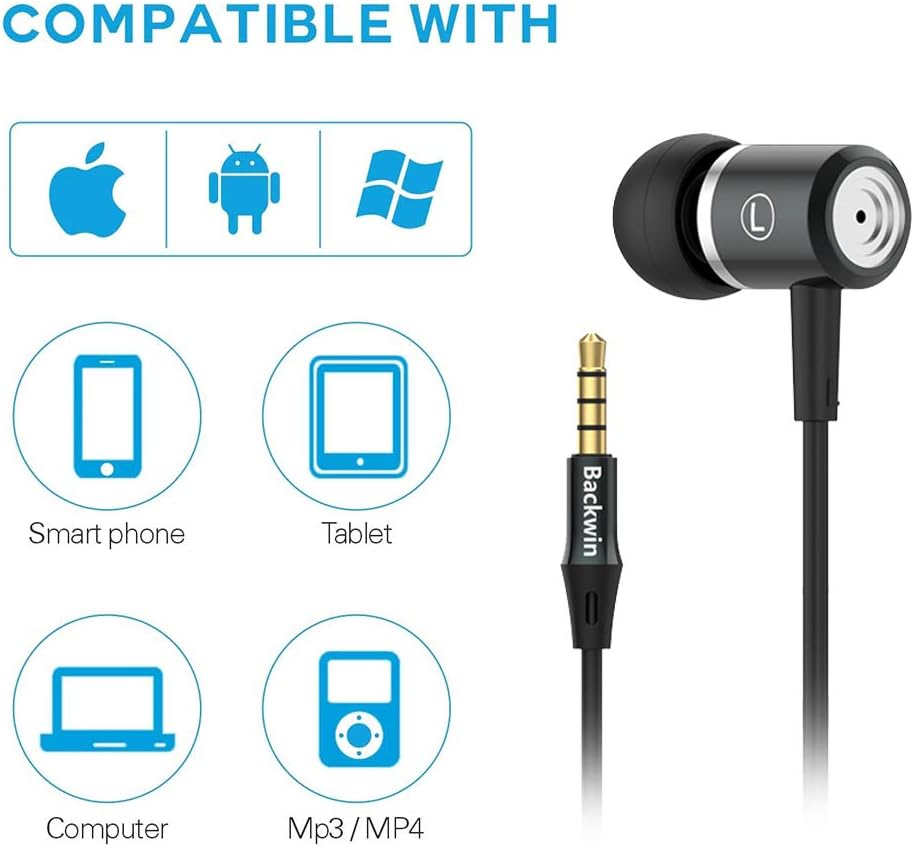
Image: Icons indicating compatibility with smartphones, tablets, computers, and MP3/MP4 players.
4. Operasyon Enstriksyon
The in-line remote control allows for easy management of music playback and calls.

Image: Close-up of the in-line remote control, showing the volume up (+), volume down (-), and multi-function (center) buttons, along with the microphone.
4.1 Kontwòl Mizik
- Jwe/Poz: Peze bouton santral la yon fwa.
- Pwochen Track: Peze bouton sant lan de fwa byen vit.
- Track Previous: Peze bouton sant lan twa fwa byen vit.
4.2 Kontwòl apèl
- Reponn/Fen Apèl: Peze bouton santral la yon fwa.
- Rejte apèl: Peze epi kenbe bouton santral la.
4.3 Kontwòl Volim
- Volim moute: Peze bouton '+' la.
- Volim desann: Peze bouton '-' la.
The built-in microphone ensures clear voice transmission during calls.
5. Antretyen ak Swen
5.1 Netwayaj
- Gently wipe the earbuds and cable with a soft, dry cloth.
- Retire bout zòrèy yo epi netwaye yo avèk savon dou ak dlo si sa nesesè. Asire w ke yo byen sèk anvan ou mete yo ankò.
- Pa sèvi ak pwodwi chimik piman bouk oswa materyèl abrazif pou netwaye.
5.2 Depo
To prolong the life of your headphones:
- Store the headphones in a clean, dry place when not in use.
- Avoid wrapping the cable too tightly to prevent damage. The cable is designed to be tangle-free for convenience.
- Kenbe lwen tanperati ekstrèm ak limyè solèy dirèk.

Imaj: Yon imaj detaye view of the headphone cable's internal structure, highlighting its durable construction.
NAN. Depanaj
| Pwoblèm | Solisyon posib |
|---|---|
| Pa gen son oswa volim ki ba |
|
| Mikwofòn pa mache |
|
| Sound quality is poor or "tinny" |
|
| Earbuds are uncomfortable or fall out |
|
7. Espesifikasyon
| Karakteristik | Detay |
|---|---|
| Mak | BACKWIN |
| Nimewo Modèl | 0 |
| Koneksyon Teknoloji | Filaire (Jack 3.5mm) |
| Teknoloji kominikasyon san fil | None (Not Bluetooth compatible) |
| Kontwòl bri | Sound Isolation, Noise Cancellation |
| Mikwofòn | Enkli |
| Kalite kontwòl | In-line Remote (Volume Control, Call Control) |
| Kab Karakteristik | Sou entènèt jwèt Tangle gratis |
| Materyèl | Plastik |
| Plasman Zòrèy | Nan Zòrèy |
| Faktè fòm | Nan Zòrèy |
| Enpedans | 32 Ohms |
| Pwa atik | 1.41 ons (0.04 kilogram) |
| Dimansyon pwodwi | 47.24 x 0.14 x 0.14 pous |
| Aparèy konpatib | Phones, Tablets, Laptops, Smartphones with Android and iOS operating systems |
| UPC | 712215782502 |
8. Garanti ak sipò
BACKWIN products undergo extensive quality verification to ensure reliability. If you encounter any issues or have questions regarding your headphones, please contact the seller directly via email for satisfactory after-sales service.
Please refer to your purchase documentation for specific warranty terms and conditions, as these may vary.