
1. Entwodiksyon
Mèsi pou acha aasing the ABKO EF02 True Wireless Earbuds. This manual provides essential information for setting up, operating, and maintaining your earbuds. Please read it carefully before use.
Ki sa ki nan bwat la
- EF02 Earbuds (Left and Right)
- Chaje bèso
- USB-C Kalite Chaje Kab
- 3 Pairs of Ear Tips (S, M, L)
- Manyèl itilizatè

Image: All items included in the ABKO EF02 True Wireless Earbuds package.
2. Pwodwi Features
- Stable Audio Connection: Equipped with a Qualcomm 3020 Bluetooth chipset for stable connection and transmission without distortion. Bluetooth 5.0 allows a range of up to 15 meters (49 feet). Hi-Fi aptX audio codec provides high-quality stereo sound.
- Balanced Audio Experience: Features a 6mm dynamic driver with 0.2mm graphene coating for enhanced sound quality, delivering deep bass and clear treble.
- Tan pou jwe pwolonje: Earbuds offer up to 6 hours of playtime, extendable up to 30 hours with the charging cradle. The 450mAh cradle can fully charge the earbuds approximately 4 times. Supports both wireless and USB-C charging.
- Konsepsyon ergonomique: Designed for a comfortable and secure fit, even during long hours of use. Includes 3 sizes of ear tips for optimal fit. Each earbud weighs 4.7g.
- IPX5 rezistans dlo: Protected against water splashes and sweat, making them suitable for indoor and outdoor activities.

Image: Premium Qualcomm chipset for stable audio.

Image: 6mm Graphene Dynamic Driver for enhanced sound.
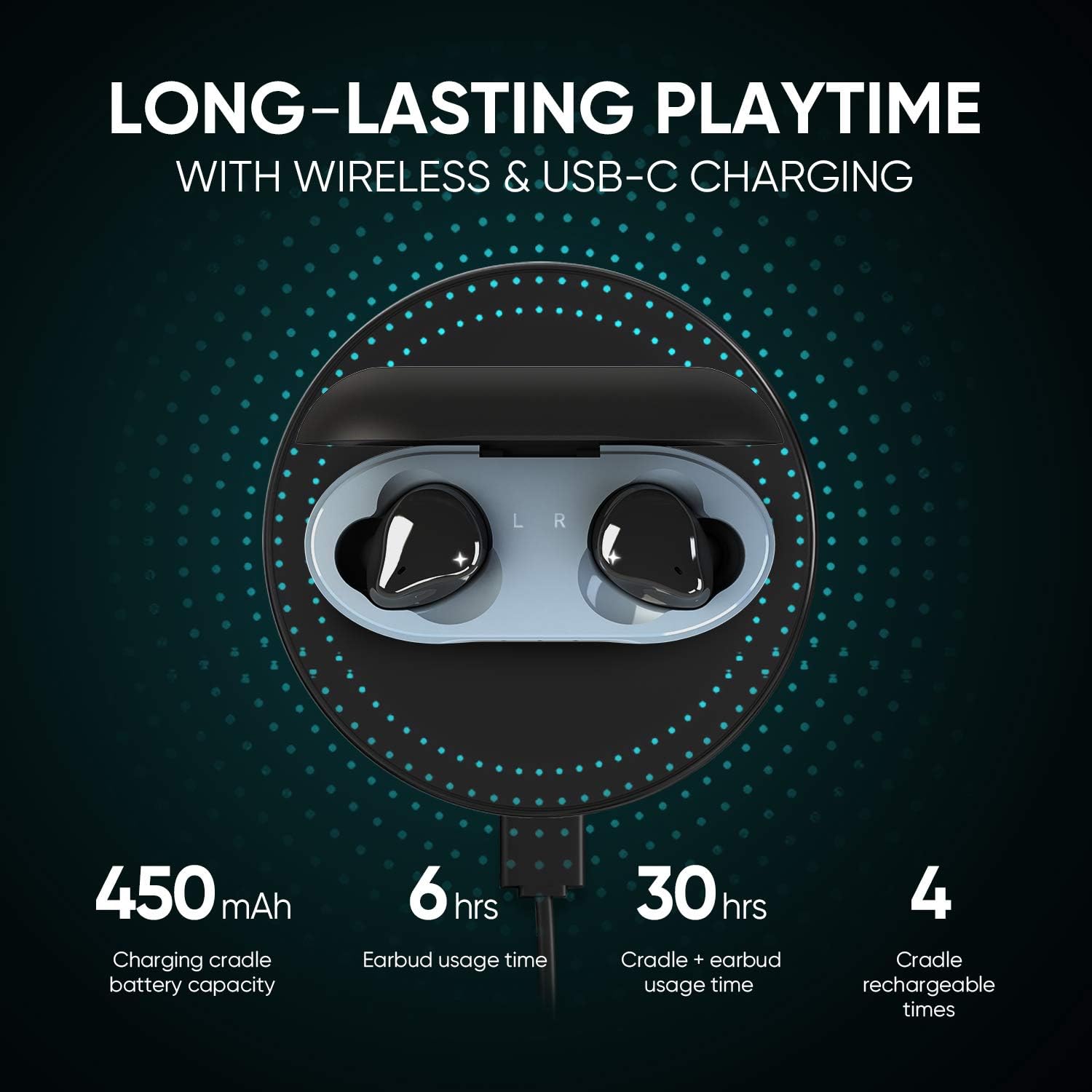
Image: Long-lasting playtime with wireless and USB-C charging.

Image: IPX5 waterproof rating for active use.
3. Enstalasyon ak Premye Itilizasyon
Charging the Earbuds and Cradle
Before first use, ensure the charging cradle is fully charged. Remove any protective film from the earbuds' charging contacts. The cradle supports both USB-C cable charging and wireless charging.
- Cradle Charging Time: Apeprè 1.5 èdtan.
- Earbud chaje tan: Apeprè 1 èdtan.
Pare ekouteur yo
Follow these steps to pair your ABKO EF02 earbuds with your device:
- Aktive fonksyon Bluetooth sou smartphone ou oswa aparèy ou.
- Take both earbuds out of the charging cradle. They will automatically enter pairing mode.
- On your device's Bluetooth list, select "ABKO EF02 L" or "ABKO EF02 R" to connect.
- If a pop-up window appears for pairing confirmation, press "Ok" or "Pair" to complete the connection.
After the initial pairing, the earbuds will automatically connect to your device when the cradle is opened, provided Bluetooth is active on your device.

Image: Visual guide for pairing the earbuds.
4. Operasyon Enstriksyon
Kontwòl
The ABKO EF02 earbuds feature touch controls for media playback and call management. Refer to the quick start guide included in the box for specific touch commands (e.g., single tap, double tap, long press for play/pause, skip track, answer/end call, voice assistant activation).
The earbuds are also compatible with voice assistants.
5. Antretyen
Rezistans dlo
The earbuds have an IPX5 waterproof rating, meaning they are resistant to water jets from any direction. This protects them from sweat and light rain. Pa plonje ekoutè yo nan dlo. Ensure the earbuds are dry before placing them back into the charging cradle to prevent damage.
Netwayaj
Regularly clean the earbuds and charging contacts with a soft, dry cloth to maintain optimal performance and charging efficiency. Remove ear tips and clean them separately with mild soap and water, then dry thoroughly before reattaching.
NAN. Depanaj
Resetting Procedure (If pairing issues occur)
If you experience difficulty pairing the earbuds with your device, follow these steps to reset them:
- Ensure the charging cradle is fully charged.
- Delete "ABKO EF02 L" and "ABKO EF02 R" from your device's Bluetooth list.
- Tap the left earbud 5 times. On the 6th tap, press and hold for 9 seconds.
- Repeat the same procedure for the right earbud.
- The earbuds will turn off and reset with a buzzer sound.
- Attempt to pair the earbuds with your device again following the "Pairing the Earbuds" instructions.
For other issues, please refer to the official ABKO support resources.
7. Espesifikasyon
| Non modèl | EF02 |
| Bluetooth vèsyon | BT 5.0 |
| Bluetooth Profile | HFP / HSP / A2DP / AVRCP |
| Repons Frekans | 20Hz - 20KHz |
| Distans operasyon | 15 M |
| Ekoutè Playtime | Jiska 6 èdtan |
| Total Playtime (with Cradle) | Maksimòm 30 èdtan |
| Cradle Battery Capacity | 3.7V / 450mAh |
| Kapasite batri ekouteur | 3.7V / 40mAh |
| Cradle Charging Time | 1.5 èdtan |
| Tan chaj ekoutè | 1 èdtan |
| Pousantaj ki enpèmeyab | IPX5 |
| Chaje Kalite | Wireless & USB-C |
| Pwa atik | 6 ons |
| Dimansyon pwodwi | 4.21 x 4.21 x 1.97 pous |
8. Videyo pwodwi ofisyèl la
Gade videyo ofisyèl pwodwi a pou yon vizyèl sou li.view of the ABKO EF02 True Wireless Earbuds.
Video: ABKO True Wireless Earphones EF02 - Official Product Overview. This video demonstrates the design, features, and usage of the earbuds.
9. Garanti ak sipò
For warranty information, technical support, or further assistance, please refer to the contact details provided in your product packaging or visit the official ABKO websit.
Manifakti: ABKO