
Entwodiksyon
The HUTT DDC55 Window Cleaner Robot is an intelligent device designed to automate the cleaning of various smooth surfaces such as windows, tiles, and mirrors. Featuring advanced AI navigation, strong suction, and a robust security system, it provides an efficient and safe cleaning experience. This manual provides essential information for the proper setup, operation, and maintenance of your DDC55 robot.

Image: The HUTT DDC55 Window Cleaner Robot, its remote control, and a stack of microfiber cleaning cloths.
Enfòmasyon sou Sekirite
Please read all safety instructions carefully before using the device. Failure to follow these instructions may result in electric shock, fire, or serious injury.
- Ensure the safety rope is securely attached to a fixed object before operation, especially when cleaning high windows.
- Pa sèvi ak robo a sou sifas an vit ki fann oswa domaje.
- Kenbe men, cheve, ak rad ki lach lwen pati k ap deplase.
- Pa kite timoun oswa bèt kay pwoche bò robo a pandan l ap fonksyone.
- Sèvi sèlman ak adaptè kouran orijinal la ak akseswa ki vini ak aparèy la.
- Pa plonje robo a nan dlo oswa nan lòt likid.
- Si kòd kouran an domaje, manifakti a oswa yon ajan sèvis kalifye dwe ranplase li.
- The built-in UPS provides temporary power in case of power loss; retrieve the robot promptly if this occurs.
Kontni pake
Verifye ke tout atik yo prezan nan pakè a:
- HUTT DDC55 Window Cleaner Robot
- Kontwòl Remote
- Adaptè pouvwa ak fil elektrik
- Kòd sekirite
- Microfiber Cleaning Cloths (12 pieces)
- Manyèl Itilizatè (dokiman sa a)
Enstalasyon
Follow these steps to prepare your HUTT DDC55 for its first use:
- Prepare twal netwayaj yo: Wet and wring the microfiber cloths until they are damp but not dripping. For initial dry cleaning, use dry cloths.
- Attach Cloths: Place the prepared cloths over the two rotating pads on the bottom of the robot, ensuring they are securely attached.
- Atache kòd sekirite a: Securely attach the safety rope to the designated attachment point on the robot and then to a sturdy, fixed object indoors, such as a heavy piece of furniture or a window frame anchor.
- Konekte pouvwa: Plug the power adapter into the robot and then into a power outlet. Ensure the connection is firm.
- Pouvwa sou: Press the power button on the robot to turn it on. The indicator light will illuminate.

Image: Visual guide demonstrating the five setup steps: wetting cloths, attaching cloths, securing safety rope, plugging in power, and turning on the robot.
Enstriksyon Operasyon
The HUTT DDC55 offers intelligent cleaning modes for various needs.
Cleaning Modes and Operation:
- Netwayaj otomatik: Once powered on and placed on the surface, the robot will automatically detect the window frame and obstacles using its built-in AI chip. It will then initiate a cleaning path.
- Kontwòl Remote: Use the provided remote control to select specific cleaning modes:
- De gòch a dwat: Cleans the surface moving predominantly from left to right.
- Dwat a Goch: Cleans the surface moving predominantly from right to left.
- Netwayaj Spot: Konsantre sou yon zòn espesifik pou netwayaj entansif.
- Ajisteman Aspirasyon Otomatik: The robot automatically adjusts its suction power (up to 3800Pa) based on the detected level of dirt, ensuring optimal cleaning performance.
- Retounen nan kòmansman an: After completing its cleaning cycle, the HUTT DDC55 will automatically return to its initial starting position for easy retrieval.
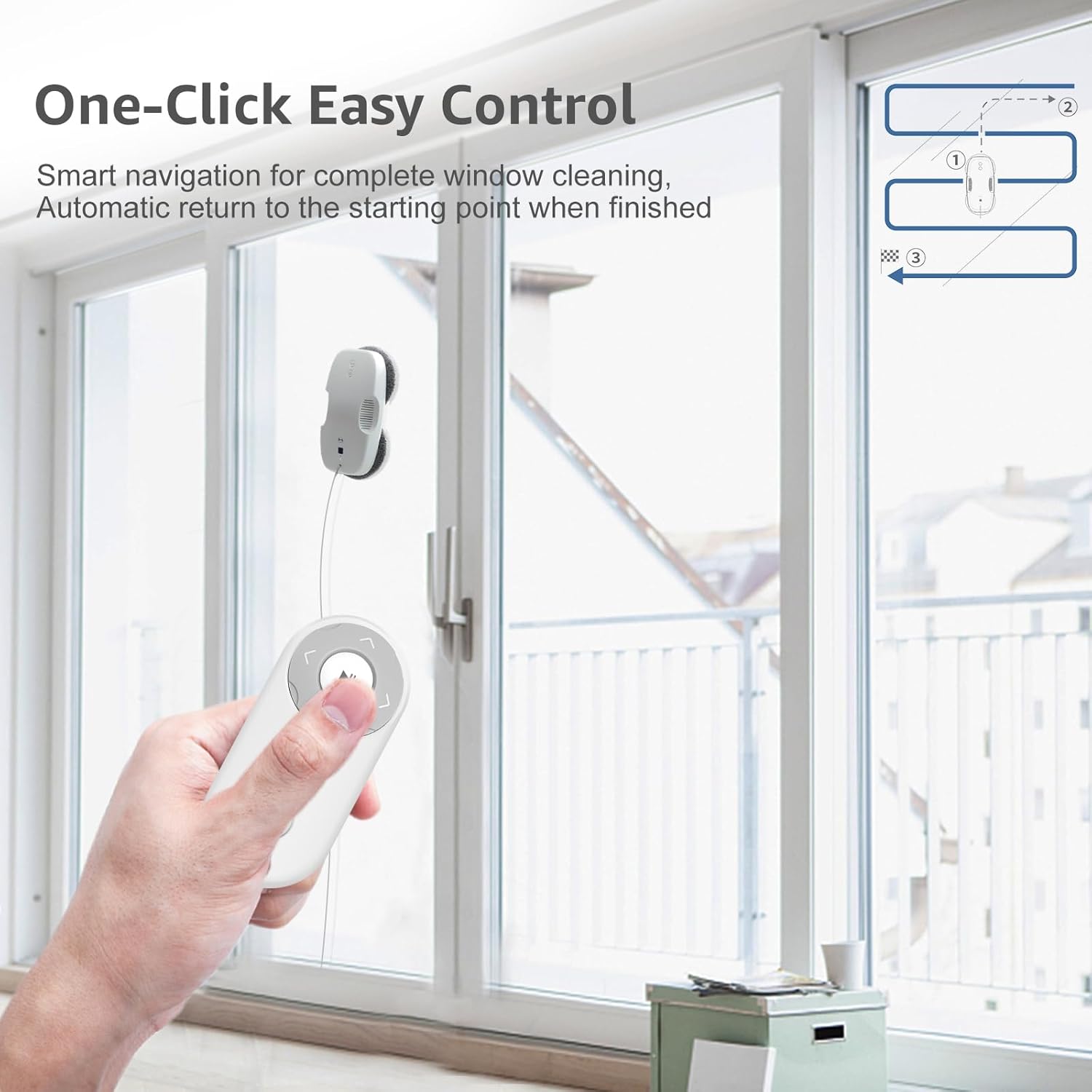
Image: A user operating the HUTT DDC55 robot on a large window using the remote control, illustrating its one-click easy control feature and cleaning path.
Spinning Wipe Technology:
The DDC55 utilizes a unique spinning wipe technology where two microfiber mops rotate continuously, pushing dirt towards a central intake hood for thorough cleaning. This method ensures strong cleanliness compared to traditional square window robots.

Image: A comparison diagram showing the circular motion of the HUTT DDC55's cleaning pads for superior dirt collection versus the linear motion of a square robot.
Adaptive Suction for Dirt Types:
The robot's intelligent system detects the type and amount of dirt, adjusting its suction power accordingly for optimal results. For example, it applies higher suction for oil stains and lower for light dust.

Image: An infographic detailing the automatic suction adjustment feature, showing different suction levels (2600Pa to 3800Pa) applied for various dirt types like rain stains, sand dust, mud spots, insect droppings, wall ash, and oil stains.
Antretyen
Regular maintenance ensures the longevity and optimal performance of your HUTT DDC55.
- Chiffon netwayaj: The microfiber cleaning cloths can be easily removed and washed in a washing machine. Ensure they are clean and damp (not wet) before each use.
- Kò Robo: Wipe the exterior of the robot with a soft, dry cloth. Do not use abrasive cleaners or immerse the device in water.
- Detèktè: Periodically clean the sensors on the robot's underside with a dry, soft cloth to ensure accurate edge detection and navigation.
Depanaj
If you encounter issues with your HUTT DDC55, refer to the following common problems and solutions:
| Pwoblèm | Kòz posib | Solisyon |
|---|---|---|
| Robo a pa limen. | No power connection; power adapter faulty. | Ensure power cord is securely plugged into robot and outlet. Check outlet functionality. |
| Robot slips or does not adhere to surface. | Cleaning cloths too wet; surface too dirty/slippery; suction motor issue. | Wring cloths thoroughly until damp. Clean surface of large debris first. Contact support if issue persists. |
| Robot stops mid-operation. | Power interruption; obstacle detected; low battery (UPS active). | Check power connection. Remove obstacles. Retrieve robot promptly if UPS is active. |
| Pòv pèfòmans netwayaj. | Dirty cloths; insufficient water/cleaning solution; heavily soiled surface. | Replace or wash cloths. Ensure cloths are adequately damp. Pre-clean heavily soiled areas manually. |
Espesifikasyon
Key technical specifications for the HUTT DDC55 Window Cleaner Robot:
- Non modèl: DDC55
- Mak: HUTT
- Koulè: Blan
- Dimansyon pwodwi: 32L x 16W x 13H santimèt
- Kalite kontwolè: Kontwòl Remote
- Pouvwa pou aspirasyon: Up to 3800Pa (Frequency conversion strong suction)
- Motè: Japan NIDEC Motor (Advanced brushless motor with 2700RPM)
- Nivo bri: 65dB (Low noise in daily life)
- Vertical Bearable Weight: 7.0KG
- Kalite filtre: Twal
- Battery Life (UPS): Approximately 30 minutes (for power loss protection)
- Karakteristik espesyal: AI Navigation, Security Protection System, Corded Portable, Cordless (UPS), Corded
- Rekòmandasyon Sifas: Window, Mirror, Shower Screens, Wooden Door, Tiles, and other smooth surfaces.
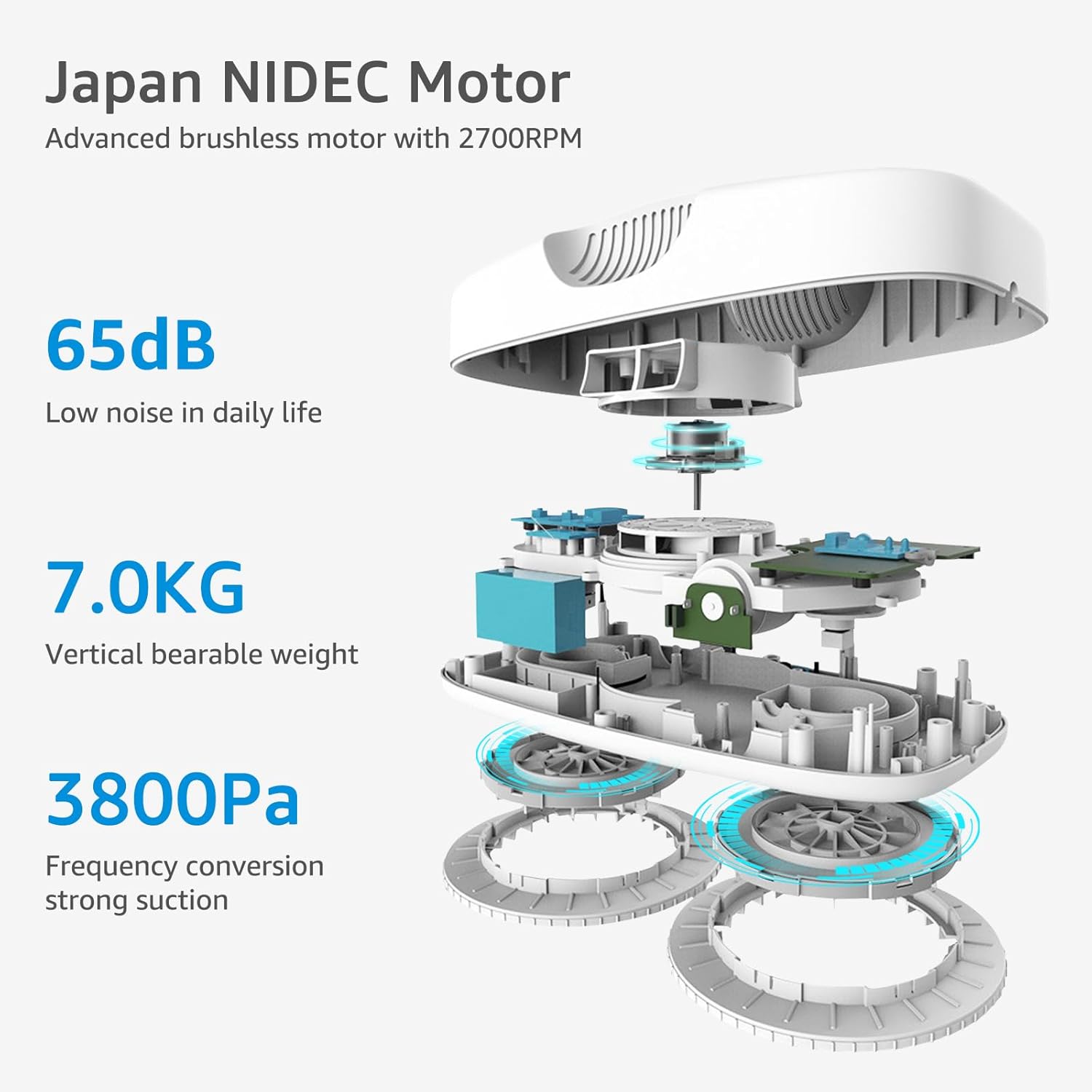
Image: An internal diagram of the HUTT DDC55 highlighting its Japan NIDEC Motor, 65dB low noise level, 7.0KG vertical bearable weight, and 3800Pa suction power.
Garanti ak sipò
For warranty information and technical support, please refer to the warranty card included with your product or visit the official HUTT websit la. Kenbe resi acha ou kòm prèv acha.
Resous sou entènèt: For additional FAQs, video tutorials, and software updates, please visit the manufacturer's official support page.