
JETBeam MINI ONE SE
JETBEAM MINI ONE SE Keychain Flashlight User Manual
Model: MINI ONE SE
Mak: JETBeam
Entwodiksyon
The JETBEAM MINI ONE SE is a compact and versatile keychain flashlight designed for everyday carry. It features a powerful CREE XP-G3 LED for main illumination, along with auxiliary RGB and UV lights for various applications, including fluorescent whitening agent detection. Its durable plastic construction, USB Type-C rechargeable battery, and IPX8 waterproof rating make it a reliable tool for diverse needs.
Karakteristik
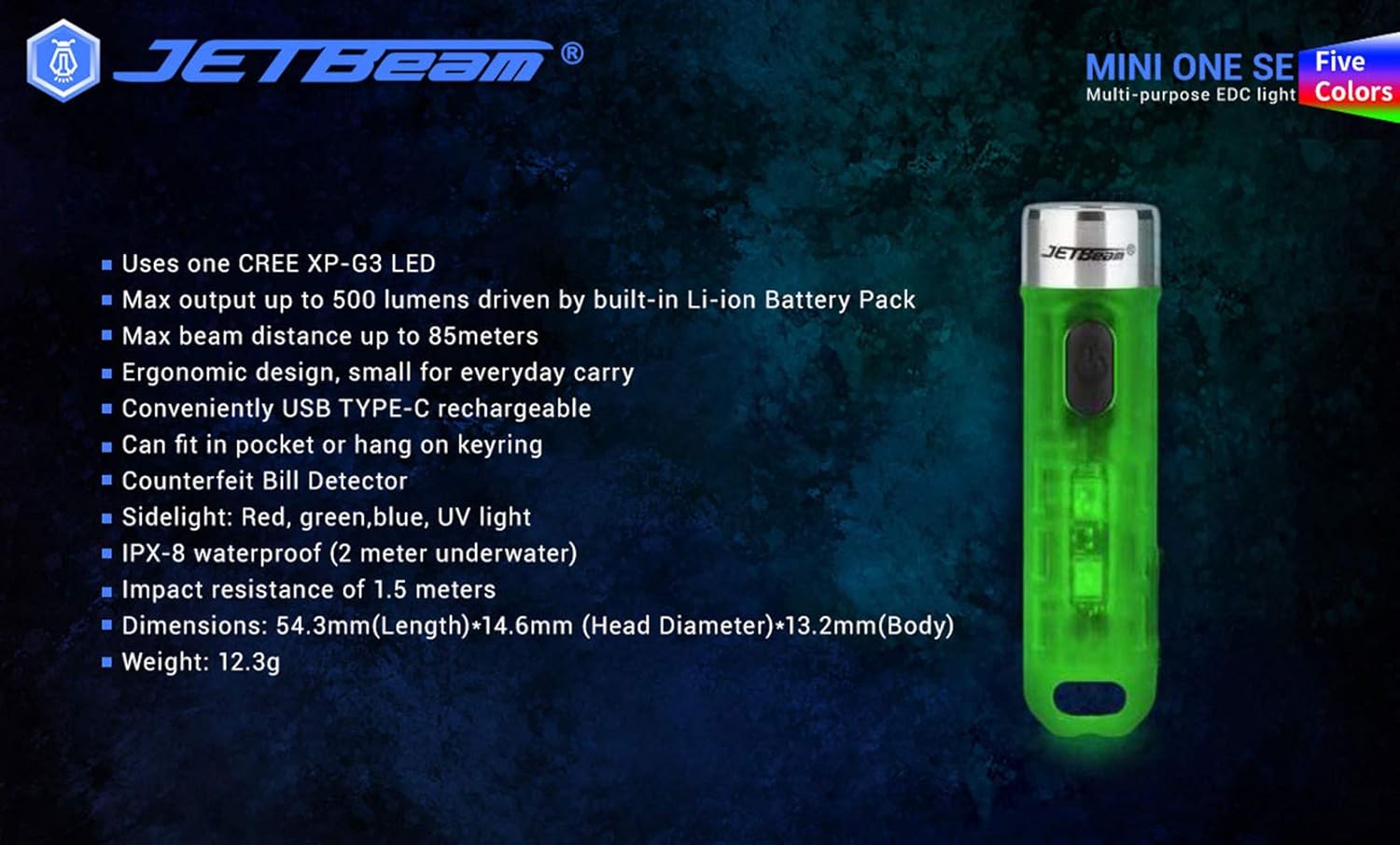
- Utilizes one CREE XP-G3 LED for main light.
- Equipped with auxiliary RGB LED and 365nm UV light for fluorescent whitening agent detection.
- Maximum output of 500 Lumens, powered by a built-in Li-ion battery pack.
- Achieves a maximum beam distance of up to 85 meters.
- Ergonomic design for comfortable everyday carry.
- Conveniently rechargeable via USB Type-C.
- Compact size allows it to fit easily in a pocket or attach to a keyring.
- Constructed from durable plastic material.
- Sidelight functions include Red, Green, Blue, and UV light.
- IPX8 waterproof rating (submersible up to 2 meters underwater).
- Impact resistance of 1.5 meters.
- Features various light modes for diverse applications, including identifying counterfeits.
- Lightweight design, weighing approximately 29g.
- All light modes include a memory function.
Kontni pake
Tanpri verifye sa ki nan pake a lè w ap debale l pou asire w tout bagay yo la:
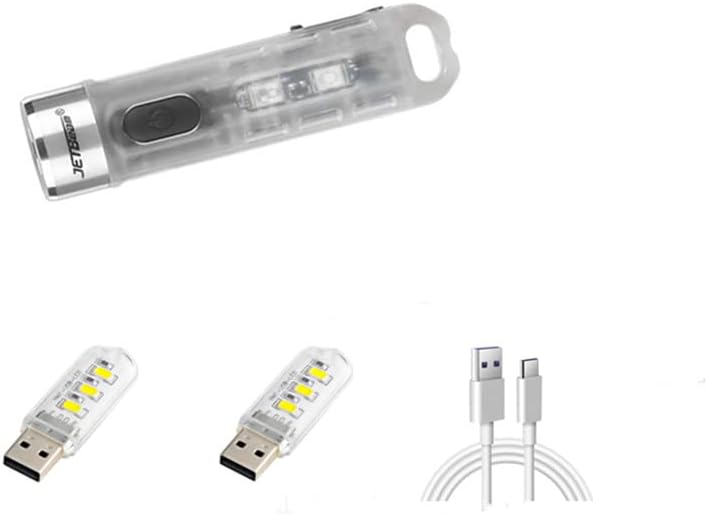
- 1 x JETBEAM MINI ONE SE Flashlight
- 1 x USB Kalite-C Chaje Kab
Enstalasyon
Chaje Aparèy la
The JETBEAM MINI ONE SE features a built-in Li-ion battery and is conveniently USB Type-C rechargeable. Before first use, it is recommended to fully charge the device.
- Locate the USB Type-C charging port on the side of the flashlight.
- Connect the provided Type-C charging cable to the flashlight's port.
- Plug the other end of the USB Type-C charging cable into a compatible USB power source (e.g., computer USB port, wall adapter, power bank).
- The charging indicator light will illuminate to show the charging status. (Specific indicator behavior, e.g., red for charging, green for full, may vary slightly but generally indicates progress).
- Once fully charged, disconnect the charging cable and ensure the port cover (if any) is securely closed to maintain water resistance.

Enstriksyon Operasyon
The JETBEAM MINI ONE SE features a single side switch for all operations. All modes have a memory function, meaning the flashlight will turn on in the last used mode.
Main Light (White Light) Operation
- Aktive / dekole: Kout peze bouton pouvwa a.
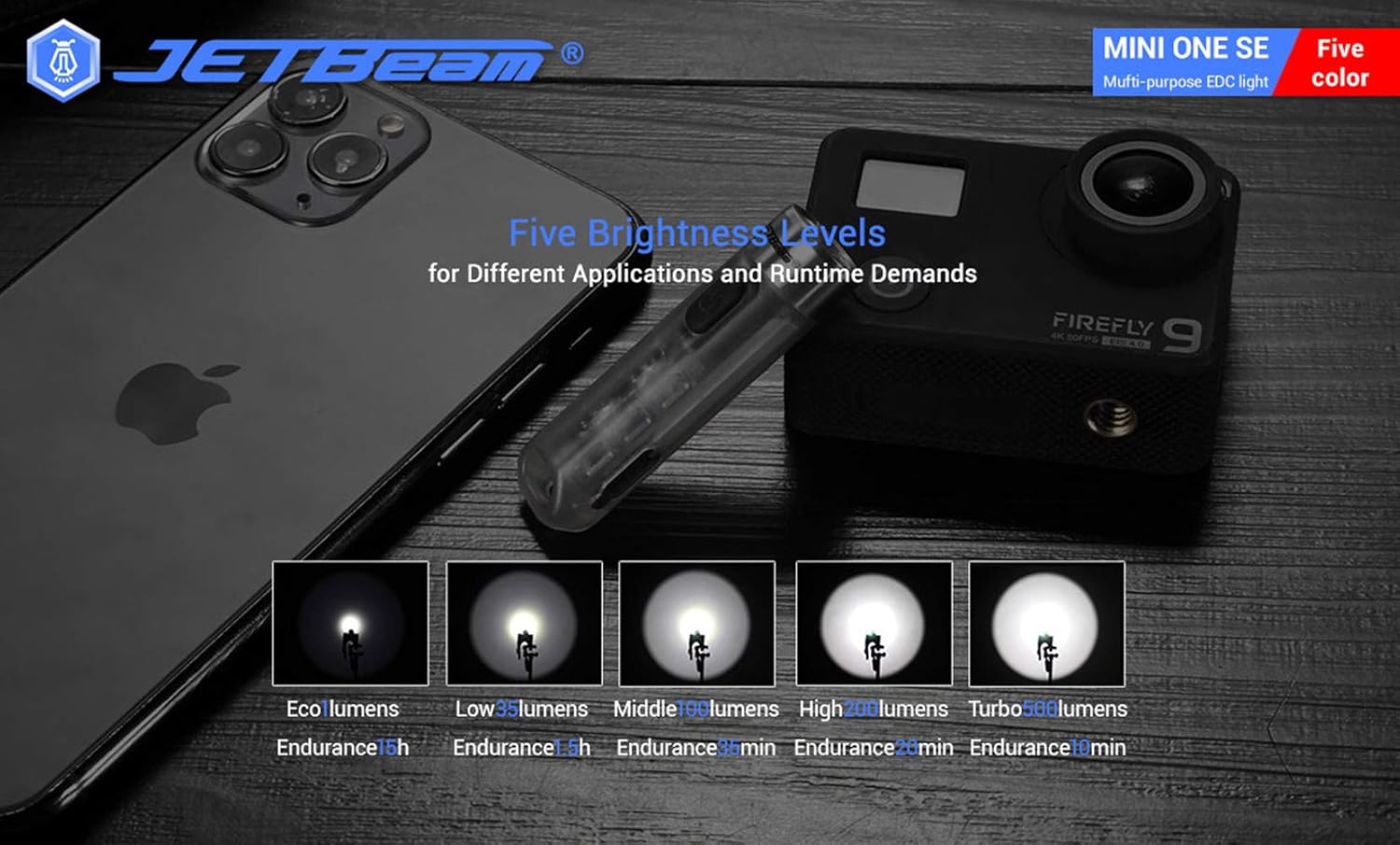
- Chanje klète: When the main light is ON, a long press of the power button will cycle through the brightness modes: Eco → Low → Middle → High. Release the button at your desired brightness.
- Access Turbo Mode (from OFF): When the main light is OFF, press and hold the power button to instantly access Turbo mode. Release the button to turn it off. (Note: Turbo mode automatically shuts down after approximately 30 seconds to prevent overheating).

Operasyon Limyè Kote
- Aktive / dekole: Double press the power button to turn the side lights ON. Press the power button again to turn them OFF.
- Chanje Koulè/Mòd: When the side light is ON, a long press of the power button will cycle through the side light colors and modes: Red → Green → Blue → Red Flash → Flowing Light → Beacon. Release the button at your desired mode.
UV Light Operation
- Aktive / dekole: Triple press the power button to turn the UV light ON. Press the power button again to turn it OFF.

Antretyen
To ensure optimal performance and longevity of your JETBEAM MINI ONE SE, follow these maintenance guidelines:
- Netwayaj: Siye kò flach la ak yon twal mou,amp cloth. Do not use abrasive cleaners or solvents. Keep the lens clean for maximum light output.
- Depo: Store the flashlight in a cool, dry place away from direct sunlight and extreme temperatures. If storing for extended periods, ensure the battery is partially charged (around 50%) to preserve battery health.
- Swen batri: The built-in Li-ion battery does not require removal. Recharge the device regularly, especially if it has not been used for a long time, to prevent deep discharge.
- Rezistans dlo: While the device is IPX8 waterproof, ensure the USB port cover is securely closed before exposing it to water.
Depanaj
If you encounter issues with your JETBEAM MINI ONE SE, please refer to the following common problems and solutions:
- Lanp lan pa limen:
- Ensure the battery is charged. Connect the flashlight to a USB Type-C charger and check the charging indicator.
- Verify that the power button is being pressed correctly (short press for main light, double press for side lights, triple press for UV light).
- Pwodiksyon limyè a fèb:
- Batri a ka fèb. Rechaje flach la.
- The lens might be dirty. Clean the lens gently with a soft cloth.
- Side lights or UV light not working:
- Ensure you are using the correct button press sequence (double press for side lights, triple press for UV light).
- Pwoblèm chaj:
- Check if the USB Type-C cable is properly connected to both the flashlight and the power source.
- Eseye yon pò USB diferan oswa yon adaptè pouvwa.
- Asire w ke pò chaje a pa gen debri.
Si pwoblèm nan pèsiste apre ou fin eseye etap sa yo, tanpri kontakte sèvis kliyan.
Espesifikasyon
| Karakteristik | Spesifikasyon |
|---|---|
| Mak | JETBeam |
| Modèl | MINI ONE SE |
| Sous limyè | 1*CREE XP-G3 LED (Main), RGB LED, 365nm UV LED (Auxiliary) |
| Maksimòm Sòti | 500 Lumen |
| Distans Maksimòm Gwo bout bwa | 85 mèt |
| Sous pouvwa | Built-in Li-ion battery pack |
| Chaje | USB Kalite-C |
| Materyèl | Plastik |
| Rezistans dlo | IPX8 (2 meters underwater) |
| Rezistans enpak | 1.5 mèt |
| Dimensions (L x Head D x Body D) | 54.3mm x 14.6mm x 13.2mm (2.14 x 0.57 x 0.52 pous) |
| Pwa | 29g (1.06 ons) |
| Konpozan ki enkli | Chaje kab |
| UPC | 644925520009 |
| Dat Premye Disponib | 3 desanm 2020 |
Enfòmasyon sou Garanti
Warranty information for the JETBEAM MINI ONE SE is not provided in this manual. Please refer to the product packaging or the manufacturer's official websit la pou plis detay konsènan pwoteksyon ak kondisyon garanti a.
Sipò
For further assistance, technical support, or inquiries regarding your JETBEAM MINI ONE SE, please visit the official JETBeam website or contact their customer service department. Contact details may also be found on the product packaging or purchase receipt.
Ask a question about this manual
Ask about setup, troubleshooting, compatibility, parts, safety, or missing instructions. Manuals+ will review the question and use this page’s manual context to help answer it.