
1. Entwodiksyon
This manual provides detailed instructions for the installation, operation, and maintenance of your Overmax Camspot 3.7 Full HD Wireless Indoor Camera. Please read this manual thoroughly before using the product to ensure proper function and safety. Keep this manual for future reference.
2. Pake kontni
Verifye ke tout konpozan yo prezan nan pake a:
- Overmax Camspot 3.7 Wireless Indoor Camera
- Power Cable with Adapter
- Mounting Kit (screws, wall plugs, bracket)
- Manyèl Itilizatè (dokiman sa a)
3. Pwodwi souview
Familiarize yourself with the camera's components and interfaces.
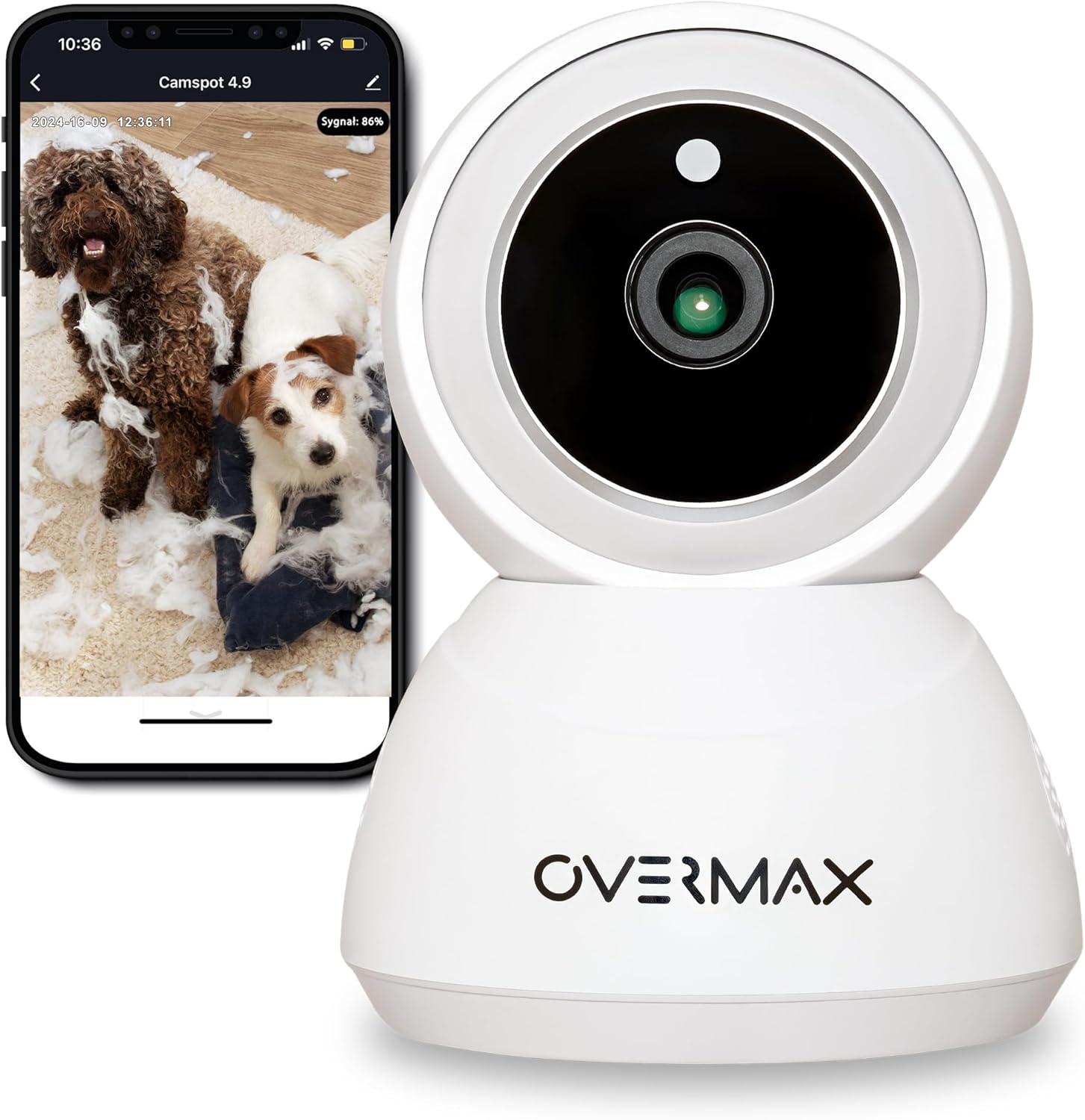
Figi 3.1: Devan view of the Overmax Camspot 3.7 camera with a smartphone showing the live video feed.

Figi 3.2: Side view of the Overmax Camspot 3.7 camera, showing its dome shape and speaker grille.

Figi 3.3: Dèyè view of the camera, highlighting the LAN port, Reset button, and DC 5V power input.

Figi 3.4: View of the camera with the microSD card slot visible, located beneath the lens assembly.
4. Enstalasyon
4.1 Enstalasyon Fizik
The Camspot 3.7 can be placed on a flat surface or mounted to a wall or ceiling.
- Chwazi yon kote: Chwazi yon kote ki bay sa ou vle a viewing angle and is within range of your Wi-Fi network or an Ethernet connection.
- Montaj (si ou vle):
- Attach the mounting bracket to the desired surface using the provided screws and wall plugs.
- Secure the camera to the mounting bracket. Ensure it is firmly attached.

Figure 4.1: The Overmax Camspot 3.7 camera shown mounted on a wall bracket, illustrating a typical installation.
4.2 Enstalasyon Aplikasyon ak Kreyasyon Kont
The Overmax Control app is required to operate the camera.
- Telechaje App a: Chèche pou "Overmax Control" in your smartphone's app store (iOS or Android) and download it.
- Kreye kont: Louvri aplikasyon an epi swiv enstriksyon ki sou ekran an pou kreye yon nouvo kont itilizatè.

Figure 4.2: The Overmax Camspot 3.7 camera alongside a smartphone displaying the 'CONTROL' app logo, indicating the required application for setup and operation.
4.3 Power On and Network Connection
- Pouvwa sou: Connect the power cable to the camera's DC 5V port and plug the adapter into a power outlet. The camera will power on and initiate its startup sequence.
- Rezo Koneksyon:
- Wi-Fi: Follow the in-app instructions to connect the camera to your 2.4GHz Wi-Fi network.
- Ethernet (Si ou vle): Connect an Ethernet cable from your router to the camera's LAN port for a wired connection.
4.4 Koup Kamera a
Once the camera is powered on and the app is installed, proceed with pairing:
- Ajoute Aparèy: In the Overmax Control app, tap the "Add Device" or "+" icon.
- Chwazi Kalite Kamera: Choose the appropriate camera model (Camspot 3.7).
- Fè eskanè kòd QR: The app will prompt you to scan a QR code. Position your smartphone's screen with the QR code approximately 15-20 cm in front of the camera lens. The camera will emit a sound upon successful scanning.
- Ranpli Enstalasyon: Follow any remaining on-screen prompts in the app to finalize the pairing process.

Figure 4.3: The Overmax Camspot 3.7 camera positioned to scan a QR code displayed on a smartphone, a common method for device pairing.
5. Operasyon Enstriksyon
5.1 Viv View
Access the live video feed from your camera through the Overmax Control app. This allows real-time monitoring of the camera's surroundings.
5.2 Pan/Tilt Control
The Camspot 3.7 features motorized pan and tilt capabilities.
- Wotasyon orizontal: 355 degre
- Wotasyon vètikal: 120 degre
Use the directional controls within the Overmax Control app to adjust the camera's viewing ang adistans.

Figure 5.1: Diagram illustrating the camera's extensive pan (355°) and tilt (120°) rotation range.
5.3 Odyo De-fason
The camera is equipped with a microphone and speaker, enabling two-way communication. You can listen to the camera's environment and speak through the camera using the app.
5.4 Deteksyon Mouvman ak Swiv Otomatik
The camera can detect moving objects and automatically track their movement within its field of view. Configure motion detection sensitivity and alerts in the app settings.
5.5 Vizyon lannwit
The Camspot 3.7 features infrared technology for clear viewing in low-light or complete darkness, with a night vision range of up to 10 meters. The camera automatically switches to night mode when ambient light is insufficient.
5.6 Anrejistreman ak Depo
The camera supports two primary storage methods for video recordings:
- Kat MicroSD: Insert a microSD card (up to 128GB, not included) into the designated slot for local storage. This allows for continuous recording for up to 3 weeks.
- Depo nwaj: The camera supports real-time cloud storage for recordings. Refer to the app for subscription details and options.
5.7 Entegrasyon Kay Entelijan
The Camspot 3.7 is compatible with Google Home and Amazon Alexa. Follow the instructions within the respective smart home apps to integrate your camera for voice control and automation.
5.8 Baby Monitor Function
Utilize the camera's features, including two-way audio and night vision, to monitor an infant. The app provides a comprehensive interface for this purpose.

Figure 5.2: The Overmax Camspot 3.7 camera shown with a smartphone displaying the app's control interface, including options for screenshot, speaking, recording, cloud storage, and direction control.
6. Antretyen
- Netwayaj: Sèvi ak yon twal mou epi sèk pou netwaye lantiy kamera a ak kò a. Pa sèvi ak pwodui chimik ki agresif oswa pwodui netwayaj abrazif.
- Mizajou mikrolojisyèl: Regularly check the Overmax Control app for available firmware updates to ensure optimal performance and security.
- Jesyon Depo: Tanzantan review and manage recordings on your microSD card or cloud storage to free up space if needed.
NAN. Depanaj
- Kamera pa konekte ak Wi-Fi:
- Asire w ke rezo Wi-Fi ou a se 2.4GHz. Kamera a pa sipòte rezo 5GHz.
- Tcheke modpas Wi-Fi a pou wè si li kòrèk.
- Deplase kamera a pi pre routeur la.
- Rekòmanse kamera a ak routeur ou a.
- Pa gen Live View:
- Verify internet connection on your smartphone and the camera.
- Check if the camera is powered on and connected to the network.
- Rekòmanse app a.
- Deteksyon mouvman pa travay:
- Asire w ke deteksyon mouvman an aktive nan paramèt aplikasyon an.
- Ajiste anviwònman sansiblite yo.
- Tcheke pou wè si gen obstak nan kamera a view.
- Kat MicroSD a pa anrejistre:
- Asire w ke kat microSD la byen mete.
- Format the microSD card through the app.
- Check if the card is full or corrupted.
- Kamera a pa reponn:
- Press and hold the Reset button (located at the back) for approximately 5-10 seconds to factory reset the camera. You will need to re-pair it after a reset.
8. Espesifikasyon
| Karakteristik | Spesifikasyon |
|---|---|
| Non modèl | Overmax Camspot 3.7 |
| Rezolisyon videyo | Full HD (1080p) |
| Lantiy | 3.6 mm |
| Ankadreman pou chak segonn (FPS) | 25-30 |
| Konpresyon videyo | H.264 |
| Wotasyon orizontal | 355° |
| Wotasyon vètikal | 120° |
| Vizyon lannwit Range | Jiska 10 mèt (enfrawouj) |
| Sipò Kat MicroSD | Jiska 128 GB |
| Koneksyon | Wi-Fi (2.4GHz), Ethernet |
| Sistèm sipòte | Windows XP/7/8/10, Android, iOS, Mac |
| De-fason odyo | Yes (Microphone, 1W Speaker) |
| Deteksyon Mouvman | Yes (Automatic Detector) |
| Pwovizyon pou pouvwa | 12 Volts, 1 Watt |
| Dimansyon (L x W x H) | 8.5 x 8.2 x 10.5 cm |
| Pwa | 180 gram |
| Materyèl | Metal |
| Koulè | Blan |
9. Garanti ak sipò
Overmax products are covered by a manufacturer's warranty. For specific warranty terms and conditions, please refer to the warranty card included in your package or visit the official Overmax websit.
For technical support, troubleshooting assistance, or any product-related inquiries, please contact Overmax customer service through the contact information provided on the official website or within the Overmax Control application.