
Entwodiksyon
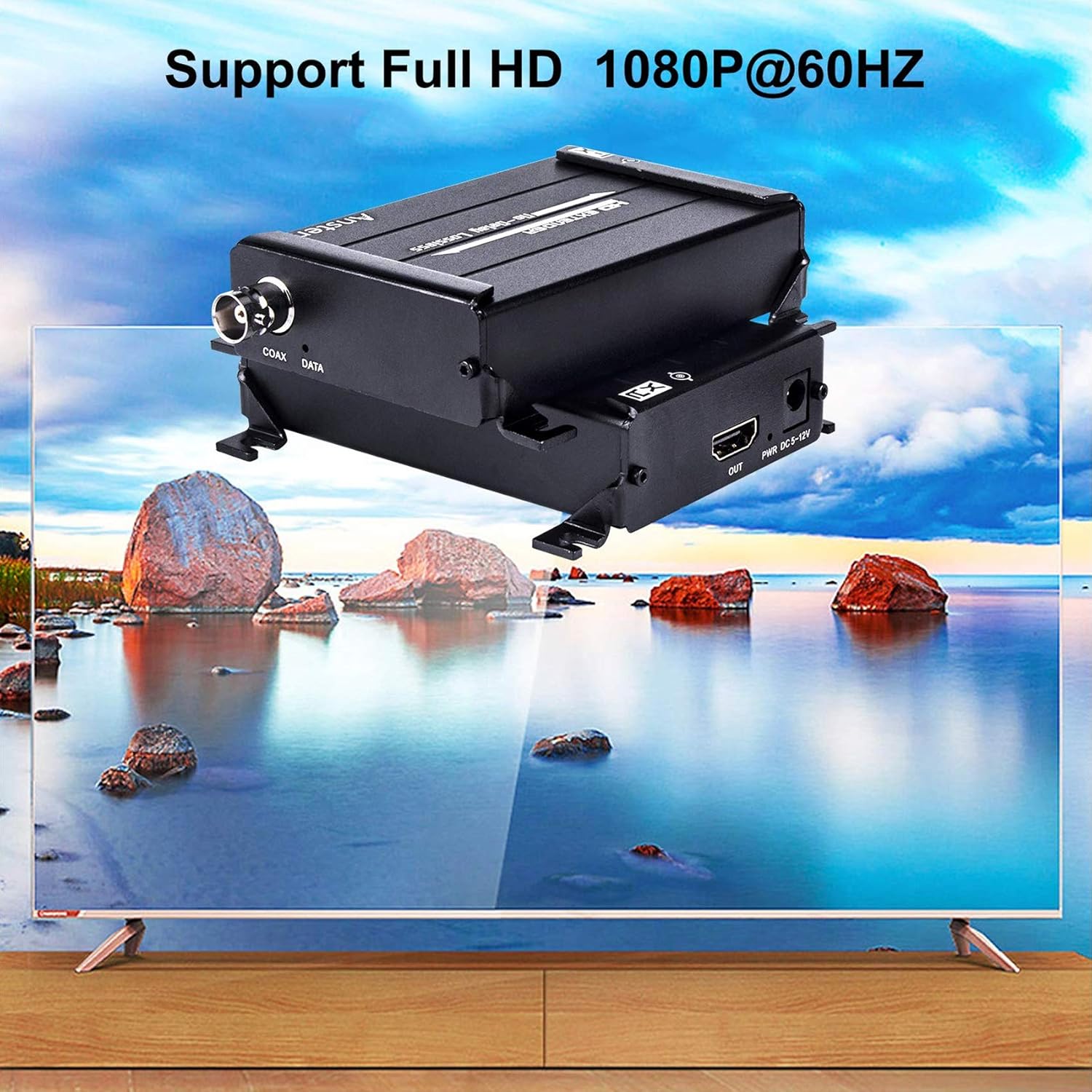
The ANSTEN HDMI Over Coax Extender MS379-B is designed to transmit 1080p Full HD HDMI signals over long distances using a single coaxial cable. This system provides a reliable solution for extending HDMI signals in various environments without signal loss or delay, making it ideal for home theaters, security systems, and professional installations.
1. Pake kontni
- HDMI Transmitter (TX) x1
- HDMI Receiver (RX) x1
- Adaptè pouvwa x2
- Manyèl itilizatè x1

Tanpri asire w ke tout atik yo prezan epi yo an bon kondisyon lè w ap debalaje.
2. Karakteristik kle
- Zero-Latency 1080P HD Transmission: Supports lossless 1080p@60Hz Full HD HDMI signals up to 984ft (300m) via RG59/RG-6U Coax cable.
- Wide Resolution Support: Compatible with 1080p@60Hz, 1080p@50Hz, 1080p@30Hz, 1080p@25Hz, 720p@60Hz, 720p@50Hz, and 480p@60Hz. Note: Interlaced signals (1080i/720i) are not supported.
- Robust Thermal Management: Features an aluminum alloy housing with 360° heat dissipation fins for optimal cooling and durability, ensuring long-lasting performance.
- Aplikasyon versatile: Suitable for DVR systems, home theaters, bars, classrooms, meeting rooms, TV projects, lecture halls, and security systems.
- Enstalasyon fasil: Compact design for simple setup and portability.
3. Enstriksyon Enstalasyon
Follow these steps to set up your ANSTEN HDMI Over Coax Extender:
3.1 Konekte Transmetè a (TX)
- Connect your HDMI source device (e.g., PC, Notebook, Apple TV, PS4, Tablet PC) to the HDMI-AN port of the Transmitter (TX) unit using an HDMI cable.
- Connect one of the provided power adapters to the DC 5-12V port on the Transmitter (TX) unit and plug it into a power outlet.
- Connect one end of a coaxial cable (RG59/RG6u recommended) to the COAX DATA pò sou inite Transmetè (TX) la.
3.2 Konekte Reseptè a (RX)
- Connect the other end of the coaxial cable from the Transmitter (TX) to the COAX DATA port on the Receiver (RX) unit.
- Connect your display device (e.g., Projector, Display, TV) to the HDMI SOTI port of the Receiver (RX) unit using an HDMI cable.
- Connect the second power adapter to the DC 5-12V port on the Receiver (RX) unit and plug it into a power outlet.
Official product video demonstrating the features and connectivity of the ANSTEN HDMI Over Coax Extender.
4. Operasyon Enstriksyon
Once all connections are securely made and both the Transmitter and Receiver units are powered on, the ANSTEN HDMI Over Coax Extender will automatically establish a connection and transmit the HDMI signal. No additional configuration is typically required.
- Ensure your input source provides a progressive signal (e.g., 1080p, 720p, 480p). Interlaced signals (1080i/720i) are not supported and will not display correctly.
- The system is designed for plug-and-play operation. If a signal is not immediately detected, verify all cable connections and power supplies.

NAN. Depanaj
If you encounter issues, please refer to the following troubleshooting steps:
5.1 No Signal or "Check TX's input signal" message
- Verify HDMI Cable: Disconnect and reconnect the HDMI cable from the source to the Transmitter (TX). Try using a different HDMI cable to rule out cable failure.
- Check HDMI Source: Ensure your HDMI source device is powered on and outputting a signal.
- Kalite Siyal Antre: Confirm that the HDMI source is outputting a progressive signal (1080p, 720p, 480p). This extender does not support interlaced signals (1080i/720i). If your source outputs interlaced signals, an upscaler may be required before connecting to the extender.
5.2 "Searching TX" message or no signal on Receiver (RX)
- Pwovizyon pou pouvwa: Check if both power adapters are correctly connected to the Transmitter (TX) and Receiver (RX) units and that their power indicator lights are on.
- Koneksyon kab koaksyal: Ensure the coaxial cable is securely connected to both the TX and RX units' COAX DATA ports. Try re-plugging the cable.
- Coaxial Cable Integrity: Test with a different coaxial cable if possible, especially for long runs, to rule out cable damage or poor quality.
- Kalite entèfas: Confirm you are using a BNC interface coaxial cable, not an RF interface.
- Limyè siyal: Observe the signal lights on both TX and RX units. If they are flashing quickly, it indicates a proper connection.
- Receiver HDMI Cable/Monitor: Try a different HDMI cable from the Receiver (RX) to the display, or test with another HDMI monitor/TV to isolate the issue.
6. Espesifikasyon

| Karakteristik | Detay |
|---|---|
| Mak | ANSTEN |
| Non modèl | MS379-B |
| Kalite Connector | HDMI |
| Kalite kab | HDMI, Coaxial (RG59/RG6u) |
| Aparèy konpatib | Projector, Television, DVR, PC, Notebook, Apple TV, PS4, Tablet PC |
| Karakteristik espesyal | No Delay, Lossless Signal |
| Konektè Sèks | Gason-Fi |
| Frekans | 60 Hz |
| Maksimòm Voltage | 12 Vòlt (DC) |
| Koneksyon Teknoloji | HDMI |
| Itilizasyon Rekòmande | Extending HDMI signals in residential, commercial, and industrial environments |
| Itilizasyon Andedan kay la / Deyò | Andedan kay la, deyò |
| Koulè | Nwa |
| Materyèl Eksteryè | Aliminyòm |
| Pwa atik | 15 ons |
7. Garanti ak sipò
ANSTEN products are designed for reliability. This product may include a lifetime warranty; please refer to your purchase documentation or contact ANSTEN customer support for specific warranty details.
For additional support and video user guides, please visit the official ANSTEN website or their YouTube channel for comprehensive resources.
For technical assistance, please contact ANSTEN customer support directly through the contact information provided with your product or on the official ANSTEN websit.