
1. Entwodiksyon
This manual provides detailed instructions for the installation, operation, and maintenance of your VOLIBeL A32B Bluetooth Smart Door Lock. Please read this manual thoroughly before installation and use to ensure proper function and safety. This smart lock offers multiple access methods for enhanced security and convenience.
2. Enfòmasyon sou Sekirite
- The VOLIBeL A32B lock is designed for interior doors only. It is not suitable for outdoor use and is not waterproof. Exposure to outdoor elements or water can damage the device and void the warranty.
- Ensure all components are handled carefully during installation to prevent damage.
- Use only the specified AA batteries (4x, not included). Do not mix old and new batteries or different types of batteries.
- Keep mechanical keys in a safe, accessible location outside the secured area.
3. Pake kontni
Verifye ke tout atik ki nan lis anba a yo prezan nan pakè ou a:
- 1x VOLIBeL A32B Smart Door Lock (complete set)
- 2x kle mekanik
- 2x RFID Key Fobs (Tags)
- 1x Manyèl Itilizatè (dokiman sa a)
Note: 4x AA batteries are not included and must be purchased separately.
4. Enstalasyon ak Enstalasyon
The VOLIBeL A32B smart lock is designed for easy installation on standard single latch doors. Detailed installation instructions are provided in the included manual. Please follow them carefully.
4.1 Konpatibilite Pòt
- Epesè Pòt: 1.38 inches to 2.17 inches (35 mm - 55 mm)
- Adjustable Backset: 2-3/8 inches or 2-3/4 inches
- The lock fits standard door holes, eliminating the need for extra drilling.

Figi 4.1: Door dimensions and measurements for proper installation of the VOLIBeL A32B smart lock.
4.2 Manch Reversibilite
The lever handle is reversible, making it suitable for both left-handed and right-handed doors. Adjust the handle direction during installation as required for your door.
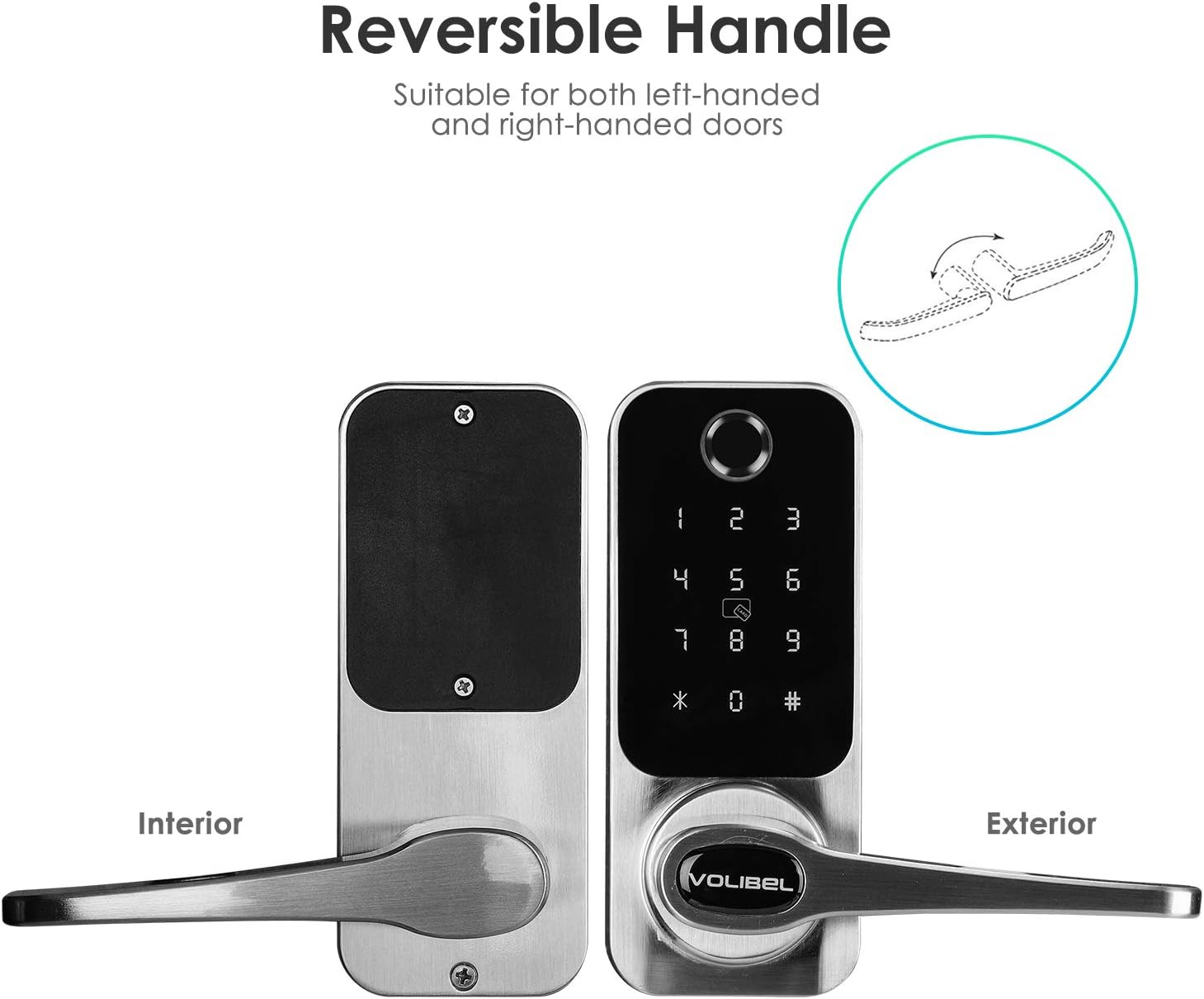
Figi 4.2: Illustration of the reversible handle mechanism, allowing adaptation for left or right-handed door configurations.
4.3 Enstalasyon batri
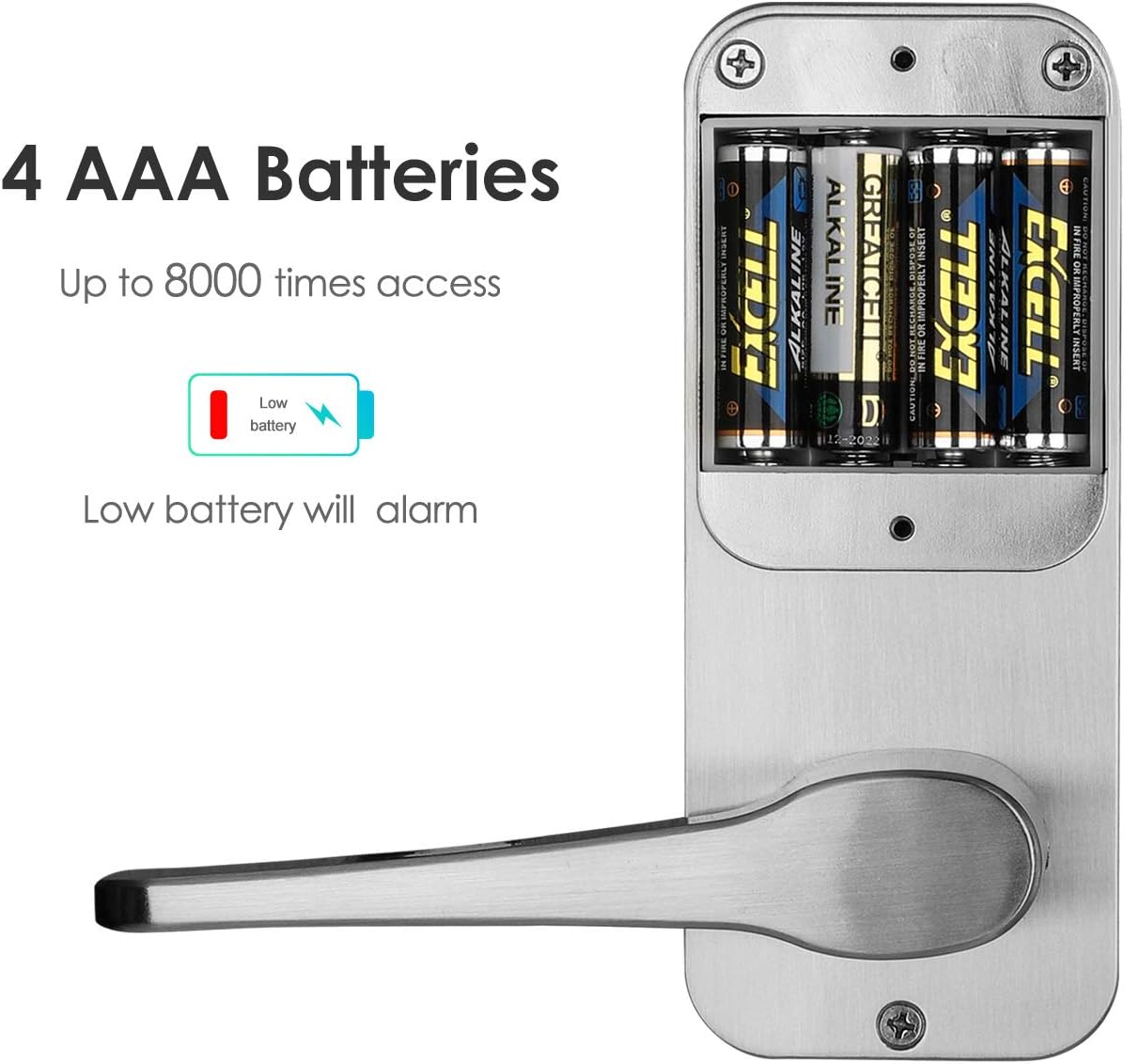
The lock requires 4x AA batteries (not included). Install them into the battery compartment located on the interior side of the lock. Ensure correct polarity.

Figi 4.3: View of the battery compartment, indicating where to insert the 4x AA batteries.
4.4 RFID Key Fob Programming
The included RFID key fobs must be programmed to the lock by the user. Refer to the programming manual for specific steps on how to add and manage RFID cards.
5. Operasyon Enstriksyon
The VOLIBeL A32B smart lock offers 5-in-1 unlocking methods for flexible access control.
5.1 Metòd pou debloke
- Kontwòl aplikasyon: Use the "TinyLock" application on your smartphone to unlock the door remotely via Bluetooth.
- Anprent: Register your fingerprints for quick and secure access. The fingerprint sensor is located on the exterior unit.
- Kat RFID/Tag: Present a programmed RFID key fob to the sensor on the exterior unit to unlock.
- Kòd: Enter a valid numerical code on the backlight digital touchscreen keypad.
- Kle mekanik: In case of emergency or battery depletion, use the physical mechanical key to unlock the door via the hidden keyhole.
Figi 5.1: The exterior unit of the smart lock with its digital touchscreen keypad and fingerprint sensor.
5.2 Jesyon itilizatè
The lock supports one administrator and up to 100 guest users for each unlocking method (Fingerprint, RFID Card, Code). Refer to the programming manual for instructions on adding and deleting users.
5.3 Code Protection
- Garbled Code Input: You can enter random digits before or after your true code to prevent others from guessing your code. For example, if your code is 123456, you can enter 987123456098.
- Lockout tanporè: The keypad will temporarily lock for 1 minute after 10 consecutive incorrect code inputs to prevent unauthorized access attempts.
6. Antretyen
- Netwayaj: Wipe the lock's surface with a soft, dry cloth. Avoid using abrasive cleaners or solvents, which can damage the finish or electronic components.
- Ranplasman batri: The lock will provide a low battery alarm when power is running low. Replace all four AA batteries promptly to ensure continuous operation. Batteries can last approximately 10 to 15 months under normal use.
- Tèks regilye: Periodically check that all screws are tight and the lock operates smoothly.
NAN. Depanaj
- Kadna a pa reponn: Check battery levels. If the batteries are depleted, use the mechanical key for access and replace the batteries immediately.
- Klavye fèmen: If the keypad is unresponsive, it may be in a temporary lockout state due to multiple incorrect code entries. Wait for 1 minute for it to reset.
- Fingerprint/RFID Not Recognized: Ensure your finger is clean and dry, or the RFID card is correctly presented. Re-register if issues persist.
- Pwoblèm koneksyon aplikasyon an: Asire w ke Bluetooth aktive sou telefòn ou epi ou nan zòn kadna a. Rekòmanse aplikasyon an oswa telefòn ou si sa nesesè.
- Pwoblèm enstalasyon: If you encounter difficulties during installation, refer to the detailed installation instructions provided in the package or contact customer support.
8. Espesifikasyon
| Modèl | A32B |
| Mak | VOLIBeL |
| Debloke Metòd | App (TinyLock), Fingerprint, RFID Card, Code, Mechanical Key |
| Materyèl | Aluminum alloy shell, Tempered glass panel |
| Koulè | Gri |
| Pwovizyon pou pouvwa | 4x AA pil (pa enkli) |
| Lavi batri | 10-15 months (normal use) |
| Alam batri ki ba | Wi |
| Kapasite itilizatè | 1 Admin, 100 Guests (Fingerprint, RFID, Code) |
| Epesè Pòt | 35 milimèt - 55 milimèt (1.38" - 2.17") |
| Backset | Adjustable 2-3/8" or 2-3/4" |
| Metòd kontwòl | Manyen |
| ASIN | B08KZTYXZW |
| UPC | 733810070498 |
9. Sipò
For any questions regarding installation, programming, or operation of your VOLIBeL A32B Smart Door Lock, please refer to the detailed programming manual included in your package. If you require further assistance, do not hesitate to contact VOLIBeL customer support.