
1. Entwodiksyon
This manual provides instructions for the EBTOOLS Ultra Slim Bluetooth Keyboard with Touchpad. This device is designed for portability and compatibility with various operating systems, enhancing productivity across multiple devices.
2. Pwodwi souview
2.1 Kontni pake a
- EBTOOLS Ultra Slim Bluetooth Keyboard with Touchpad
- USB Chaje Kab
- Manyèl Itilizatè (dokiman sa a)
2.2 Karakteristik kle
- Ultra mens konsepsyon: Measures 6.2mm (0.24 inches) thick for enhanced portability.
- Touchpad entegre: Provides mouse functionality for navigation.
- Lajè konpatibilite: Supports Android, iOS, and Windows operating systems.
- Long lavi batri: Built-in 280mAh rechargeable Li-polymer battery offers up to 90 hours of continuous working time on a full charge.
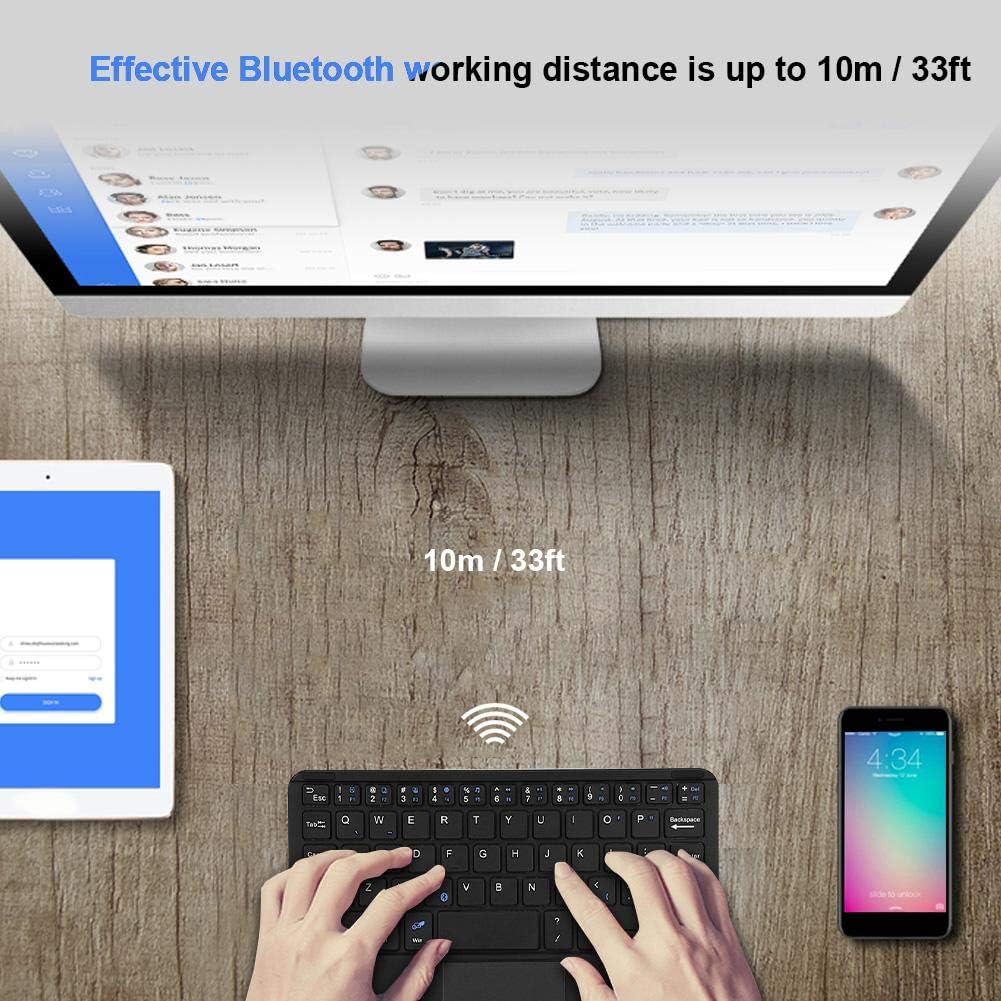
- Range efikas: Operates wirelessly up to 10 meters (33 feet) via Bluetooth 3.0.
- "X" Scissor Switch Mechanism: Designed for quiet and comfortable typing with responsive keys.
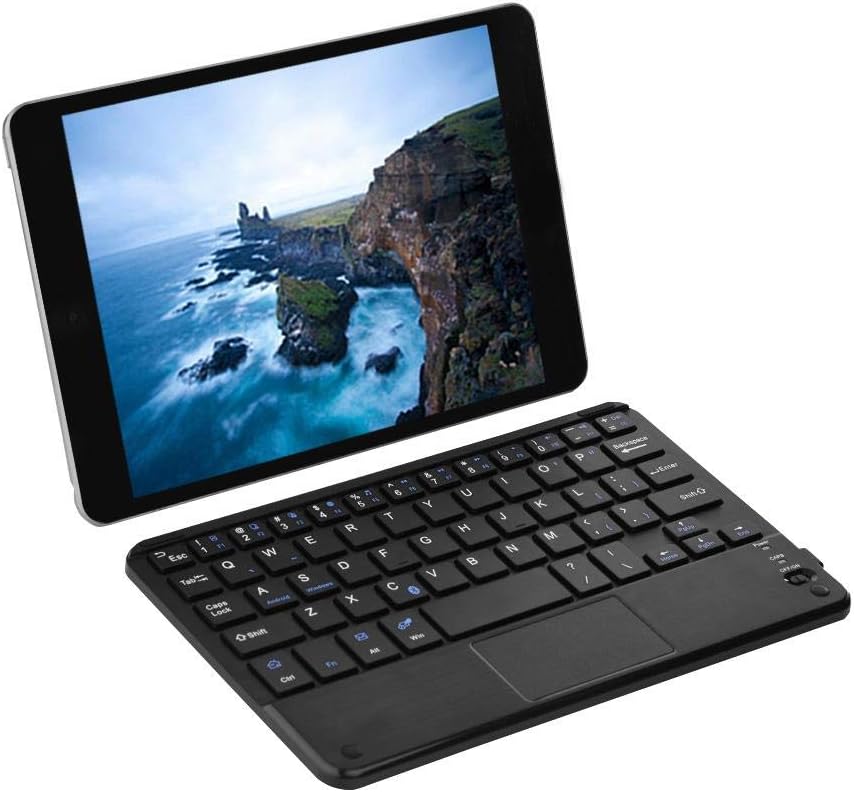
Figure 1: EBTOOLS Ultra Slim Bluetooth Keyboard paired with a tablet.
Figi 2: Anwo-anba view of the EBTOOLS Bluetooth keyboard, highlighting the layout and integrated touchpad.

Figi 3: Side view of the EBTOOLS Bluetooth keyboard showing its ultra-thin 6.2mm profile.
3. Enstalasyon
3.1 Chaje klavye a
- Jwenn pò chaje mikwo USB a sou klavye a.
- Connect the provided USB charging cable to the keyboard and a USB power source (e.g., computer USB port, USB wall adapter).
- The charging indicator light will illuminate. Once fully charged, the light will typically change color or turn off.
- Yon chaj konplè bay apeprè 90 èdtan itilizasyon kontinyèl.
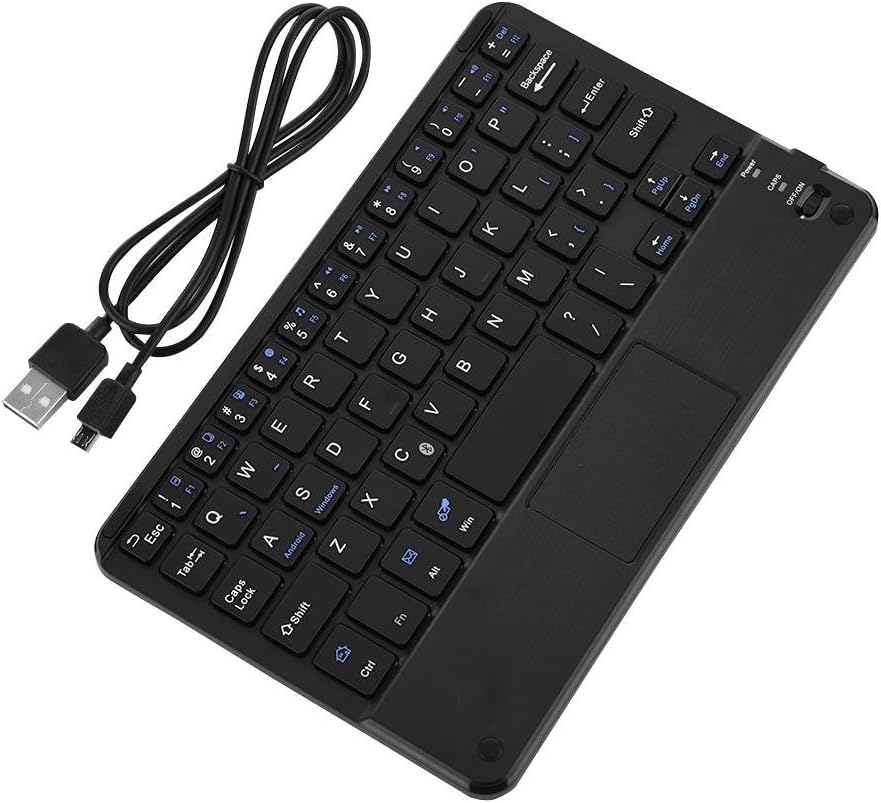
Figure 4: Keyboard battery and charging indication.
3.2 Bluetooth Pairing
Follow these steps to pair your EBTOOLS Bluetooth Keyboard with your device:
- Pouvwa sou: Slide the power switch on the keyboard to the 'ON' position. The power indicator light will turn on briefly.
- Antre nan Mode Pè: Peze a Fn + C keys simultaneously. The Bluetooth indicator light will start blinking, indicating the keyboard is in pairing mode.
- Aktive Bluetooth sou aparèy ou an: On your PC, tablet, or smartphone, go to the Bluetooth settings and ensure Bluetooth is enabled.
- Chèche pou Aparèy: Your device will scan for available Bluetooth devices. Look for 'Bluetooth Keyboard' or a similar name in the list.
- Konekte: Select the keyboard from the list. Your device may prompt you to enter a pairing code displayed on your screen. Type this code on the EBTOOLS keyboard and press Antre.
- Konfimasyon: Once successfully paired, the Bluetooth indicator light on the keyboard will stop blinking and turn off, and your device will show the keyboard as connected.

Figure 5: Keyboard in use, demonstrating effective Bluetooth range.
4. Operasyon Enstriksyon
4.1 Tape debaz
The keyboard functions like a standard QWERTY keyboard. Simply type as you would on any other keyboard.
4.2 Itilizasyon Touchpad la
The integrated touchpad allows for cursor control. Use standard gestures for navigation:
- Tape yon sèl dwèt: Klike sou bò gòch.
- Tape ak de dwèt: Right-click (functionality may vary by operating system).
- Defile ak de dwèt: Scroll moute oswa desann.
4.3 Fonksyon kle
The keyboard includes function keys (F1-F12) and multimedia keys. To activate the secondary functions printed in blue on the keys, press and hold the Fn key, then press the desired function key.
4.4 Chanjman Sistèm
The keyboard supports multiple operating systems. To optimize key functions for your specific OS, use the following combinations:
- Fn + Android: Pou aparèy Android yo.
- Fn + Windows: Pou aparèy Windows yo.
- Fn + iOS: For iOS devices (iPad, iPhone).

Figi 6: Konpatibilite ak plizyè sistèm operasyon ak aparèy.
5. Espesifikasyon
| Karakteristik | Spesifikasyon |
|---|---|
| Nimewo Modèl | EBTOOLSrua15pxtdg |
| Koneksyon Teknoloji | Bluetooth 3.0 |
| Distans fonksyònman | Jiska 10 mèt (33 pye) |
| Kalite batri | Li-polymère rechargeable |
| Kapasite batri | 280mAh |
| Tan travay kontinyèl | Apeprè 90 èdtan |
| Sistèm konpatib yo | Android, iOS, Windows |
| Dimansyon pwodwi | 7.87 x 4.96 x 0.24 pous (20 x 12.6 x 0.62 cm) |
| Pwa atik | 6.6 ons (187 gram) |
| Materyèl | Plastik |
NAN. Depanaj
6.1 Klavye a pa konekte
- Tcheke pouvwa: Asire w klavye a limen epi li gen ase batri.
- Antre nan Mòd Koneksyon an ankò: Turn off the keyboard, then turn it on and press Fn + C pou re-antre nan mòd appariement.
- Aparèy Bluetooth: Verify that Bluetooth is enabled on your device and it is discoverable.
- Bliye Aparèy: If previously paired, try 'forgetting' or 'unpairing' the keyboard from your device's Bluetooth settings and then re-pair.
- Distans: Ensure the keyboard is within the 10-meter operating range of your device.
6.2 Kle yo pa reponn
- Nivo batri: The battery might be low. Charge the keyboard fully.
- Rekoneksyon: Dekonekte epi rekonekte koneksyon Bluetooth la.
- Mòd sistèm: Ensure the correct system mode (Android, Windows, iOS) is selected using Fn + OS key.
6.3 Touchpad la pa fonksyone
- Sistèm konpatibilite: Touchpad functionality can sometimes be limited or behave differently on certain operating systems or applications.
- Rdemare: Try restarting both the keyboard and the connected device.
7. Antretyen
- Netwayaj: Sèvi ak yon twal mou epi sèk pou netwaye sifas klavye a. Pou pousyè tè ki difisil pou retire, siye yon ti kras.ampRense twal la avèk dlo oswa yon solisyon netwayaj dou. Evite twòp imidite.
- Depo: Sere klavye a nan yon kote ki fre epi sèk, lwen limyè solèy dirèk ak tanperati ekstrèm.
- Evite likid: Pa ekspoze klavye a nan kontak ak likid, paske sa ka domaje li.
- Manyen ak Swen: Evite lage klavye a oswa soumèt li a gwo chòk.
8. Garanti ak sipò
EBTOOLS products are designed for reliability and performance. For any questions, technical support, or warranty inquiries, please refer to the contact information provided with your purchase or visit the official EBTOOLS websit la. Tanpri konsève prèv acha ou a pou reklamasyon garanti.