
MIDOLA B01
MIDOLA B01 Kids Bluetooth Wireless Headphones Instruction Manual
Modèl: B01
Pwodwi souview
The MIDOLA B01 Kids Bluetooth Wireless Headphones are designed to provide a safe and enjoyable audio experience for children. These over-ear headphones feature a 3-stage volume limit to protect young ears, long battery life, and versatile connectivity options including Bluetooth 5.4 and wired AUX. Their foldable design makes them convenient for travel and storage.
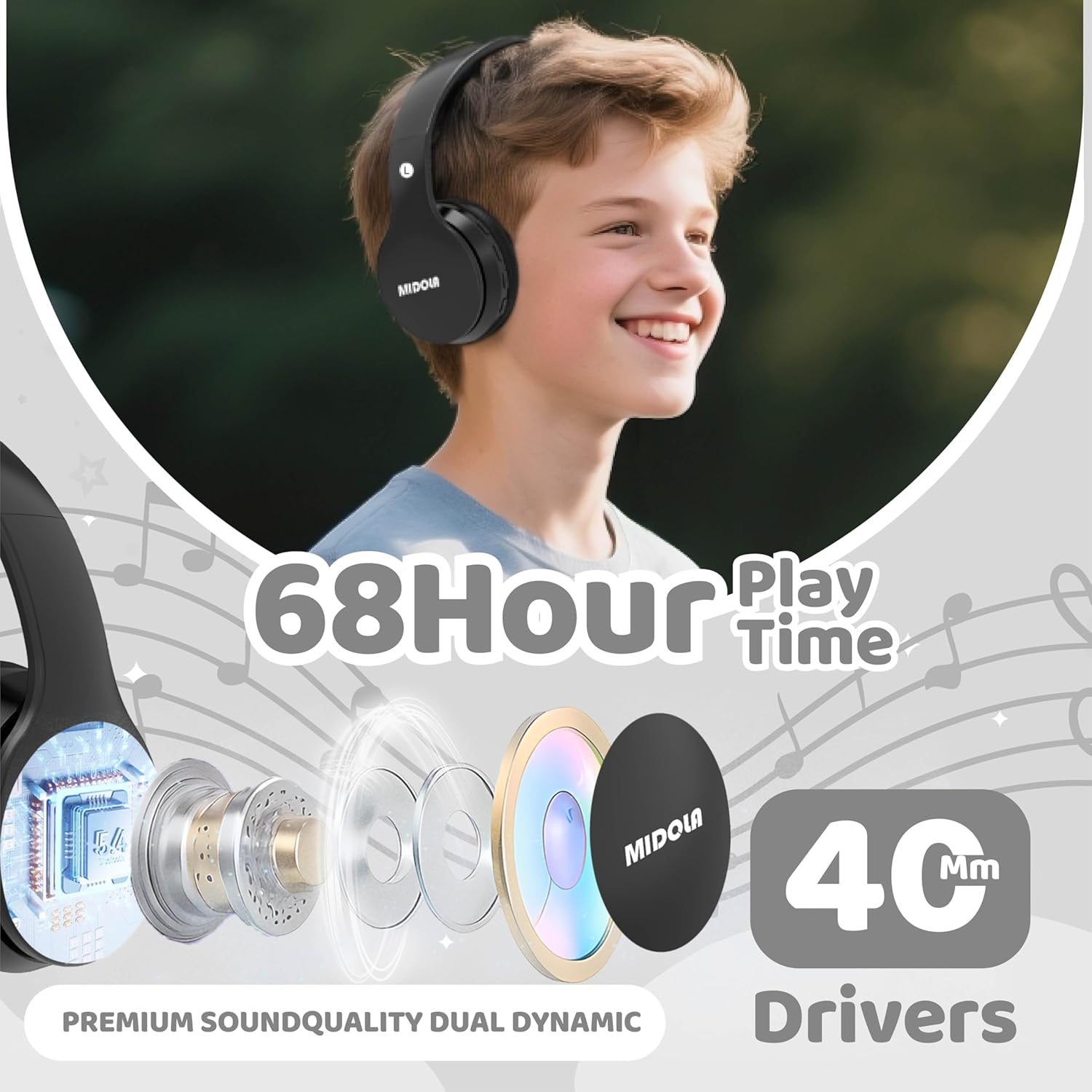
Image: MIDOLA B01 Kids Bluetooth Wireless Headphones highlighting key features like 68-hour playtime and 40mm dynamic drivers for premium sound quality.
Ki sa ki nan bwat la
- MIDOLA B01 Kids Bluetooth Wireless Headphones
- 3.5 mm Aux cord
- Kalite-C chaje kab
- Manyèl itilizatè
- Cartoon free combination stickers
Karakteristik kle
- 3-Stage Volume Limit Protection: Adjustable to 74dB (WHO infant recommendation), 85dB (school-age), and 94dB (parental supervision required) for hearing safety.
- Koneksyon Bluetooth 5.4: Ensures stable wireless connection with built-in microphone for hands-free calling.
- 68 èdtan jwe: Batri dire pi lontan pou sesyon koute mizik ki long.
- Wired/Wireless Modes: Can be used wirelessly via Bluetooth or wired with the detachable 3.5mm AUX cord.
- Comfortable and Collapsible Design: Adjustable headband and soft ear cushions for a comfortable fit, suitable for kids and adults. Foldable for easy portability.
- Kalite-C vit chaje: Chaje rapid ak pratik.
- Gwo konpatibilite: Connects with iPhones, iPads, Android cellphones, PCs, tablets, and game consoles.

Image: MIDOLA B01 Kids Bluetooth Wireless Headphones illustrating the safe volume modes and various connectivity features.
Enstalasyon
- Chaje kas ekoutè yo:
Connect the provided Type-C charging cable to the charging port on the headphone (DC-5V port). Plug the other end into a USB power source. The LED indicator will light up during charging and turn off when fully charged. A full charge takes approximately 3 hours and provides up to 68 hours of playtime.
Video: Official MIDOLA video demonstrating the charging process and features of the Kids Bluetooth Wireless Headphones.
- Limen/Etenyen:
Locate the ON/OFF switch on the headphone. Slide the switch to the "ON" position to power on. The LED indicator will illuminate. Slide to "OFF" to power off.
- Bluetooth mak:
With the headphones powered on, enable Bluetooth on your device (e.g., tablet, phone). Chèche pou "MIDOLA-B01" in the list of available devices and select it to pair. The LED indicator will show a steady blue light once connected.
Video: Talia Smith demonstrating how to connect the MIDOLA Kids Headphones via Bluetooth to a tablet.
- Koneksyon filaire (opsyonèl):
Insert the 3.5mm AUX cord into the AUX port on the headphone and the other end into your audio device's headphone jack. The headphones will automatically switch to wired mode.
Enstriksyon Operasyon
- Kontwòl Volim:
Use the 'V+' and 'V-' buttons on the headphone to adjust the volume. For hearing protection, press the "DB" button to cycle through the 74dB, 85dB, and 94dB volume limits.
- Lektur Mizik:
Use the Play/Pause button to start or stop music. Use the Next/Previous track buttons to skip songs.
- Reponn apèl:
When connected to a phone via Bluetooth, press the Play/Pause button to answer or end a call. The built-in microphone allows for hands-free communication.
- Ajisteman anfòm:
The headband is adjustable. Gently slide the earcups up or down to achieve a comfortable and secure fit for the user's head size. The padded headband and ear cushions are designed for comfort and to prevent slipping.

Image: MIDOLA B01 Kids Bluetooth Wireless Headphones in use, demonstrating the adaptability of volume limits for different age groups and environments.
Antretyen
- Netwaye kas ekoutè yo regilyèman avèk yon twal mou epi sèk.
- Evite ekspoze kas ekoutè yo nan tanperati ekstrèm, imidite, oswa limyè solèy dirèk.
- Do not immerse the headphones in water as they are not water-resistant.
- Store in a cool, dry place when not in use. The foldable design helps protect them during storage and transport.
Depanaj
| Pwoblèm | Solisyon |
|---|---|
| Kas ekoutè yo pa vle limen. | Asire w batri a chaje. Konekte l ak yon sous kouran avèk kab Kalite-C a. |
| Pa ka konekte atravè Bluetooth. | Make sure Bluetooth is enabled on your device and the headphones are in pairing mode (blinking LED). Ensure the headphones are not already connected to another device. Try restarting both devices. |
| Pa gen son nan mòd filaire. | Check if the 3.5mm AUX cable is fully inserted into both the headphone and the audio device. Ensure the audio device's volume is not muted or too low. |
| Volim twò ba. | Adjust the volume using the 'V+' button on the headphones and on your connected device. Check the volume limit setting (DB button) to ensure it's not set to the lowest level if higher volume is desired. |
Espesifikasyon
| Karakteristik | Detay |
|---|---|
| Mak | MIDOLA |
| Non modèl | MIDOLA -B01 |
| Koulè | Nwa |
| Plasman Zòrèy | Sou Zòrèy |
| Koneksyon Teknoloji | San fil (Bluetooth), Filaire (3.5mm Aux) |
| Bluetooth vèsyon | 5.3 |
| Gamme Bluetooth | 15 mèt |
| Lavi Mwayèn Batri | 60 èdtan |
| Tan chaj batri | 3 èdtan |
| Volume Limit Protection | 74/85/94dB (3-stage safe volume) |
| Mikwofòn entegre | Wi |
| Faktè fòm | Over Ear, Foldable |
| Materyèl | Plastik |
| Pwa atik | 8.96 ons |
| Aparèy konpatib | Tablets, Cellphones, Laptops, Television, Desktops |
Garanti ak sipò
The MIDOLA B01 Kids Bluetooth Wireless Headphones come with a 1 Ane Manifakti Garanti. For any support or warranty claims, please contact MIDOLA customer service. US customer service typically responds within 24 hours.
Return Policy: 30-day refund/replacement duration.
Ask a question about this manual
Ask about setup, troubleshooting, compatibility, parts, safety, or missing instructions. Manuals+ will review the question and use this page’s manual context to help answer it.