
VENTION CHL-1
VENTION 4-Port USB 3.0 Hub (Model CHL-1) Instruction Manual
Model: CHL-1 | Brand: VENTION
1. Entwodiksyon
Thank you for choosing the VENTION 4-Port USB 3.0 Hub. This ultra-slim data USB splitter is designed to expand your device's connectivity, offering high-speed data transfer and charging support. Please read this manual carefully to ensure proper use and optimal performance.
2. Pwodwi Features
- 4 pò USB 3.0: Expands one USB port into four, supporting various USB peripherals.
- Transfè Done gwo vitès: Up to 5Gbps, 10 times faster than USB 2.0.
- Charging Supported: Bay pouvwa a aparèy ki konekte.
- Ploge epi jwe: Pa gen chofè ki nesesè pou pifò sistèm operasyon yo.
- Konsepsyon kontra enfòmèl ant ak pòtab: Easy to carry for travel or daily use.
- Lajè konpatibilite: Supports Windows, Mac OS, Linux, and ChromeOS.
3. Pake kontni
Asire w tout atik yo prezan nan pakè a:
- VENTION 4-Port USB 3.0 Hub (Model CHL-1)
- Manyèl Enstriksyon (dokiman sa a)
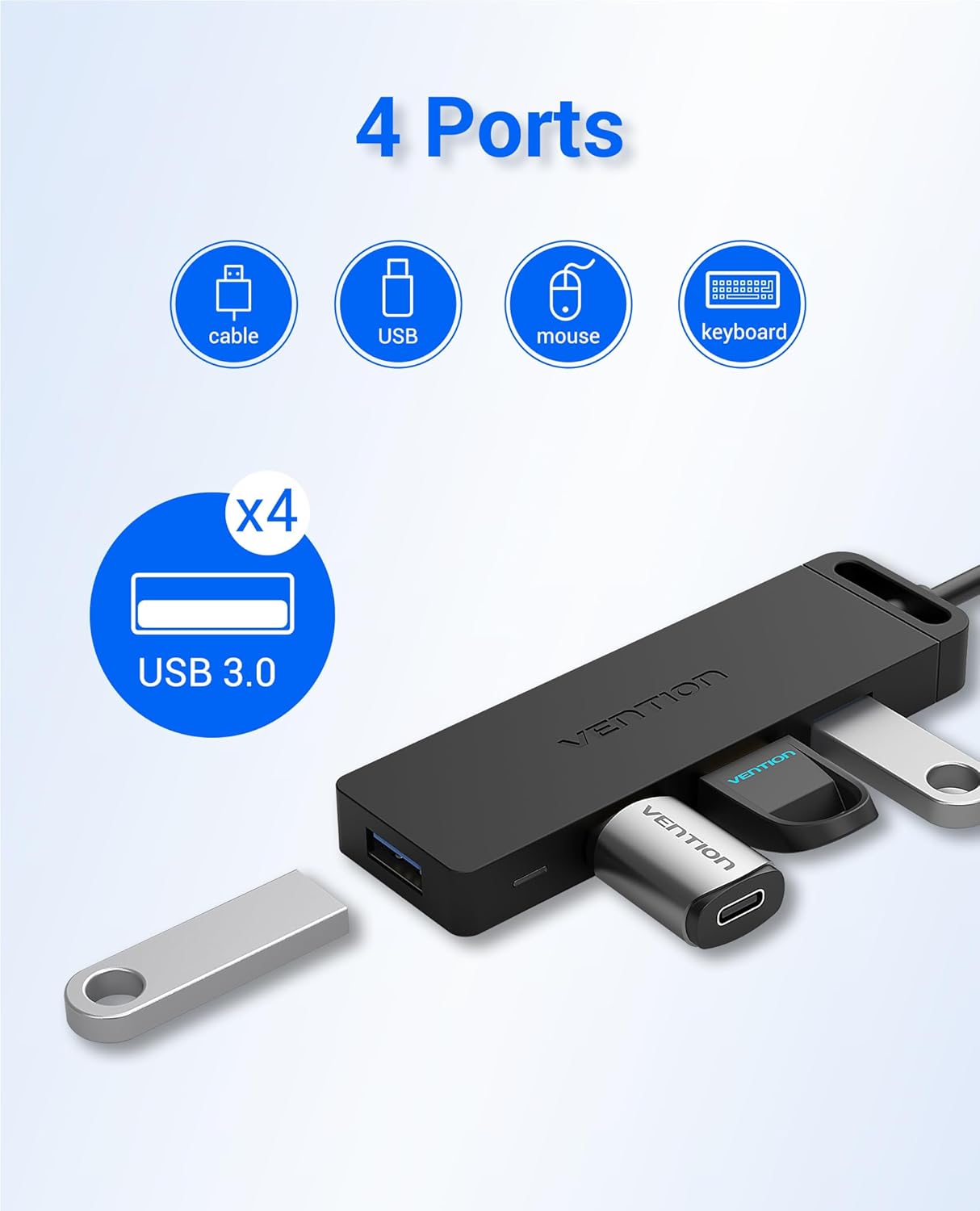
Image: The VENTION 4-Port USB 3.0 Hub, showcasing its compact design and four blue USB 3.0 ports. The integrated USB-A cable is visible.
4. Enstriksyon Enstalasyon
- Konekte Hub la ak aparèy ou an:
Plug the USB-A connector of the VENTION Hub into an available USB 3.0 port on your computer (laptop, desktop, etc.).
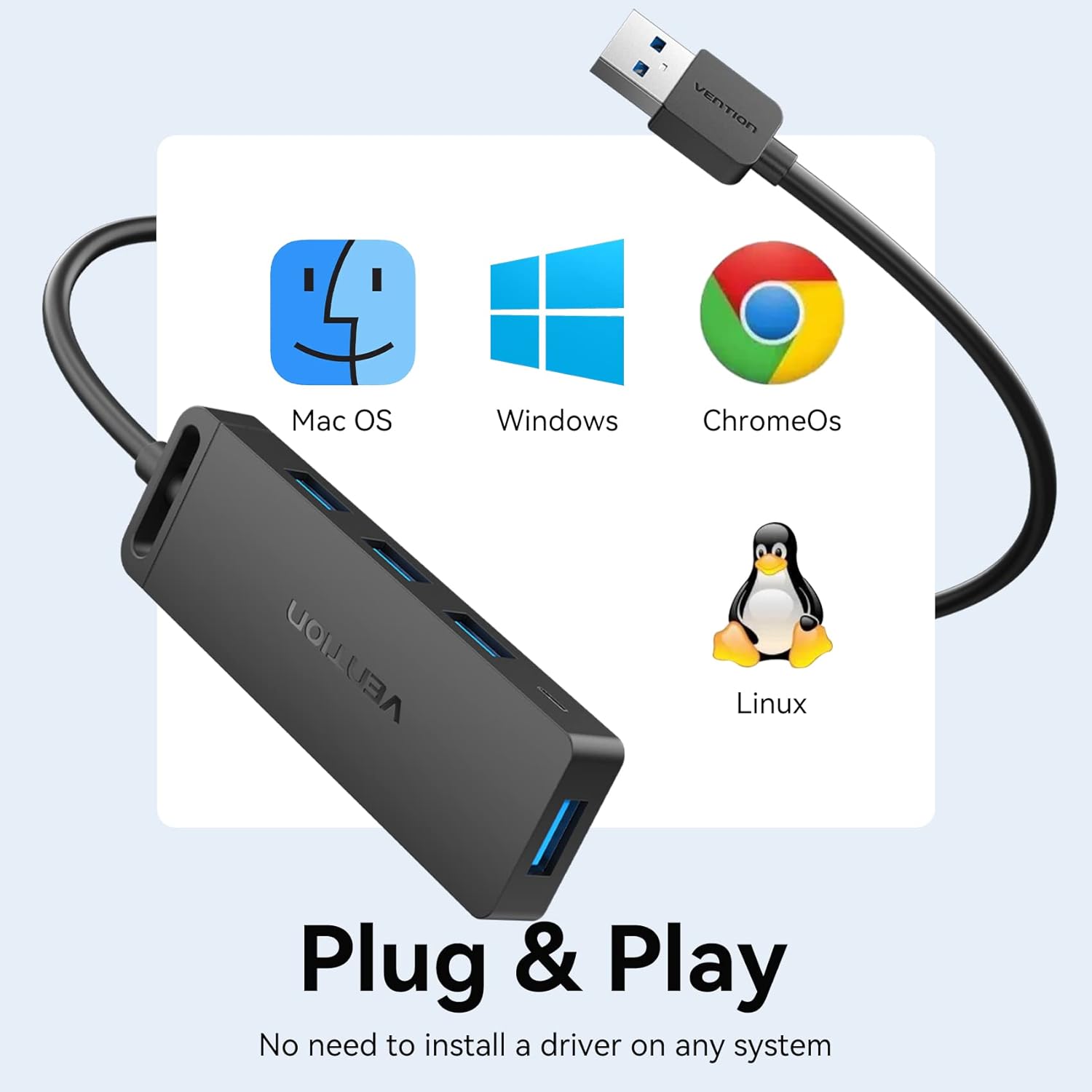
Image: The VENTION USB Hub connected to a laptop, illustrating the plug-and-play setup. A blue LED indicator light confirms power and connection.
- Endikatè pouvwa:
A blue LED indicator light on the hub will illuminate, confirming that the hub is powered and ready for use.

Imaj: Yon gwo plan view of the VENTION USB Hub, highlighting the blue LED indicator light when the device is active.
- Optional External Power (for high-power devices):
For power-hungry devices (e.g., external 8TB hard drives, printers), connect an external 5V/2A power adapter (not included) to the Micro USB port on the side of the hub. Do not connect power adapters exceeding 5V/2A.

Image: The VENTION USB Hub facilitating connections to a laptop and an external hard drive, with an additional Micro USB cable providing supplementary power to the hub for high-power devices.
5. Operasyon Enstriksyon
- Konekte aparèy USB:
Insert your USB devices (flash drives, mouse, keyboard, printer, etc.) into the available USB 3.0 ports on the hub. The hub supports simultaneous connection of multiple devices.

Image: The VENTION USB Hub with various USB devices plugged in, demonstrating its ability to expand connectivity for multiple peripherals.
- Transfè Done:
The hub supports data transfer speeds of up to 5Gbps. When transferring large files, ensure both the source and destination devices support USB 3.0 for optimal performance.

Image: A visual representation of the 5Gbps data transfer capability of the USB 3.0 hub, highlighting its speed advantage over USB 2.0.
- Fonksyonalite chaje:
The USB 3.0 ports on the hub can provide power to charge compatible devices. For faster charging or multiple devices, consider using the optional external power supply.
Video: This video demonstrates the VENTION 4-Port USB 3.0 Hub's ability to expand USB ports and support data transfer and charging. It shows the hub connected to a laptop, with a blue indicator light, and a flash drive being used for data transfer. It also illustrates the hub providing stable power for charging multiple devices like smartphones.
6. Konpatibilite
The VENTION 4-Port USB 3.0 Hub is widely compatible with:
- Operating Systems: Windows 10, 8, 7, Vista, XP, Mac OS x 10.6-10.12 or later, Linux 2.6.14 or later, ChromeOS.
- Devices: MacBook, Laptops, Surface Pro, PS4, PC, Flash Drives, Mobile HDDs, Keyboards, Mice, Printers, and other USB peripherals.

Image: The VENTION USB Hub displayed alongside logos for Mac OS, Windows, ChromeOS, and Linux, emphasizing its broad operating system compatibility.
7. Antretyen ak Swen
- Keep the hub away from water, fire, and corrosive substances.
- Evite lage mwaye a oswa soumèt li a gwo enpak.
- Netwaye aparèy la avèk yon twal mou epi sèk. Pa sèvi ak pwodui netwayaj likid.
- Sere nan yon kote ki fre, sèk lè yo pa itilize.
NAN. Depanaj
| Pwoblèm | Kòz posib | Solisyon |
|---|---|---|
| Aparèy la pa rekonèt. | Loose connection, incompatible device, or insufficient power. | Ensure the hub is securely plugged into a USB 3.0 port. Try a different USB port on your computer. If connecting a high-power device, use an external 5V/2A power adapter. |
| Vitès transfè done ki ba. | Connected device is USB 2.0, or the computer's port is USB 2.0. | Ensure both the hub and the connected device are plugged into USB 3.0 ports for optimal 5Gbps speeds. |
| Chaje a ap ralanti oswa li pa fonksyone. | Insufficient power from the host device, or high-power devices connected. | Connect an external 5V/2A power adapter to the Micro USB port on the hub. |
9. Espesifikasyon
| Karakteristik | Detay |
|---|---|
| Mak | VENTION |
| Nimewo Modèl | CHL-1 (0.5MZZ) |
| Entèfas Materyèl | USB 3.0 |
| Total pò USB | 4 |
| Vitès Transfè Done | Jiska 5 Gbps |
| Antre Voltage | 5 Vòlt (DC) |
| Pwa atik | 48 gram |
| Cable Length (Current Variant) | 1.5FT |
| UPC | 616859493230 |
10. Garanti ak sipò
VENTION products typically come with a 1-year warranty. For any questions about our product, please feel free to contact our reliable customer service. We aim to reply within 24 hours.
Contact Information: Refer to the product packaging or the official VENTION website for the most up-to-date customer support details.
Ask a question about this manual
Ask about setup, troubleshooting, compatibility, parts, safety, or missing instructions. Manuals+ will review the question and use this page’s manual context to help answer it.