
1. Entwodiksyon
Thank you for choosing the Aduro PowerUp Ultra Boost 20,000mAh Portable Charger. This device is designed to provide reliable power for your mobile devices on the go. Please read this manual carefully to ensure proper use and optimal performance.
2. Pake kontni
- Aduro PowerUp Ultra Boost 20,000mAh Portable Charger
- Kab chaje USB (pou rechaje bank pouvwa a)
- Manyèl itilizatè

Image: The Aduro PowerUp Ultra Boost portable charger shown alongside its retail packaging and included USB cable.
3. Pwodwi Features
- 20,000mAh Kapasite Segondè: Ofri plizyè chaj pou smartphones ak tablèt.
- Pò Sòti Doub USB: Charge two devices simultaneously.
- Teknoloji Chaje Entelijan: Automatically detects and delivers optimal charging current for connected devices.
- Dirije endikatè pouvwa: Displays remaining battery capacity.
- Konsepsyon kontra enfòmèl ant ak pòtab: Fasil pou pote pou vwayaj ak itilizasyon chak jou.
- Pwoteksyon Sekirite Entegre: Guards against over-heating, over-current, over-charging, over-circuit, and anti-fire.
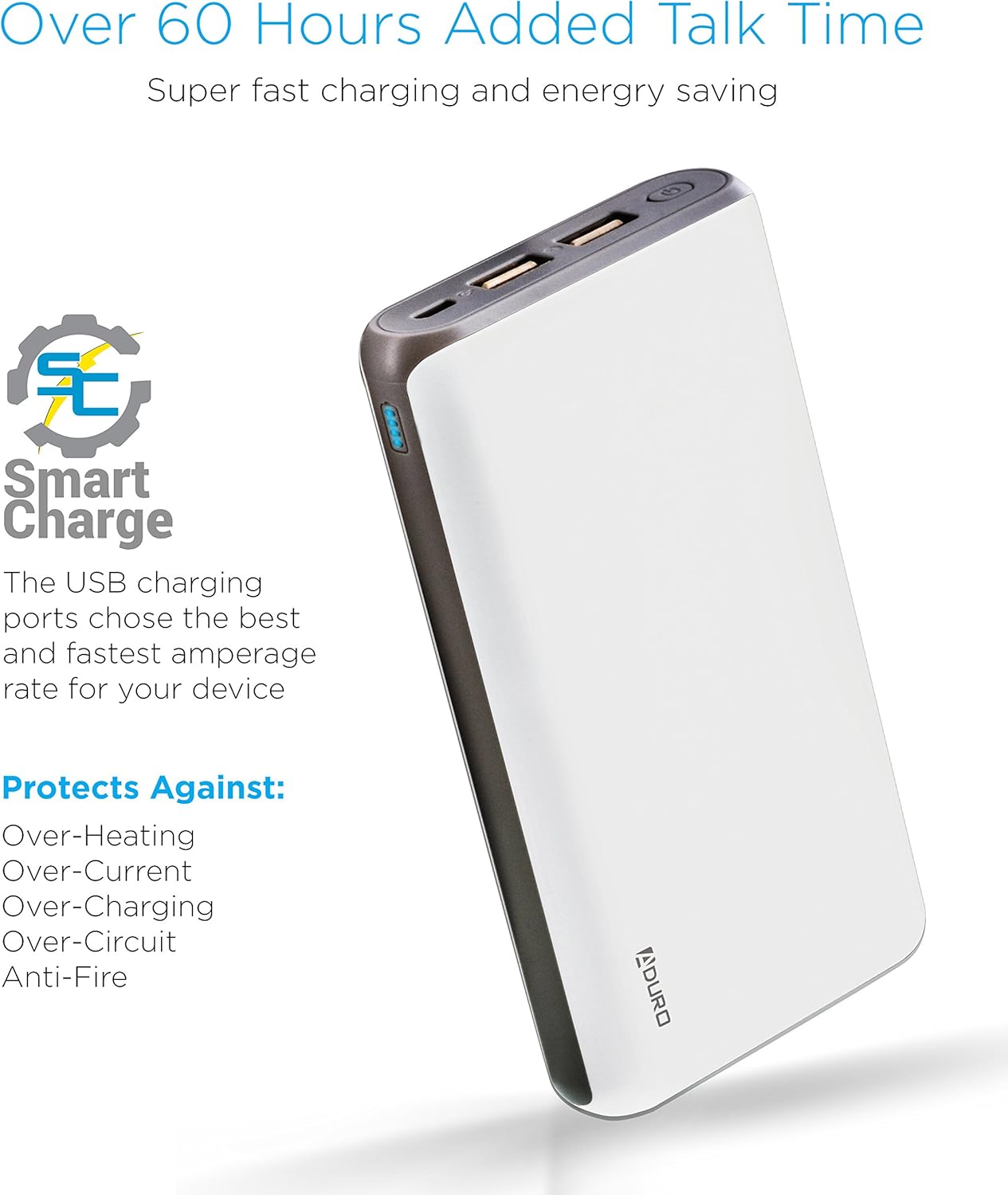
Image: The Aduro power bank highlighting its Smart Charge technology and various safety features like protection against over-heating and over-charging.

Imaj: Yon imaj detaye view of the Aduro power bank's dual USB output ports, micro USB input port, and the LED power indicator lights.
4. Kòmanse
4.1 Chaje Bank Ekstèn lan
- Connect the included USB charging cable to the power bank's Micro USB input port.
- Plug the other end of the USB cable into a USB wall adapter (not included) or a computer's USB port.
- The LED indicators will illuminate and blink to show the charging progress. All four LEDs will be solid when the power bank is fully charged.
Li rekòmande pou chaje bank pouvwa a nèt anvan premye itilizasyon li.
4.2 Chaje Aparèy Ou yo
- Connect your device's charging cable to one of the power bank's USB output ports.
- Konekte lòt bout kab la sou aparèy ou an.
- The power bank will automatically begin charging your device. The LED indicators will show the remaining power.
- To charge a second device, connect it to the other USB output port.
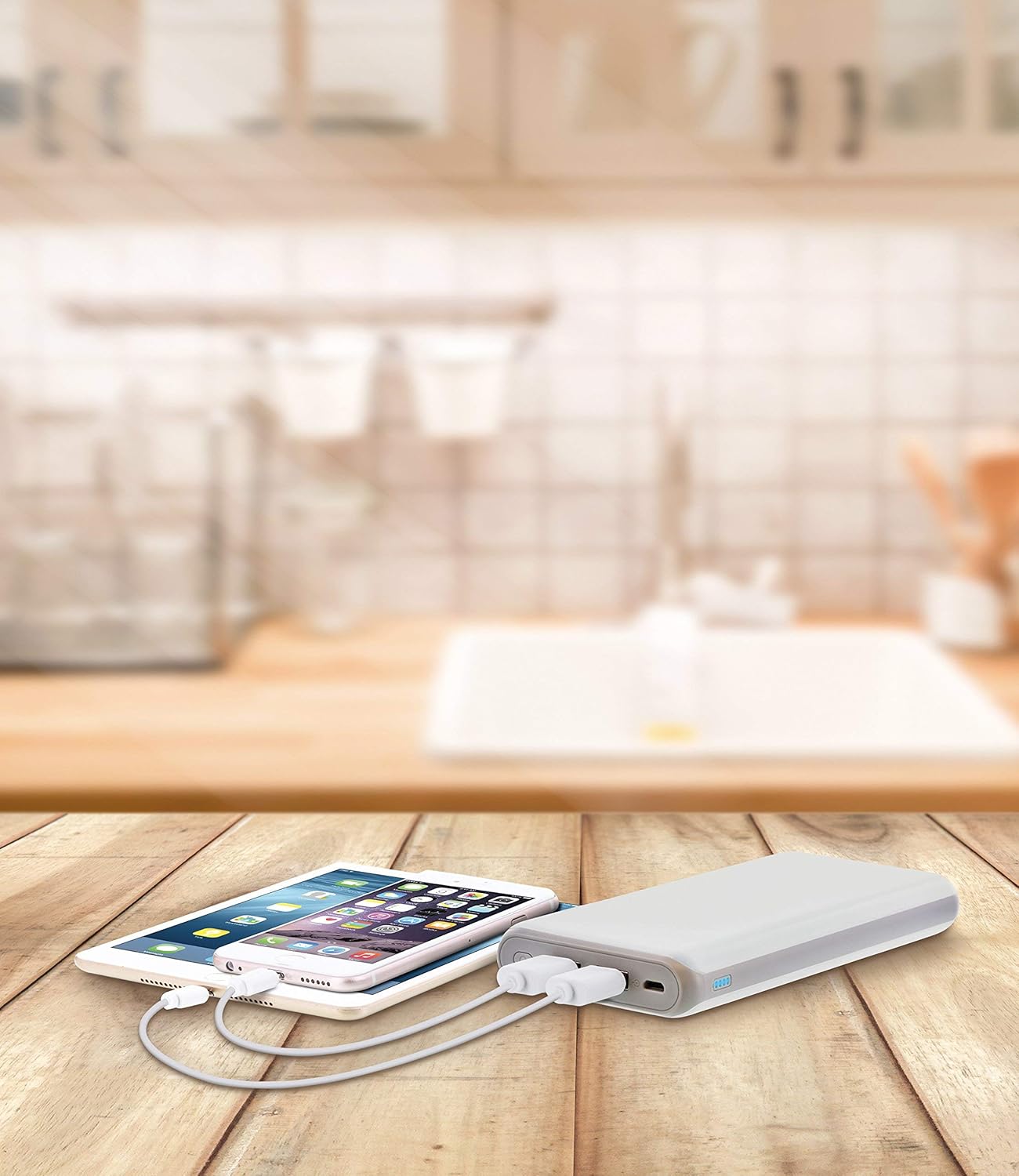
Image: The Aduro power bank connected via USB cables to two smartphones, demonstrating its dual-device charging capability.
5. Gid Endikatè ki ap dirije
The LED lights on the power bank indicate the remaining battery capacity:
- 4 LEDs Solid: 75% - 100% chaje
- 3 LEDs Solid: 50% - 75% chaje
- 2 LEDs Solid: 25% - 50% chaje
- 1 LED Solid: 0% - 25% chaje (rechaje byento)
- LEDs Blinking: Power bank is currently charging
6. Prekosyon sekirite
- Do not expose the power bank to extreme temperatures (above 104°F / 40°C or below 14°F / -10°C).
- Pa demonte, modifye, oswa eseye repare aparèy la.
- Evite jete oswa soumèt bank pouvwa a nan gwo enpak.
- Kenbe lwen dlo, imidite, ak materyèl ki ka pran dife.
- Pa sèvi ak li si bank pouvwa a domaje oswa anfle.
- Kenbe soti nan atenn timoun yo.
- Jete bank pouvwa a yon fason responsab dapre règleman lokal yo.
7. Swen ak Antretyen
- Netwaye bank pouvwa a avèk yon twal mou epi sèk. Pa sèvi ak pwodui chimik ki agresif oswa pwodui netwayaj abrazif.
- Sere bank pouvwa a nan yon kote ki fre, sèk lè li pa itilize.
- If storing for extended periods, charge the power bank to approximately 50% every 3 months to maintain battery health.
NAN. Depanaj
- Batri pouvwa a pa chaje: Ensure the charging cable is securely connected to both the power bank and the power source. Try a different USB cable or wall adapter.
- Aparèy la pa chaje ak bank pouvwa a: Ensure the power bank has sufficient charge. Check that the cable connecting your device to the power bank is functional and properly connected. Try a different USB port on the power bank.
- Chaje dousman: Ensure you are using a compatible charging cable. Some devices may charge slower due to their input requirements or the cable used.
9. Espesifikasyon
| Karakteristik | Detay |
|---|---|
| Nimewo Modèl | F-208C |
| Kapasite batri | 20,000 mAh |
| Antre | 5V / 2A (Micro USB) |
| Sòti 1 | 5V / 1A (USB Type A) |
| Sòti 2 | 5V / 2.1A (USB Type A) |
| Dimansyon pwodwi | 6.4 x 3 x 0.8 pous |
| Pwa atik | 13.6 ons |
| Koulè | Blan |

Image: The Aduro power bank displaying its physical dimensions for reference.
10. Enfòmasyon sou Garanti
Aduro provides a Lifetime Limited Warranty for this product. This warranty covers manufacturing defects and ensures the product functions as intended under normal use. Please retain your proof of purchase for warranty claims.
11. Sipò pou Kliyan
For any questions, technical assistance, or warranty claims, please contact Aduro customer service. Refer to the product packaging or the official Aduro websit la pou jwenn enfòmasyon kontak ki pi resan yo.