
1. Entwodiksyon
This manual provides detailed instructions for the proper use and maintenance of your VisionTechShop VK-2D Digital Kitchen Scale. Designed for precision and durability, this scale features a stainless steel platform, a large backlit LCD, and multiple weighing units. Please read this manual thoroughly before operating the device to ensure accurate measurements and extend product lifespan.
2. Enfòmasyon sou Sekirite
- Pa plonje balans lan nan dlo oswa lòt likid.
- Netwaye echèl la ak anonsamp twal. Pa sèvi ak pwodui netwayaj abrazif.
- Avoid exposing the scale to extreme temperatures or humidity.
- Do not overload the scale beyond its maximum capacity.
- Keep the scale on a stable, flat surface during operation to ensure accuracy.
- This device is for household and light commercial use.
3. Pake kontni
Verifye ke tout atik yo prezan nan pakè a:
- VisionTechShop VK-2D Digital Kitchen Scale
- Removable Stainless Steel Platform
- D Batteries (2 included)
- Manyèl Itilizatè (dokiman sa a)

Image: Two D batteries are supplied with the scale for immediate use.
4. Pwodwi Features
- Peze inite: Supports pounds (lb), ounces (oz), kilograms (kg), and grams (g).
- Ekspozisyon: Large LCD with backlight for clear readability.
- Fonksyon: On/Off, Zero, Tare, Unit conversion.
- Konsepsyon: Stable, durable, low-profile, and compact.
- Platfòm: Removable stainless steel for easy cleaning. Dimensions: 210 x 160 mm (W x D).
- Nivelman: Built-in water level gauge and adjustable leveling feet for precise measurements.
- Pouvwa: Operates on D batteries (included).

Image: The VisionTechShop VK-2D scale featuring its removable stainless steel weighing platform.
5. Enstalasyon
5.1. Enstalasyon batri
- Jwenn lòj batri a sou anba echèl la.
- Louvri kouvèti lòj batri a.
- Insert two D batteries, ensuring correct polarity (+/-).
- Fèmen kouvèti lòj batri a byen.
5.2. Platform Placement
Place the removable stainless steel platform securely onto the scale's base. Ensure it sits flat and does not wobble.
5.3. Leveling the Scale
For accurate measurements, the scale must be perfectly level.
- Mete balans lan sou yon sifas ki plat e ki solid.
- Observe the built-in water level gauge, typically located near the display. The bubble should be centered within the circle.
- Adjust the scale's leveling feet by rotating them clockwise or counter-clockwise until the bubble in the water level gauge is perfectly centered.
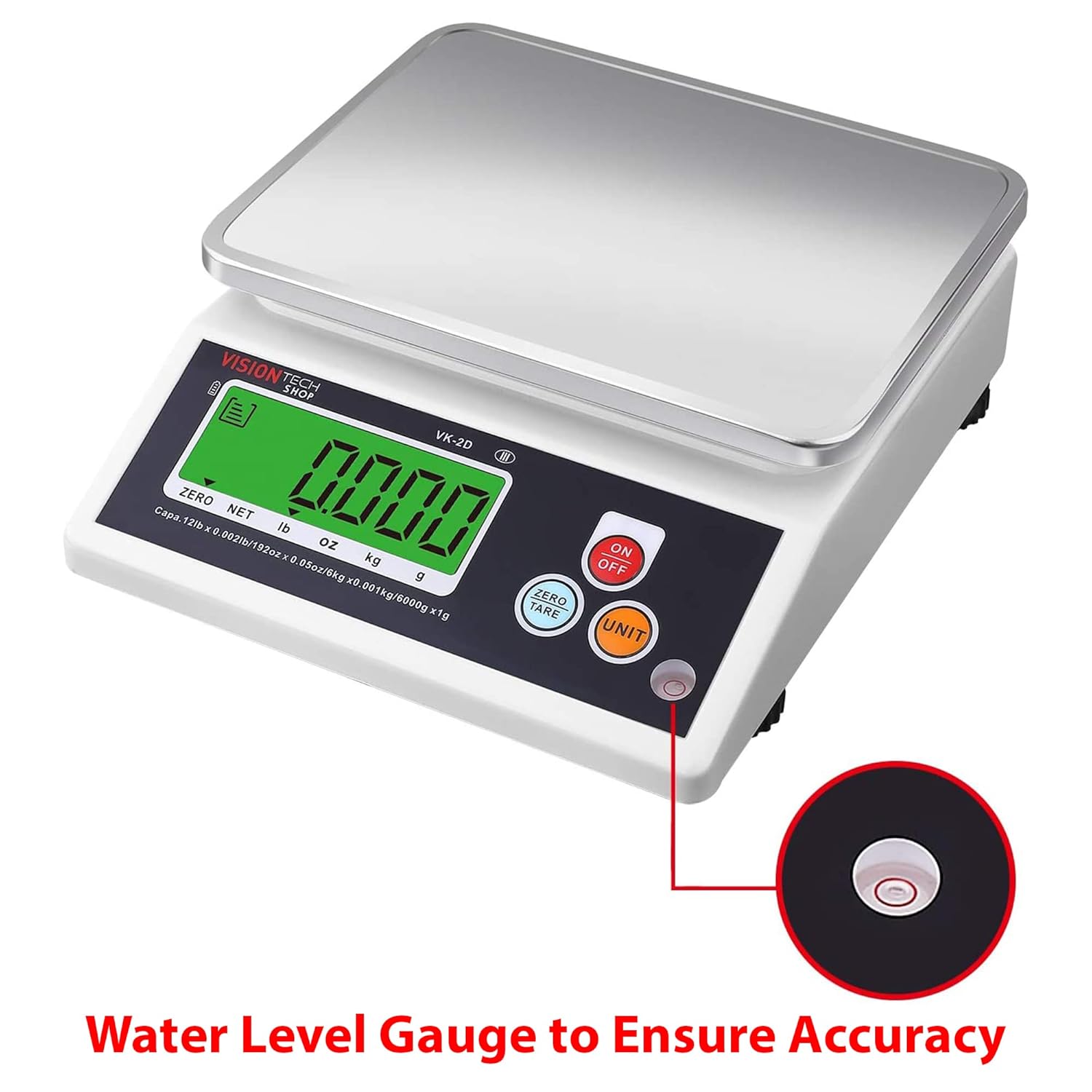
Image: Close-up of the water level gauge, indicating proper leveling for accurate weighing.

Image: Detail of the adjustable leveling feet, used to stabilize and level the scale.
6. Operasyon Enstriksyon
6.1. Power On/Off
- Peze a ON/OFF button to turn the scale on. The display will show "0.000" when ready.
- Peze epi kenbe la ON/OFF bouton pou etenn balans lan.
6.2. Konvèsyon inite
- Avèk balans lan sou li, peze bouton an INITE button to cycle through the available weighing units: lb, oz, kg, g.
- Inite ki chwazi a ap parèt sou ekran LCD a.
6.3. Zero and Tare Function
The Tare function allows you to subtract the weight of a container or to weigh multiple ingredients consecutively.
- Place an empty container on the scale platform. The display will show its weight.
- Peze a ZERO/TARE bouton an. Ekspozisyon an ap retounen sou "0.000".
- Add your ingredients to the container. The display will show only the weight of the ingredients.
- Pou efase ta a, retire tout bagay yo sou platfòm nan epi peze ZERO/TARE again if the display does not automatically return to zero.
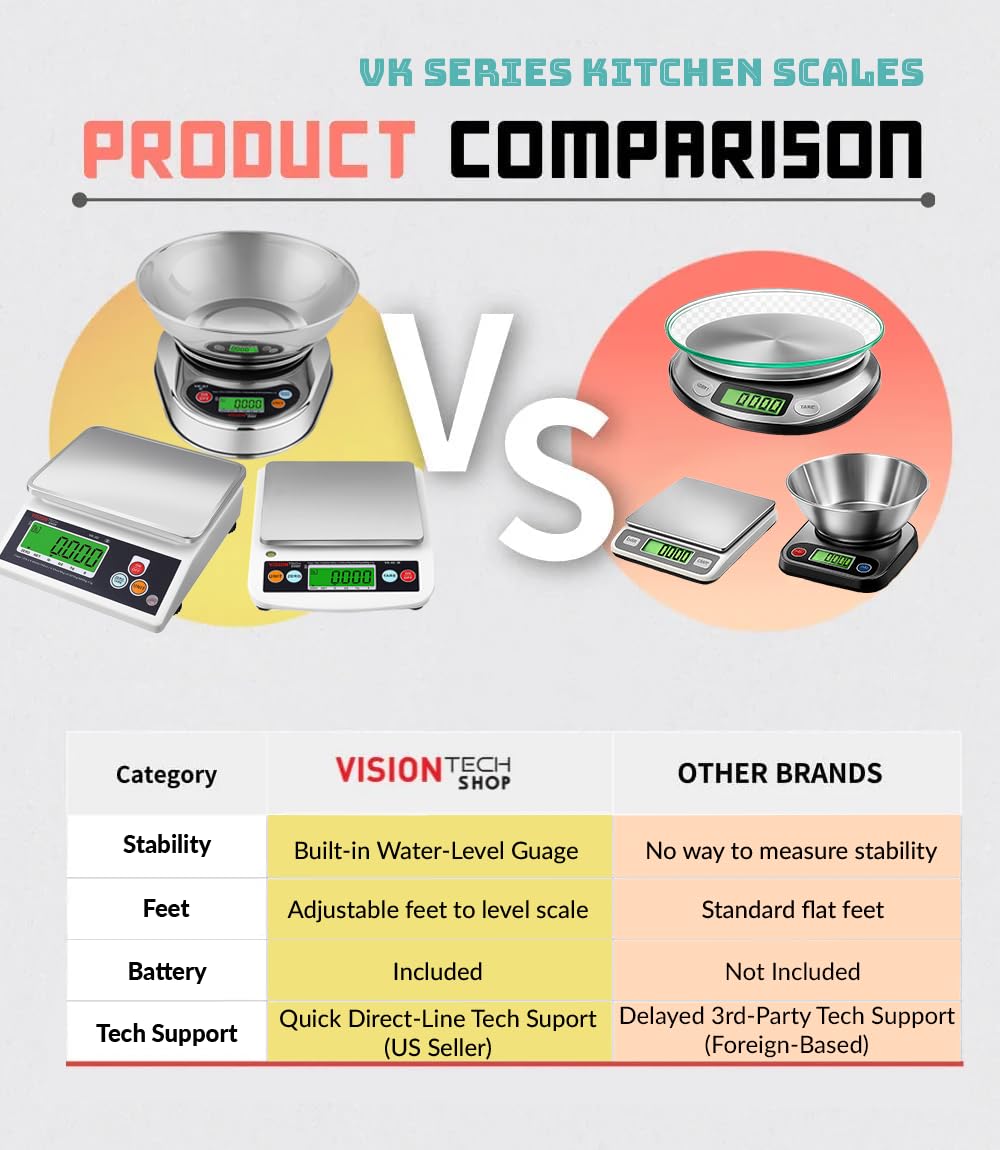
Image: The scale in operation, showing a measured weight of items on the platform.
6.4. Auto-Off Settings
The scale features an auto-off function to conserve battery life. This can typically be set to 1, 5, or 10 minutes, or disabled for continuous use. Refer to the specific instructions on the scale's display or a dedicated button combination for adjusting this setting, as it may vary.
7. Antretyen ak netwayaj
- Cleaning the Platform: The stainless steel platform is removable and can be washed with mild soap and water. Ensure it is completely dry before placing it back on the scale.
- Cleaning the Scale Body: Wipe the scale body with a slightly damp cloth. Do not use harsh chemicals or abrasive cleaning pads.
- Ranplasman batri: Replace batteries when the low battery indicator appears on the display or if the scale fails to power on. Always use new D batteries.
- Depo: Store the scale in a clean, dry place away from extreme temperatures and direct sunlight.
NAN. Depanaj
| Pwoblèm | Kòz posib | Solisyon |
|---|---|---|
| Echèl pa limen | Batri ki mouri oswa mal enstale | Replace batteries with new D batteries, ensuring correct polarity. |
| Lekti kòrèk | Scale not level; unstable surface; overloaded; foreign object under platform | Ensure scale is on a stable, level surface (check water level gauge). Do not exceed capacity. Remove any obstructions. |
| Ekran an montre "Lo" | Ba pouvwa batri | Ranplase pil. |
| Display shows "EEEE" or "O-Ld" | Erè Surcharge | Remove item immediately. Do not exceed maximum capacity. |
9. Espesifikasyon
- Modèl: VK-2D
- Mak: VisionTechShop
- Materyèl: Stainless Steel (platform), Plastic (body)
- Koulè: Nwa
- Kapasite maksimòm: 5.4 kg (12 liv)
- Lizibilite: 0.4 g (0.001 lb, 0.02 oz, 1 g)
- Peze inite: liv, ons, kg, g
- Dimansyon pwodwi (L x W x H): 24.13 x 20.5 x 7.87 cm (9.5 x 8.07 x 3.1 pous)
- Platform Dimensions (W x D): 210 x 160 mm (8.3 x 6.3 pous)
- Pwa nèt: 1.26 kg (2.79 liv)
- Sous pouvwa: 2 x D Batteries (included)

Image: Diagram illustrating the physical dimensions of the VK-2D scale in both inches and millimeters.
10. Garanti ak sipò
VisionTechShop products are manufactured with quality and durability in mind. For specific warranty details, please refer to the warranty card included with your purchase or contact VisionTechShop customer service.
For technical assistance or support, please contact VisionTechShop directly. Quick direct-line technical support is available from the US seller.
Nòt: Yo pa bay enfòmasyon konsènan disponiblite pyès rezèv.