
1. Pwodwi souview
The SXFJF 4K Ultra HD WiFi Action Camera is designed for capturing high-quality video and photos during various outdoor and sports activities. It features 4K video recording, a wide-angle lens, electronic image stabilization, and a waterproof design, making it suitable for adventures both on land and underwater.
Karakteristik kle:
- Ultra HD Video: Records crystal clear 4K video and high-quality images with a wide-angle lens.
- Anti-shake Function: Built-in electronic image stabilization ensures smooth and steady footage even during fast-moving activities.
- Konsepsyon ki enpèmeyab: Equipped with a waterproof case, allowing for underwater use in sports like swimming, surfing, and diving.
- Long lavi batri: Rechargeable batteries provide extended recording time.
- Pwodwi pou Telefòn versatile: Comes with various accessories for adapting to different indoor and outdoor activities.
- Koneksyon: Features Wi-Fi and HDMI output for easy sharing and viewing.

Image 1.1: The SXFJF 4K Ultra HD WiFi Action Camera, showcasing its compact design and primary lens.
2. Pou kòmanse: Enstalasyon
2.1 Debalaj ak Tcheke kontni
Before using your camera, please ensure all components are present in the package:
- SXFJF 4K Ultra HD WiFi Action Camera
- Ka ki enpèmeyab
- Batri rechargeable
- Various Mounting Accessories
- USB kab
- Manyèl Itilizatè (dokiman sa a)
2.2 Enstalasyon ak Chaje Batri
- Jwenn lòj batri a sou kamera a.
- Open the compartment cover and insert the rechargeable battery, ensuring the correct orientation according to the polarity indicators.
- Fèmen kouvèti lòj batri a byen.
- To charge, connect the camera to a power source using the provided USB cable. The charging indicator light will illuminate.
- A full charge typically takes approximately 2-3 hours. The indicator light will change or turn off once charging is complete.
2.3 Mete Kat Mikwo SD
The camera requires a Micro SD card (not included) for storing photos and videos. A Class 10 or UHS-I (U1) or higher speed rating is recommended for 4K recording.
- Locate the Micro SD card slot on the side or bottom of the camera.
- Insert the Micro SD card with the gold contacts facing the front of the camera until it clicks into place.
- Pou retire li, pouse kat la dousman anndan jiskaske li soti.
2.4 Itilizasyon Bwat ki Enpèmeyab la
The included waterproof case allows the camera to be used underwater. Before first use, perform a waterproof test without the camera inside.
- Open the waterproof case latch and carefully place the camera inside, ensuring it fits snugly.
- Close the latch firmly to create a watertight seal.
- Always ensure the rubber seal is clean and free of debris before closing the case.
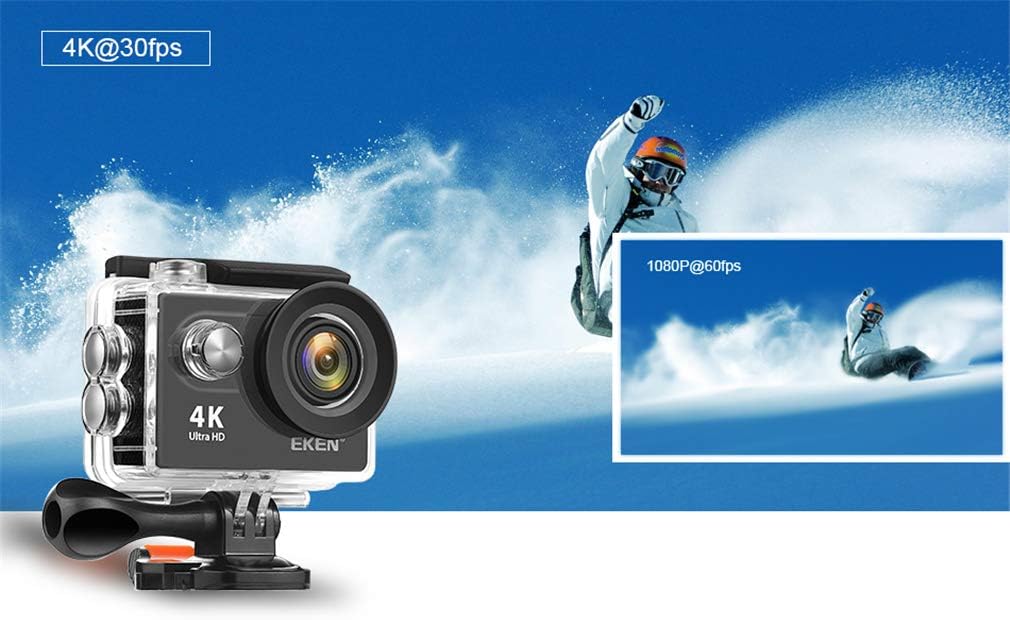
Image 2.1: The action camera enclosed in its waterproof housing, highlighting its 4K and 1080P video recording capabilities for various action shots.
2.5 Mete Pwodwi pou Montaj yo an kontak
The camera comes with various mounts for different scenarios. Refer to the accessory guide for specific attachment instructions. Generally, mounts attach to the waterproof case or directly to the camera via a standard tripod screw mount.
3. Itilizasyon Kamera a
3.1 Limen/Etenyen
- Pouvwa sou: Peze epi kenbe bouton Pouvwa/Mòd la pandan kèk segond jiskaske ekran an limen.
- Pouvwa Off: Peze epi kenbe bouton Pouvwa/Mòd la ankò jiskaske ekran an etenn.
3.2 Seleksyon mòd
Peze bouton Pouvwa/Mòd la plizyè fwa pou chanje mòd:
- Mòd videyo: For recording video footage.
- Foto mòd: For taking still images.
- Lektur mòd: Pou reviewing recorded videos and photos.
- Anviwònman mòd: To adjust camera settings.
3.3 Anrejistre Videyo ak Pran Foto
- Pou Anrejistre Videyo: In Video Mode, press the Shutter/OK button to start recording. Press it again to stop. A red indicator light will usually flash during recording.
- Pou pran yon foto: In Photo Mode, press the Shutter/OK button to capture an image.

Image 3.1: The action camera highlighting its 12-megapixel photo capability, suitable for capturing detailed images in various environments.
3.4 Koneksyon Wi-Fi
The camera can connect to your smartphone via Wi-Fi for remote control and file transfè.
- Enable Wi-Fi on the camera through the Settings menu.
- Download the dedicated camera app (refer to the camera's display or packaging for the app name) on your smartphone.
- On your smartphone, connect to the camera's Wi-Fi network (SSID and password will be displayed on the camera screen).
- Open the app to control the camera remotely, view viv footage, epi telechaje files.
3.5 Sèvi ak kontwòl remote la
The 2.4G remote control allows for convenient operation from a distance.
- Ensure the remote control is paired with the camera (refer to the camera's settings for pairing instructions).
- Use the designated buttons on the remote to start/stop recording or take photos.
3.6 Estabilizasyon Imaj
The camera features electronic image stabilization (EIS) to reduce blur and shakiness in your videos. This feature is typically enabled by default or can be toggled in the camera's video settings menu for smoother footage.
3.7 Sòti HDMI
Connect the camera to an HDMI-compatible display (e.g., TV, monitor) using an HDMI cable (not included) to view anrejistreman ou yo sou yon ekran ki pi gwo.

Image 3.2: The action camera demonstrating its various features including 4K video, 12MP photos, waterproof capability, Wi-Fi, and remote control, shown in an active outdoor setting.
4. Antretyen
4.1 Cleaning the Camera and Case
- Use a soft, lint-free cloth to clean the camera body and lens. For stubborn smudges, a slightly damp Ou ka itilize yon twal, epi apre sa, ou ka sèvi ak yon twal sèk.
- Clean the waterproof case, especially the rubber seal, after each use, particularly after exposure to saltwater, sand, or dirt. Rinse with fresh water and allow to air dry.
- Pa sèvi ak pwodwi chimik piman bouk oswa materyèl abrazif pou netwaye.
4.2 Swen Batri
- Sere pil yo nan yon kote ki fre, sèk lè yo pa itilize yo.
- Evite dechaje pil yo nèt regilyèman pou pwolonje dire lavi yo.
- Si w ap sere l pou yon bon bout tan, chaje pil yo jiska apeprè 50% kapasite yo.
4.3 Depo
When not in use, store the camera and accessories in a protective case in a cool, dry environment, away from direct sunlight and extreme temperatures.
NAN. Depanaj
Si ou rankontre pwoblèm ak kamera ou a, gade solisyon komen sa yo:
| Pwoblèm | Kòz posib / Solisyon |
|---|---|
| Kamera a pa limen. | Battery is depleted or not inserted correctly. Charge the battery or re-insert it. |
| Pa ka anrejistre videyo/pran foto. | Micro SD card is full, not inserted, or corrupted. Format the card (this will erase all data) or replace it. Ensure the camera is in the correct mode. |
| Move kalite videyo/foto. | Lens may be dirty. Clean the lens. Ensure sufficient lighting. Check resolution settings. |
| Pwoblèm koneksyon Wi-Fi. | Ensure Wi-Fi is enabled on the camera and smartphone. Check app permissions. Restart both devices. |
| Flit dlo nan bwat ki enpèmeyab la. | Rubber seal is dirty, damaged, or case not closed properly. Clean the seal, inspect for damage, and ensure the latch is securely fastened. |
Si pwoblèm nan pèsiste, tanpri kontakte sèvis kliyan.
6. Espesifikasyon
Detailed technical specifications for the SXFJF 4K Ultra HD WiFi Action Camera:
| Karakteristik | Spesifikasyon |
|---|---|
| Mak | SXFJF |
| Rezolisyon Capture Videyo | 4K |
| Kalite memwa flash | Mikwo SD |
| Fòma Capture Videyo | MP4 |
| Gwosè ekran | 2 pous |
| Koneksyon Teknoloji | HDMI, Wi-Fi |
| Karakteristik espesyal | Pòtab, ki enpèmeyab |
| Kalite Camcorder | Kamera Aksyon |
| Konpozan ki enkli | Batri |
| Nivo rezistans dlo | Ki enpèmeyab |
| Estabilizasyon Imaj | Elektwonik |
| Faktè fòm | Kontra enfòmèl ant |
| Lavi Mwayèn Batri | 60 minit (environ) |
| Kalite lantiy | Gran Ang |
| Kalite Konsantre | Konsantre oto |
| Montre Rezolisyon Maksimòm | 4K UHD |
| Aparèy konpatib | Telefòn entelijan, televizyon |
| Rezolisyon videyo | 4K |
| Mòd Fiziyad | Time Lapse |
| Rapò aspè imaj | 16:9 |
| Sipò pou Fòma Imaj | JPEG |
| File Fòma | MP4 |
| Zoom | Optik |
7. Garanti ak sipò
For warranty information, please refer to the documentation included with your purchase or contact the retailer. For technical support or further assistance, please reach out to SXFJF customer service through their official websit la oswa enfòmasyon kontak yo bay ak pwodwi ou a.