
TrustFire MC12
TrustFire MC12 1000 Lumen Rechargeable Headlamp Manyèl itilizatè
1. Entwodiksyon
This manual provides detailed instructions for the safe and effective use of your TrustFire MC12 1000 Lumen Rechargeable HeadlampTanpri li manyèl sa a avèk atansyon anvan ou itilize aparèy la epi konsève li pou referans pita.
2. Pwodwi souview
The TrustFire MC12 is a versatile, high-performance headlamp designed for various outdoor and indoor activities. It features a powerful LED, multiple lighting modes, and a durable, waterproof construction.
2.1 Karakteristik kle
- Konsepsyon doub itilizasyon: Functions as both a headlamp with the included headband and a compact EDC (Everyday Carry) flashlight.
- Senk mòd ekleraj: High (1000 lumens), Medium (200 lumens), Low (60 lumens), Moonlight (3 lumens), and Strobe (1000 lumens).
- Evalyasyon ki enpèmeyab IP68: Ensures reliable performance in heavy rain or splashing water.
- Chaje USB mayetik: Convenient and efficient charging with a magnetic USB cable.
- Bouchon ke mayetik: Allows for hands-free attachment to metal surfaces.
- Adjustable Body: The light head can be adjusted 180 degrees to direct illumination.
- Clip pòch detachable: For easy attachment to clothing, backpacks, or belts.
- Kontra enfòmèl ant ak lejè: Designed for portability and comfort.
2.2 Kontni pake a
- TrustFire MC12 Headlamp
- Bando
- Mayetik USB Chaje Kab
- 1 x CR123A Battery (included)
- Manyèl Itilizatè (dokiman sa a)
2.3 Dyagram pwodwi

Image: TrustFire MC12 Headlamp shown with its adjustable headband and magnetic USB charging cable.

Imaj: Devan view of the TrustFire MC12 Headlamp securely attached to its headband.
3. Enstalasyon
3.1 Enstalasyon batri
The TrustFire MC12 comes with a pre-installed rechargeable CR123A battery. If you need to replace the battery, unscrew the tail cap, insert a compatible 16340 (3.6V/3.7V) or CR123A (3V) battery with the positive (+) end facing the head of the lamp, and then screw the tail cap back on securely.
3.2 Chaje batri a
Anvan premye itilizasyon an, chaje tèt la nèt.amp. The magnetic charging cable allows for convenient charging.
- Connect the USB end of the magnetic charging cable to a power source (e.g., USB wall adapter, computer, power bank, car charger).
- Attach the magnetic end of the cable to the charging port on the headlamp. The indicator light on the cable will show red during charging and turn green when fully charged.

Image: The TrustFire MC12 Headlamp connected to its magnetic USB charging cable, illustrating compatibility with various USB power sources.
3.3 Attaching the Headband
Glise headl laamp into the rubber mount on the elastic headband. Ensure the light is securely seated. Adjust the headband for a comfortable and snug fit on your head.

Image: A family wearing TrustFire MC12 headlamps, highlighting the comfortable and user-friendly design for various users.
4. Operasyon Enstriksyon
4.1 Power On/Off
- Pou limen: Press the power button once. The headlamp will turn on in the last used mode (memory function).
- Pou etenn: Peze epi kenbe bouton pouvwa a pou apeprè 0.5 segonn.
4.2 Chanje mòd
Lè tèt laamp is on, single-press the power button to cycle through the modes in the following order: High > Medium > Low > Moonlight. Release the button to select the desired mode.
4.3 Strobe Mode
From any mode (or when off), double-press the power button quickly to activate Strobe mode. Single-press again to return to the previous mode or turn off.
4.4 Lockout Function
To prevent accidental activation, the headlamp features a lockout function. Double-press the power button quickly when the light is off to engage the lockout. The light will flash twice to indicate it is locked. To unlock, double-press the power button again.
4.5 Adjustable Light Head
Headl laamp body can be rotated up to 180 degrees within its mount, allowing you to direct the light precisely where needed.
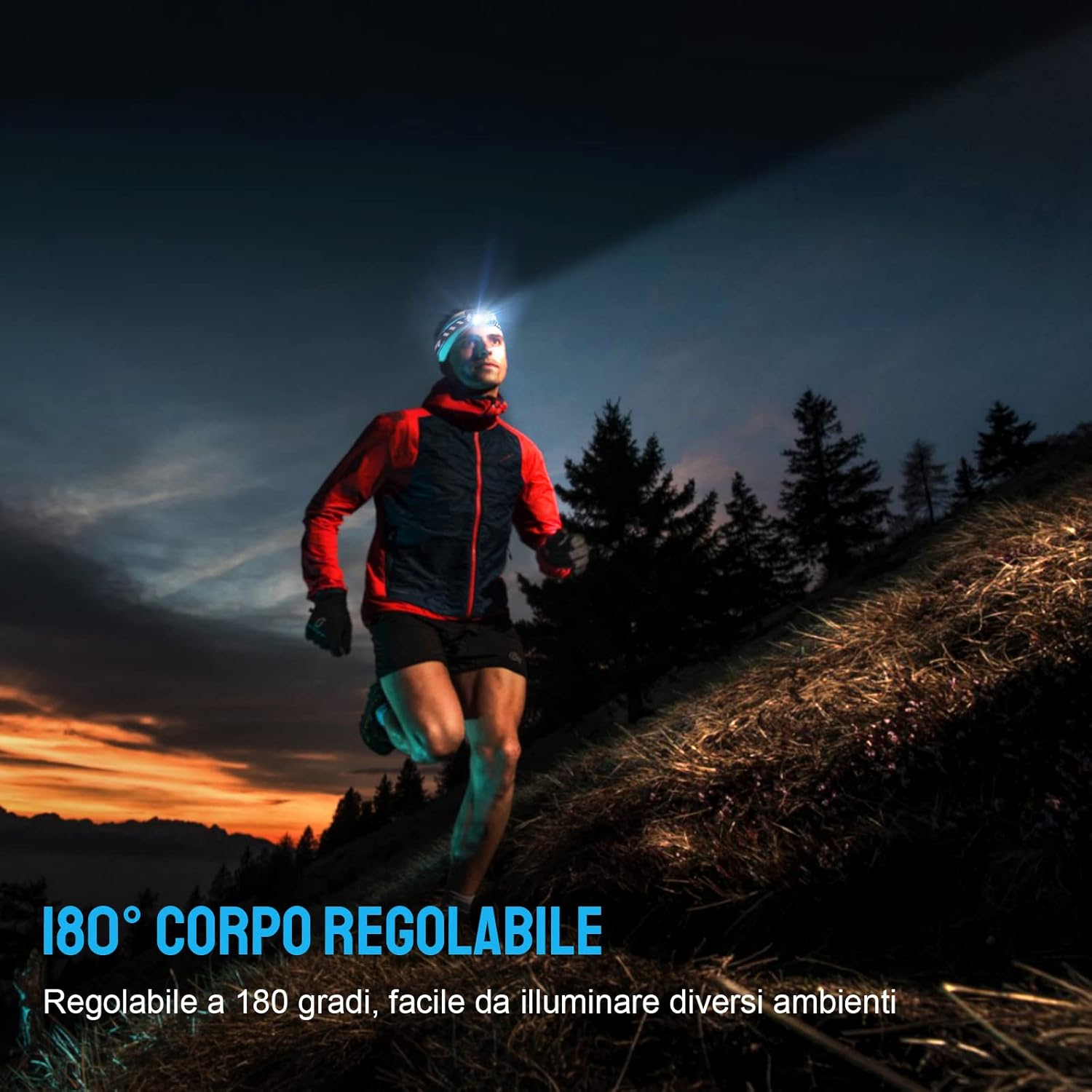
Image: A person running outdoors with the TrustFire MC12 headlamp, illustrating the flexibility of its 180-degree adjustable body to illuminate different areas.
4.6 Using as an EDC Flashlight
The MC12 can be removed from the headband and used as a compact, handheld flashlight. Its dual-direction pocket clip allows for easy attachment to pockets, belts, or hat brims.

Image: The TrustFire MC12 Headlamp detached from its headband, functioning as a compact Everyday Carry (EDC) flashlight.

Image: A person demonstrating the removable pocket clip of the TrustFire MC12, attaching it to a shirt pocket for hands-free use.
4.7 Magnetic Tailcap Functionality
The magnetic tailcap allows the headlamp to be securely attached to ferrous metal surfaces, providing hands-free illumination in various work environments.

Image: The TrustFire MC12 Headlamp magnetically secured to the underside of a car hood, providing hands-free lighting for automotive repair.
5. Antretyen
5.1 Netwayaj
Siye tèt laamp ak yon mou, damp cloth. Do not use abrasive cleaners or solvents. Keep the charging port clean and free of debris.
5.2 Swen Batri
- Recharge the battery regularly, even if not in frequent use, to maintain optimal performance and extend battery life.
- Evite konplètman dechaje batri a.
- If storing for an extended period, remove the battery or ensure it is partially charged (around 50%).
5.3 Depo
Sere tèt laamp in a cool, dry place away from direct sunlight and extreme temperatures. If storing for a long time, consider removing the battery.
NAN. Depanaj
| Pwoblèm | Kòz posib | Solisyon |
|---|---|---|
| Headlamp pa limen. | Batri ap vide. | Chaje batri a. |
| Battery incorrectly installed. | Tcheke polarite pil la (+/-). | |
| Headlamp is in lockout mode. | Double-press the power button to unlock. | |
| Headlamp pa chaje. | Kab chaje a pa byen konekte. | Ensure magnetic cable is firmly attached to the charging port and USB end is connected to a working power source. |
| Charging port is dirty. | Clean the charging port with a dry cotton swab. | |
| Light output decreases or headlamp gets hot. | Automatic thermal regulation. | This is normal behavior to prevent overheating and protect the LED. The light will automatically reduce brightness. |
7. Espesifikasyon
| Karakteristik | Detay |
|---|---|
| Modèl | MC12 |
| Mak | TrustFire |
| Kalite sous limyè | dirije |
| Blan klète | 1000 Lumen (Max) |
| Sous pouvwa | Batri Powered |
| Kalite batri | Rechargeable Lithium-Ion (16340/CR123A compatible) |
| Voltage | 3.7 Volts |
| Nivo rezistans dlo | IP68 ki enpèmeyab |
| Pwa atik | 135 gram (apeprè 4.8 ons) |
| Dimansyon (Tèt)amp) | Length: 65 mm (2.4 in), Diameter: 20.6 mm (0.79 in) |
| Konpozan ki enkli | USB Cable, Headband |
| Kalite aliye | Clip Mount, Belt Mount |
| Itilizasyon Rekòmande | Camping, Cycling, Exploring, Fishing, Hiking, Hunting, Indoor activities, Repairing |
| UPC | 751433559831 |

Image: Individuals using the TrustFire MC12 headlamp in challenging weather, demonstrating its IP68 waterproof capability in snow and rain.
8. Enfòmasyon sou Sekirite
- Sekirite je: Do not shine the light directly into eyes. The high intensity light can cause temporary vision impairment or permanent eye damage.
- Timoun: Kenbe soti nan atenn timoun yo.
- Chalè: Headl laamp may become warm during prolonged use, especially in High mode. This is normal. Avoid direct contact with hot surfaces.
- Sekirite batri: Use only recommended batteries. Do not mix old and new batteries or different types of batteries. Do not dispose of batteries in fire.
- Demonte: Pa eseye demonte oswa modifye tèt la.amp, as this will void the warranty and could cause damage or injury.
9. Garanti ak sipò
For warranty information, technical support, or customer service inquiries, please visit the official TrustFire websit oswa kontakte revandè ou a.
Ofisyèl Websit: www.trustfire.com
Ask a question about this manual
Ask about setup, troubleshooting, compatibility, parts, safety, or missing instructions. Manuals+ will review the question and use this page’s manual context to help answer it.