
1. Enfòmasyon enpòtan sou sekirite
Please read all instructions carefully before using the Mi Electric Shaver S500. Keep this manual for future reference.
- Evite kontak ak je.
- Do not use on irritated or broken skin.
- Kenbe soti nan atenn timoun yo.
- Do not use while charging or near water.
- Always unplug the shaver and allow it to cool before cleaning.
- Toujou swiv enstriksyon ki vini ak pwodwi a.
2. Pwodwi souview
The Mi Electric Shaver S500 is designed for efficient and comfortable shaving. Familiarize yourself with its main components.

Figi 2.1: Devan view of the Mi Electric Shaver S500, showing the rotary shaving head and digital display.
Eleman:
- Rotary tèt bab: Features three floating blades for a close shave.
- Bouton pouvwa: Turns the shaver on/off and activates travel lock.
- Ekspozisyon dijital: Montre percen batritage, travel lock indicator, and cleaning reminder.
- Pò chaje: USB-C port located at the bottom for charging.

Figi 2.2: Internal structure of the shaver head, highlighting the three rotary blades.
3. Enstalasyon ak Chaje
3.1 Premye chaj
Before first use, fully charge the shaver. The digital display will show the battery percentage.
- Locate the USB-C charging port at the bottom of the shaver.
- Connect the provided USB-C cable to the shaver and a compatible USB power adapter (not included).
- The display will show the charging progress. A full charge typically takes approximately 1.5 hours.
- Yon fwa li fin chaje nèt, dekonekte razwa a nan sous kouran an.
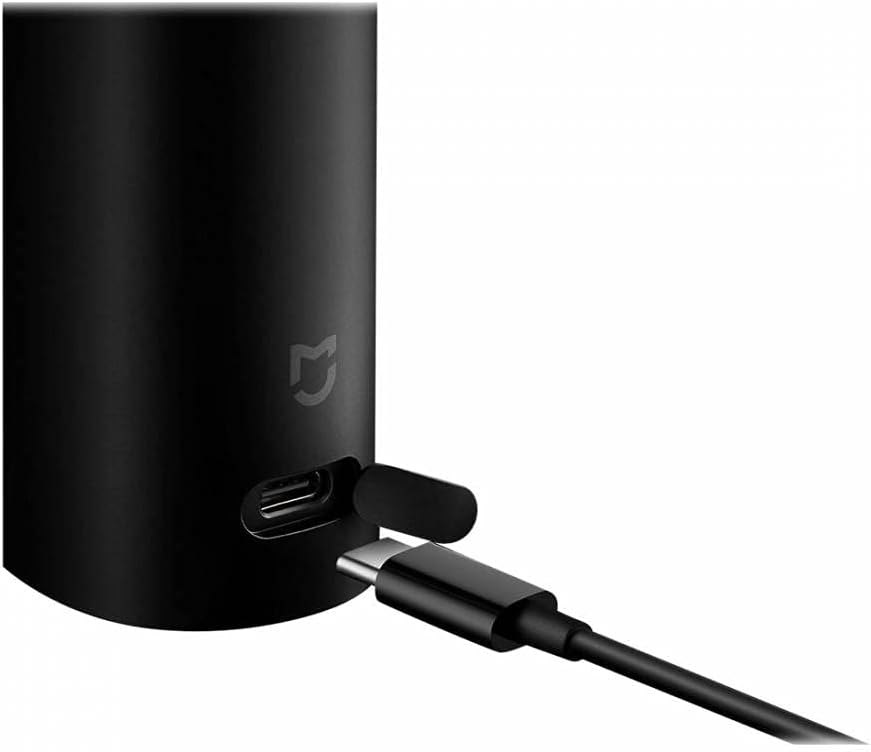
Figi 3.1: Connecting the USB-C charging cable to the shaver.
3.2 Kadna Vwayaj
To prevent accidental activation during travel, the shaver features a travel lock.
- Pou aktive: Press and hold the power button for 3 seconds. A lock icon will appear on the display.
- Pou dezaktive: Press and hold the power button for 3 seconds again. The lock icon will disappear.

Figi 3.2: Shaver display indicating travel lock activation.
4. Itilizasyon razwa a
4.1 Teknik pou raze
Pou rezilta optimal, swiv gid sa yo:
- Raze sèk: Ensure your face is clean and dry. Move the shaver in small, circular motions against the direction of hair growth. Apply gentle pressure.
- Raze mouye: The shaver is IPX7 waterproof and can be used with shaving foam or gel. Apply foam/gel to your face, then shave in circular motions. Rinse the shaver head under running water during and after shaving.

Figi 4.1: The shaver is designed for both wet and dry shaving.
4.2 Power On/Off
- Press the power button once to turn the shaver on.
- Press the power button again to turn the shaver off.
5. Antretyen ak netwayaj
Netwayaj regilye asire pèfòmans optimal epi pwolonje lavi razwa ou a.
5.1 Netwayaj chak jou
- Apre chak itilizasyon, etenn razwa a.
- Open the shaving head by gently pulling it upwards.
- Rinse the shaving head and the hair chamber under running water to remove hair clippings and residue.
- Shake off excess water and allow the head to air dry before closing.
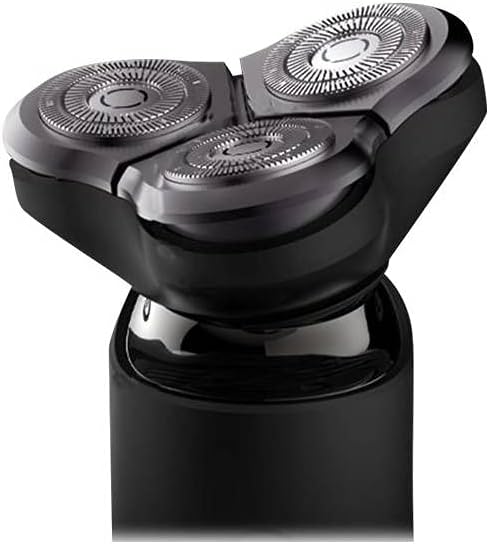
Figi 5.1: Detachable shaving head for easy cleaning.
5.2 Deep Cleaning (Monthly)
For a more thorough clean, disassemble the blade assembly.
- Remove the shaving head as described in daily cleaning.
- Carefully remove each rotary blade and its corresponding guard.
- Clean all parts with the provided cleaning brush or rinse thoroughly under water.
- Asire w ke tout pati yo fin sèk anvan ou remonte.
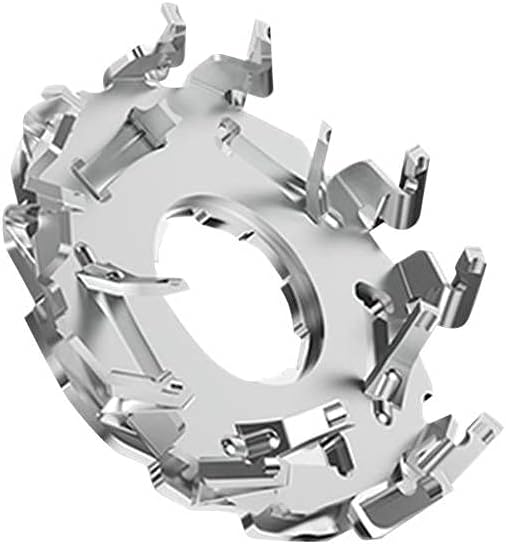
Figi 5.2: Individual rotary blade for detailed cleaning.
5.3 Ranplasman lam
For optimal shaving performance, it is recommended to replace the shaving blades every 12 months, or sooner if you notice a decrease in shaving efficiency.
- Replacement heads can be purchased from authorized XIAOMI retailers.
- Follow the instructions provided with the replacement head for installation.
NAN. Depanaj
If you encounter issues with your Mi Electric Shaver S500, refer to the following common solutions:
| Pwoblèm | Kòz posib | Solisyon |
|---|---|---|
| Raswa a pa limen. | Batri a fin itilize oubyen blokaj vwayaj la aktive. | Charge the shaver. Deactivate travel lock by pressing and holding the power button for 3 seconds. |
| Pòv pèfòmans nan bab. | Blades are dull or shaving head is clogged with hair. | Clean the shaving head thoroughly. Consider replacing the shaving blades if they are old. |
| Razwa a sispann pandan w ap itilize li. | Batri a ba. | Rechaje razwa a. |
7. Espesifikasyon
| Karakteristik | Detay |
|---|---|
| Non modèl | S500 |
| Nimewo Modèl Atik | XIMISHAVS500 |
| Mak | XIAOMI |
| Sous pouvwa | Batri Powered |
| Kalite batri | 1 CR2 battery required (internal) |
| Port chaje | USB-C |
| Dimansyon pwodwi | 6.1 x 2.48 x 2.44 pous |
| Pwa atik | 1.76 ons |
| Konpozan ki enkli | Charger (cable) |
8. Garanti ak sipò
For warranty information or technical support, please refer to the warranty card included with your product or visit the official XIAOMI websit la. Kenbe resi acha ou kòm prèv acha.
Ofisyèl XIAOMI Websit: www.mi.com