
Entwodiksyon
The Bietrun UMKF01 is a versatile USB condenser microphone designed for clear audio capture across various applications, including gaming, streaming, podcasting, and studio recording. Its plug-and-play functionality ensures easy setup, while features like noise cancellation, a cardioid pickup pattern, and integrated controls enhance the user experience. This manual provides detailed instructions for setting up, operating, and maintaining your microphone.
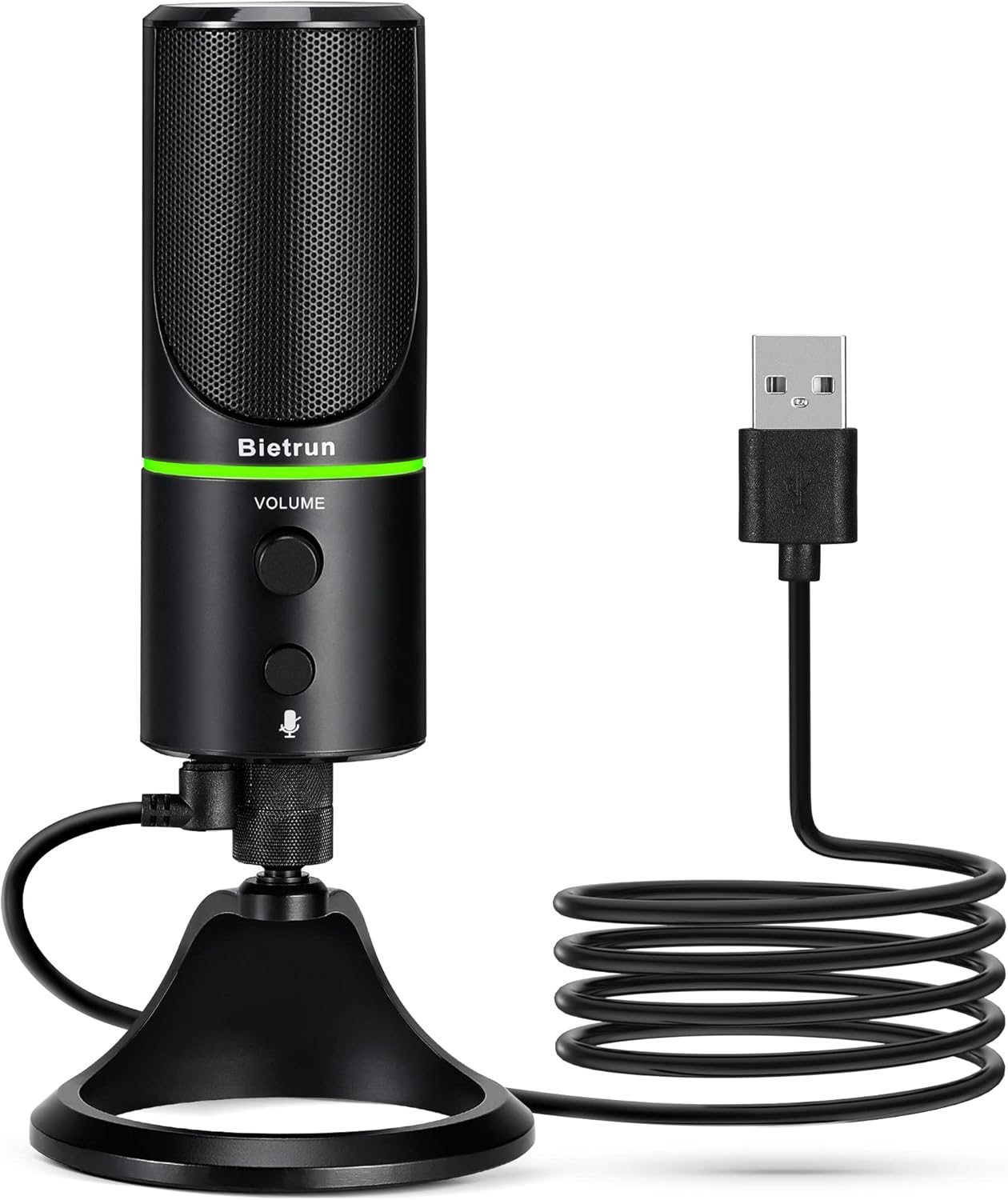
Figure 1: Bietrun UMKF01 USB Condenser Microphone
Kontni pake
Verifye ke tout atik yo prezan nan pakè ou a:
- Mikwofòn USB
- USB kab
- Kat Garanti

Figi 2: Sa ki pakè
Karakteristik pwodwi
- Plug and Play USB Microphone: Comes with a 59-inch (1.5m) USB cable, requiring no additional driver or software. Ideal for gaming, streaming, podcasting, recording, and online meetings.
- Rediksyon bri: Effectively reduces background noises such as typing, clicking, and ambient sounds, ensuring clear and crisp audio.
- Modèl pickup kadyoid: Features a cardioid pickup pattern and a 16mm condenser capsule, providing focused vocal sound and minimizing off-axis noise.
- Headphone Jack & Mute Button: Allows for real-time voice monitoring via a headphone jack with adjustable volume. A dedicated button toggles between normal (green), noise-canceling (yellow), and mute (red) modes, indicated by an LED.
- Adjustable Heavy-Duty Stand: Ensures microphone stability and offers flexible angle adjustment. The microphone can also be detached and mounted on a boom arm with a 3/8" thread.
Enstalasyon
- Attach the Microphone to the Stand: Screw the microphone onto the included desktop stand. Ensure it is securely fastened. The stand allows for 360° rotation for optimal positioning.
- Konekte kab USB a: Plug the micro-USB end of the provided cable into the port at the bottom of the microphone.
- Konekte ak aparèy: Plug the USB-A end of the cable into an available USB port on your computer (Desktop/Laptop), PS4, or PS5. The microphone is plug-and-play and should be recognized automatically by your operating system.
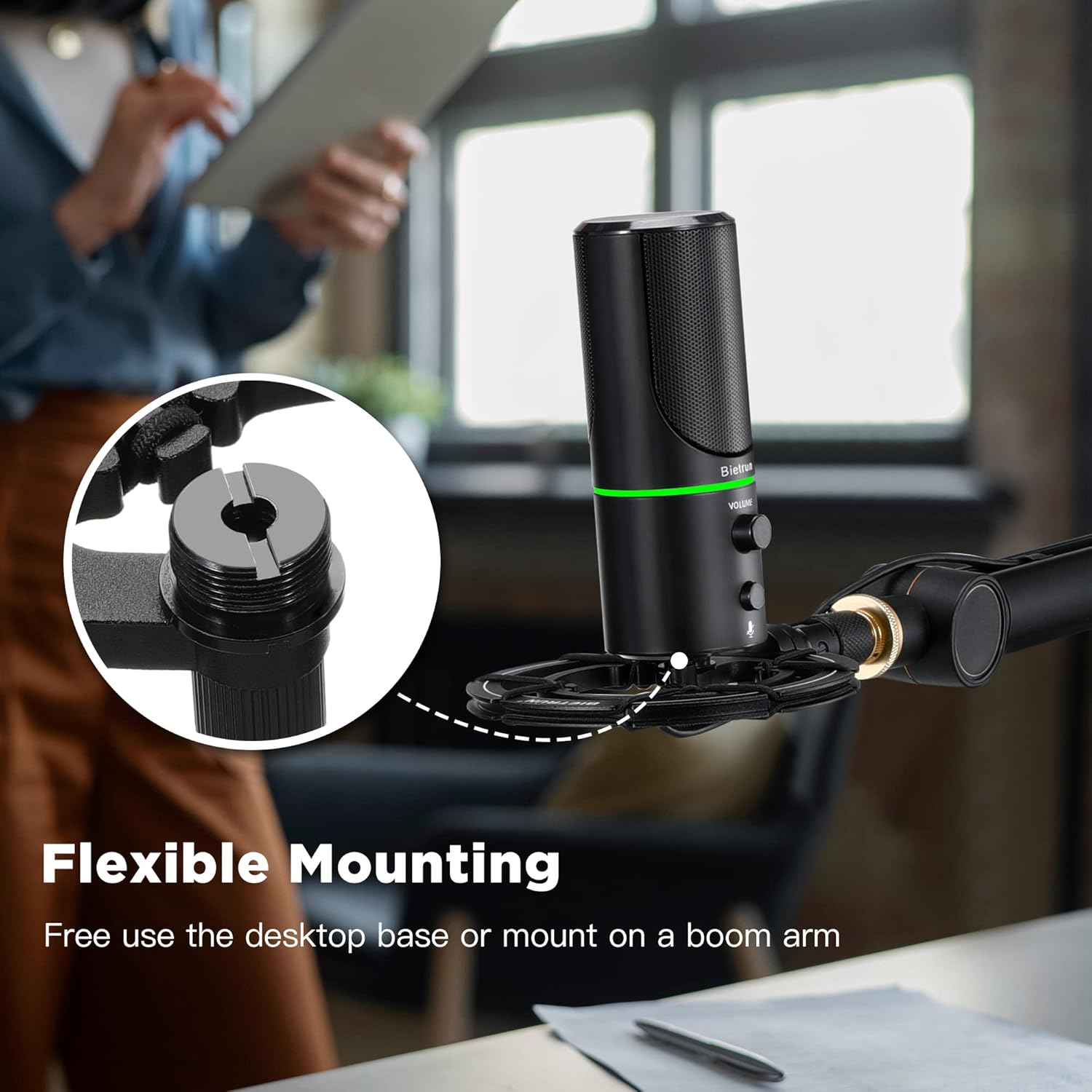
Figure 3: Flexible Mounting Options

Figure 4: Plug & Play Multi-system Compatibility
Enstriksyon Operasyon
- Power On/Off & Seleksyon Mode: The microphone features an LED indicator that shows its status. Press the mute button (microphone icon) to cycle through modes:
- Green ki ap dirije: Mòd operasyon nòmal.
- Dirije jòn: Noise-canceling mode.
- Wouj ki ap dirije: Muted mode.
- Kontwòl Volim: Rotate the 'VOLUME' knob on the microphone to adjust the output volume of your headphones connected to the microphone.
- Siveyans kas ekoutè: Plug your headphones into the 3.5mm audio jack located at the bottom of the microphone to monitor your audio in real-time.

Figure 5: Microphone Controls and LED Indicators

Figure 6: Headphone Monitoring Jack
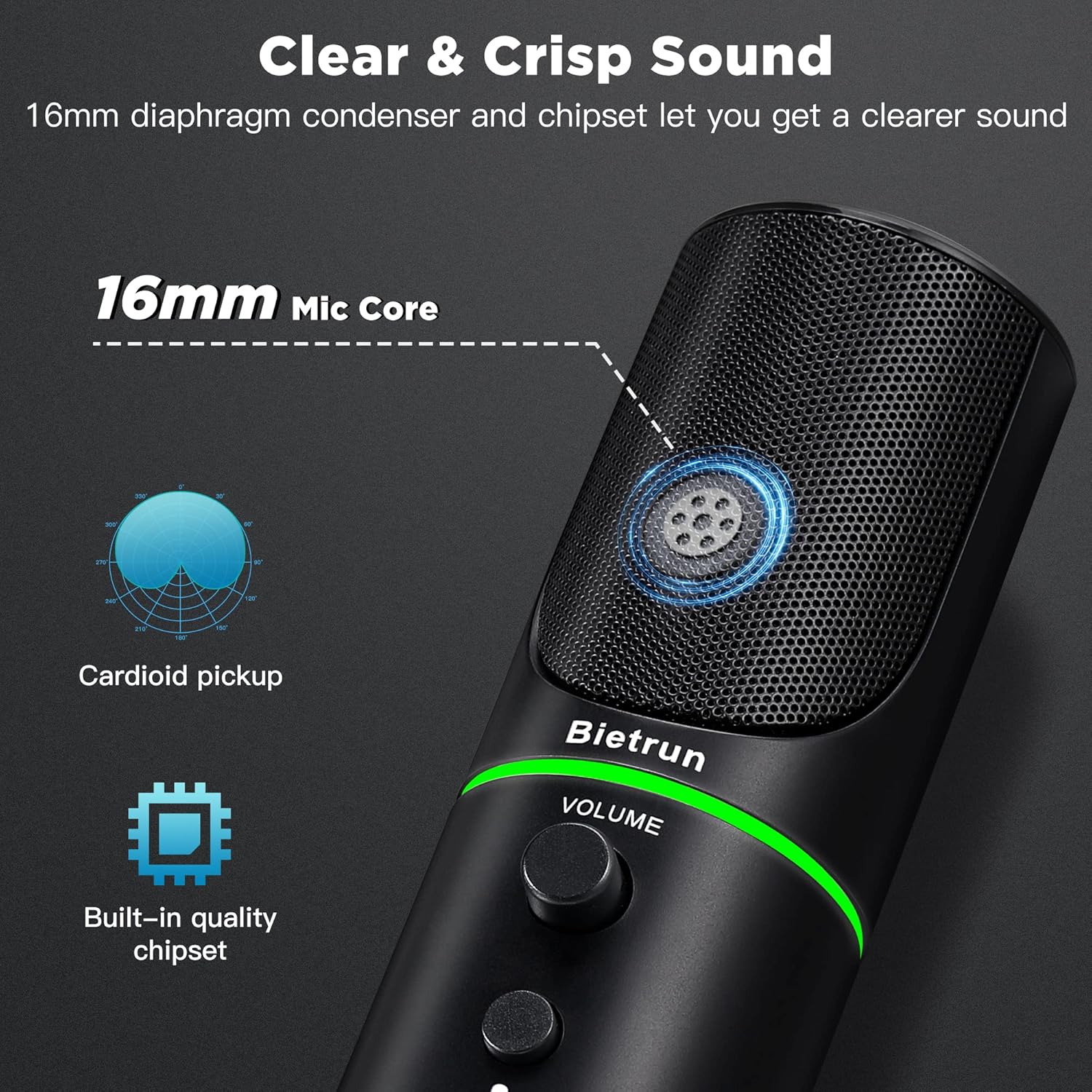
Figure 7: Cardioid Pickup Pattern for Clear Audio
Video 1: Demonstration of Noise Cancelling Feature
This video demonstrates the noise-canceling capabilities of the Bietrun UMKF01 USB Microphone, highlighting its effectiveness in reducing ambient sounds for clearer recordings and communication.
Antretyen
- Netwayaj: Sèvi ak yon twal mou epi sèk pou siye sifas mikwofòn nan. Evite itilize pwodui netwayaj likid oswa materyèl abrazif.
- Depo: Sere mikwofòn nan nan yon kote ki fre epi sèk, lwen limyè solèy dirèk ak tanperati ekstrèm lè w pa ap itilize li.
- Swen kab: Evite koube oswa pli byen file nan kab USB a pou anpeche domaj.
Depanaj
| Pwoblèm | Solisyon posib |
|---|---|
| Microphone not recognized by device | Ensure the USB cable is securely connected to both the microphone and your device. Try a different USB port. Check your device's sound settings to ensure 'Bietrun UMKF01' is selected as the input device. |
| Pa gen son oswa volim ki ba | Check if the microphone is muted (red LED). Adjust the volume knob on the microphone. Verify input levels in your device's sound settings. Ensure headphones are properly connected if monitoring. |
| Poor sound quality or background noise | Ensure the microphone is in noise-canceling mode (yellow LED). Position the microphone closer to your mouth. Minimize ambient noise in your environment. |
Espesifikasyon
| Karakteristik | Detay |
|---|---|
| Non modèl | UMKF01 |
| Koneksyon Teknoloji | USB |
| Kalite Connector | USB Kalite-A |
| Modèl polè | Inidireksyon (Kadyoyid) |
| Mikwofòn Fòm Faktè | Tablo etalaj |
| Audio sensibilité | 110 Desibèl |
| Siyal-a-bwi Pwopòsyon | 49 dB |
| Repons Frekans | 48 KHz |
| Aparèy konpatib | Laptop, PS4/5, Personal Computer |
| Karakteristik espesyal | Mute Function, Volume Control, Noise Cancellation |
| Koulè | Nwa |
| Materyèl | Akrilonitrile butadien stirèn, metal |
| Pwa atik | 10.9 ons (310 gram) |
| Dimansyon pwodwi (L x W x H) | 3.54 x 3.54 x 7.68 pous |

Figure 8: Microphone Dimensions
Garanti ak sipò
Your Bietrun UMKF01 USB Condenser Microphone comes with a warranty. Please refer to the included Warranty Card for specific terms and conditions. For technical support, troubleshooting assistance, or any inquiries regarding your product, please contact Bietrun customer service through their official channels.