
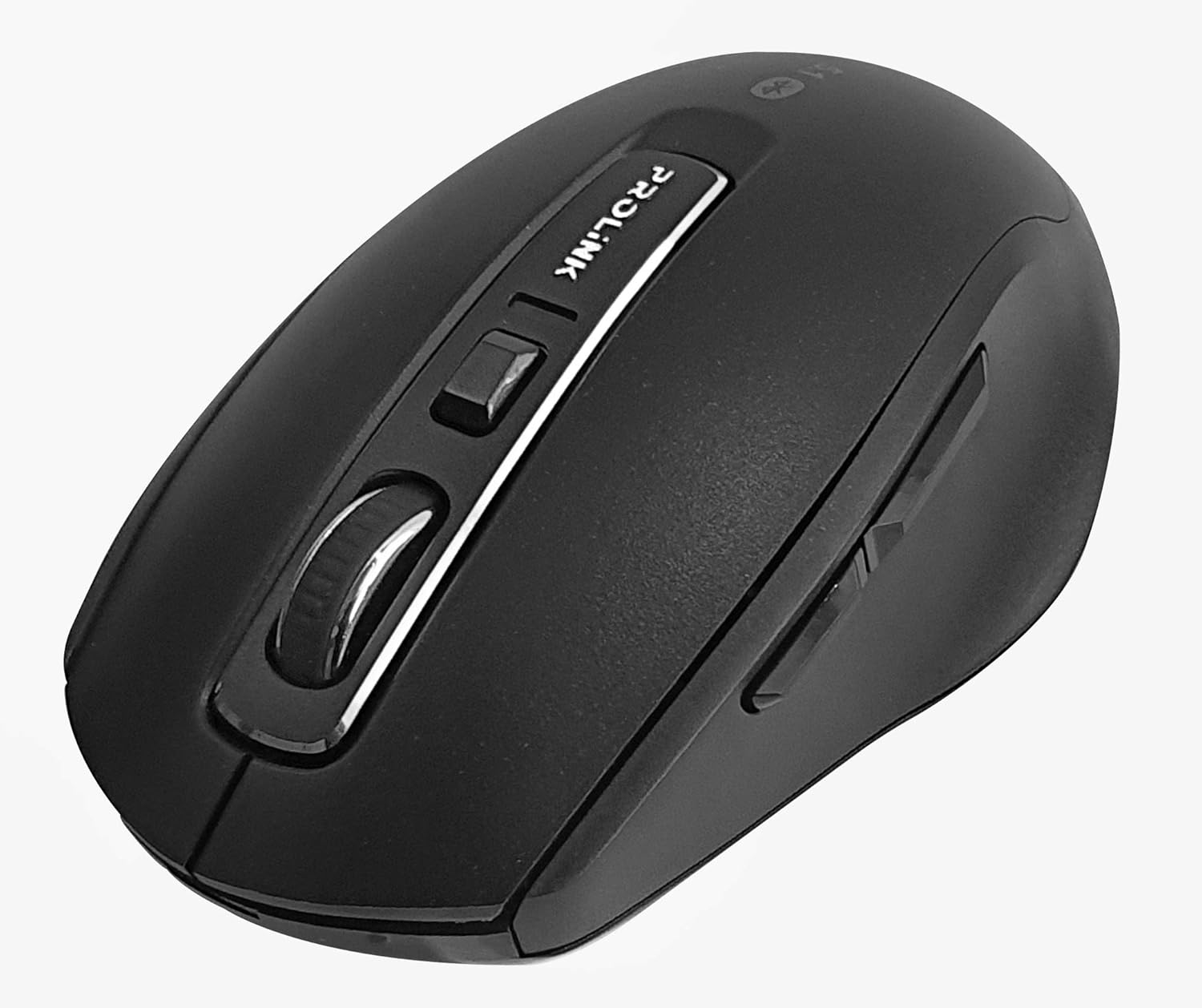
Imaj: Anwo-anba view of the Prolink PMB8502 Bluetooth Wireless Optical Mouse.
1. Entwodiksyon ak souview
The Prolink PMB8502 Bluetooth Mouse is designed for seamless wireless control of your desktop, laptop, or tablet. It features Bluetooth 5.2 connectivity, an ergonomic design, and adjustable DPI settings for personalized comfort and precision. This manual provides detailed instructions for setup, operation, maintenance, and troubleshooting.
Karakteristik kle:
- Bluetooth 5.2 connectivity (backward compatible with 5.1/5.0/4.2/4.1/4.0)
- Up to 27 months battery life (based on supplied batteries)
- DPI reglabl: 800/1200/1600
- 6-button design including back and forward buttons
- Konsepsyon ergonomic pou itilizasyon konfòtab
- Operating range of up to 10 meters

Image: Prolink PMB8502 mouse highlighting its Bluetooth 5.2, battery life, DPI, and range features.
2. Pake kontni
- Prolink PMB8502 Bluetooth Wireless Optical Mouse
- 1 x AA Battery (pre-installed or included separately)
- Manyèl Itilizatè (dokiman sa a)
3. Enstriksyon Enstalasyon
3.1. Enstalasyon batri
- Jwenn kouvèti konpatiman batri a anba sourit la.
- Dousman glise oswa leve kouvèti a pou ouvri konpatiman an.
- Mete yon pil AA ladan l, asire w ke tèminal pozitif (+) ak negatif (-) yo byen aliyen ak mak ki anndan konpatiman an.
- Remèt kouvèti konpatiman batri a jiskaske li fè yon klik byen fèm nan plas li.
3.2. Pè Bluetooth
Before pairing, ensure your device (computer, laptop, tablet) has Bluetooth enabled.
- Limen sourit la avèk bouton On/Off ki sitiye anba a.
- Press and hold the Bluetooth 'Connect' button (usually located near the On/Off switch or within the battery compartment) for 3-5 seconds until the LED indicator on the mouse begins to flash, indicating it is in pairing mode.
- Sou aparèy ou an, ale nan paramèt Bluetooth yo.
- Chèche pou new devices. The mouse should appear as "Prolink PMB8502" or similar.
- Select the mouse from the list to complete the pairing process. The LED indicator on the mouse will stop flashing and remain solid for a few seconds, then turn off, indicating a successful connection.

Imaj: Devan view of the Prolink PMB8502 mouse, showing its ergonomic shape.
4. Operasyon Enstriksyon
4.1. Fonksyon bouton
- Bouton Klike Goch: Seleksyon ak aktivasyon estanda.
- Bouton Klike Dwat: Aksè nan meni kontèkstal yo.
- wou woulo liv: Dokiman defile ak web pages vertically. Can also be pressed for middle-click functionality.
- Bouton Ajisteman DPI: Located below the scroll wheel. Press to cycle through DPI settings (800/1200/1600).
- Bouton Avant: Navige pi devan nan web navigatè oswa file eksploratè.
- Bouton tounen: Navige bak nan web navigatè oswa file eksploratè.

Imaj: Bò kote view of the Prolink PMB8502 mouse, illustrating the placement of the back and forward navigation buttons.
4.2. Ajisteman DPI
The mouse offers three DPI (Dots Per Inch) settings: 800, 1200, and 1600. Press the DPI button located below the scroll wheel to switch between these sensitivities. A higher DPI setting results in faster cursor movement across the screen.
4.3. Jesyon pouvwa
- Bouton On/Off: To conserve battery life, turn off the mouse using the switch on its underside when not in use for extended periods.
- Mòd dòmi otomatik: The mouse automatically enters a sleep mode after more than 10 minutes of inactivity. To wake it up, simply move the mouse or click any button.
5. Antretyen
5.1. Netwayaj
To clean the mouse, use a soft, dry, lint-free cloth. For stubborn dirt, slightly dampRense twal la avèk dlo oswa yon solisyon netwayaj dou. Evite itilize pwodui chimik ki agresif, pwodui netwayaj abrazif, oswa flite likid dirèkteman sou sourit la.
5.2. Ranplasman batri
When the mouse performance degrades or the LED indicator suggests low battery, replace the AA battery following the steps in Section 3.1. Dispose of used batteries responsibly according to local regulations.
NAN. Depanaj
- Mouse not connecting or erratic movement:
- Asire w sourit la limen.
- Tcheke nivo batri a epi ranplase si sa nesesè.
- Asire w ke Bluetooth aktive sou aparèy ou an.
- Try re-pairing the mouse with your device (refer to Section 3.2).
- Deplase sourit la pi pre aparèy ou an pou elimine pwoblèm distans.
- Ensure there are no other strong wireless signals interfering with the Bluetooth connection.
- Cursor not moving smoothly:
- Netwaye detèktè optik ki anba sourit la.
- Sèvi ak sourit la sou yon sifas pwòp ki pa reflete limyè.
- Adjust the DPI setting to a level that suits your preference.
- Bouton pa reponn:
- Tcheke nivo batri a.
- Ensure the mouse is properly connected via Bluetooth.
- Rekòmanse òdinatè w la oswa aparèy ou an.
7. Espesifikasyon
| Karakteristik | Detay |
|---|---|
| Bouton | 6 |
| Capteur | Optik |
| DPI Rezolisyon | 800 / 1200 / 1600 DPI |
| Entèfas | Bluetooth 5.2 (backward compatible with Bluetooth 5.1/5.0/4.2/4.1/4.0) |
| USB Rapò Pousantaj | 125Hz |
| FPS | 2400 fwa/sec |
| Operasyon Imidite | 30% RH - 95% RH |
| Tanperati Fonksyònman | -20°C - +60°C |
| Sistèm operasyon | Windows 7 / 10 / 11, Mac OS 10.2 above |
| Dimansyon (L x W x H) | 108 mm x 66.7 mm x 40.2 mm |
| Pwa | 69.2g (product only) |
| Kalite batri | 1 x batri AA |

Image: Graphic displaying the technical specifications of the Prolink PMB8502 mouse.
8. Garanti ak sipò
The Prolink PMB8502 Bluetooth Wireless Optical Mouse typically comes with a 3-ane garanti from the date of purchase. Please refer to your purchase receipt or the official Prolink website for specific warranty terms and conditions applicable in your region.
For technical support, troubleshooting assistance, or warranty claims, please visit the official Prolink website or contact their customer service department. Contact information can usually be found on the product packaging or the Prolink official websit.
Resous sou entènèt:

Image: Prolink PMB8502 mouse with a "3 Year Warranty" label, indicating product assurance.