
Entwodiksyon
Thank you for choosing the SXFJF L350 Bluetooth Over-Ear Wireless Headphones. This manual provides essential information for the safe and efficient use of your headphones. Please read it carefully before use and retain it for future reference.
Pwodwi souview
The SXFJF L350 headphones are designed for comfort and high-fidelity audio, featuring active noise cancellation, deep bass, and a built-in microphone for hands-free communication. Their foldable design enhances portability.
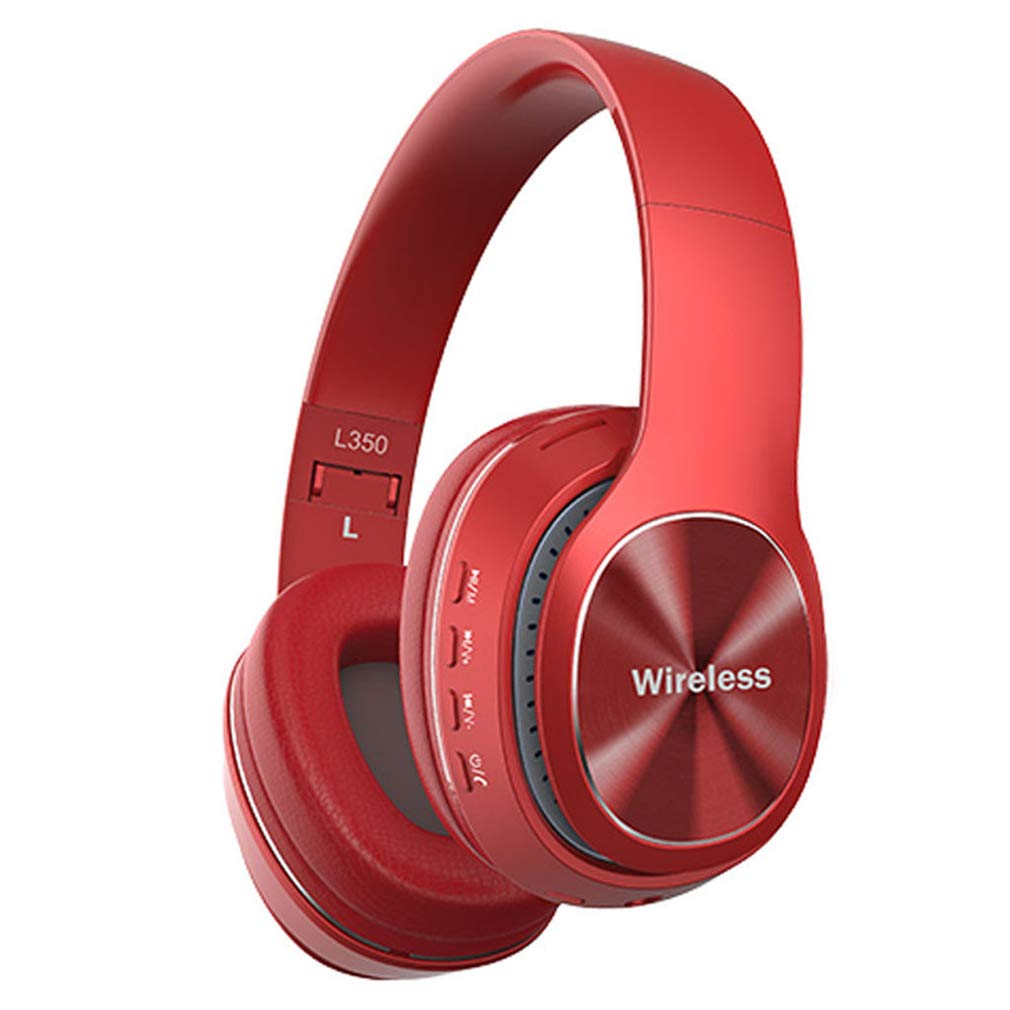
Image: SXFJF L350 Red Bluetooth Over-Ear Wireless Headphones. This image displays the red variant of the L350 headphones, highlighting the over-ear design, control buttons on the earcup, and the 'Wireless' branding.
Karakteristik kle:
- Active Noise Cancelling Function
- Premium Audio with Deep Bass
- 40mm Horn Drivers
- 105dB Sensitivity and 100dB Signal-to-Noise Ratio
- Foldable Structure for Portability
- Soft Memory-Protein Earmuffs for Comfort
- Ergonomik Fit
- Bluetooth 5.0 Connectivity with 15-meter working range
- 8-10 Hours Music Playback Time
- 1300 èdtan Tan sibstiti
- Built-in Microphone for Hands-Free Calls
- 3.5mm Stereo Interface for Wired Connection
Enstalasyon
1. Chaje kas ekoutè yo
Before first use, fully charge your headphones. Use the provided USB charging cable.
- Connect the Micro USB end of the charging cable to the charging port on the headphone earcup.
- Konekte bout USB-A a nan yon sous kouran USB 5V (pa egzanp, yon pò USB òdinatè, yon adaptè miray).
- Endikatè LED la ap limen pandan chaj la epi li chanje koulè oswa etenn lè li konplètman chaje.
2. Pè Bluetooth
Swiv etap sa yo pou konekte kas ekoutè ou yo ak yon aparèy ki gen Bluetooth:
- Asire w ke kas ekoutè yo etenn.
- Press and hold the Power button until the LED indicator flashes red and blue alternately, indicating pairing mode.
- Sou aparèy ou an (telefòn entelijan, tablèt, òdinatè), aktive Bluetooth epi chèche aparèy ki disponib yo.
- Select "L350" or "SXFJF Headphones" from the list of found devices.
- Yon fwa li konekte, endikatè LED la ap tipikman montre yon limyè ble fiks oswa li ap flache ble dousman.
- Si yo mande w yon modpas, antre "0000".
3. Koneksyon filaire (opsyonèl)
For devices without Bluetooth or when the battery is depleted, you can use the 3.5mm audio cable:
- Konekte yon bout kab odyo 3.5mm lan nan priz antre odyo ki sou kas ekoutè a.
- Connect the other end to the 3.5mm audio output jack on your device.
- The headphones will function as wired headphones, and Bluetooth features will be disabled.
Video: SXFJF Bluetooth Over-Ear Wireless Headphones. This video provides a visual overview of the headphones, demonstrating their design, features, and various color options. It highlights the active noise cancellation, deep bass, and comfortable fit.
Enstriksyon Operasyon
Power On/Off
- Pouvwa sou: Peze epi kenbe bouton Power la pou apeprè 3 segonn jiskaske endikatè LED la limen.
- Pouvwa Off: Peze epi kenbe bouton Power la pou apeprè 3 segonn jiskaske endikatè LED la etenn.
Lèktur Klas Mizik
- Jwe/Poz: Peze bouton Jwe/Paz la yon fwa.
- Pwochen Track: Peze epi kenbe bouton pou monte volim nan (+).
- Track Previous: Peze epi kenbe bouton Diminye Volim nan (-).
Jesyon Rele
- Reponn/Fen Apèl: Peze bouton Jwe/Paz la yon fwa.
- Rejte apèl: Peze epi kenbe bouton Jwe/Paz la pou 2 segonn.
- Recomposition Dènye Nimewo: Doub peze bouton jwe/poz la.
Kontwòl Volim
- Ogmante Volim: Peze bouton Ogmante Volim nan (+).
- Diminye Volim: Peze bouton Diminye Volim nan (-).
Antretyen
Proper maintenance ensures the longevity and performance of your headphones:
- Netwayaj: Sèvi ak yon twal mou epi sèk pou netwaye kas ekoutè yo. Pa sèvi ak pwodui netwayaj abrazif oswa solvan.
- Depo: Lè w pa ap itilize kas ekoutè yo, sere yo nan yon kote ki fre epi sèk, lwen limyè solèy dirèk ak tanperati ekstrèm. Sèvi ak konsepsyon pliyan an pou yon depo konpak.
- Evite dlo: Kas ekoutè sa yo pa enpèmeyab. Evite ekspoze yo a dlo oswa imidite twòp.
- Manyen ak Swen: Pa lage kas ekoutè yo, pa demonte yo, oswa pa modifye yo.
Depanaj
Si ou rankontre pwoblèm ak kas ekoutè ou yo, gade pwoblèm ak solisyon komen sa yo:
| Pwoblèm | Solisyon |
|---|---|
| Kas ekoutè yo pa limen. | Asire w ke kas ekoutè yo byen chaje. Konekte yo nan yon sous kouran epi eseye ankò. |
| Pa ka konekte ak aparèy la. | Ensure headphones are in pairing mode (LED flashing red/blue). Turn off and on Bluetooth on your device. Move closer to the device. |
| Pa gen son oswa volim nan ba. | Check volume levels on both headphones and your device. Ensure headphones are properly paired or connected via audio cable. |
| Bon kalite son pòv yo. | Ensure there are no obstructions between the headphones and your device. Avoid interference from other wireless devices. Try a wired connection. |
| Mikwofòn pa mache. | Ensure the headphones are properly connected and selected as the input device on your phone/computer. |
Espesifikasyon
Technical specifications for the SXFJF L350 Bluetooth Over-Ear Wireless Headphones:
| Karakteristik | Detay |
|---|---|
| Bluetooth vèsyon | Bluetooth 5.0 |
| Range travay | Jiska 15 mèt |
| Tan Mizik | 8-10 èdtan |
| Tan sibstiti | 1300 èdtan |
| Kapasite batri | 200 mAh |
| Chaje Voltage | 5V |
| Chaje aktyèl | 5V500mA |
| Entèfas chaje | Mikwo USB |
| Kalite ploge | 3.5mm Stereo Interface |
| Spesifikasyon Horn | 40mm |
| Chaj pouvwa | 50mW |
| Pwovizyon pou Voltage | 3.3-4.2V |
| SNR (Rapò siyal-a-bri) | 100dB |
| Sansiblite | 105dB |
| Travay aktyèl | 30mA |
| Gamme frekans | 24GHz-2480GHz |
Garanti ak sipò
For warranty information, product support, or any issues not covered in this manual, please refer to the product detail page on Amazon or contact SXFJF customer service directly. Contact details are typically available on the product packaging or the seller's Amazon storefront.