
1. Entwodiksyon
Thank you for choosing the Tribit FlyBuds C1 True Wireless Earbuds (Model BTH91). This manual provides essential information for setting up, operating, and maintaining your new earbuds. Please read it thoroughly to ensure optimal performance and longevity of your device.

Image: Tribit FlyBuds C1 Wireless Earbuds and Charging Case.
2. Enfòmasyon sou Sekirite
To prevent damage to your earbuds or injury to yourself, please observe the following safety precautions:
- Pa demonte oswa modifye ekoutè yo oswa bwat chaje a.
- Kenbe aparèy la lwen tanperati ekstrèm, limyè solèy dirèk, ak flanm dife.
- Avoid exposing the earbuds to water for prolonged periods, despite their IPX8 rating. Ensure the charging port cover is securely closed before exposure to liquids.
- Pa sèvi ak pwodui netwayaj abrazif oswa pwodui chimik ki fò pou netwaye aparèy la.
- Koute nan yon volim modere pou evite domaj nan zòrèy ou.
- Kenbe lwen timoun ak bèt kay.
3. Pake kontni
The Tribit FlyBuds C1 package includes:
- Tribit FlyBuds C1 Earbuds (Model BTH91)
- Ka chaje
- USB-C Chaje Kab
- Lanyard
- 6 Pairs of Silicone Ear Tips (various sizes)
- Manyèl itilizatè
- Kat Garanti 18 mwa
Image: All items included in the Tribit FlyBuds C1 retail package.
4. Enstalasyon
4.1. Chaje ekoutè yo ak bwat la
Anvan premye itilizasyon an, chaje ekoutè yo ak bwat chaje a nèt.
- Mete ekoutè yo nan bwat chaje a. Asire w ke yo byen chita nan plas respektif yo.
- Connect the USB-C charging cable to the charging port on the case and to a power source. The LED indicators on the case will show charging status. A full charge takes approximately 1.5 hours.
- The charging case also supports wireless charging. Simply place the case on a compatible wireless charging pad.
The earbuds provide up to 5 hours of playback on a single charge, and the charging case extends total playtime to up to 100 hours.
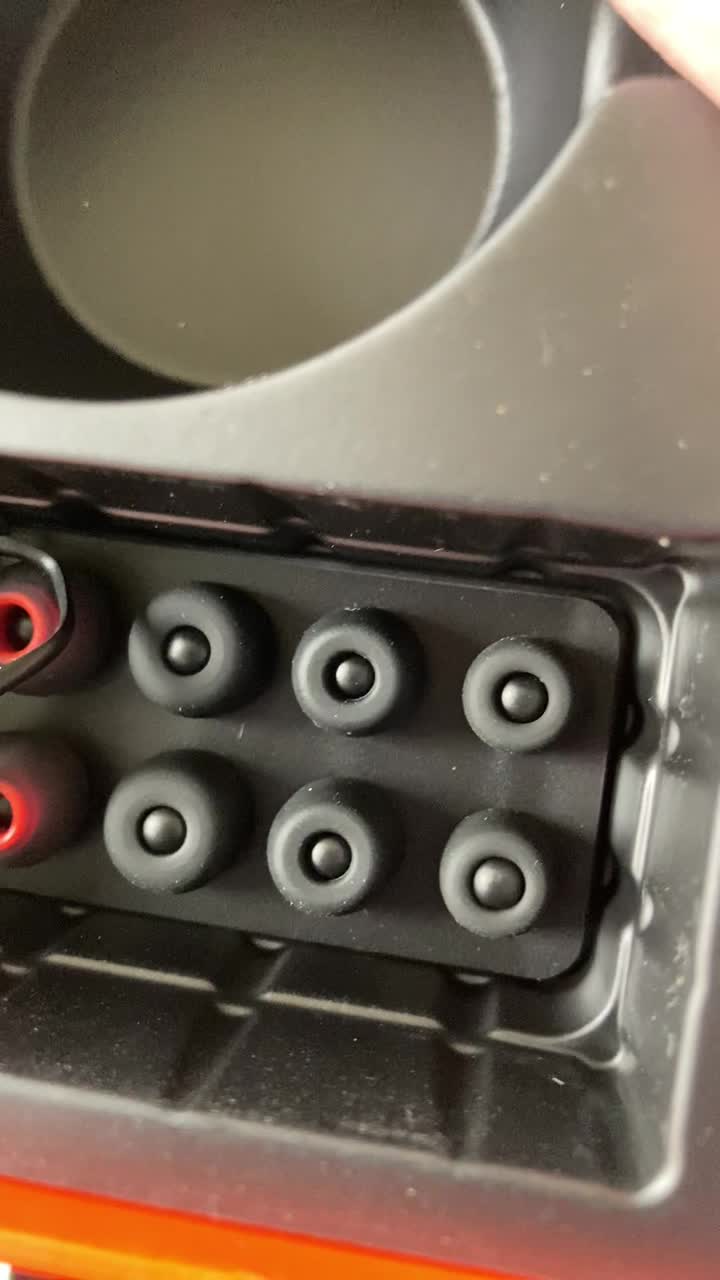
Image: Tribit FlyBuds C1 earbuds charging inside their case, with battery indicator lights visible.
4.2. Konekte ak aparèy ou an
The Tribit FlyBuds C1 feature one-step pairing for convenience.
- Louvri bwat chaje a. Ekoutè yo ap antre otomatikman nan mòd koneksyon.
- Sou aparèy ou an (telefòn entelijan, tablèt, òdinatè pòtab), aktive Bluetooth epi chèche aparèy ki disponib yo.
- Select "Tribit FlyBuds C1" from the list of devices. Once connected, a voice prompt will confirm successful pairing.
- The earbuds will automatically connect to the last paired device when the case is opened. To unpair, press and hold the button on the charging case.
4.3. Mete ekoutè yo an plas
For optimal sound quality and comfort, choose the correct size ear tips.
- Experiment with the 6 included pairs of silicone ear tips to find the best fit for your ears. A snug fit ensures better bass response and noise isolation.
- Mete ekoutè yo dousman nan kanal zòrèy ou epi tòde yo yon ti kras pou byen fèmen.
Image: Selection of silicone ear tips for personalized fit.
5. Operasyon Enstriksyon
5.1. Power On/Off
- Pouvwa sou: Louvri ka chaje a, ak ekoutè yo pral otomatikman limen.
- Pouvwa Off: Mete ekoutè yo tounen nan bwat chaje a epi fèmen kouvèti a. Y ap etenn otomatikman epi y ap kòmanse chaje.
5.2. Mizik lèktur
The Tribit FlyBuds C1 feature physical buttons for control:
- Jwe/Poz: Peze bouton ki sou nenpòt ekoutè yon fwa.
- Pwochen Track: Peze bouton ki sou ekoutè dwat la de fwa.
- Track Previous: Peze bouton ki sou ekoutè gòch la de fwa.
Note: Volume control is not directly available on the earbuds. Please adjust volume via your connected device.
5.3. Rele Jesyon
- Reponn/Fen Apèl: Peze bouton ki sou nenpòt ekoutè yon fwa.
- Rejte apèl: Press and hold the button on either earbud for 2 seconds.
- Activate Voice Assistant (Siri, Google Assistant): Peze bouton ki sou nenpòt ekoutè twa fwa.
The earbuds feature 4 microphones with CVC 8.0 Call Noise Reduction for clear calls.
5.4. Mòd yon sèl ekoutè
Either earbud can be used independently. Simply take one earbud out of the case, and it will automatically connect to your device. The other earbud can remain in the case or be used later.
5.5. IPX8 Waterproofing
The Tribit FlyBuds C1 are IPX8 rated, offering protection against sweat, splashes, and submersion in water up to 1 meter for 30 minutes. This makes them suitable for sports and exercise in various weather conditions.
- Ensure the USB-C charging port cover is securely closed before exposing the earbuds to water.
- Do not charge the earbuds if they are wet. Dry them thoroughly before placing them back in the charging case.
6. Antretyen
Proper maintenance ensures the longevity and performance of your Tribit FlyBuds C1.
- Netwayaj: Regularly clean the earbuds and charging case with a soft, dry, lint-free cloth. For ear tips, remove them and wash with mild soap and water, then dry completely before reattaching.
- Depo: Lè w pa ap itilize yo, sere ekoutè yo nan bwat chaj yo pou pwoteje yo epi kenbe yo chaje. Sere yo nan yon kote ki fre epi sèk, lwen tanperati ekstrèm.
- Evite domaj: Do not drop, puncture, or expose the device to strong impacts.
NAN. Depanaj
If you encounter issues with your Tribit FlyBuds C1, try the following solutions:
| Pwoblèm | Solisyon |
|---|---|
| Ekoutè pa asosye |
|
| Pa gen son oswa volim ki ba |
|
| Ekoutè pa chaje |
|
| Koneksyon tanzantan |
|
8. Espesifikasyon
| Karakteristik | Detay |
|---|---|
| Non modèl | BTH91 (FlyBuds C1) |
| Koneksyon Teknoloji | San fil (Bluetooth) |
| Bluetooth vèsyon | 5.2 |
| Gamme Bluetooth | 10 mèt |
| Dire batri (ekoutè) | Jiska 5 èdtan pou chak chaj |
| Tan total pou jwe (ak bwat chaje a) | Jiska 100 èdtan |
| Tan pou chaje | Apeprè 1.5 èdtan (bwat) |
| Nivo rezistans dlo | IPX8 (enpèmeyab) |
| Karakteristik Kontwòl Bri | CVC 8.0 Call Noise Reduction, Sound Isolation |
| Metòd kontwòl | Bouton Fizik |
| Port chaje | USB-C, Wireless Charging (Qi-compatible) |
| Pwa atik | 2.4 ons |
| Dimansyon pwodwi | 2.4 x 2.4 x 1.2 pous |
9. Garanti & Sipò
Tribit provides an 18-month warranty for the FlyBuds C1 (Model BTH91) from the date of purchase. This warranty covers manufacturing defects and ensures your product is free from material and workmanship flaws under normal use.
For warranty claims, technical support, or any questions regarding your product, please contact Tribit customer service:
- Imèl: support@tribitaudio.com
- Tikè sipò: Vizite tribitaudio.com/support
- Telefòn: 1-888-232-3138 (Mon-Fri, 9:00-6:00 PST [US])
Please have your purchase receipt and product model number (BTH91) ready when contacting support.