
1. Entwodiksyon
This manual provides detailed instructions for the safe and effective use of your Elecom LBT-TWS05BK True Wireless Bluetooth Earphones. Please read this manual thoroughly before using the product and retain it for future reference.
The Elecom LBT-TWS05BK earphones are designed for stable connectivity, superior comfort, and high usability, delivering rich audio performance. They feature an ergonomic design, advanced communication technology, and convenient smart features.
2. Enfòmasyon sou Sekirite
Pou asire yon operasyon an sekirite epi pou anpeche domaj, tanpri obsève prekosyon sa yo:
- Pa ekspoze ekoutè yo oswa bwat chaje a nan tanperati, imidite, oswa likid ekstrèm.
- Evite jete oswa sibi aparèy la nan gwo enpak.
- Pa eseye demonte oswa modifye pwodwi a. Sa ap anile garanti a.
- Kenbe lwen timoun ak bèt kay.
- Koute nan yon volim modere pou evite domaj nan zòrèy ou.
- Be aware of your surroundings when using the earphones, especially in traffic or dangerous situations.
3. Pake kontni
Verifye ke tout atik yo prezan nan pake pwodwi ou a:
- Elecom LBT-TWS05BK True Wireless Bluetooth Earphones (Left and Right)
- Ka chaje
- USB Charging Cable (Type-A to Type-C)
- Ear Caps (XS, S, M, L sizes; M size pre-installed)
- Manyèl Enstriksyon
4. Pwodwi souview
Familiarize yourself with the components of your Elecom LBT-TWS05BK earphones.

Imaj: Gwo plan view of the Elecom LBT-TWS05BK true wireless earbuds, showcasing their sleek black design and the ELECOM branding.

Image: The Elecom LBT-TWS05BK earbuds placed inside their compact charging case, ready for storage or charging.
The earphones feature a compact design with a 6.0mm diameter external magnetic dynamic driver for clear sound. The charging case is designed for single-handed operation with a push-button lid.
5. Enstalasyon
5.1. Chaje ekoutè yo ak bwat la
- Connect the supplied USB Type-A to Type-C cable to the charging case's USB Type-C port and a USB power source.
- The LED indicators on the charging case will show the charging status. Four LEDs indicate a full charge.
- Mete kas ekoutè yo nan bwat chaje a. Y ap kòmanse chaje otomatikman.
- A 15-minute charge provides approximately 1 hour of music playback. A full charge of the earphones allows for about 5 hours of continuous music playback or 4.5 hours of talk time. The charging case can recharge the earphones up to 2.5 times, providing a total of about 17.5 hours of use.
5.2. Inisyal Pairing
The Elecom LBT-TWS05BK supports auto-pairing and Google Fast Pair for compatible Android devices.

Image: An illustration demonstrating the Google Fast Pair feature, where simply opening the charging case near a compatible smartphone prompts a pairing notification. Also shows the one-push open mechanism of the case.
- Asire w ke Bluetooth smartphone ou a aktive.
- Louvri bwat chaje a. Kas ekoutè yo ap antre otomatikman nan mòd koneksyon.
- For Android devices with Google Fast Pair, a notification will appear on your screen. Tap to connect.
- For other devices, go to your device's Bluetooth settings and select "LBT-TWS05BK" from the list of available devices.
- Once paired, the earphones will automatically connect to the last paired device when removed from the case.
5.3. Mete ekoutè yo an plas
The earphones feature an ergonomic design for optimal fit and stability.
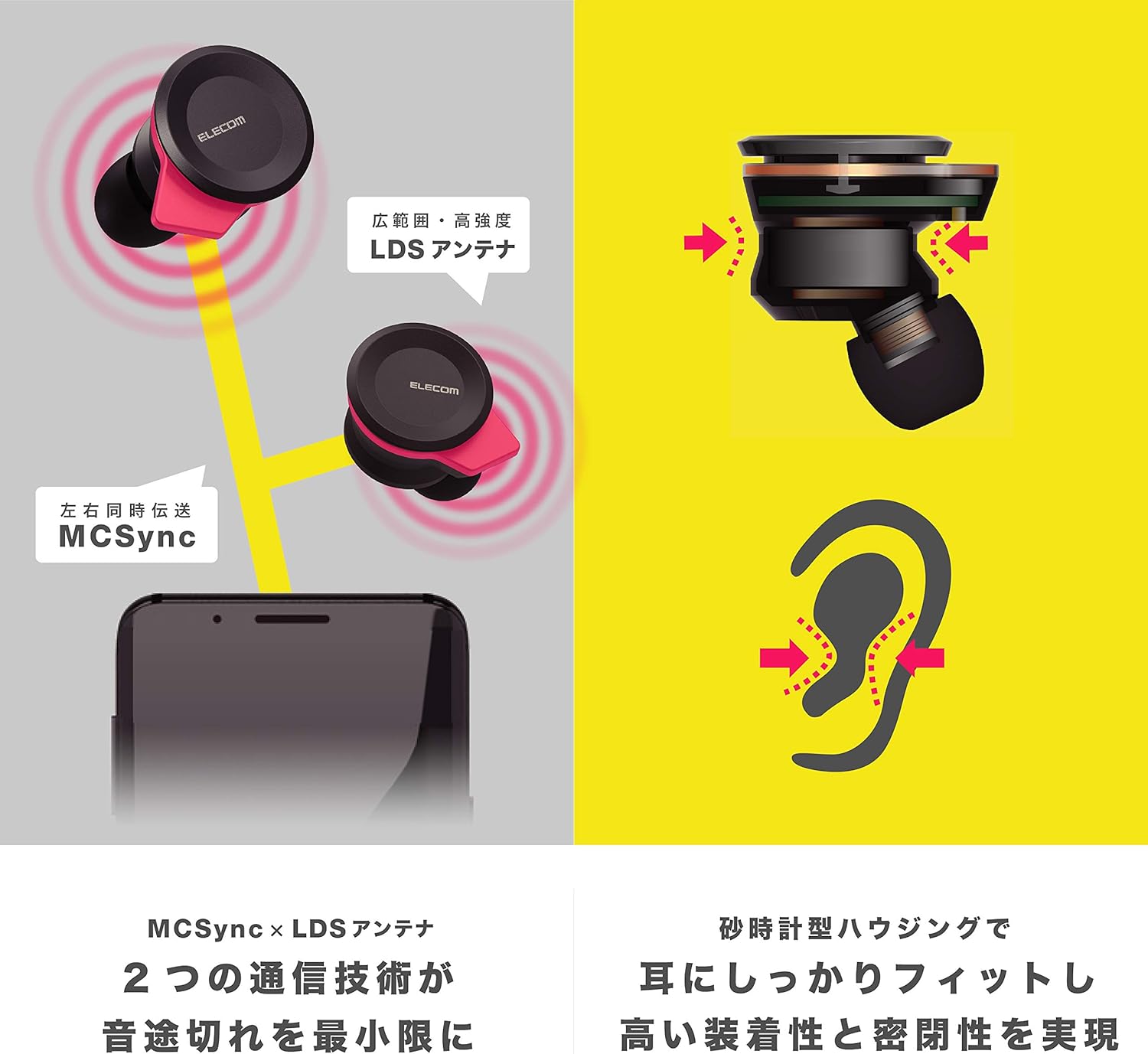
Image: An illustration showing the ergonomic hourglass shape of the earbud designed to fit securely in the ear, alongside a diagram explaining the MCSync and LDS antenna technologies for stable communication.
- Select the ear caps that provide the best seal and comfort from the four included sizes (XS, S, M, L). The M size is pre-installed.
- Dousman mete ekoutè a nan kanal zòrèy ou.
- Adjust the earbud so that the hourglass shape is firmly seated between your ear tragus and anti-tragus for a stable fit.
6. Operasyon Enstriksyon
The Elecom LBT-TWS05BK earphones offer various functions for audio playback, calls, and smart assistant interaction.
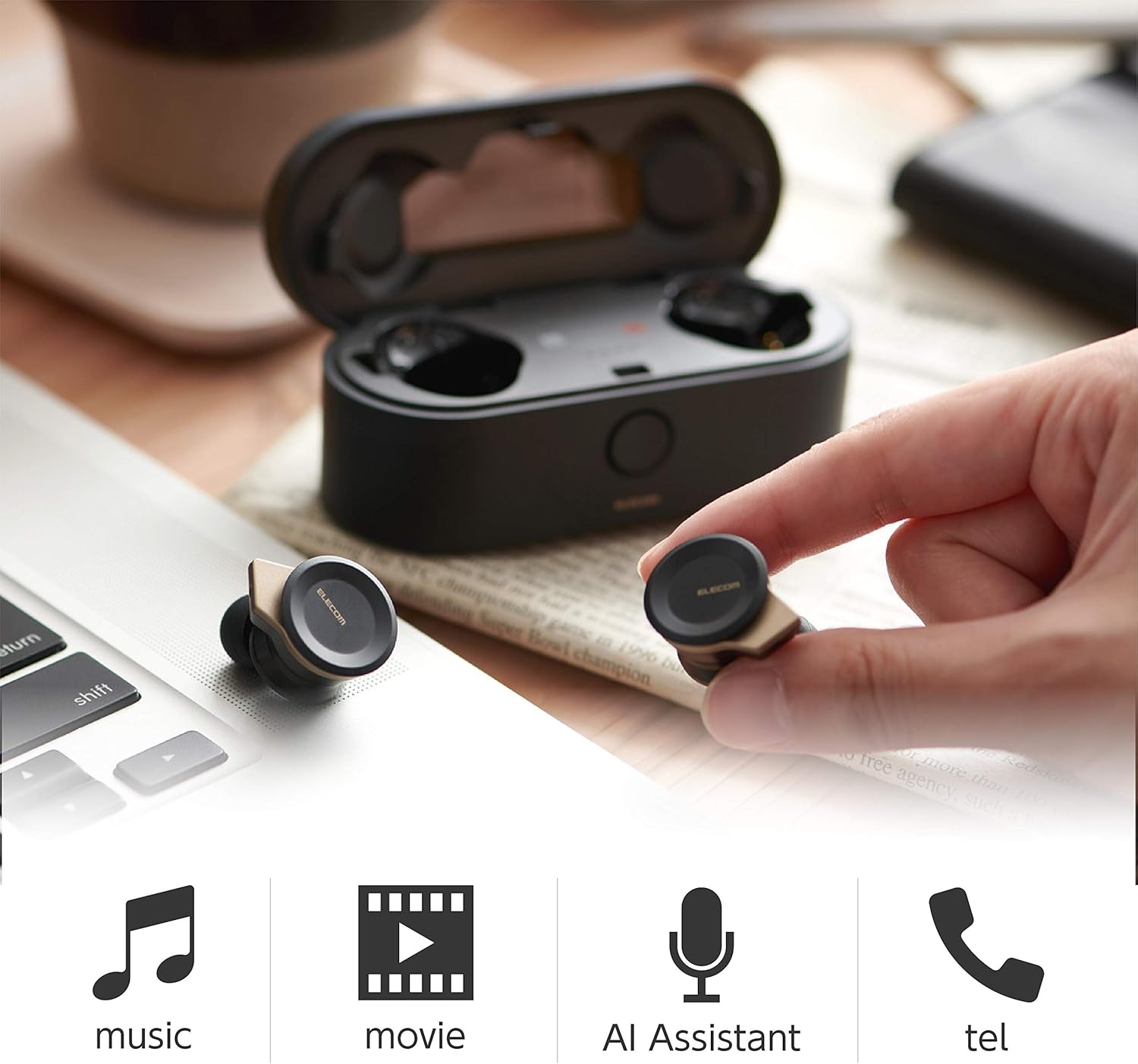
Image: The Elecom LBT-TWS05BK earbuds displayed with icons representing their versatile uses: music playback, movie watching, AI assistant activation, and phone calls.
6.1. Power On/Off
- Pouvwa sou: Remove the earphones from the charging case. They will power on automatically.
- Pouvwa Off: Mete kas ekoutè yo tounen nan bwat chaje a. Y ap etenn otomatikman.
6.2. Mizik lèktur
Use the buttons on the earphones to control music playback (specific button functions may vary, refer to quick start guide for exact mapping):
- Jwe/Poz: Peze yon sèl fwa sou nenpòt ekoutè.
- Pwochen Track: Peze de fwa sou ekoutè dwat la.
- Track Previous: Peze de fwa sou ekoutè gòch la.
- Kontwòl Volim: Adjust via your connected device or voice assistant.
6.3. Jesyon Apèl
The right earbud supports calls and voice AI functions.
- Reponn/Fen Apèl: Single press on the right earbud.
- Rejte apèl: Peze epi kenbe ekouteur dwat la pou 2 segonn.
6.4. Voice AI Activation
Compatible with voice AI assistants like Siri and Google Assistant.
- Activate Voice AI: Peze twa fwa sou ekoutè dwat la.
6.5. External Sound Capture Function
This function allows you to hear surrounding sounds while wearing the earphones.
- Aktive / Dezaktive: Peze epi kenbe ekouteur gòch la pou 2 segonn.
7. Antretyen
Proper maintenance ensures the longevity and performance of your earphones.
- Netwayaj: Sèvi ak yon twal mou epi sèk pou netwaye ekoutè yo ak bwat chaje a. Pa sèvi ak pwodui netwayaj abrazif oswa solvan.
- Bouchon zòrèy: Remove and clean ear caps regularly with water and mild soap. Ensure they are completely dry before reattaching.
- Depo: Lè w pa ap itilize ekoutè yo, sere yo nan bwat chaje yo pou pwoteje yo kont pousyè ak domaj.
- Swen batri: Evite dechaje batri a nèt souvan. Chaje l regilyèman pou kenbe batri a an bon eta.
NAN. Depanaj
If you encounter issues with your Elecom LBT-TWS05BK earphones, refer to the following common solutions:
- Pa gen pwoblèm son/koneksyon:
- Ensure earphones are charged and powered on.
- Tcheke si Bluetooth pèmèt sou aparèy ou an.
- Eseye konekte kas ekoutè yo ak aparèy ou an ankò.
- Ensure earphones are within the 10m transmission distance.
- Ekoutè yo pa chaje:
- Verifye ke kab chaje a byen konekte ak tou de bwat la ak sous kouran an.
- Tcheke si bwat chaje a gen ase batri.
- Ensure the earphones are correctly seated in the charging case.
- Kalite son pòv:
- Ensure ear caps provide a good seal in your ear.
- Netwaye tout debri ki nan bouch ekoutè yo.
- Pwoche pi pre aparèy konekte a pou amelyore fòs siyal la.
- Voice AI/Calls Not Working on Left Earbud:
- Note that calls and voice AI functions are only compatible with the right earbud.
9. Espesifikasyon
| Karakteristik | Spesifikasyon |
|---|---|
| Nimewo Modèl | LBT-TWS05BK |
| Metòd kominikasyon | Vèsyon Estanda Bluetooth 5.0 |
| Sòti | Bluetooth pouvwa klas 1 |
| Distans transmisyon maksimòm | Apeprè. 10m |
| Bann Frekans | 2.4GHz |
| Metòd modulasyon | FHSS (frekans so gaye Spectrum) |
| Sipòte Bluetooth Profiles | A2DP, AVRCP, HFP, HSP |
| A2DP Compatible Codec | SBC, AAC |
| A2DP Compatible Content Protection | SCMS-T |
| Maximum Registration Capacity | 8 aparèy |
| Multipoint (Simultaneous Standby) | Pa konpatib |
| Kalite chofè | 6.0mm diameter external magnetic dynamic driver (ETEMDriver) |
| Teknoloji kominikasyon | MCSync (MultiCast Synchronization), LDS Antenna |
| Mikwofòn | High-quality MEMS microphone with HDVoice |
| Tan pou pale kontinyèl | Apeprè. 4.5 èdtan |
| Continuous Music Playback Time | Apeprè. 5 èdtan |
| Total Playback Time (with charging case) | Apeprè. 17.5 èdtan |
| Port chaje | USB Kalite-C |
| Chaj rapid | 15 min charge for 1 hour playback |
| Pwa | 61 Grams (total package weight) |
| Materyèl | Plastik |
| Nivo rezistans dlo | Dlo rezistan |
| Aparèy konpatib | Smartphones, Tablets, iOS Devices, Android Devices |
10. Garanti ak sipò
For warranty information and customer support, please refer to the official ELECOM websit la oubyen kontakte détayan lokal ou a. Kenbe prèv acha ou pou reklamasyon garanti.