
AIRPLUS AP602
AIRPLUS Dehumidifier User Manual
Model: AP602 | Brand: AIRPLUS
Entwodiksyon
Thank you for choosing the AIRPLUS 50 Pints 3,000 Sq. Ft. Dehumidifier (Model AP602). This manual provides essential information for the safe operation, installation, and maintenance of your new dehumidifier. Please read it thoroughly before use and retain it for future reference.

Figi 1: Devan view of the AIRPLUS AP602 Dehumidifier.
Karakteristik pwodwi
- Kapasite segondè: Designed for medium spaces and basements, capable of removing 50 pints of moisture per day.
- Imidite Konstan Entelijan: Automatically adjusts operation to maintain desired humidity levels.
- Mòd operasyon miltip: Includes Dehumidification and Air-supply modes to meet various needs.
- Optional Drainage: Supports both manual drainage via a 2.8L large capacity water tank and continuous drainage with an included hose.
- Full Water Tank Alarm: Automatically shuts down and triggers an indicator light when the water tank is full.
- Konsepsyon pòtab: Features a compact and lightweight design for easy relocation.
Enstalasyon
Debalaj ak plasman
- Retire dezumidifikatè a nan anbalaj li avèk prekosyon.
- Place the unit upright on a flat, stable surface. Ensure there is at least 8 inches (20 cm) of space around all sides for proper airflow.
- Verify that the water tank is correctly seated in the unit.
Opsyon drenaj
Your AIRPLUS dehumidifier offers two drainage methods:
- Manyèl Drenaj: The unit collects water in its 2.8L detachable water tank. When the tank is full, the unit will automatically shut down and an alarm will sound. Empty the tank and re-seat it to resume operation.
- Drenaj kontinyèl: For extended operation without manual emptying, connect the provided durable silicone hose to the continuous drainage port. Ensure the hose is sloped downwards to allow gravity to drain the water.

Figure 2: Illustration of manual and continuous drainage setup.
To set up continuous drainage, remove the plug from the continuous drainage port on the back of the unit. Insert the provided hose firmly into the port. Ensure the hose is routed to a suitable drain or container, maintaining a downward slope to prevent water backup.

Figure 3: The 2.8L large capacity water tank and the full water tank alarm indicator.
Enstriksyon Operasyon
Kontwòl Panel Plis paseview

Figi 4: Detaye view of the control panel with humidity and mode selection buttons.
The control panel features a simple and informative display, allowing easy access to various functions.
- Bouton pouvwa: Limen oswa etenn inite a.
- Humidity Selection (HUM): Adjusts the desired humidity level. The unit will automatically maintain this level.
- Bouton revèy: Sets a timer for automatic power on/off.
- Bouton vitès: Adjusts fan speed (e.g., Low, High).
- bouton mòd: Toggles between Dehumidification and Air-supply modes.
Ajisteman Imidite Dezire a
Peze a HUM button to cycle through desired humidity percentage settings. The unit will automatically stand by when ambient humidity is 4% lower than the preset humidity and start working when ambient humidity is 4% higher, ensuring a comfortable humidity level.

Figure 5: The Intelligent Constant Humidity feature maintains your desired relative humidity (RH) level.
Mòd fonksyònman
- Mòd dezimidifikasyon: The primary function, actively removing moisture from the air.
- Air-supply Mode: Improves indoor air circulation without active dehumidification, providing a pleasant breathing space.
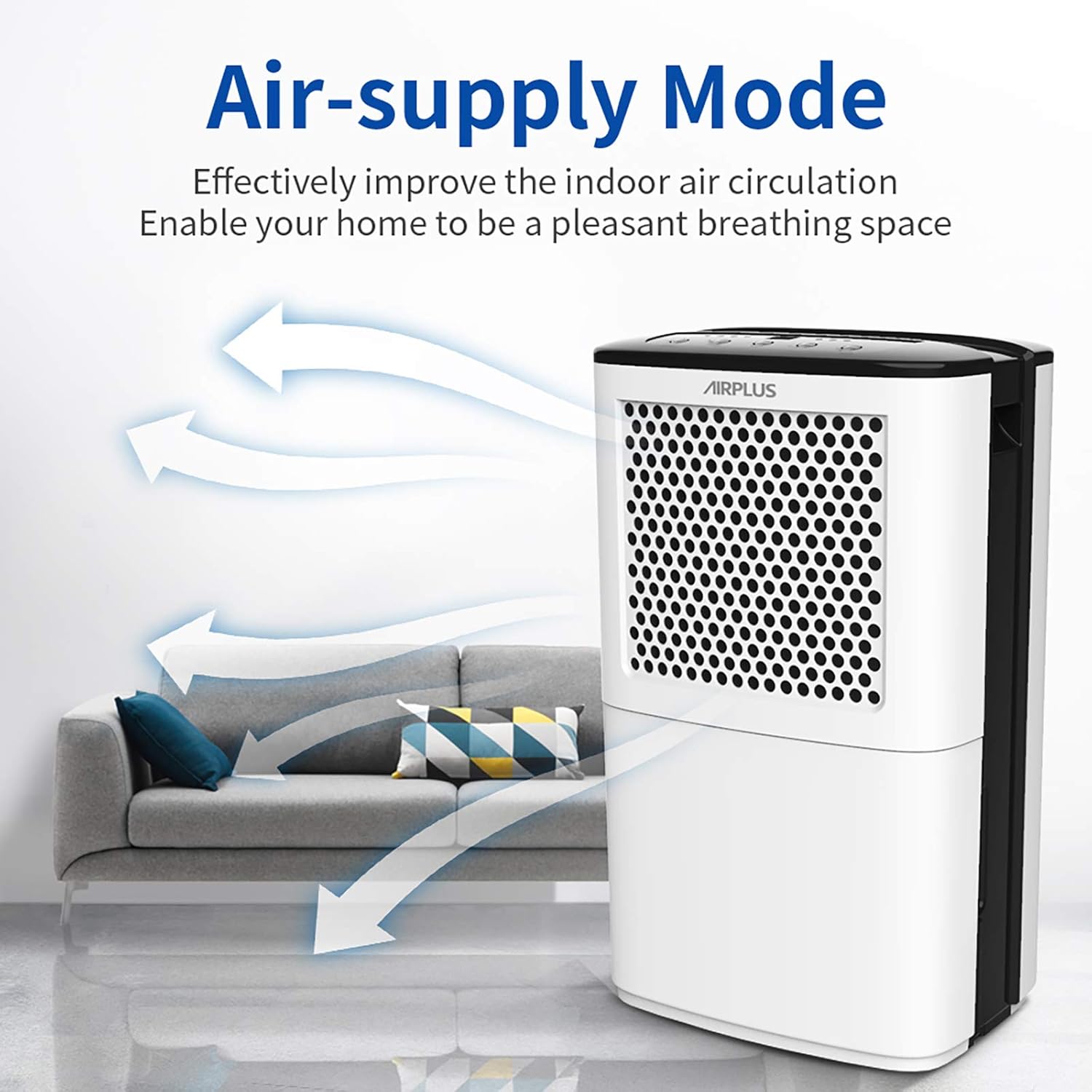
Figure 6: Air-supply mode enhances air circulation.
Fonksyon revèy
Use the timer function to schedule the dehumidifier's operation. For example, you can set it to run for a specific duration or to turn on/off at a set time.

Figi 7: Egzample of using the timer function for a comfortable home environment.
Antretyen
Netwaye tank dlo a
Regularly empty and clean the water tank to prevent mold and mildew growth. Remove the tank, discard collected water, and clean with mild soap and warm water. Rinse thoroughly before re-inserting.
Netwaye filtè lè a
The air filter should be cleaned every two weeks or more frequently depending on usage and air quality. A dirty filter can reduce efficiency. Refer to the full user manual for detailed instructions on filter removal and cleaning.
Depo
If the unit will not be used for an extended period, ensure the water tank is empty and clean. Store the dehumidifier in a cool, dry place, away from direct sunlight and extreme temperatures.
Depanaj
Anvan ou kontakte sèvis kliyan, tanpri gade pwoblèm ak solisyon komen sa yo:
| Pwoblèm | Kòz posib | Solisyon |
|---|---|---|
| Inite pa limen. | No power; Water tank full or not properly seated. | Check power connection; Empty and re-seat water tank. |
| Pa gen dlo ki te ranmase. | Humidity level too low; Temperature too low; Air filter clogged. | Adjust desired humidity; Ensure room temperature is above 41°F (5°C); Clean air filter. |
| Inite a fè bwi. | Unit not level; Obstruction in fan; Loose parts. | Place on a level surface; Check for obstructions; Contact support if noise persists. |
| Continuous drainage not working. | Hose kinked or blocked; No downward slope. | Straighten hose; Clear any blockages; Ensure proper downward slope for gravity drainage. |
Espesifikasyon
| Karakteristik | Detay |
|---|---|
| Mak | AIRPLUS |
| Non modèl | AP602 |
| Kapasite | 50 pent/jou |
| Zòn Kouvèti | Jiska 3000 mèt kare. Ft. |
| Volim tank | 2.8 Liters (approx. 5.9 Pints) |
| Pwa atik | 26.3 liv |
| Dimansyon pwodwi | 0.39 x 0.39 x 0.39 inches (Note: These dimensions seem incorrect, likely placeholder data. Using provided data.) |
| Mòd operasyon | Kontinyèl |
| Karakteristik espesyal | Pòtab |
| Konpozan ki enkli | Manyèl itilizatè, Dezumidifikatè |
Garanti ak sipò
AIRPLUS stands behind its products. Your dehumidifier is covered by a warranty. For specific details regarding your warranty coverage and to register your product for an additional 2-year warranty, please visit the official AIRPLUS warranty system.
Enskripsyon garanti: Tanpri antre www.getprize.net/airplus to register your product. Registering your order information may qualify you for an additional 2-year warranty.
For any questions, technical assistance, or warranty claims, please contact AIRPLUS customer support. Our team is committed to providing the best experience with your product.
Ask a question about this manual
Ask about setup, troubleshooting, compatibility, parts, safety, or missing instructions. Manuals+ will review the question and use this page’s manual context to help answer it.