
Entwodiksyon
Thank you for choosing the BOYI 61 Mini 60% Wired Mechanical Gaming Keyboard. This compact keyboard is designed for both gaming and everyday use, featuring durable PBT keycaps, responsive Cherry MX Blue switches, customizable RGB lighting, and a robust Type-C wired connection. This manual provides essential information for setting up, operating, and maintaining your keyboard to ensure optimal performance.
Kontni pake
Tanpri verifye ke tout atik yo prezan nan pakè ou a:
- 1 x BOYI 61 Mini Keyboard
- 1 x Keycap Puller
- 1 x manyèl itilizatè
- 1 x tip-C USB kab
- Optional: Some Extra Keycaps
Enstalasyon
Follow these steps to set up your BOYI 61 Mini keyboard:
- Konekte klavye a: Locate the Type-C port on the back of the keyboard. Connect one end of the provided Type-C USB cable to the keyboard and the other end to an available USB port on your computer (Windows or Mac).
- Enstalasyon chofè: The keyboard is plug-and-play. Your operating system should automatically detect and install the necessary drivers. No additional software installation is typically required for basic functionality.
- Plasman: Position the keyboard comfortably on your desk. The keyboard features a scientific stair-up keycap design and two adjustable feet, allowing for a natural 4° tilt to maximize comfort during extended use.

Image: The Type-C connector on the keyboard ensures high-speed data transmission for stable performance.

Image: The two-foot stand design provides an ergonomic tilt to protect your wrist during use.
Enstriksyon Operasyon
Your BOYI 61 Mini keyboard offers various features to enhance your typing and gaming experience.
RGB mòd ekleraj
The keyboard features 10 different RGB lighting modes and interactive BOYI customizable game modes. To change the lighting mode, press the Fn + Alt + T keys simultaneously. Cycle through the modes to find your preferred lighting effect for gaming or typing.
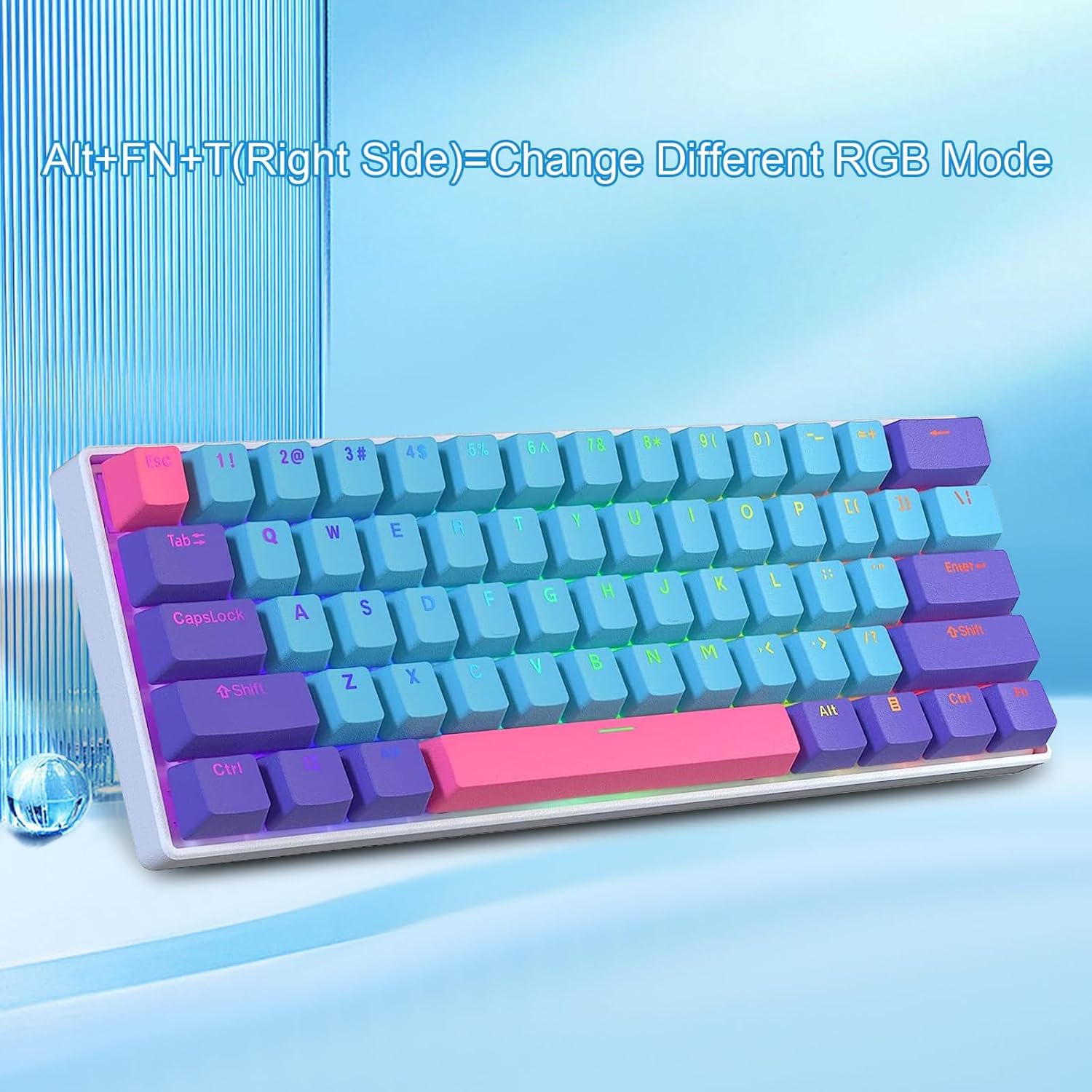
Image: Pressing Fn + Alt + T (right side) changes the RGB lighting mode.
Lojisyèl pwogramasyon
The keyboard supports programmable software, allowing you to customize key functions and lighting effects further. Refer to the official BOYI website for software downloads and detailed instructions on creating custom profiles and macros. You can download hundreds of lighting effects from the library.

Image: The keyboard is compatible with programmable software for advanced customization.
Anti-Ghosting and NKRO
The keyboard features N-Key Rollover (NKRO) and anti-ghosting technology, ensuring that every keystroke is registered accurately, even when multiple keys are pressed simultaneously. This is crucial for fast-paced gaming and efficient typing.
Antretyen
Proper maintenance will extend the lifespan and performance of your keyboard.
Cleaning Keycaps
The PBT keycaps are durable and abrasion-resistant. To clean them, use the provided keycap puller to carefully remove the keycaps. You can then wash them with mild soap and water, ensuring they are completely dry before reattaching. For general cleaning, use a soft, damp cloth to wipe the surface of the keycaps and keyboard frame.
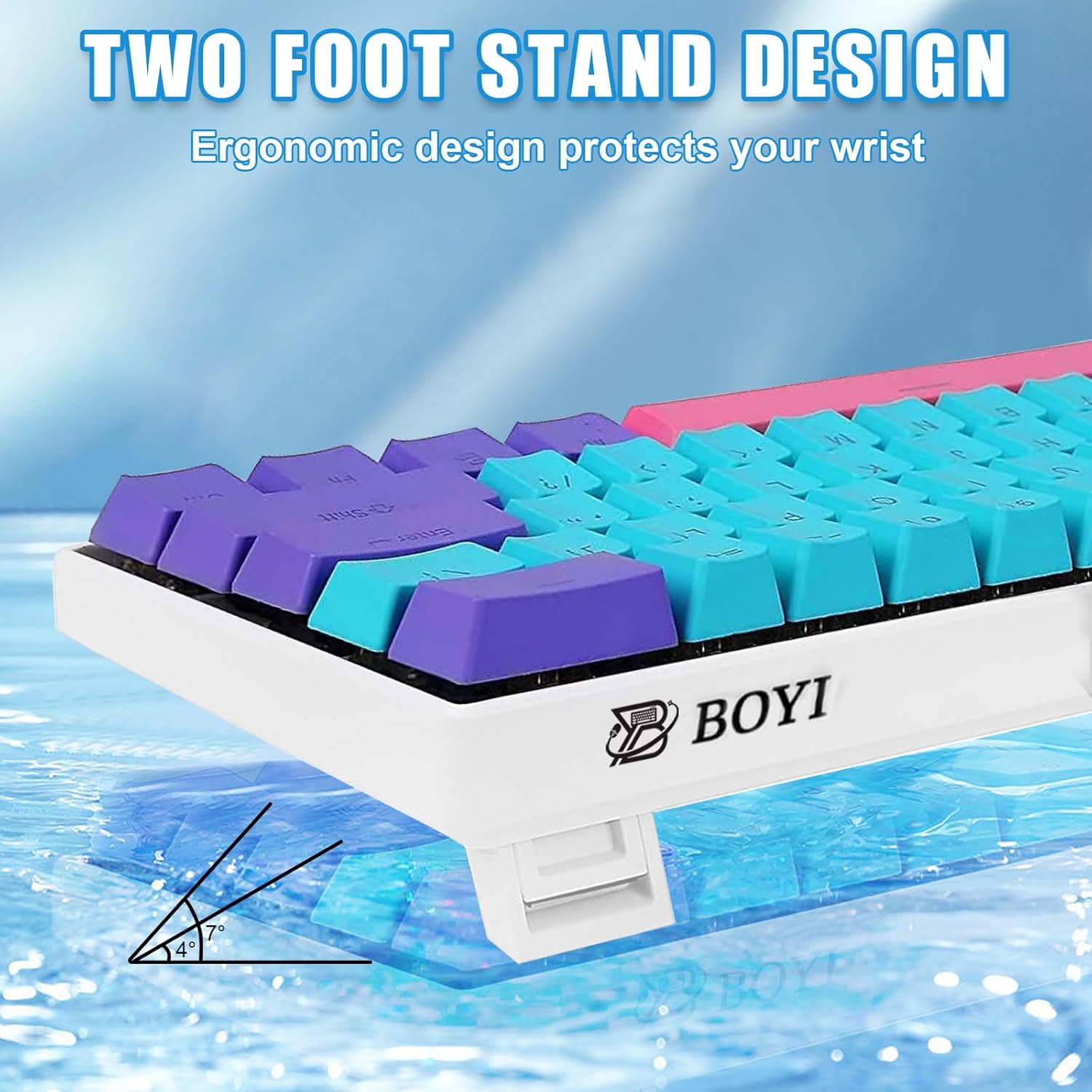
Image: Double injection PBT keycaps offer wear resistance and clear legends.
Chanje antretyen
This keyboard features Cherry MX Blue mechanical switches. While the keyboard is advertised as hot-swappable, this specific variant comes with soldered Cherry MX switches. If you have a hot-swappable version, you can replace switches without soldering. For this model, avoid attempting to remove switches unless you have advanced soldering skills and replacement switches.

Imaj: Eksploze view illustrating the internal components, including PBT keycaps and Cherry MX switches.
Depanaj
Si w rankontre pwoblèm ak klavye w la, tanpri al gade solisyon komen sa yo:
- Klavye a pa reponn:
- Ensure the Type-C cable is securely connected to both the keyboard and your computer.
- Eseye konekte klavye a nan yon lòt pò USB sou òdinatè w la.
- Teste klavye a sou yon lòt òdinatè pou elimine pwoblèm espesifik nan sistèm nan.
- Rekòmanse òdinatè w lan.
- Ekleraj RGB pa fonksyone/pa kòrèk:
- Peze Fn + Alt + T pou chanje mòd ekleraj yo.
- Check if any lighting software is running in the background that might be overriding the keyboard's settings.
- Ensure the keyboard firmware is up to date (check the BOYI websit).
- Kle yo pa anrejistre:
- Gently remove the keycap using the keycap puller and inspect the switch for any debris.
- Si pwoblèm nan kontinye, kontakte sipò kliyan.
Espesifikasyon
| Karakteristik | Detay |
|---|---|
| Nimewo Modèl | 61 Mini |
| Dimansyon pwodwi | 11.42 x 3.94 x 1.18 pous (29 x 10 x 3 cm) |
| Pwa atik | 1.9 liv (0.86 kg) |
| Manifakti | BOYI |
| Koneksyon Teknoloji | USB-C branche |
| Deskripsyon klavye | 60% Gaming & Office Mechanical Keyboard |
| Kle switch | Cherry MX Blue Switch |
| Materyèl Keycap | PBT (Polybutylene terephthalate) |
| Ekleraj | RGB (16.8 milyon koulè) |
| Karakteristik espesyal | Anti-Ghosting, NKRO, Programmable, Ergonomic Design |
| Aparèy konpatib | PC (Windows), Mac, Gaming Console |
Garanti ak sipò
BOYI products are designed for reliability and performance. For warranty information, technical support, or any inquiries regarding your BOYI 61 Mini keyboard, please refer to the contact information provided with your purchase or visit the official BOYI websit la. Kenbe resi acha ou kòm prèv acha pou reklamasyon garanti.