
1. Pwodwi souview
The TRUSTECH Evaporative Air Cooler (Model B085RBZ1P) is a versatile 2-in-1 appliance designed to provide both cooling and humidification. This portable tower fan features a bladeless design, three fan speeds, three operating modes, 90-degree oscillation, and an 8-hour timer for enhanced comfort and convenience.
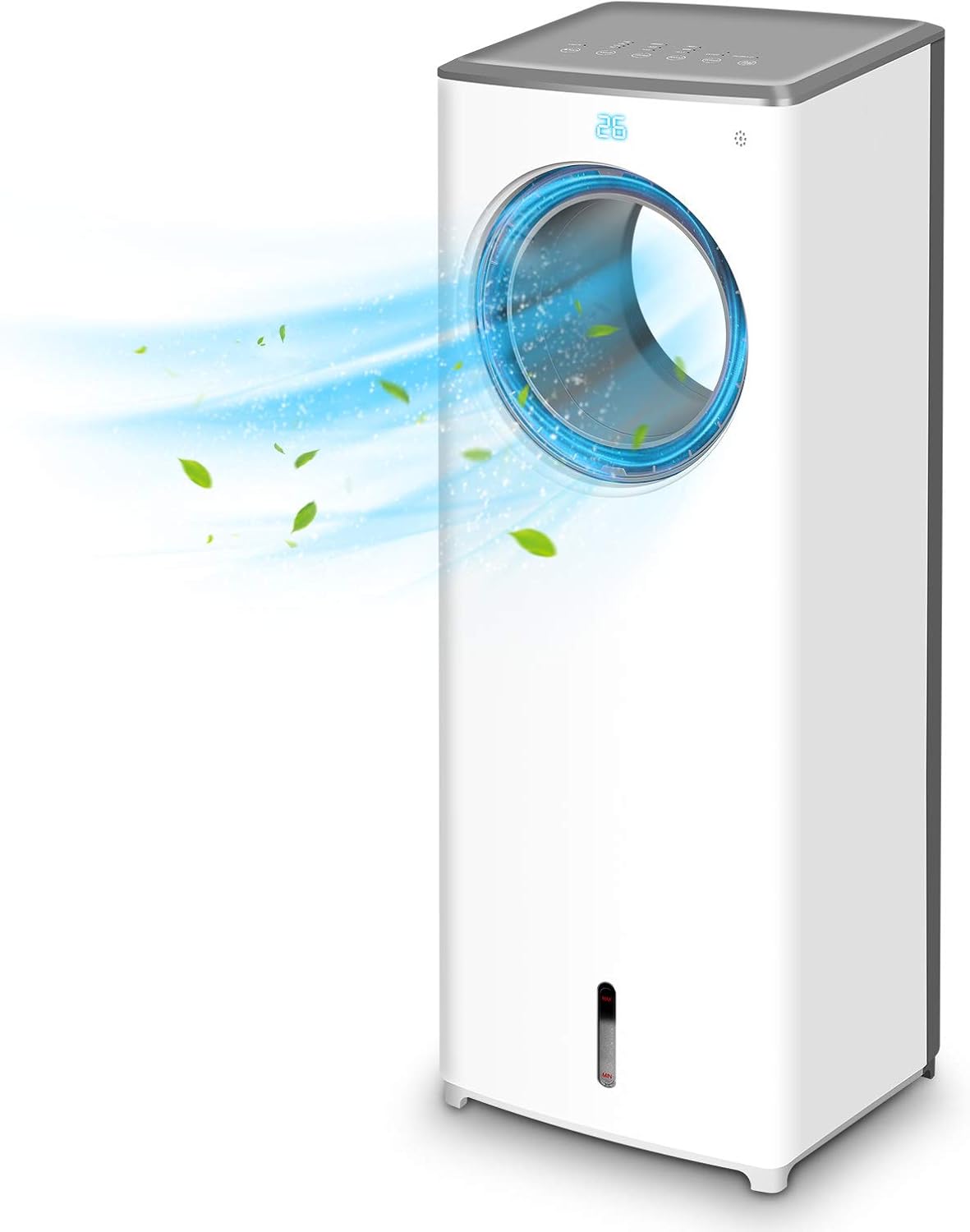
Imaj 1.1: Devan view of the TRUSTECH Evaporative Air Cooler, showcasing its sleek design and air outlet.
2. Enstriksyon Sekirite
- Li tout enstriksyon yo anvan ou sèvi ak aparèy la.
- Pa opere aparèy la ak yon kòd oswa ploge ki domaje.
- Asire w ke aparèy la mete sou yon sifas ki estab e plat pou anpeche li chavire.
- Pa bloke antre oswa priz lè.
- Unplug the unit before cleaning, refilling water, or performing any maintenance.
- Keep out of reach of children and pets. The bladeless design enhances safety, but supervision is always recommended.
- Do not use in excessively humid environments or near water sources to avoid electrical hazards.

Image 2.1: The bladeless design of the air cooler, highlighting its safety features for households with children and pets.
3. Enstalasyon ak Asanble
- Debake: Retire radyatè lè a nan anbalaj li avèk prekosyon. Kenbe anbalaj la pou depo oswa transpò pita.
- Plasman: Position the unit on a firm, level surface away from direct sunlight and heat sources. Ensure there is adequate space around the unit for proper airflow.
- Ranpli tank dlo a:
- Locate the water tank at the bottom of the unit.
- Rale tank dlo a dousman.
- Fill the tank with clean, cool water. Do not exceed the 'MAX' fill line.
- For enhanced cooling, place the included ice crystal boxes (after freezing) or ice cubes into the water tank.
- Avèk anpil atansyon, glise tank dlo a tounen nan aparèy la jiskaske li fè yon klik an plas.
- Koneksyon pouvwa: Ploge kòd elektrik la nan yon priz elektrik estanda.

Image 3.1: Illustration of the water tank and the process of adding ice cubes or ice crystal boxes for cooling and humidification.
4. Operasyon Enstriksyon
Ou ka opere refwadisè lè a avèk panèl kontwòl ki anlè aparèy la oswa avèk kontwòl remote ki vini ak li a.
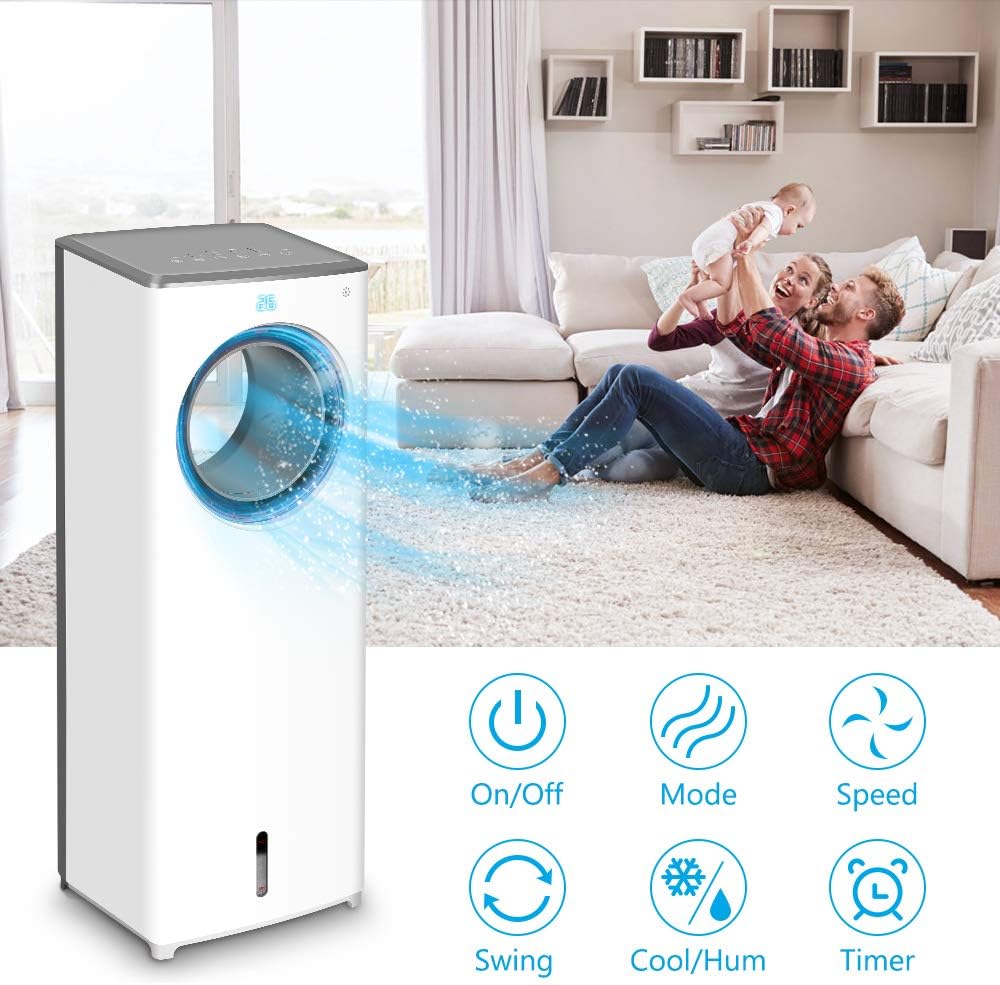
Imaj 4.1: Plis paseview of the control panel buttons and remote control functions, including On/Off, Mode, Speed, Swing, Cool/Humidify, and Timer.
- Limen/Etenyen: Peze a Pouvwa bouton pou limen oswa etenn inite a.
- Vitès fanatik: Peze a Vitès button repeatedly to cycle through Low, Mid, and High fan speeds.
- Mòd operasyon: Peze a Mode button to select from three distinct airflow patterns:
- Mòd nòmal: Bay yon sikilasyon lè ki konsistan.
- Mòd nati: Simile yon briz natirèl avèk divès vitès vantilatè.
- Mòd dòmi: Operates at a lower speed and noise level for quiet operation during rest.

Image 4.2: Visual representation of the three available wind modes: Normal, Nature, and Sleep, illustrating their different airflow characteristics.
- Osilasyon (Balanse): Peze a Balanse button to activate or deactivate the 90-degree oscillation feature, distributing air across a wider area.

Image 4.3: The air cooler demonstrating its 90-degree oscillation feature for comprehensive air distribution.
- Cool/Humidify Function: Peze a Cool/Humidify button to activate the evaporative cooling and humidification function. Ensure the water tank is filled for this feature to operate effectively.
- Revèy: Peze a Revèy button to set the automatic shut-off timer for up to 8 hours. Each press increases the timer setting.

Image 4.4: The 8-hour adjustable timer feature, promoting energy efficiency and convenience for extended use.
5. Antretyen
Regular cleaning and maintenance will ensure optimal performance and longevity of your air cooler.
- Anvan Netwayaj: Toujou debranche aparèy la nan priz kouran an anvan ou netwaye li oswa fè nenpòt antretyen.
- Netwaye tank dlo a:
- Retire tank dlo a nan inite a.
- Vide tout dlo ki rete a.
- Netwaye tank la avèk yon savon dou ak dlo tyèd. Rense byen pou retire tout rès savon.
- It is recommended to clean the water tank every 3 days to prevent odor and bacterial growth.
- Cleaning the Cooling Pad/Filter:
- Refer to the product diagram to locate and carefully remove the cooling pad/filter from the rear of the unit.
- Rinse the cooling pad/filter under running water to remove dust and debris. Do not use harsh chemicals.
- Allow the cooling pad/filter to air dry completely before reinserting it into the unit.
- Netwaye eksteryè a: Siye sifas ekstèn aparèy la avèk yon twal mou, damp twal. Pa sèvi ak pwodui netwayaj abrazif oswa solvang.
- Depo: If storing the unit for an extended period, ensure the water tank and cooling pad are clean and dry. Store the unit in a cool, dry place.
NAN. Depanaj
| Pwoblèm | Kòz posib | Solisyon |
|---|---|---|
| Aparèy pa limen. | Pa gen kouran; kòd kouran an pa byen branche. | Check power outlet and ensure the power cord is firmly connected. |
| No cool air or humidification. | Water tank is empty; cooling pad is dry; Cool/Humidify function not activated. | Fill the water tank; ensure the cooling pad is moist; activate the Cool/Humidify function. |
| Unpleasant odor from the unit. | Stagnant water or dirty cooling pad/water tank. | Clean the water tank and cooling pad thoroughly. Replace water regularly. |
| Dlo flit. | Water tank not properly seated; obstruction in water tank (e.g., packaging material). | Ensure the water tank is correctly inserted. Check for and remove any foreign objects from the tank. |
| Remote kontwòl pa travay. | Batteries are dead or incorrectly inserted; remote not pointed at receiver. | Replace batteries with new ones, ensuring correct polarity. Point the remote directly at the unit's receiver. |
7. Espesifikasyon
| Karakteristik | Detay |
|---|---|
| Modèl | B085RBZ1P |
| Mak | TRUSTECH |
| Pwa atik | 14.17 liv |
| Dimansyon pwodwi | 10.2"D x 8.7"W x 28.7"H |
| Sous pouvwa | Fil elektrik |
| Kalite aliye | Pòtab |
| Karakteristik espesyal | Bladeless, Portable, Humidifier |
| Kantite vitès | 3 |
| Osilasyon | 90 degre |
| Revèy | 1-8 èdtan reglabl |
8. Garanti ak sipò
For information regarding product warranty, technical support, or service inquiries, please refer to the warranty card included with your product packaging or visit the official TRUSTECH website. Contact details for customer support are typically provided in these resources.